Вовед
This manual provides essential instructions for the setup, operation, maintenance, and troubleshooting of your Trust Soundwave 1000P PC Speaker system. Please read this manual thoroughly before using the product to ensure proper functionality and longevity.
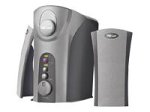
Image: The Trust Soundwave 1000P PC Speaker system, featuring a central subwoofer unit and two compact satellite speakers, designed for computer audio. The subwoofer is typically placed on the floor, while the satellite speakers are positioned on a desk.
Инструкции за поставување
Follow these steps to correctly set up your Trust Soundwave 1000P PC Speaker system.
- Отпакување: Carefully remove all components from the packaging. Ensure you have the subwoofer, two satellite speakers, and all necessary cables.
- Поставување звучници:
- Place the subwoofer on the floor, preferably near your computer desk, to optimize bass response. The vertical bass reflex design benefits from clear space around it.
- Position the two satellite speakers on your desk, equidistant from your listening position, for optimal stereo sound.
- Поврзување на сателитски звучници: Connect the cables from the satellite speakers to the corresponding output ports on the subwoofer unit. Ensure a secure connection.
- Connecting to Audio Source (PC): Connect the 3.5mm audio jack cable from the subwoofer to the audio output port (usually green) on your computer's sound card.
- Поврзување за напојување: Приклучете го кабелот за напојување од сабвуферот во стандарден електричен штекер.
- Почетно вклучување: Turn on the speaker system using the power control, typically located on the subwoofer or a wired remote.
Ракување со звучниците
Once set up, you can begin using your Soundwave 1000P speakers.
- Вклучување/исклучување: Use the main power switch or button to turn the system on or off. An indicator light may confirm the power status.
- Контрола на јачината на звукот: Adjust the overall volume using the dedicated volume knob or controls. Start with a low volume and gradually increase it.
- Прилагодување на бас: The subwoofer features an adjustable bass control. Rotate the bass knob to achieve your desired level of deep bass.
- 3D Sound Switch: Activate or deactivate the 3D sound feature using the designated switch. Experiment with this setting to find your preferred audio experience for different content.
- Аудио влез: The system primarily uses an AUX connection. Ensure your audio source is playing sound through its 3.5mm audio output.
Одржување и нега
Proper maintenance ensures the longevity and optimal performance of your speaker system.
- Чистење:
- Исклучете го напојувањето пред чистење.
- Use a soft, dry cloth to wipe down the speaker surfaces.
- Не користете течни средства за чистење, аеросоли или абразивни материјали, бидејќи тие можат да ја оштетат завршната обработка или внатрешните компоненти.
- Поставување: Avoid placing speakers in direct sunlight, near heat sources, or in areas with high humidity. Ensure adequate ventilation around the subwoofer.
- Управување со кабли: Keep cables tidy and avoid sharp bends or kinks to prevent damage.
- Складирање: If storing the speakers for an extended period, disconnect them from power, clean them, and store them in a dry, cool place, preferably in their original packaging.
Упатство за решавање на проблеми
If you encounter issues with your Trust Soundwave 1000P speakers, refer to the following common problems and solutions.
| Проблем | Можна причина | Решение |
|---|---|---|
| Нема звук од звучниците. |
|
|
| Искривен или нејасен звук. |
|
|
| Сабвуферот не произведува бас. |
|
|
Спецификации на производот
Key technical details for the Trust Soundwave 1000P PC Speaker system.
- Број на модел: 12616
- Бренд: Доверба
- Тип на звучник: Subwoofer (2.1 system)
- Максимална врвна излезна моќност: 1000 вати
- RMS Wattage: 7 Watt (5 + 2 x 1 Watt RMS)
- Технологија за поврзување: AUX (3.5 мм приклучок)
- Режим за излез на звук: Стерео
- Извор на енергија: Жичен електричен
- Тежина на ставката: 10 гр
- Тип на монтирање: Tabletop Mount (for satellites), Floor (for subwoofer)
- Контролен метод: Допрете
Информации за гаранцијата
Овој производ доаѓа со а Ограничена гаранција. For specific terms and conditions, including warranty duration and claim procedures, please refer to the warranty card included with your purchase or visit the official Trust webстраница. Зачувајте го доказот за купување за гаранциски побарувања.
Поддршка за корисници
For further assistance, technical support, or inquiries not covered in this manual, please visit the official Trust support webвеб-страница или контактирајте го нивниот оддел за услуги на клиентите. Контакт информациите обично може да се најдат на производителот webлокација или пакување на производот.
Официјален фонд Webсајт: www.trust.com


