1. Вовед
The Extech SDL200 is a versatile four-channel thermometer and data logger designed for precise temperature measurement and recording. It supports six types of thermocouples (J, K, E, T, R, S) and two channels for RTD (Pt100Ohm) probes, allowing for a wide range of applications. This device can display individual channel readings (T1, T2, T3, T4) or differential readings (T1-T2). It features an offset adjustment for relative measurements and can store up to 99 readings manually, with an extensive capacity of 20 million readings via a 2GB SD memory card. All recorded data is time-stamped and saved in an Excel-compatible format for easy transfer and analysis on a PC. The SDL200 also includes user-programmable sampling rates, Min/Max recording, Data Hold, Auto Power Off, and a built-in PC interface.
2. Информации за безбедност
Please read and understand all safety instructions before operating the Extech SDL200. Failure to follow these instructions may result in injury or damage to the device.
- Не го користете уредот ако изгледа оштетен или ако изолацијата е компромитирана.
- Ensure proper probe connection before taking measurements.
- Избегнувајте изложување на уредот на екстремни температури, влажност или директна сончева светлина.
- Use only specified battery types and ensure correct polarity during installation.
- Keep the device clean and dry. Refer to the maintenance section for cleaning instructions.
- Не обидувајте се да го поправите или модифицирате уредот. Сите сервиси обратете се на квалификуван персонал.
3. Содржина на пакетот
Проверете дали сите предмети се присутни при распакувањето:
- Extech SDL200 Four-Channel Thermometer SD Logger unit
- 6 АА батерии
- Four general purpose Type K bead wire temperature probes
- SD memory card (2GB)
- Цврста торбичка за носење

Слика 3.1: Extech SDL200 unit with four Type K thermocouple probes inserted into the top ports. The display shows temperature readings for T1, T2, T3, and T4.

Слика 3.2: The retail packaging box for the Extech SDL200, displaying the brand logo, model name, and UPC code (0793950432105).
4. Производот завршиview
The SDL200 features a clear digital display and intuitive button layout for easy operation. The top of the device includes four input ports for thermocouple probes. The side of the device houses connectivity ports for power and PC interface, along with RTD probe inputs.

Слика 4.1: Страна view of the Extech SDL200, illustrating the DC 9V power input, RS232 serial port for PC connection, and two RTD (PT100Ohm) probe input ports labeled PT1 and PT2, protected by a rubber flap.

Слика 4.2: A set of four yellow Type K bead wire temperature probes with standard mini-connectors, alongside a larger clamp-style temperature probe, demonstrating the variety of probes that can be used with the device.
5. Поставување
5.1. Инсталација на батерија
- Отворете го капакот на преградата за батерии на задниот дел од уредот.
- Insert six (6) AA batteries, ensuring correct polarity as indicated inside the compartment.
- Добро затворете го капакот на преградата за батерии.
5.2. Поврзување на сондата
- For thermocouple probes (Type J, K, E, T, R, S), connect them to the four input jacks located at the top of the meter. Ensure the correct thermocouple type is selected in the device settings if applicable.
- For RTD (Pt100Ohm) probes, connect them to the PT1 and PT2 ports on the side of the device (refer to Figure 4.1).
5.3. Вметнување на SD картичка
- Locate the SD card slot, typically on the side or bottom of the device.
- Insert the provided 2GB SD memory card into the slot until it clicks into place.
- За да ја извадите, нежно притиснете ја картичката навнатре додека не испадне.
6. Упатства за работа
6.1. Вклучување/исклучување
Притиснете го МОЌ копче за вклучување или исклучување на уредот.
6.2. Основно мерење на температурата
- Connect the desired temperature probes.
- Power on the device. The display will show real-time temperature readings for the connected channels (T1, T2, T3, T4).
- Притиснете го Т1-Т2 button to switch between individual channel display and differential temperature (T1-T2) display.
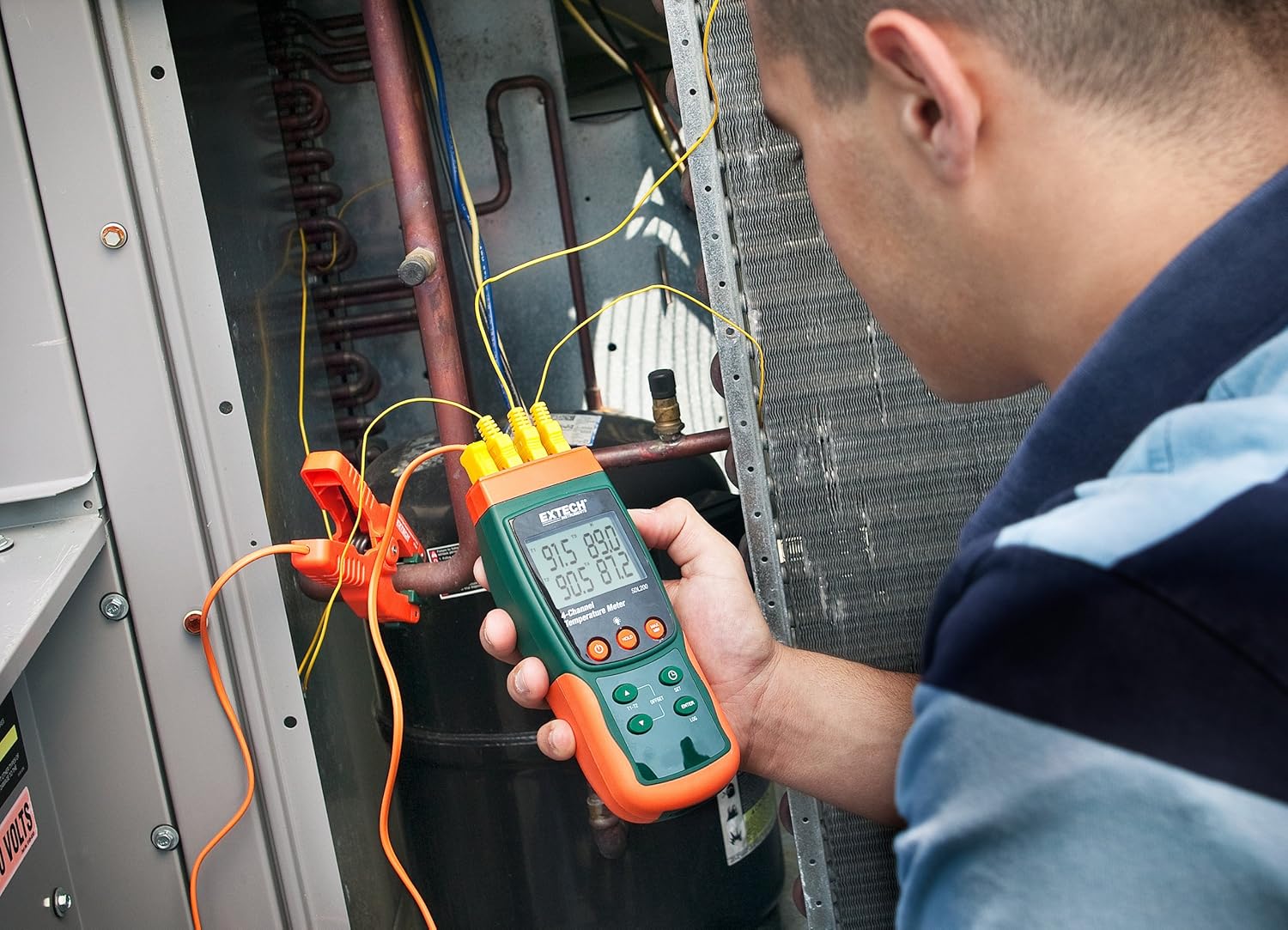
Слика 6.1: A technician utilizing the Extech SDL200 to monitor multiple temperature points on an HVAC system, demonstrating its application in industrial and scientific settings.
6.3. Пријавување податоци
The SDL200 can record temperature data to the SD card with a real date and time stamp.
- Поставете Сampling Оценка: Користете го ПОСТАВЕТЕ button to access settings and adjust the sampстапка на линг (од 1 до 3600 секунди).
- Започнете со евиденција: Притиснете го ДНЕВНИК button to begin recording data to the SD card. A logging indicator will appear on the display.
- Stop Logging: Притиснете го ДНЕВНИК повторно притиснете го копчето за да го запрете снимањето на податоци.
- Пренос на податоци: Remove the SD card and insert it into a computer to access the data, which is saved in Excel (.xls) format.
6.4. Min/Max and Data Hold
- Мин/макс: Притиснете го MAX/MIN button to display the maximum or minimum recorded temperature since the function was activated. Press again to cycle through Max, Min, and current readings.
- Задржување на податоци: Притиснете го ДРЖИ копче за замрзнување на тековните отчитувања на екранот. Притиснете повторно за да го ослободите.
6.5. Offset Adjustment
Користете го ОФСЕТ button to perform a zero function for relative measurements. Consult the full manual for detailed calibration procedures.
6.6. Автоматско исклучување
The device features an Auto Power Off function to conserve battery life. This can typically be disabled or adjusted in the settings menu if continuous operation is required.
6.7. PC Interface
The built-in RS232 PC interface allows for real-time data streaming and advanced control using compatible software (sold separately or available for download from Extech's website). Connect the device to your PC using an appropriate RS232 cable.
7. Одржување
7.1. Чистење
Избришете го уредот со мека, дamp cloth. Do not use abrasive cleaners or solvents. Ensure the device is dry before storage or further use.
7.2. Замена на батеријата
Replace batteries when the low battery indicator appears on the display. Refer to Section 5.1 for battery installation instructions.
7.3. Складирање
When not in use for extended periods, remove the batteries and store the device in its hard carrying case in a cool, dry place.
8 Смена на проблеми
- Уредот не се вклучува: Проверете ја инсталацијата на батериите и осигурајте се дека батериите не се испразнети. Заменете ги доколку е потребно.
- Неточни мерења на температурата: Verify probe connections are secure and that the correct probe type is selected (if applicable). Ensure probes are not damaged.
- Data logging not working: Check if the SD card is properly inserted and has sufficient free space. Ensure the logging function is activated.
- PC connection issues: Verify the RS232 cable connection and ensure the correct drivers and software are installed on your PC.
9. Спецификации
| Карактеристика | Спецификација |
|---|---|
| Бренд | Extech |
| Име на моделот | SDL200 |
| Специјална карактеристика | 4-Channel Datalogging |
| Тип на дисплеј | Дигитален |
| Технологија за поврзување | USB (via RS232 interface) |
| Извор на енергија | Напојува со батерии (вклучени се 6 AA батерии) |
| Оценка за горната температура | 2732 Фаренхајтови степени |
| Време на одговор | 1 секунда |
| Datalogging Capacity | 20M readings via 2G memory card |
| Sampling Стапка | 1 to 3600 seconds (user programmable) |
| Видови на термоспој | J, K, E, T, R, S (4-channel) |
| RTD сонди | Pt100Ohm (2-channel) |
| Вклучени компоненти | Batteries, Bead wire temperature probes, memory card, case |
| Тежина на ставката | 1.1 фунти |
| Должина на ставката | 7.2 инчи |
| Надворешен материјал | Поликарбонат (компјутер) |
| Спецификација исполнет | CE |
10. Гаранција и поддршка
Extech products are designed for reliability and performance. For warranty information, technical support, or service inquiries, please refer to the official Extech webлокација или контактирајте го нивниот оддел за корисничка поддршка. Чувајте ја сметката како доказ за купување за гаранциски побарувања.
За дополнителни ресурси, посетете ја Продавница Extech на Amazon.


