1. Вовед
The Transformers Universe Deluxe Figure Acid Storm is a highly intelligent, eager, and dedicated Decepticon air warrior. Known as one of "The Rainmakers," Acid Storm possesses Hyperion3 blasters capable of seeding natural clouds with a highly destructive form of acid rain. This figure transforms between a formidable robot mode and a sleek fighter jet mode, offering dynamic play and display options.

Image: Transformers Universe Deluxe Figure Acid Storm in Robot Mode.
2. Информации за безбедност
- Опасност од гушење: Мали делови. Не е за деца под 3 години.
- Држете подалеку од отворен пламен или екстремна топлина.
- Avoid excessive force during transformation to prevent damage to the figure.
- За помалите деца се препорачува надзор од возрасен.
3. Компоненти
Your Transformers Universe Deluxe Figure Acid Storm package includes:
- Acid Storm Figure (Robot Mode)
- 2 Launching Missiles (accessories)
- Double Hyperion3 Blasters (accessories)
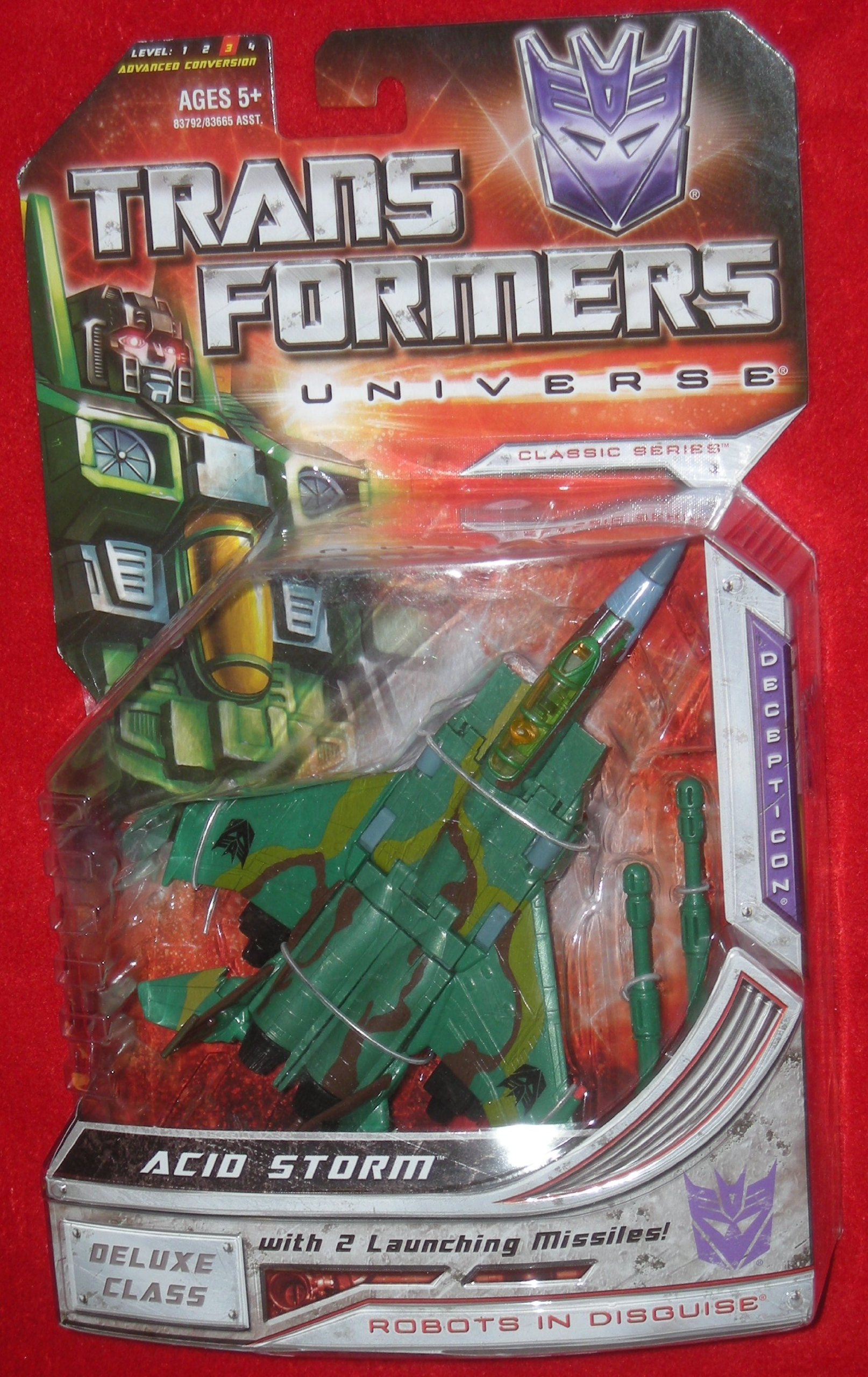
Image: Back of packaging detailing figure components and modes.
4. Transformation
Acid Storm transforms between Robot Mode and Fighter Jet Mode. Follow these steps carefully.
4.1. Robot Mode to Fighter Jet Mode
- Remove all accessories (missiles, blasters) from the figure.
- Преклопете ги рацете на роботот во подлактиците.
- Rotate the waist 180 degrees.
- Collapse the chest panel down to form the nosecone of the jet.
- Fold the robot's legs together, aligning them to form the rear fuselage of the jet.
- Rotate the wings from the back of the robot to align with the jet mode. Ensure the Decepticon insignias are facing upwards.
- Adjust the tail fins to their jet mode position.
- Attach the launching missiles to the designated ports under the wings.
- Ensure all panels are securely tabbed into place for a compact jet form.
4.2. Fighter Jet Mode to Robot Mode
- Remove all accessories (missiles, blasters) from the jet.
- Untab the fuselage sections and separate the legs.
- Rotate the legs into their robot mode orientation.
- Unfold the nosecone section to reveal the robot's chest and head.
- Rotate the waist 180 degrees to face forward.
- Rotate the wings and tail fins to position them on the robot's back.
- Extend the robot's arms and unfold the hands.
- Attach the Double Hyperion3 Blasters to the robot's hands.
- Ensure all parts are locked into their robot mode positions.
Видео: Производот завршиview demonstrating features and possibly transformation.
5. Работни карактеристики
- Launching Missiles: Insert the two launching missiles into the designated ports on the jet's wings. Press the small button near the missile to launch.
- Double Hyperion3 Blasters: These blasters can be held by the figure in robot mode. They can also be stored on the jet mode by attaching them to the underside ports.
- Flip Down Landing Gear: In fighter jet mode, locate the small landing gear components on the underside of the jet. Flip them down for ground display or up for flight mode.
6. Одржување
- Чистење: Wipe the figure with a soft, dry cloth. Do not use harsh chemicals or abrasive cleaners.
- Складирање: Store the figure in a cool, dry place away from direct sunlight to prevent discoloration or material degradation.
- Грижа за зглобовите: If joints become loose, apply a small amount of clear nail polish to the joint and allow it to dry completely to restore tightness.
7 Смена на проблеми
- Parts not aligning during transformation: Ensure all previous steps are completed correctly and that no parts are obstructing the movement. Refer to the transformation steps.
- Додатоците не се вклопуваат: Check the orientation of the accessory and the port. Do not force accessories into place.
- Лабави зглобови: Refer to the "Joint Care" section under Maintenance.
8. Спецификации
| Карактеристика | Детал |
|---|---|
| Димензии на производот | 7.6 x 7.48 x 2.91 инчи |
| Тежина на ставката | 7.2 унци |
| ASIN | B001DIRYO8 |
| Број на модел на ставка | 653569325185 |
| Производител | Хасбро |
| Препорачана возраст | 8+ (based on similar products) |
9. Гаранција и поддршка
For warranty information or product support, please contact Hasbro customer service directly. Refer to the packaging for specific contact details or visit the official Hasbro webсајт.
Онлајн ресурси: For additional information and community discussions, visit Transformers.com.


