1. Вовед
Thank you for choosing the NEC LCD4215 42-inch MultiSync LCD Monitor. This manual provides essential information for the safe and efficient use of your new display. Please read these instructions thoroughly before installation and operation, and retain them for future reference.
2. Информации за безбедност
Следете ги следниве безбедносни мерки за да спречите оштетување на мониторот и да ја обезбедите безбедноста на корисникот:
- Извор на енергија: Connect the monitor only to a grounded power outlet with the correct voltage како што е наведено на етикетата на производот.
- Вентилација: Обезбедете соодветна вентилација околу мониторот. Не ги блокирајте отворите за вентилација.
- Изложеност на течност: Avoid exposing the monitor to rain, moisture, or excessive humidity. Do not place liquid-filled objects on or near the monitor.
- Чистење: Исклучете го кабелот за напојување пред чистење. Користете мека, сува крпа. Избегнувајте течни или аеросолни средства за чистење.
- Сервисирање: Не обидувајте се сами да го сервисирате овој производ. Пренесете ги сите сервиси на квалификуван сервисен персонал.
- Поставување: Поставете го мониторот на стабилна, рамна површина за да спречите паѓање.
3. Содржина на пакетот
Проверете дали сите предмети се присутни во пакувањето. Доколку некои предмети недостасуваат или се оштетени, веднаш контактирајте го вашиот продавач.
- NEC LCD4215 42-inch MultiSync LCD Monitor
- Кабел за напојување
- VGA кабел
- Далечински управувач со батерии
- Упатство за употреба (овој документ)
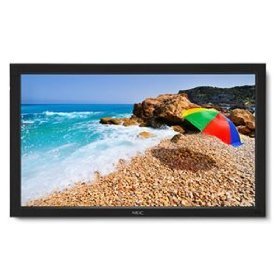
Image: The NEC LCD4215 42-inch MultiSync LCD Monitor, shown from the front with its stand. This image represents the primary display unit.
4. Поставување
4.1 Отпакување
- Carefully open the packaging and remove the monitor and accessories.
- Place the monitor face down on a soft, clean surface to avoid scratching the screen.
4.2 Stand/Mounting Installation
The monitor can be used with its included desktop stand or mounted using a VESA-compatible wall mount (sold separately).
4.2.1 Desktop Stand Installation
- Прикачете ја основата на држачот на вратот на држачот користејќи ги испорачаните завртки.
- Secure the assembled stand to the back of the monitor using the designated mounting points and screws.
- Внимателно подигнете го мониторот и поставете го на стабилна, рамна површина.
4.2.2 Монтирање на ѕид (опционално)
If using a VESA-compatible wall mount, follow the instructions provided with your wall mount kit. Ensure the mount supports the weight and VESA pattern of the NEC LCD4215 monitor.
4.3 Кабли за поврзување
Before connecting any cables, ensure the monitor and all connected devices are powered off.
- Видео кабел: Connect one end of the appropriate video cable (VGA, DVI, HDMI, etc.) to the video output port of your computer or media device and the other end to the corresponding input port on the monitor.
- Audio Cable (Optional): If using the monitor's internal speakers or audio output, connect an audio cable from your source device to the monitor's audio input.
- Кабел за напојување: Поврзете го кабелот за напојување со влезот за наизменична струја на мониторот, а потоа вклучете го другиот крај во заземјен електричен штекер.
5. Упатства за работа
5.1 Вклучување/исклучување
- Press the power button on the front panel of the monitor or on the remote control to turn the monitor on. The power indicator light will illuminate.
- За да го исклучите мониторот, повторно притиснете го копчето за вклучување.
5.2 Избор на влез
The monitor can display content from multiple sources. To switch between inputs:
- Press the 'Input' or 'Source' button on the remote control or the monitor's control panel.
- Use the navigation buttons to select the desired input source (e.g., VGA, DVI, HDMI).
- Press 'Enter' or 'OK' to confirm your selection.
5.3 Основни поставки за екранот
Пристапете до менито за приказ на екранот (OSD) за да ги прилагодите различните поставки:
- Press the 'Menu' button on the remote control or the monitor's control panel.
- Use the navigation buttons (Up/Down/Left/Right) to browse through menu options such as 'Brightness', 'Contrast', 'Color Temperature', and 'Aspect Ratio'.
- Press 'Enter' or 'OK' to select an option and adjust its value.
- Press 'Menu' again to exit the OSD menu.
6. Одржување
6.1 Чистење на екранот
To maintain optimal display quality, clean the screen and casing regularly:
- Секогаш исклучувајте го мониторот од струја и извадете го од струја пред чистење.
- Користете мека крпа без влакненца малку гampened with water or a non-abrasive, ammonia-free, and alcohol-free screen cleaner.
- Нежно избришете го екранот и вasing. Do not apply excessive pressure.
- Избегнувајте прскање течност директно врз екранот или во какви било отвори.
6.2 Складирање
If storing the monitor for an extended period, ensure it is powered off, unplugged, and stored in a cool, dry place away from direct sunlight and extreme temperatures. Use the original packaging if available for protection.
7 Смена на проблеми
Before contacting customer support, refer to the following table for common issues and their solutions:
| Проблем | Можна причина | Решение |
|---|---|---|
| Нема слика на екранот | Monitor not powered on; Video cable loose or disconnected; Incorrect input source selected. | Press the power button; Check video cable connections; Select the correct input source. |
| Сликата е премногу темна/светла | Поставките за осветленост/контраст се неточни. | Adjust 'Brightness' and 'Contrast' in the OSD menu. |
| Нема аудио | Аудио кабелот е исклучен; Јачината на звукот е прениска; Исклучено. | Check audio cable connection; Increase volume; Unmute audio. |
| Слика која трепка | Video cable faulty; Resolution/Refresh rate mismatch. | Replace video cable; Adjust display settings on your computer. |
8. Спецификации
Detailed technical specifications for the NEC LCD4215 MultiSync LCD Monitor:
| Карактеристика | Спецификација |
|---|---|
| Број на модел | LCD4215 |
| Големина на екранот | 42 инчи |
| Максимална резолуција на екранот | 1366 x 768 |
| Сооднос на аспект | 1.78:1 |
| Тежина на ставката | 47 фунти |
| Димензии на производот (ДxШxВ) | 44 x 27.5 x 9.25 инчи |
| Боја | Црното |
| Производител | Nec Computers |
| Датум прв на располагање | 31 јули 2008 година |
9. Гаранција и поддршка
9.1 Информации за гаранцијата
This NEC LCD4215 monitor comes with a standard manufacturer's warranty. Please refer to the separate warranty card included in your product packaging for specific terms, conditions, and duration of coverage. Keep your proof of purchase for warranty claims.
9.2 Поддршка за корисници
For technical assistance, troubleshooting beyond this manual, or warranty service, please contact NEC customer support. Visit the official NEC webстраница за најактуелни информации за контакт, вклучувајќи телефонски броеви и ресурси за онлајн поддршка.
Webсајт: www.nec.com


