Вовед
The Leviton 49222-HAO QuickPort Modular Furniture Bracket is designed to facilitate the installation of surface-mount outlets or flush-mount devices, along with a backbox, into various types of modular office furniture. This bracket features a rear cable entry hole, which simplifies the wiring process and allows for a neat and organized cable management solution. It is specifically engineered for compatibility with systems like Herman Miller.
Информации за безбедност
- Секогаш исклучувајте го напојувањето пред инсталација или сервисирање.
- Ensure all connections comply with local electrical codes.
- This product is intended for installation by qualified personnel.
- Do not modify the product. Use only as intended.
Содржина на пакетот
Проверете дали сите компоненти се присутни пред да започнете со инсталацијата.
- 1 x Leviton 49222-HAO QuickPort Modular Furniture Bracket
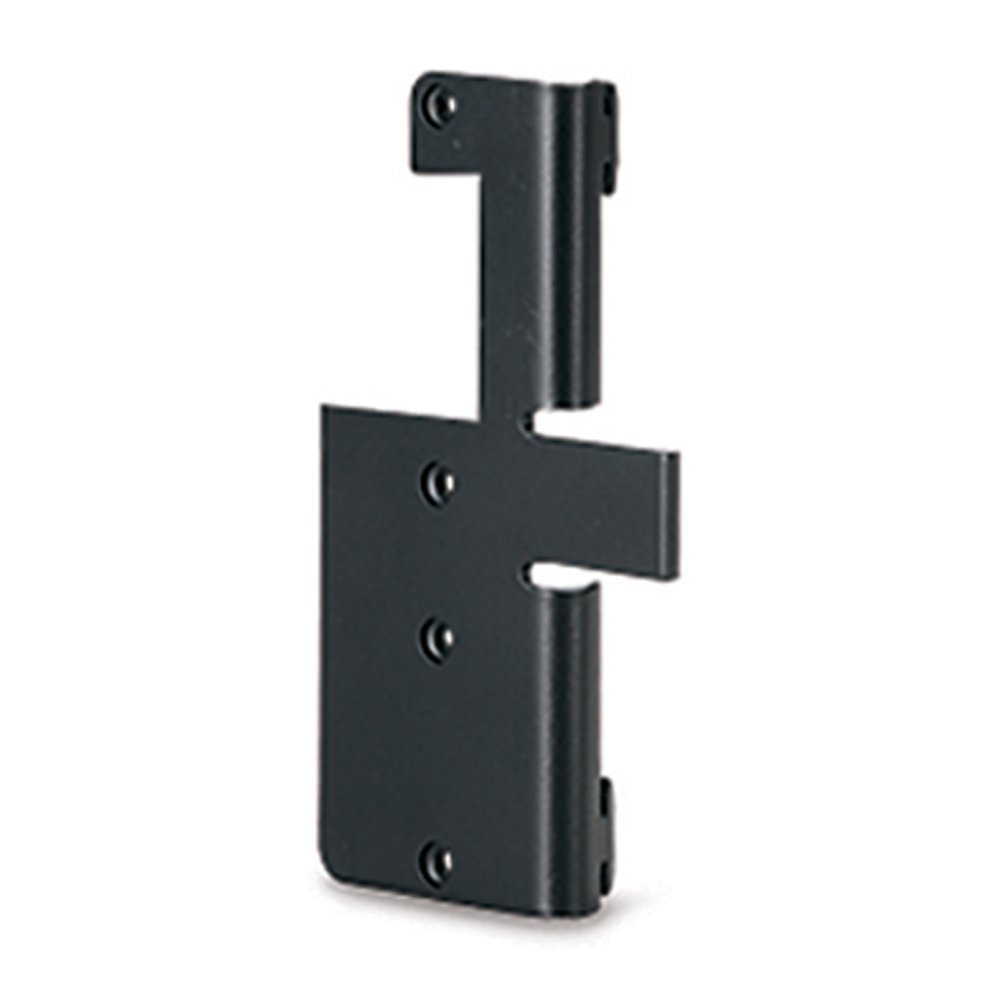
Image: The Leviton 49222-HAO QuickPort Modular Furniture Bracket, shown from a front-side angle, highlighting its compact design and mounting points.
Поставување и инсталација
The Leviton 49222-HAO bracket is designed for straightforward integration into modular office furniture systems, particularly those from Herman Miller.
Чекори за инсталација:
- Подгответе го мебелот: Identify the desired location on the modular office furniture for the outlet or device installation. Ensure there is adequate space and access for wiring.
- Монтирајте го држачот: Position the Leviton 49222-HAO bracket against the furniture surface. Secure it using appropriate fasteners (not included) that are compatible with your furniture material. The bracket is designed to accommodate surface-mount outlets or flush-mount devices with a backbox.
- Каблирање на рутата: Utilize the rear cable entry hole on the bracket to route necessary cables (e.g., data, power) from behind the furniture to the front. This feature helps maintain a clean and organized appearance.
- Инсталирај уред: Once the bracket is securely mounted and cables are routed, install your QuickPort outlets or other compatible devices into the bracket. Ensure all connections are firm and secure.
- Конечна проверка: Verify that the bracket and installed devices are stable and that all wiring is correctly connected and safely managed.
Забелешка: This bracket is specifically designed for use with Herman Miller modular office systems, ensuring optimal fit and integration.
Упатства за работа
The Leviton 49222-HAO QuickPort Modular Furniture Bracket functions as a stable mounting platform for various QuickPort compatible devices. Once installed, the operation of the bracket itself is passive, providing structural support and cable management. The functionality will depend on the specific QuickPort outlets or devices installed within it (e.g., data jacks, power outlets).
Ensure that any devices installed into the bracket are used according to their individual operating instructions.
Одржување
The Leviton 49222-HAO QuickPort Modular Furniture Bracket requires minimal maintenance.
- Чистење: Periodically wipe the surface of the bracket with a soft, dry cloth to remove dust. For stubborn marks, a slightly damp може да се користи крпа со благ сапун, а потоа да се исуши. Избегнувајте абразивни средства за чистење или растворувачи.
- Инспекција: Occasionally check the mounting screws or fasteners to ensure they remain tight and secure. Verify that cables are not pinched or damaged.
- Еколошки услови: Ensure the bracket is not exposed to extreme temperatures or excessive moisture, which could affect its material integrity or the performance of installed devices.
Решавање проблеми
As a passive mounting bracket, direct troubleshooting for the 49222-HAO is limited. Most issues will relate to the installation process or the devices mounted within it.
Заеднички прашања и решенија:
- Bracket is loose: Ensure all mounting fasteners are securely tightened. If the furniture material is damaged, consider relocating the bracket or reinforcing the mounting area.
- Cables are not routing smoothly: Check for obstructions in the cable entry hole or ensure cables are not kinked. Reroute if necessary.
- Installed device is not functioning: This is likely an issue with the device itself or its connection. Refer to the instruction manual for the specific QuickPort device installed. Verify all wiring connections are correct and secure.
Спецификации
| Карактеристика | Детал |
|---|---|
| Број на модел | 49222-HAO |
| Бренд | Левитон |
| Димензии на производот (ДxШxВ) | 5.41 x 1.45 x 9.07 cm (2.13 x 0.57 x 3.57 инчи) |
| Тежина на ставката | 54.4 грама (1.92 унци) |
| Боја | Црното |
| Вклучени компоненти | Заграда |
| UPC | 078477805466 |
| GTIN | 00078477805466 |
Гаранција и поддршка
For warranty information and technical support regarding the Leviton 49222-HAO QuickPort Modular Furniture Bracket, please refer to the official Leviton website or contact Leviton customer service directly. Specific warranty terms may vary by region and purchase date.
Онлајн ресурси: Посетете го официјалниот Левитон website for product documentation, FAQs, and support contacts.
Услуга за клиенти: Contact Leviton customer support for assistance with installation, troubleshooting, or product inquiries.


