Вовед
Ви благодарам за купувањетоasing the GPX DH300B 1080p Upconversion DVD Player with HDMI. This device is designed to enhance your viewing experience by upconverting standard definition DVDs to near high-definition resolutions (720p, 1080i, or 1080p) for compatible HDTVs. It supports a variety of disc formats, including DVD, DVD+/-R/RW, CD, CD-R/RW, and JPEG CDs, and features multiple audio and video output options for versatile connectivity.
Содржина на пакетот
Ве молиме осигурајте се дека сите артикли наведени подолу се вклучени во вашиот пакет:
- GPX DH300B DVD Player with built-in AC power cable
- Full-function Remote Control (requires 2 AAA batteries - not included)
- RCA Audio/Video Cable
- Упатство за корисникот (овој документ)
- Гарантна картичка
Производот завршиview
Контроли на предниот панел
The front panel of your GPX DH300B DVD Player provides essential controls for basic operation:

Слика 1: Предна страна view of the GPX DH300B DVD Player, showing the disc tray, control buttons, and USB port.
- Фиока за диск: Вметнете DVD-а или CD-а тука.
- Копче за отворање/затворање: Ја отвора и затвора фиоката за диск.
- Копче за репродукција/пауза: Започнува или паузира репродукција на диск.
- Копче запирање: Го запира репродуцирањето на дискот.
- Копче за вклучување: Го вклучува или исклучува уредот.
- USB порта: For playing media from a USB flash drive.
Врски на задниот панел
The rear panel offers various ports for connecting the DVD player to your television or audio system:

Слика 2: Заден дел view of the GPX DH300B DVD Player, highlighting the HDMI, S-video, composite video, coaxial digital audio, and RCA stereo audio outputs.
- HDMI излез: For digital audio and video connection to an HDTV. Supports 720p, 1080i, 1080p upconversion.
- S-Video излез: For video connection to a TV.
- Композитен видео излез (жолт RCA): For standard definition video connection.
- Коаксијален дигитален аудио излез: За дигитално аудио поврзување со компатибилен аудио приемник.
- RCA Stereo Audio Output (Red/White): For analog stereo audio connection.
Поставување
1. Поврзување со телевизор
Choose the appropriate connection method based on your television's available inputs:
HDMI Connection (Recommended for HDTVs)
- Проверете дали и DVD плеерот и телевизорот се исклучени.
- Поврзете еден крај на HDMI кабел (не е вклучен) на HDMI OUT порт на задната страна од DVD плеерот.
- Поврзете го другиот крај од HDMI кабелот со HDMI ВО порт на вашиот телевизор.
- Power on your TV and select the corresponding HDMI input using your TV's remote control.
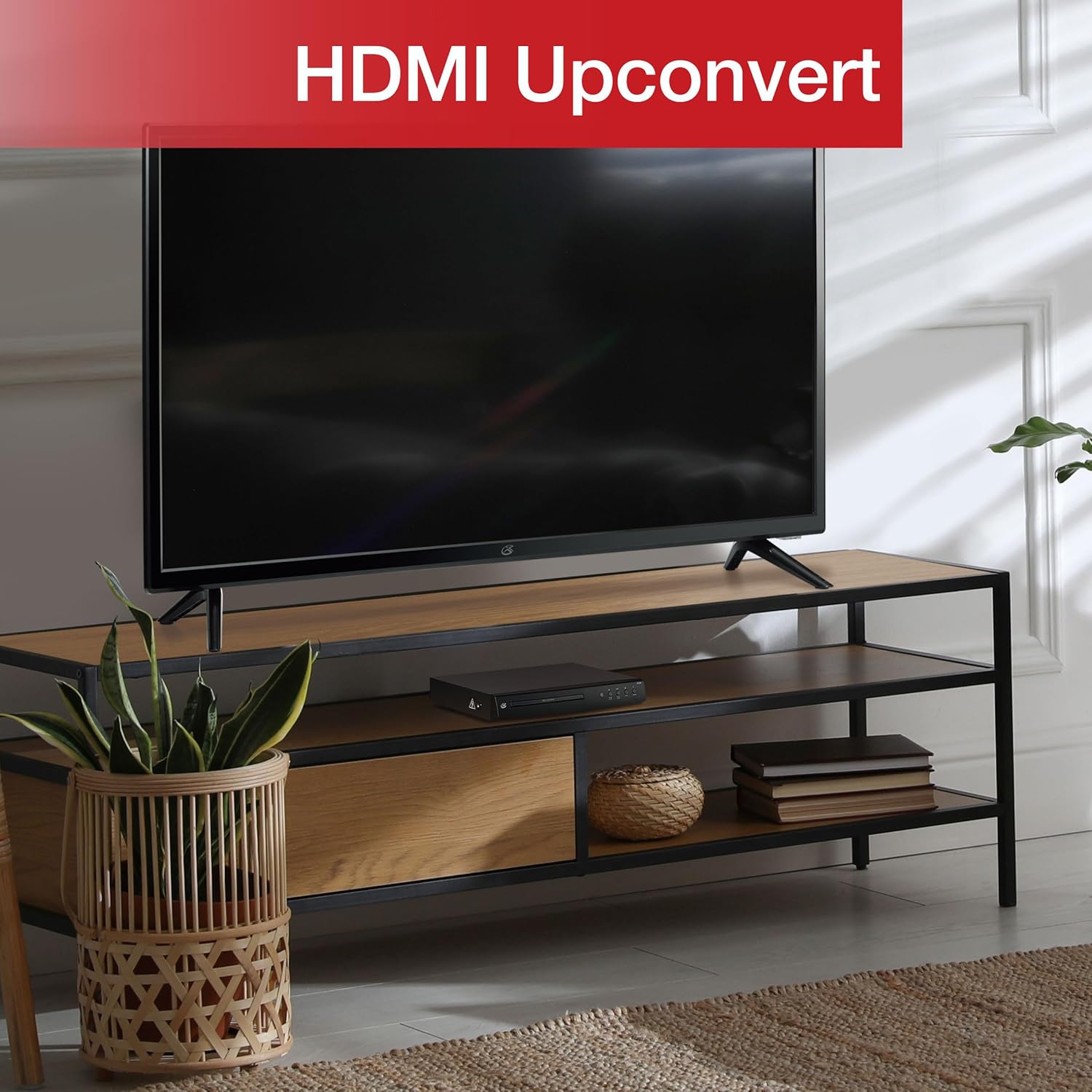
Figure 3: The GPX DH300B DVD Player connected to a television, demonstrating HDMI upconversion capabilities.
RCA Composite Video Connection
- Проверете дали и DVD плеерот и телевизорот се исклучени.
- Connect the yellow plug of the RCA audio/video cable to the ВИДЕО (yellow) port on the DVD player.
- Connect the red and white plugs of the RCA audio/video cable to the АУДИО ИЗЛЕЗ Р (црвено) и АУДИО ИЗЛЕЗ Л (white) ports on the DVD player.
- Connect the other ends of the RCA cables to the corresponding ВИДЕО ВО и AUDIO IN (R/L) ports on your television.
- Power on your TV and select the corresponding AV input.
2. Поврзување за напојување
The DVD player has a built-in AC power cable. Plug this cable into a standard 120V AC wall outlet.
3. Инсталација на батерија на далечински управувач
The remote control requires two AAA batteries (not included). Open the battery compartment on the back of the remote and insert the batteries, ensuring correct polarity (+/-).
Упатства за работа
1. Вклучување/исклучување
Притиснете го Моќ button on the front panel of the DVD player or on the remote control to turn the unit on or off.
2. Репродукција на диск
- Power on the DVD player and your television.
- Притиснете го Отвори/Затвори копчето на предната плоча или на далечинскиот управувач за да го отворите носачот на дискот.
- Ставете DVD или CD на фиоката за дискови со етикетата свртена нагоре.
- Притиснете го Отвори/Затвори повторно притиснете го копчето за да го затворите носачот за диск. Плеерот ќе почне да го вчитува дискот.
- Playback should start automatically. If a menu appears, use the arrow buttons on the remote to navigate and the OK копче за избор.
- Користете го Пушти/Пауза и Стоп копчиња за контрола на репродукција.

Figure 4: The GPX DH300B DVD Player, indicating its DVD playback capability.

Figure 5: The GPX DH300B DVD Player, indicating its CD playback capability.
3. Репродукција преку USB
The GPX DH300B supports media playback from a USB flash drive. Insert your USB drive into the USB port on the front panel. Use the remote control to navigate the on-screen menu and select your desired media files (e.g., JPEG images).
4. On-Screen Display (OSD) and Settings
The multi-language on-screen display allows you to adjust various video and audio settings. Press the ПОСТАВУВАЊЕ button on the remote control to access the setup menu. Use the arrow buttons to navigate and OK за да се потврдат изборите.
5. Функции на далечински управувач
The included full-function remote control provides comprehensive control over the DVD player. Key functions include:

Figure 6: A user operating the GPX DH300B DVD Player with its remote control.
- Вклучување/исклучување
- Отворете/затворете ја фиоката за диск
- Репродуцирај, Пауза, Стоп, Премотувај напред, Премотувај назад
- Chapter Skip (Next/Previous)
- Контрола на јачината на звукот
- Setup Menu Access
- Navigation (Arrow buttons, OK)
- Subtitle, Audio, Angle selection
Одржување
Чистење на единицата
Wipe the exterior of the DVD player with a soft, dry cloth. Do not use liquid cleaners or abrasive materials, as they may damage the finish.
Дискови за чистење
Wipe discs from the center outwards with a soft, lint-free cloth. Avoid touching the playback surface of the disc. Do not use solvents such as benzene, thinners, or commercially available cleaners, as they may damage the disc.
Решавање проблеми
| Проблем | Можна причина | Решение |
|---|---|---|
| Нема моќ | Кабелот за напојување не е поврзан; штекерот не е активен. | Ensure power cable is securely plugged into a working outlet. |
| Нема слика | Video cable not connected; incorrect TV input selected. | Check video cable connections (HDMI or RCA). Select the correct input source on your TV. |
| Нема звук | Audio cable not connected; TV/receiver volume too low or muted. | Check audio cable connections (HDMI or RCA). Adjust volume on TV/receiver. Ensure not muted. |
| Дискот не се репродуцира | Дискот е валкан, изгребан или е некомпатибилен форматиран. | Clean the disc. Try a different disc. Ensure the disc format is supported (DVD, CD, JPEG CD). |
| Далечинскиот управувач не работи | Batteries are dead or incorrectly inserted; obstruction between remote and player. | Replace batteries, ensuring correct polarity. Remove any obstructions. Ensure remote is pointed at the player. |
Спецификации
- Модел: DH300B
- Поддржани медиуми: DVD, DVD+/-R/RW, CD, CD-R/RW, JPEG CD
- Видео излез: HDMI (720p, 1080i, 1080p upconversion), S-Video, Composite Video
- Аудио излез: Coaxial Digital Audio, RCA Stereo Audio (2-channel)
- Сооднос на страни: 16:9, 4:3LB, 4:3PS
- Посебни карактеристики: Progressive Scan, Multi-language On-Screen Display
- Потребни за напојување: 120V AC
- Димензии: Приближно 10.24 x 8.07 x 1.85 инчи
- Тежина: Приближно 2.38 килограми
Гаранција и поддршка
For detailed warranty information and customer support, please refer to the warranty card included in your product packaging or visit the official GPX webстраница. Зачувајте го доказот за купување за какви било гаранциски побарувања.


