1. Вовед
The D-Link DGS-1008G 8-Port Gigabit Ethernet Switch provides an excellent solution for expanding your Gigabit network. This plug-and-play device offers 8 Gigabit ports, enabling high-speed data transfer up to 10 times faster than a 100Mbps Fast Ethernet connection. It is designed for quiet operation with a fanless desktop form factor and incorporates D-Link Green technology for energy conservation. Quality of Service (QoS) support ensures clear VoIP calls and smooth online gaming by prioritizing network traffic.
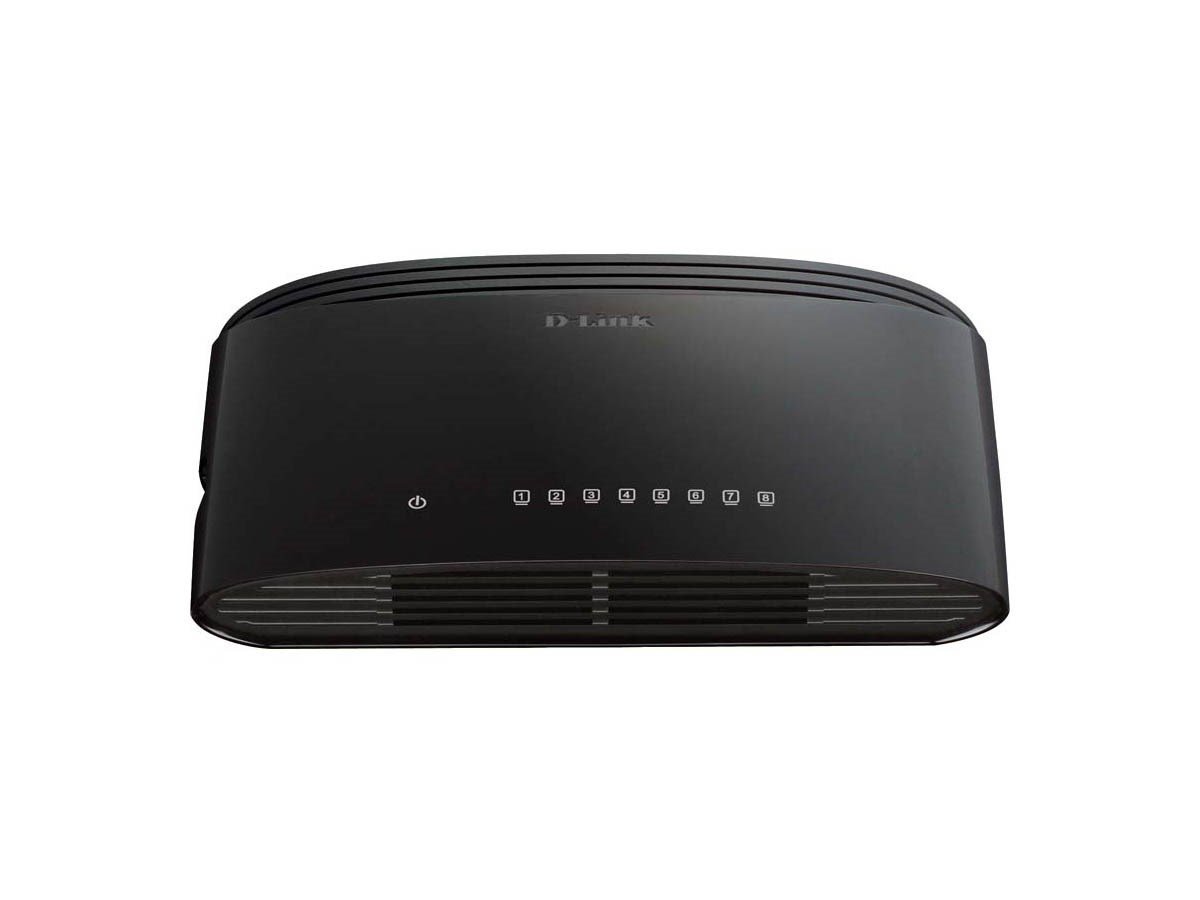
Figure 1: D-Link DGS-1008G 8-Port Gigabit Ethernet Switch, compact black design.
2. Што има во кутијата
По отворањето на пакетот, треба да ги најдете следните ставки:
- DGS-1008G Device: The 8-Port Gigabit Ethernet Switch unit.
- Адаптер за напојување: For connecting the switch to an electrical outlet.
- Водич за брз почеток: Provides basic setup instructions.
- Комплет за монтирање на ѕид: Includes screws and anchors for optional wall mounting.
- Гумени стапала: For desktop placement to prevent slipping and protect surfaces.
3. Поставување
The DGS-1008G switch is designed for plug-and-play installation, requiring no software configuration. Follow these steps to set up your switch:
- Поставување: Choose a suitable location for your switch. Ensure it is on a stable surface or mounted securely to a wall.
- Поврзете напојување: Plug the power adapter into the switch's power input port and then into a standard electrical outlet. The Power LED on the switch will illuminate.
- Поврзете се на мрежа: Connect an Ethernet cable from your router or modem to any of the 8 Gigabit ports on the DGS-1008G switch. The corresponding Link/Act LED for that port will light up, indicating a successful connection.
- Поврзете ги уредите: Connect your network devices (e.g., computers, network-attached storage, gaming consoles, smart TVs) to the remaining Ethernet ports on the switch using standard Ethernet cables. The Link/Act LEDs for these ports will also illuminate.
The switch automatically detects the network speed (10/100/1000 Mbps) and adjusts accordingly. If the Link/Act LED is blinking, it indicates active data transmission.
Video 1: A demonstration of how to connect and utilize the D-Link 8-Port Gigabit Ethernet Switch to expand your network and split your router's Wi-Fi signal. This video highlights the plug-and-play functionality and ease of setup for various devices.
4. Работење
The DGS-1008G is an unmanaged switch, meaning it operates automatically without requiring user configuration for basic network functions. Key operational features include:
- Гигабитна брзина: All 8 ports support Gigabit Ethernet (1000 Mbps), providing high-speed connectivity for bandwidth-intensive tasks.
- Plug-and-play: No software or complex setup is required. Simply connect your devices, and the switch will automatically detect and configure the optimal connection speed.
- D-Link Green Technology: This feature helps conserve energy by automatically detecting link status and cable length, adjusting power usage accordingly.
- Квалитет на услуга (QoS): Prioritizes network traffic to ensure smooth performance for critical applications like VoIP calls and online gaming.
- Дизајн без вентилатори: Ensures silent operation, making it suitable for quiet environments like homes and small offices.
5. Одржување
To ensure optimal performance and longevity of your D-Link DGS-1008G switch, consider the following maintenance tips:
- Чувајте го чисто: Periodically wipe the exterior of the switch with a soft, dry cloth to remove dust. Ensure ventilation holes are not obstructed.
- Правилна вентилација: Place the switch in a location with adequate airflow to prevent overheating, especially given its fanless design.
- Управување со кабли: Keep Ethernet cables organized and free from kinks or excessive bending to prevent signal degradation.
- Power Cycle (if needed): If you experience network issues, try power cycling the switch by unplugging it from the power source for 10-15 seconds and then plugging it back in.
6 Смена на проблеми
If you encounter issues with your DGS-1008G switch, refer to the following common troubleshooting steps:
- Без моќност: Ensure the power adapter is securely connected to both the switch and a working electrical outlet. Check if the Power LED is illuminated.
- Нема линк/активност: Verify that Ethernet cables are securely plugged into both the switch and the connected device. Try using a different Ethernet cable or port. Ensure the connected device is powered on and functioning correctly.
- Бавна брзина на мрежата: Confirm that all connected devices and cables support Gigabit Ethernet (Cat5e or Cat6 cables are recommended for Gigabit speeds). Check for excessive network traffic or interference.
- Наизменична врска: Inspect all cable connections for looseness or damage. Try restarting the switch and connected devices.
- Уредот не е откриен: Ensure the device's network adapter is enabled and configured correctly.
7. Спецификации
| Карактеристика | Спецификација |
|---|---|
| Број на модел | DGS-1008G |
| Бренд | Д-Линк |
| Број на пристаништа | 8 гигабитен етернет (RJ45) |
| Тип на интерфејс | RJ45 |
| Стапка на пренос на податоци | 2000 Megabits Per Second (Full Duplex) |
| Материјал на случајот | Метал |
| Боја | Црното |
| Димензии на ставката (ДxШxВ) | 5.5 x 3.37 x 1.31 инчи |
| Тежина на ставката | 9 унци (0.56 фунти) |
| Voltage | 5 волти |
| Тековен рејтинг | 1 Amps |
| Дизајн без навивачи | Да |
| QoS поддршка | Да |
| Зелена технологија D-Link | Да |
8. Гаранција и поддршка
For warranty information and technical support, please refer to the documentation included in your product package or visit the official D-Link website. D-Link provides resources and customer service to assist with any product-related inquiries or issues.


