Вовед
Селестрон ПентаView LCD Digital Microscope is a versatile biological microscope designed for educational, laboratory, and hobbyist use. It features a 4.3-inch full-color LCD screen, a 5MP digital camera, and offers magnification up to 2400x. This manual provides essential information for setting up, operating, and maintaining your microscope.

Image: The Celestron PentaView LCD Digital Microscope, a comprehensive tool for microscopic observation.
Содржина на пакетот
Проверете дали сите артикли наведени подолу се присутни во вашиот пакет:
- Celestron PentaView ЛЦД дигитален микроскоп
- 8 GB SD-картичка
- USB 2.0 Cable (for data transfer)
- 10 Подготвени слајдови
- 4-plug, multi-country AC Adapter
- Покривка за прашина
- Торбичка за носење
- Пенка за допир
- AV Cable (for TV output)

Image: All components included with the Celestron PentaView LCD Digital Microscope, neatly arranged.
Компоненти на производот
Familiarize yourself with the various parts of your microscope:
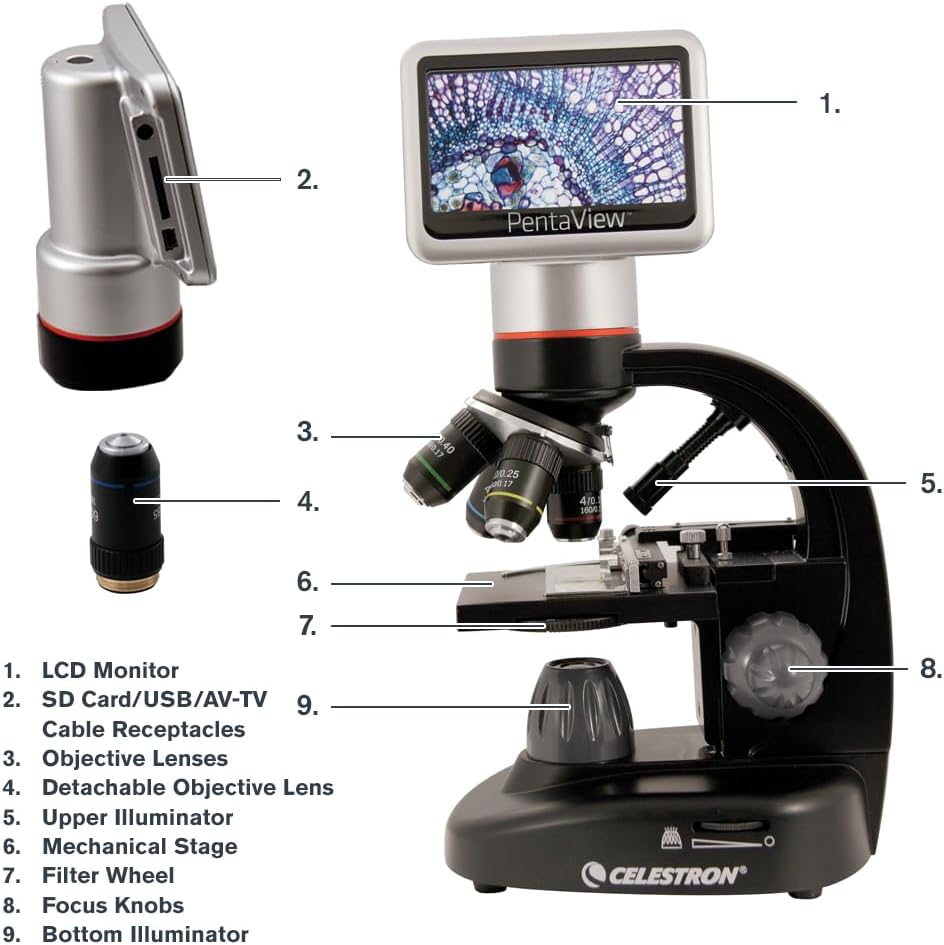
Image: A detailed diagram labeling the key components of the PentaView LCD Digital Microscope for easy identification.
- LCD монитор: 4.3-inch full-color screen for viewing specimens.
- SD Card/USB/AV-TV Cable Receptacles: Ports for memory card, USB connection, and AV output.
- Објективни леќи: Rotating turret with 4x, 10x, 20x, 40x lenses.
- Detachable Objective Lens: A separate 60x objective lens for higher magnification.
- Upper Illuminator: Top LED light source for opaque specimens.
- Механички Сtage: Adjustable platform for precise slide positioning.
- Филтерско тркало: 6-position wheel with color and aperture filters to enhance contrast.
- Копчиња за фокусирање: Coarse and fine adjustment knobs for sharp imaging.
- Bottom Illuminator: Adjustable LED light source beneath the stage for translucent specimens.
Клучни карактеристики
- 4.3" LCD Screen with 180° Rotating Head: Allows for comfortable viewing and sharing of observations.
- 5MP Digital Camera with Video Recording: Снима фотографии со висока резолуција и видео од 20 fps директно на SD картичка.
- Magnification up to 2400x: Optical magnification up to 600x with 4x digital zoom for a total of 2400x.
- Прилагодлив механички Stage with Illumination: Provides precise control over slide movement and optimal lighting.
- Опции за двојна моќност: Operates with the included AC adapter or 4 AA batteries (not included) for portability.
- ТВ излез: Connects to a TV or monitor via AV output for large-scale viewинг.
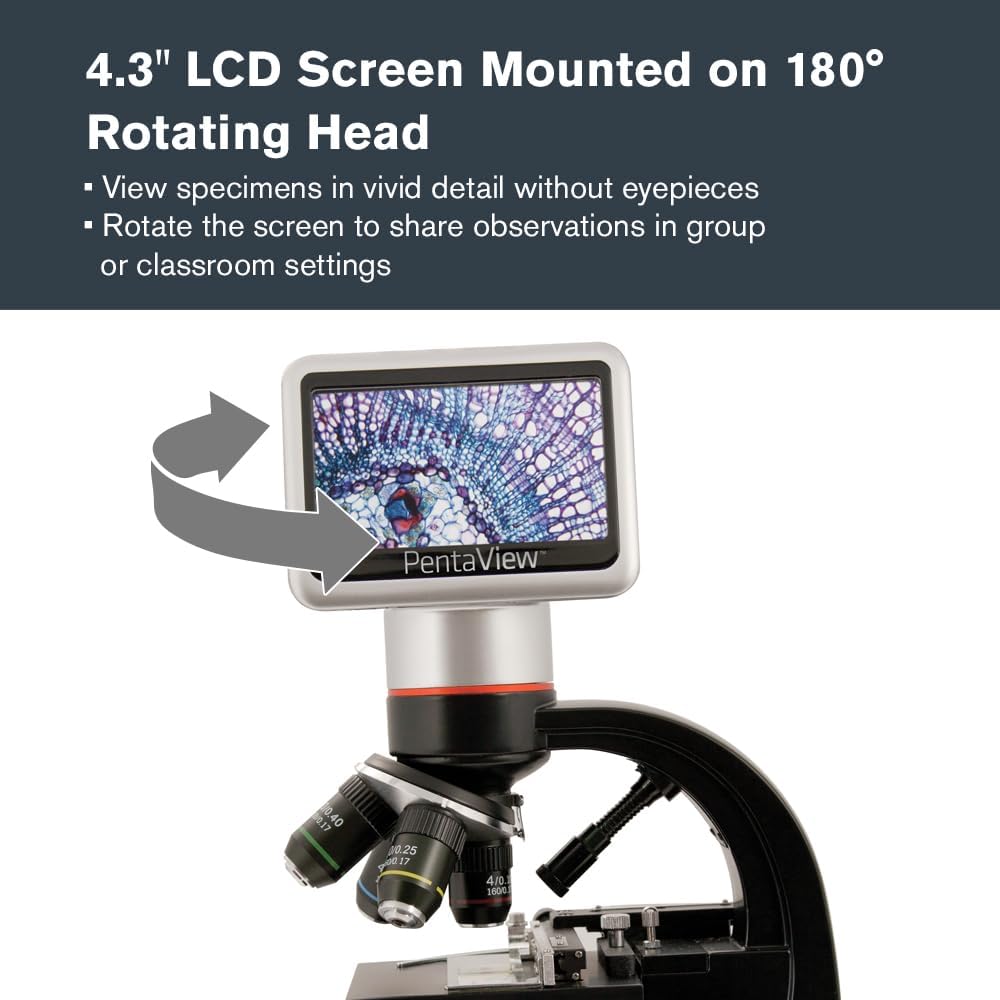
Image: The microscope's LCD screen rotated to demonstrate its flexibility for group viewинг.
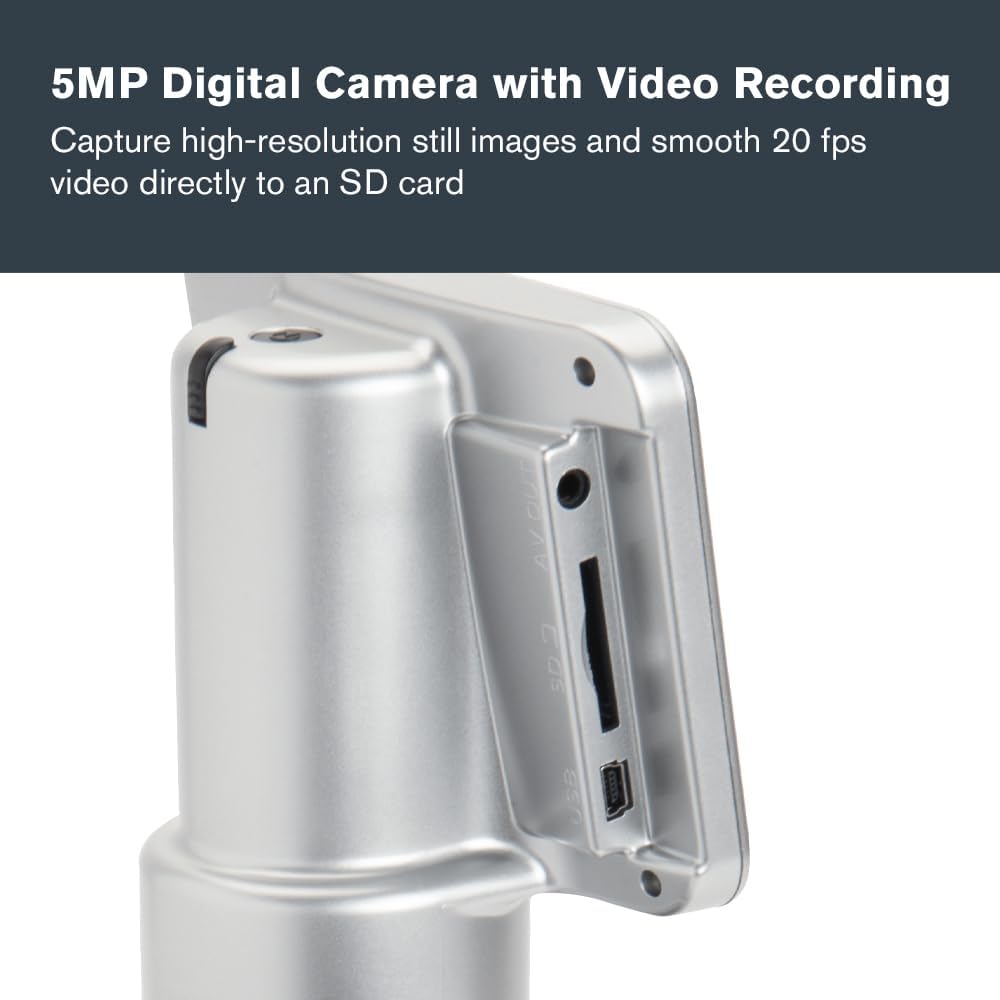
Слика: Крупен план view of the microscope's side panel, highlighting the SD card slot and other connectivity ports.

Слика: Детална view of the microscope's objective lenses, indicating the various magnification options.

Image: The mechanical stage and focus knobs of the microscope, designed for precise specimen manipulation.

Image: The microscope connected to its AC power adapter, demonstrating one of its power options.

Image: The microscope displaying a specimen on an external television screen via its AV output.
Поставување
Powering the Microscope
- AC напојување: Connect the included AC adapter to the microscope's power input and plug it into a wall outlet.
- Напојување на батеријата: За преносна употреба, вметнете 4 AA батерии (не се вклучени) во преградата за батерии што се наоѓа на дното на микроскопот.
Вметнување на SD-картичката
Locate the SD card slot on the side of the LCD monitor. Insert the included 8GB SD card until it clicks into place. This card is used for saving images and videos.
Placing a Specimen Slide
- Gently open the stage clips on the mechanical stage.
- Place a prepared slide (or your own specimen slide) under the clips, ensuring the specimen is centered over the aperture.
- Ослободете го сtage штипки за прицврстување на лизгачот.
Операција
Вклучување/исклучување
Press and hold the power button located on the microscope's base until the LCD screen illuminates (or turns off).
Прилагодување на зголемување
- Rotate the objective lens turret to select the desired magnification (4x, 10x, 20x, or 40x).
- For 60x magnification, attach the detachable 60x objective lens.
- Use the digital zoom function on the LCD screen (up to 4x) to achieve higher magnifications, up to 2400x total.
Фокусирање на сликата
- Use the coarse focus knob for initial, large adjustments to bring the specimen into approximate focus.
- Then, use the fine focus knob for precise adjustments to achieve a sharp, clear image.
Adjusting Illumination and Filters
- Bottom LED Illuminator: Adjust the brightness using the control dial for translucent specimens.
- Upper Illuminator: Turn on the top LED for opaque specimens.
- Филтерско тркало: Rotate the 6-position filter wheel to select different color or aperture filters to enhance contrast and control light intensity for various specimens.
Снимање слики и видеа
Use the controls on the LCD monitor to capture still images or record videos. Saved files are stored directly on the inserted SD card.
Поврзување со надворешен дисплеј
Use the included AV cable to connect the microscope to a television or monitor for larger-scale viewing. Ensure the external display is set to the correct input source (e.g., AV, Video 1).
Одржување
- Чистење на леќи: Use a soft, lint-free cloth specifically designed for optical surfaces. Avoid harsh chemicals.
- Општо чистење: Избришете го телото на микроскопот со мека, дamp крпа. Не користете абразивни средства за чистење.
- Складирање: When not in use, cover the microscope with the provided dust cover and store it in its carrying case in a dry, clean environment.
- Замена на батерија: Replace AA batteries when the low battery indicator appears on the LCD screen or when performance diminishes.
Решавање проблеми
| Проблем | Можна причина | Решение |
|---|---|---|
| No image on LCD screen | Microscope not powered on; insufficient illumination; objective lens not properly aligned. | Ensure power is connected or batteries are installed. Turn on illuminators and adjust brightness. Rotate objective turret until it clicks into place. |
| Сликата е матна | Incorrect focus; objective lens dirty; slide not flat. | Adjust coarse and fine focus knobs. Clean objective lenses. Ensure slide is properly seated on the stage. |
| Cannot save images/videos | SD card full or not inserted correctly; SD card corrupted. | Check SD card insertion. Delete unnecessary files or use a new SD card. Format the SD card if necessary (this will erase all data). |
| No image on external TV | AV cable not connected properly; TV input not selected correctly. | Ensure AV cable is securely connected to both microscope and TV. Select the correct AV input on your television. |
Спецификации
| Карактеристика | Детал |
|---|---|
| Име на моделот | ПентаView ЛЦД дигитален микроскоп |
| Број на модел на ставка | 44348 |
| Опсег на зголемување | 40x - 2400x (Optical up to 600x, Digital up to 4x) |
| Резолуција на камерата | 5MP (Still Images), 20 fps (Video) |
| LCD екран | 4.3 inch, 180 Degrees Rotating |
| Објективни леќи | 4x, 10x, 20x, 40x, Detachable 60x |
| Осветлување | Adjustable Bottom LED, Upper LED |
| Тркало за филтрирање | 6-position (Color and Aperture Filters) |
| Складирање | SD картичка (вклучена е 8GB) |
| Поврзување | USB 2.0, AV Output |
| Извор на енергија | AC Adapter (included), 4 AA Batteries (not included) |
| Димензии на производот | 7 x 5.5 x 13 инчи (17.8 x 14 x 33 см) |
| Тежина на ставката | 4.18 фунти (1.9 кг) |
| Материјал | LCD работна површина |
| Боја | Црното |
Гаранција и поддршка
Celestron provides a 2-Year US Warranty for this product. For technical assistance or warranty claims, please contact Celestron customer support. Detailed contact information can be found on the official Celestron webлокација или во гарантната картичка вклучена со вашиот производ.
За дополнителни ресурси и често поставувани прашања, посетете ја страницата Селестрон webсајт.


