1. Вовед
This manual provides essential information for the proper installation, operation, and maintenance of your Intel Xeon E5-2690 processor. Designed for high-performance computing environments, this 8-core processor offers robust capabilities for demanding applications. Please read these instructions carefully before proceeding with installation.
2. Производот завршиview
The Intel Xeon E5-2690 is an 8-core processor operating at 2.9 GHz, featuring a 20MB L3 Cache and a 135W Thermal Design Power (TDP). It supports DDR3 memory up to 1600 MHz and is designed for the LGA 2011 socket.
- Јадра на процесорот: 8
- Брзина на основниот часовник: 2.9 GHz
- L3 Кеш: 20 MB
- Термичка моќност на дизајнот (TDP): 135 W
- Поддршка за меморија: DDR3 до 1600 MHz
- Тип на штекер: LGA 2011
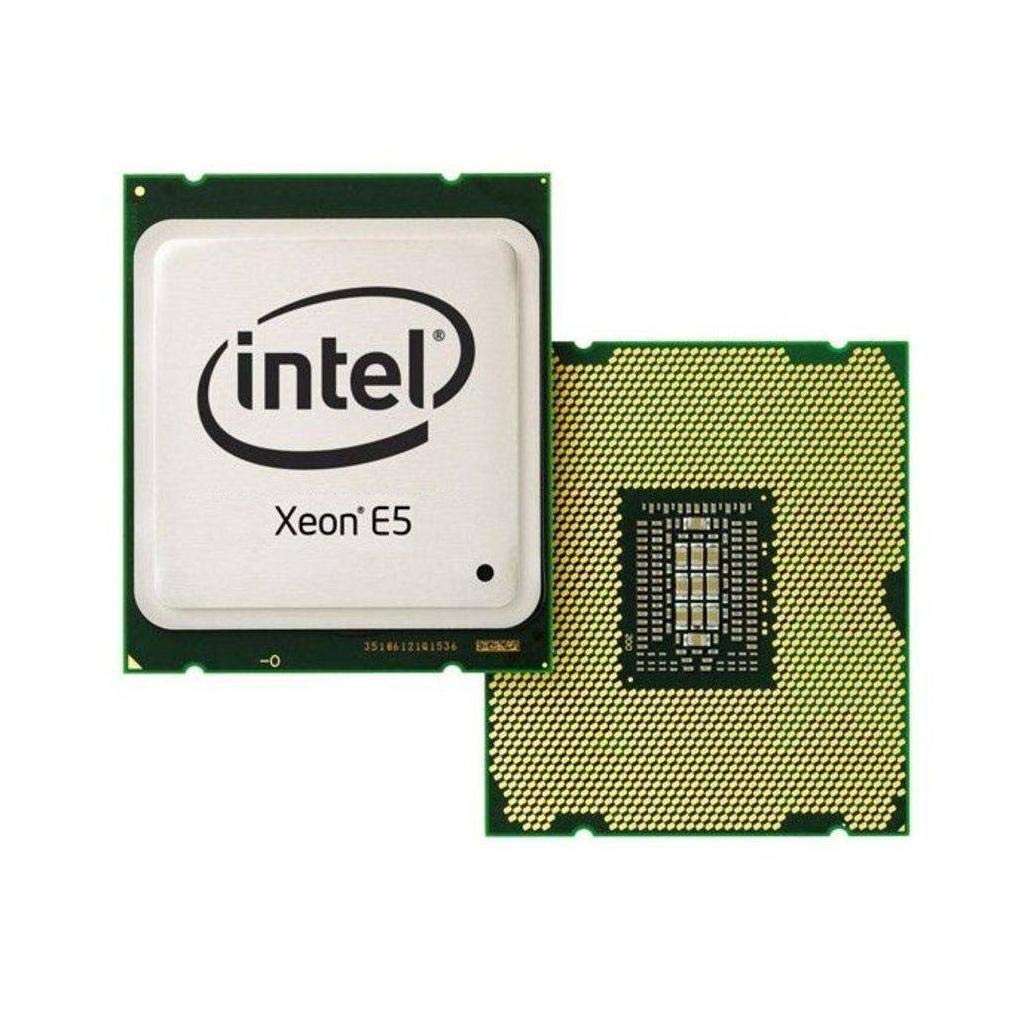
Figure 2.1: Intel Xeon E5-2690 Processor. This image displays the top view of the processor, showing the integrated heat spreader (IHS) and Intel branding.
3. Поставување и инсталација
Proper installation is crucial for the stability and performance of your system. Ensure your motherboard supports the LGA 2011 socket and the Intel Xeon E5-2690 processor.
3.1. Пред да започнете
- Компатибилност: Verify your motherboard's compatibility with the Intel Xeon E5-2690 (LGA 2011 socket). Refer to your motherboard's manual.
- Статична струја: Take anti-static precautions (e.g., use an anti-static wrist strap) to prevent damage to components.
- Алатки: Gather necessary tools, including a Phillips head screwdriver and thermal paste.
- Раствор за ладење: Ensure you have a compatible CPU cooler for the LGA 2011 socket, capable of dissipating 135W TDP.
3.2. Чекори за инсталација
- Подгответе матична плоча: Open the CPU socket retention mechanism on your LGA 2011 motherboard. This typically involves releasing two levers.
- Orient Processor: Carefully align the processor with the socket. The processor has notches that correspond to keys on the socket. Do not force the processor into place.
- Процесор за седишта: Gently lower the processor into the socket. It should sit without resistance.
- Безбеден процесор: Close the socket retention mechanism by pushing down the levers until they lock into place.
- Нанесете термичка паста: Нанесете мала количина висококвалитетна термичка паста во центарот на интегрираниот распрскувач на топлина (IHS) на процесорот. Консултирајте ги упатствата на производителот на термичката паста за препорачаниот метод на нанесување.
- Инсталирајте го ладилникот на процесорот: Mount your compatible CPU cooler according to its manufacturer's instructions. Ensure it makes firm, even contact with the processor's IHS.
- Поврзете го вентилаторот: Поврзете го кабелот за вентилатор на ладилникот на процесорот со означениот CPU_FAN заглавие на матичната плоча.

Figure 3.1: Intel Xeon E5-2690 Processor (bottom view). This image shows the pin array on the underside of the processor, which interfaces with the LGA 2011 socket.
4. Упатства за работа
Once the processor is installed and the system is assembled, you can power on your computer. The operating system will detect the new hardware. Ensure all necessary drivers are installed for optimal performance.
4.1. Системски барања
- Матична плоча: LGA 2011 socket compatible.
- RAM меморија: DDR3 ECC or non-ECC memory, up to 1600 MHz, as supported by your motherboard.
- Напојување: Напојување (PSU) со доволна моќностtage to power all system components, including the 135W TDP processor.
- Оперативен систем: Compatible with Intel Xeon processors (e.g., Windows Server, Linux distributions, Windows Pro editions).
4.2. Typical Usage
The Intel Xeon E5-2690 processor is ideal for:
- Workstations requiring high multi-core performance for tasks like video editing, 3D rendering, and scientific simulations.
- Servers handling virtualization, databases, and other demanding server applications.
- High-performance computing (HPC) clusters.
5. Одржување
Regular maintenance helps ensure the longevity and stable operation of your processor and system.
- Термички менаџмент: Periodically check CPU temperatures using monitoring software. Ensure your CPU cooler is free of dust and debris. Clean fan blades and heatsink fins as needed with compressed air.
- Проток на воздух: Maintain good airflow within your computer case. Ensure case fans are functioning correctly and cables are managed to avoid obstructing airflow.
- Ажурирања на BIOS/UEFI: Одржувајте го BIOS/UEFI фирмверот на вашата матична плоча ажуриран за да обезбедите оптимална компатибилност и перформанси со вашиот процесор. Погледнете ги информациите на производителот на вашата матична плоча. webстраница за ажурирања и упатства.
- Ажурирања на возачот: Осигурајте се дека сите системски драјвери, особено драјверите за чипсет, се ажурирани.
6 Смена на проблеми
Доколку наидете на проблеми, разгледајте ги следниве основни чекори за решавање проблеми:
- Нема напојување/Нема стартување:
- Verify all power cables are securely connected (24-pin ATX, 8-pin EPS/CPU power).
- Ensure the CPU is correctly seated in its socket.
- Check for bent pins on the CPU or in the socket (only if CPU was removed).
- Прегревање:
- Потврдете дека ладилникот на процесорот е правилно инсталиран и дека има добар контакт со процесорот.
- Проверете дали термичката паста е правилно нанесена.
- Ensure CPU cooler fan is spinning and heatsink is clean.
- Проверете го соодветниот проток на воздух во кутијата.
- Нестабилност на системот/Паднувања:
- Check RAM modules for proper seating and compatibility.
- Ажурирајте го BIOS-от/UEFI-то на матичната плоча и драјверите за чипсет.
- Run diagnostic tools to check for hardware errors.
- BIOS/UEFI Not Detecting CPU:
- Ensure your motherboard's BIOS/UEFI version supports the E5-2690 processor. An update may be required (often needs a compatible CPU to perform).
For more advanced diagnostics, consult your motherboard's manual for specific POST codes or diagnostic LEDs.
7. Спецификации
| Карактеристика | Детал |
|---|---|
| Модел на процесор | Интел Xeon E5-2690 |
| Број на модел на ставка | BX80621E52690 |
| Јадра на процесорот | 8 |
| Брзина на основниот часовник | 2.9 GHz |
| L3 Кеш | 20 MB |
| Термичка моќност за дизајн (TDP) | 135 W |
| Сокет на процесорот | LGA 2011 |
| Поддршка за меморија | DDR3 до 1600 MHz |
| Тежина на ставката | 4 унци |
| Димензии на производот (ДxШxВ) | 4.9 x 2 x 1.8 инчи |
| Производител | Интел |
8. Гаранција и поддршка
For warranty information and technical support regarding your Intel Xeon E5-2690 processor, please refer to the official Intel webстраница или контактирајте ја службата за корисници на Интел.
Важна забелешка: Specific purchase terms, such as "No refunds, no returns, no exchanges. FINAL SALE," may apply depending on your retailer. These terms are separate from Intel's official product warranty. Always review the terms and conditions provided by your point of purchase.
You can find comprehensive support resources, including drivers, software, and troubleshooting guides, on the official Intel support portal:


