1. Вовед
This manual provides essential instructions for the safe and effective use of your OKI C822 Magenta Toner Cartridge. Please read this manual thoroughly before installation and retain it for future reference. Proper installation and handling ensure optimal print quality and cartridge longevity.
2. Информации за безбедност
- Чувајте ги касетите со тонер подалеку од дофат на деца.
- Do not attempt to open, disassemble, or modify the toner cartridge. Toner powder can be harmful if inhaled or ingested.
- Avoid direct contact with toner powder. If contact occurs, wash thoroughly with soap and water.
- Store cartridges in their original packaging in a cool, dry place, away from direct sunlight and extreme temperatures.
- Отстранете ги искористените кертриџи според локалните еколошки прописи.
3. Поставување и инсталација
Follow these steps to correctly install the OKI C822 Magenta Toner Cartridge into your compatible OKI printer.
3.1 Распакување на кертриџот
- Внимателно извадете ја новата касета со тонер од пакувањето.
- Avoid touching the green drum surface or electrical contacts on the cartridge.
- Gently rock the cartridge horizontally several times to distribute the toner evenly inside.
3.2 Подготовка на печатачот
- Проверете дали вашиот печатач е вклучен.
- Open the front cover or access panel of your printer to expose the toner cartridge slots. Refer to your printer's specific manual for exact instructions on accessing the toner area.
- Locate the magenta toner slot.
3.3 Installing the Cartridge
- Remove any protective covers or seals from the new toner cartridge as indicated on the cartridge itself.
- Align the new magenta toner cartridge with the corresponding slot in the printer.
- Gently slide the cartridge into the slot until it clicks securely into place. Do not force the cartridge.
- Close the printer's front cover or access panel. The printer will typically perform a self-test or calibration after installation.
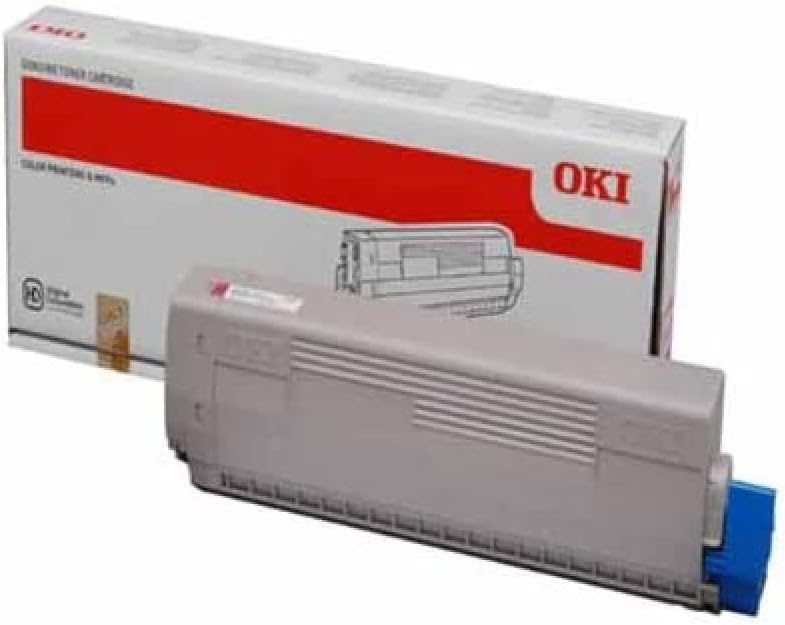
Слика 1: OKI C822 Magenta Toner Cartridge. This image displays the OKI C822 Magenta Toner Cartridge alongside its retail packaging. The cartridge is gray with a blue end cap, and the box is white with a prominent red band and the 'OKI' logo.
4. Упатства за работа
Once the toner cartridge is installed, your printer is ready for use. The printer's control panel or software will indicate toner levels and any necessary actions.
- Квалитет на печатење: For best results, use genuine OKI paper and ensure printer settings are appropriate for your document type.
- Мониторинг на нивото на тонер: Monitor toner levels through your printer's utility software or control panel. Replace the cartridge when the printer indicates low toner or print quality degrades significantly.
- Print Yield: The cartridge is designed to provide a specific page yield under standard printing conditions. Actual yield may vary based on print content, paper type, and environmental factors.
5. Одржување
Proper maintenance ensures consistent performance and extends the life of your printer and toner cartridge.
- Складирање: Store unused toner cartridges in their sealed packaging in a cool, dark, and dry environment. Avoid exposure to direct sunlight or extreme temperatures.
- Ракување: Always handle cartridges carefully to prevent damage. Do not shake or drop them excessively.
- Отстранување: When the cartridge is empty, remove it from the printer and place it in a sealed bag to prevent toner leakage. Recycle the cartridge through an authorized OKI recycling program or local electronic waste disposal facilities. Do not incinerate used cartridges.
6 Смена на проблеми
If you encounter issues after installing your toner cartridge, refer to the following common problems and solutions.
- Лош квалитет на печатење (избледени, шарени или нецелосни отпечатоци):
- Gently remove the cartridge and rock it horizontally a few times to redistribute toner. Reinstall it.
- Check the printer's toner level indicator. The cartridge may be nearing its end of life.
- Ensure the printer's print settings are appropriate for the document and paper type.
- Clean the printer's drum unit or fuser unit if recommended by your printer's manual.
- Касетата не е препознаена:
- Remove the cartridge and check for any protective seals or tapes that may not have been fully removed.
- Ensure the cartridge is seated correctly and clicks into place.
- Turn the printer off, wait 30 seconds, then turn it back on.
- Inspect the electrical contacts on the cartridge and in the printer for any debris or damage.
- Протекување на тонер:
- If toner is leaking, carefully remove the cartridge, place it in a plastic bag, and contact OKI support or your supplier.
7. Спецификации
Key specifications for the OKI C822 Magenta Toner Cartridge (OEM: 44844614).
| Карактеристика | Детал |
|---|---|
| Бренд | ОКИ |
| Број на модел | 44844614 |
| Број на дел од производителот | 1784193 |
| Боја | Magenta (Ink Color: Pink) |
| Принос на страница | Приближно 1200 страници |
| Тежина на ставката | 1.32 фунти (600 грама) |
| Димензии на производот | 0.17 x 0.06 x 0.03 инчи |
| Вклучени компоненти | Касета со тонер |
| Компатибилни уреди | Printer (OKI C822 series) |
8. Гаранција и поддршка
OKI toner cartridges are manufactured to high-quality standards. For information regarding product warranty, please refer to the official OKI website or the warranty documentation included with your printer.
For technical support, troubleshooting assistance, or to inquire about recycling programs, please contact OKI customer service through their official website or the contact information provided with your printer documentation.
OKI Official Webсајт: www.oki.com


