1. Вовед
The Edifier Studio 6 Plus 2.0 speaker system (Model R2600 PLUS) is a high-quality audio solution designed for various applications, including home cinema, music playback, and computer audio. This manual provides essential information for setup, operation, and maintenance to ensure optimal performance and longevity of your speakers.
2. Инструкции за безбедност
- Read these instructions carefully before operating the product.
- Чувајте го ова упатство за идна референца.
- Не ги изложувајте звучниците на дожд или влага.
- Не го отворајте куќиштето на звучникот. За сите сервиси обратете се кај квалификуван персонал.
- Обезбедете соодветна вентилација околу звучниците за да спречите прегревање.
- Користете само додатоци и додатоци наведени од производителот.
- Исклучете го приклучокот од струја за време на грмотевици или кога не се користи подолг период.
3. Содржина на пакетот
Ве молиме проверете ја содржината на кутијата за да се осигурате дека сите предмети се присутни:
- 1x Active Speaker (with integrated power cord)
- 1x пасивен звучник
- 1x Infrared Remote Control
- 1x Stereo Connection Cable (3.5mm to RCA)
- 1x Speaker Connection Cable (5-pin XLR)
- 1x Упатство за употреба (овој документ)

Слика 3.1: The Edifier Studio 6 Plus 2.0 Speaker System, showing both active and passive speakers along with the included remote control.

Слика 3.2: The 5-pin XLR speaker connection cable used to link the active and passive speakers.
4. Производот завршиview
4.1. Компоненти на звучникот
The Edifier Studio 6 Plus system consists of one active speaker, which houses the amplifier and controls, and one passive speaker, which connects to the active unit.

Слика 4.1: Крупен кадар view of the woofer cone, responsible for producing mid-range and bass frequencies.

Слика 4.2: Крупен кадар view of the tweeter dome, which reproduces high-frequency sounds.
4.2. Контроли и влезни податоци
The active speaker features various controls and input ports for connectivity and sound adjustment.

Слика 4.3: Control panel on the active speaker, featuring knobs for Treble, Bass, and Volume/Input selection.
- Контрола на високи тонови: Го прилагодува излезот со висока фреквенција.
- Контрола на бас: Го прилагодува излезот со ниска фреквенција.
- Volume/Input Control: Rotates to adjust overall volume. Press to cycle through input sources (PC, AUX).

Слика 4.4: Rear panel of the active speaker, displaying the RCA input ports, speaker output, and power switch.
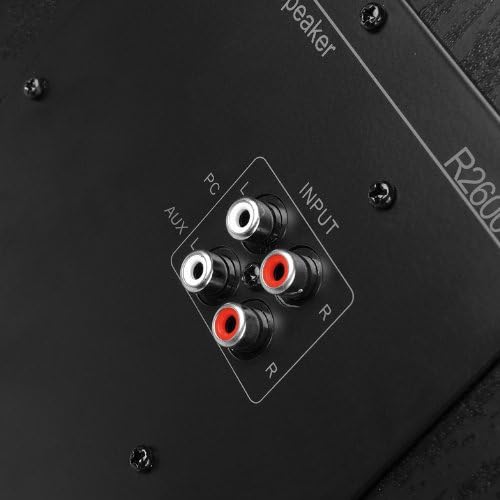
Слика 4.5: Детално view of the dual RCA input ports (PC and AUX) on the active speaker for connecting audio sources.
- Влез за компјутер: RCA input for connecting to a computer or other audio device.
- Влез AUX: Secondary RCA input for connecting to another audio source.
- Излез на звучник: 5-pin XLR port for connecting to the passive speaker.
- Прекинувач: Toggles the speaker system on or off.

Слика 4.6: Close-up of the 5-pin XLR port on the active speaker, used for connecting the passive speaker.
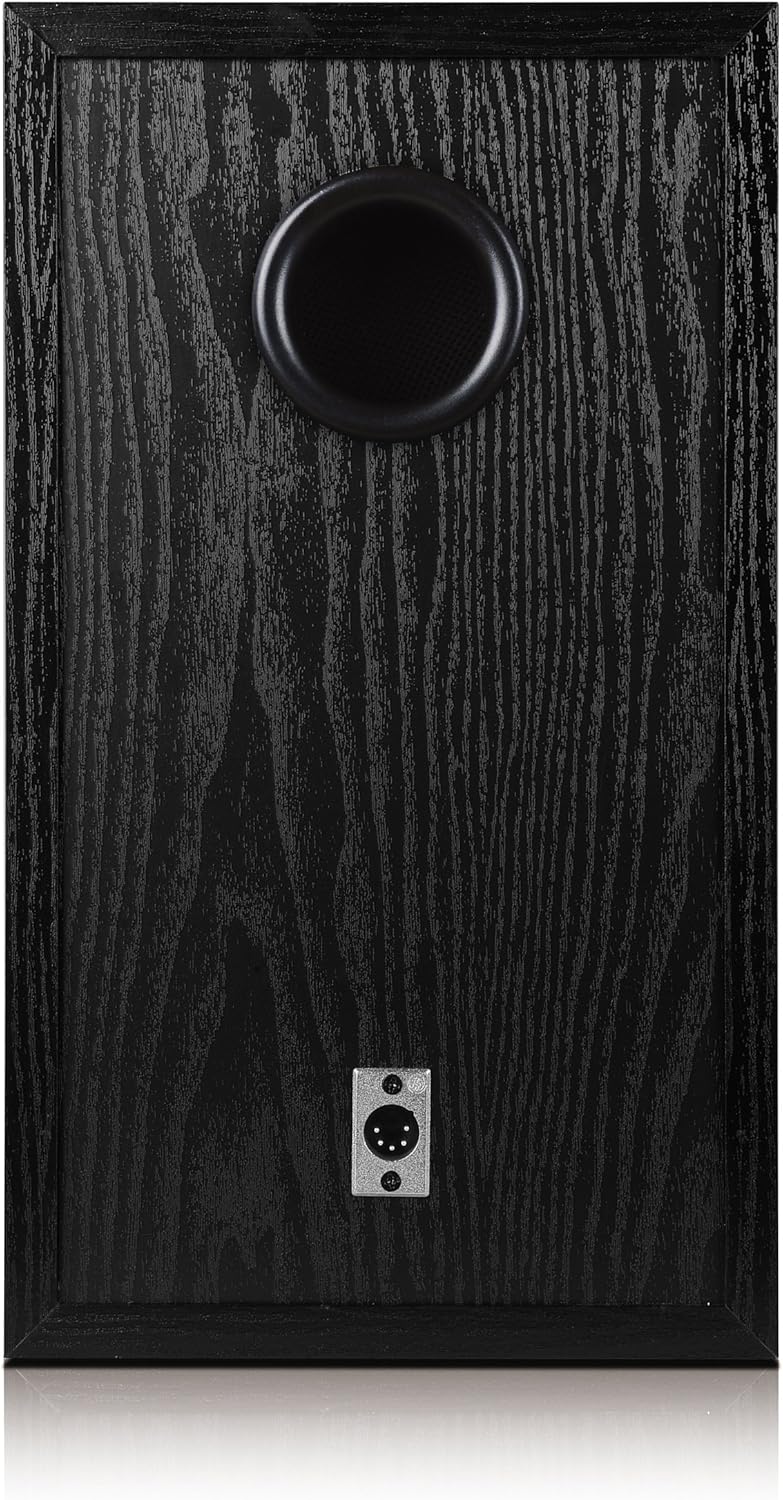
Слика 4.7: Rear panel of the passive speaker, showing the 5-pin XLR input port and the bass reflex port.
4.3. Далечински управувач
The included infrared remote control provides convenient access to essential functions.

Слика 4.8: The infrared remote control for the Edifier Studio 6 Plus speaker system.
- Јачина на звук нагоре/намалување: Ја зголемува или намалува главната јачина на звук.
- Исклучи звук: Го замолчува аудио излезот.
- PC/AUX: Selects between the PC and AUX input sources.
5. Поставување
5.1. Поставување звучници
Place the active and passive speakers on a stable, flat surface. For optimal stereo imaging, position them equidistant from your listening position and at ear level.
5.2. Поврзување на звучници
- Locate the 5-pin XLR speaker connection cable.
- Connect one end of the XLR cable to the 'Speaker Output' port on the rear of the active speaker.
- Connect the other end of the XLR cable to the 'Speaker Input' port on the rear of the passive speaker. Ensure a secure connection.
5.3. Поврзување на аудио извори
The Edifier Studio 6 Plus offers two RCA input options:
- Влез за компјутер: Use an RCA cable (or the included 3.5mm to RCA cable for devices with a 3.5mm output) to connect your computer's audio output to the 'PC' RCA input on the active speaker.
- Влез AUX: Use an RCA cable to connect another audio device (e.g., CD player, TV, smartphone with adapter) to the 'AUX' RCA input on the active speaker.
5.4. Поврзување за напојување
- Ensure the power switch on the active speaker is in the 'OFF' position.
- Plug the active speaker's integrated power cord into a standard electrical outlet.
6. Упатства за работа
6.1. Вклучување/исклучување
Flip the power switch on the rear of the active speaker to the 'ON' position to power on the system. Flip it to 'OFF' to power down.
6.2. Прилагодување на јачината на звукот
Rotate the 'Volume' knob on the active speaker clockwise to increase volume and counter-clockwise to decrease it. Alternatively, use the 'VOL+' and 'VOL-' buttons on the remote control.
6.3. Adjusting Bass and Treble
Use the 'Bass' and 'Treble' knobs on the active speaker to fine-tune the low and high frequencies according to your preference.
6.4. Избор на влезен извор
Press the 'Volume/Input' knob on the active speaker to cycle between 'PC' and 'AUX' inputs. The selected input will be indicated by an LED. On the remote control, use the 'PC' or 'AUX' buttons to directly select the desired input.
6.5. Неми функција
Press the 'MUTE' button on the remote control to temporarily silence the audio. Press it again to resume playback.
7. Одржување
- Чистење: Use a soft, dry cloth to clean the speaker surfaces. Do not use abrasive cleaners or solvents.
- Складирање: Доколку ги складирате звучниците подолг период, исклучете ги од струја и складирајте ги на ладно и суво место.
- Батерии за далечински управувач: The remote control requires 2 AA batteries (not included). Replace them when the remote's functionality diminishes.
8 Смена на проблеми
| Проблем | Можна причина | Решение |
|---|---|---|
| Нема звук | Power is off; incorrect input selected; volume too low; cables loose. | Ensure power is on; select correct input (PC/AUX); increase volume; check all cable connections. |
| Искривен звук | Volume too high; audio source distortion; incorrect bass/treble settings. | Reduce volume; check audio source quality; adjust bass/treble controls. |
| Далечинскиот управувач не работи | Batteries depleted or incorrectly inserted; obstruction between remote and speaker. | Replace batteries (2x AA); ensure correct battery polarity; remove any obstructions. |
| Еден звучник не работи | XLR cable loose or faulty. | Check the 5-pin XLR cable connection between active and passive speakers. |
9. Спецификации
- Модел: R2600 PLUS
- Излезна моќност (RMS): 2 x 30 W (Treble) + 2 x 32 W (Bass) = 124 W Total
- Тип на влез: 2x RCA (PC, AUX)
- Контролен метод: Далечински управувач, копчиња на звучникот
- Безжична комуникација: Infrared (for remote)
- Извор на енергија: Жичен електричен
- Тип на звучник: Полица за книги
- Product Dimensions (per speaker): 29.3 x 21.8 x 37 cm
- Тежина на ставката: 14.8 кг (вкупно)
- Вклучени компоненти: Active speaker, passive speaker, infrared remote control, 3.5mm to RCA cable, 5-pin XLR speaker cable, user manual.
- Батерии за далечински управувач: 2 AA батерии (не се вклучени)
10. Гаранција и поддршка
The Edifier Studio 6 Plus 2.0 Speaker System comes with a limited warranty provided by the manufacturer, Edifier. For specific warranty terms and conditions, please refer to the warranty card included with your product or contact Edifier customer support.
For further assistance, technical support, or to explore other Edifier products, please visit the official Edifier store or webсајт.
Производител: Уредувач
Edifier Store: https://www.amazon.nl/stores/EDIFIER/page/FD4D5FD4-32FF-4475-990E-E45B4E6A6ED2