1. Вовед
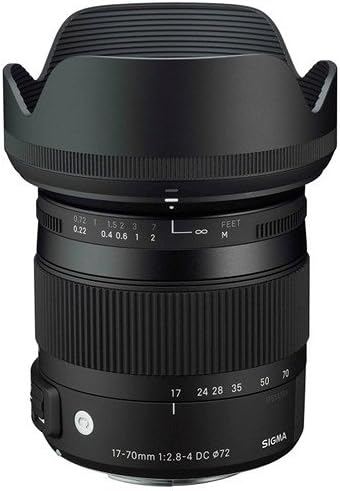
Welcome to the instruction manual for your Sigma 17-70mm F2.8-4 Contemporary DC Macro OS HSM Lens. This lens is specifically designed for Canon EF-S mount cameras, offering a versatile zoom range from wide-angle to short telephoto, complemented by macro capabilities. It integrates Sigma's Optical Stabilizer (OS) technology for effective shake reduction and a Hypersonic Motor (HSM) for fast and quiet autofocus performance. This manual provides essential information for the proper setup, operation, and maintenance of your lens.
2. Клучни карактеристики
- Фокусна должина: 17-70mm (equivalent to approximately 27-112mm on APS-C sensors).
- Отвор: Variable F2.8-4, providing good low-light performance at wider angles.
- Optical Stabilizer (OS): Minimizes camera shake for sharper images, especially in low light or at longer focal lengths. (Note: Optical Stabilizer functionality is not available for Sony and Pentax mounts.)
- Hypersonic Motor (HSM): Ensures quiet and high-speed autofocus.
- Макро функционалност: Minimum focusing distance of 22cm (8.6 inches) throughout the zoom range, with a maximum magnification ratio of 1:2.9.
- Изградба: Utilizes Thermally Stable Composite (TSC) material for durability and consistent performance across temperature changes.
- Сечила на дијафрагмата: 7 rounded diaphragm blades for smooth background blur (bokeh).
- Големина на филтерот: 72 мм.
3. Поставување
3.1 Прикачување на објективот
- Проверете дали вашата камера е исклучена.
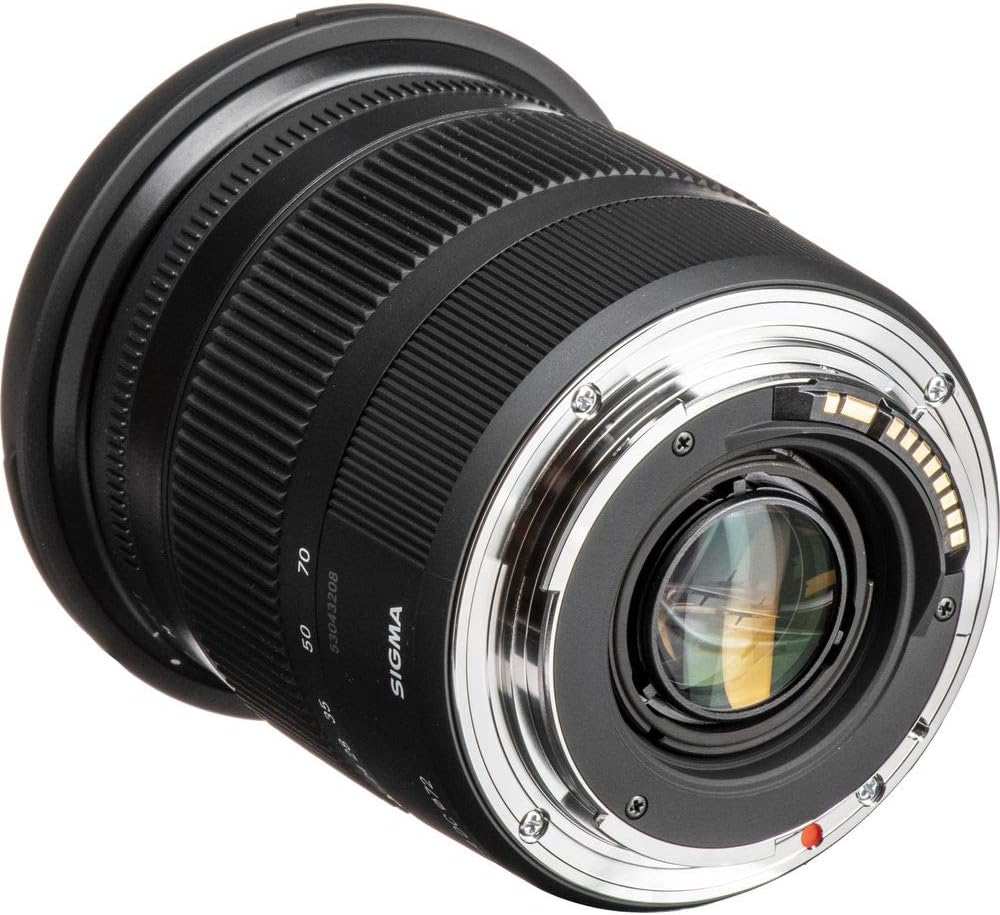
- Remove the rear lens cap from the Sigma 17-70mm lens and the body cap from your Canon camera.
- Align the mounting index mark (usually a red dot or white square) on the lens with the corresponding mark on the camera body.
- Insert the lens into the camera mount and turn it clockwise until it clicks securely into place.
3.2 Отстранување на објективот
- Проверете дали вашата камера е исклучена.
- Додека го притискате копчето за отпуштање на објективот на телото на фотоапаратот, вртете го објективот спротивно од стрелките на часовникот додека не застане.
- Внимателно отстранете го објективот од телото на фотоапаратот.
- Immediately attach the front and rear lens caps to protect the glass elements from dust and damage.
3.3 Прикачување на сенилото за објектив
The included petal-shaped lens hood helps to block stray light, reducing flare and ghosting, and provides additional protection for the front element.
- Порамнете го сенилото за објективот со предниот дел од објективот.
- Turn the hood clockwise until it locks securely into position.
- For storage, the lens hood can be reversed and attached to the lens.
4. Упатства за работа
4.1 Autofocus (AF) / Manual Focus (MF) Switch
The lens features a switch to select between autofocus and manual focus modes.
- Лизнете го прекинувачот на "AF" for automatic focusing. The camera will control the focus.
- Лизнете го прекинувачот на "MF" for manual focusing. In MF mode, rotate the focus ring on the lens to adjust focus manually.
4.2 Optical Stabilizer (OS) Switch
The Optical Stabilizer helps to reduce blur caused by camera shake.
- Лизнете го прекинувачот на "ВКЛУЧЕНО" to activate optical stabilization. This is recommended for handheld shooting, especially in low light conditions or when using slower shutter speeds.
- Лизнете го прекинувачот на "ИСКЛУЧЕНО" when using a tripod or when shutter speeds are fast enough to prevent blur, as the OS can sometimes introduce slight blur when not needed.

4.3 Зумирање
To change the focal length, simply rotate the zoom ring on the lens barrel. The focal length markings (17, 24, 28, 35, 50, 70mm) are clearly indicated.
4.4 Макро фотографија
To utilize the macro capabilities of this lens, position your camera closer to your subject. The lens allows focusing as close as 22cm (8.6 inches) from the sensor plane, achieving a maximum magnification of 1:2.9 for detailed close-up shots.

4.5 Производ надview Видео
4.6 User Experience Video
5. Одржување
5.1 Чистење на објективот
- Use a soft, lint-free cloth or a specialized lens brush to gently remove dust from the lens surfaces.
- For smudges or fingerprints, apply a small amount of specialized lens cleaning solution to a microfiber cloth, then gently wipe the lens surface in a circular motion. Never apply cleaning solution directly to the lens.
- Avoid touching the glass elements with bare hands to prevent oil and dirt transfer.
5.2 Складирање
- Always attach the front and rear lens caps when the lens is not in use to protect it from dust, scratches, and impacts.
- Store the lens in a dry, cool place, away from direct sunlight, high humidity, and extreme temperatures.
- For extended storage, consider using a dehumidifying agent (e.g., silica gel) in your camera bag or storage container to prevent mold and mildew growth.
6 Смена на проблеми
6.1 Lens Not Focusing
- Check if the AF/MF switch on the lens is set to "AF" for autofocus operation.
- Ensure your camera is set to an appropriate focusing mode (e.g., One-Shot AF, AI Servo AF).
- Verify that there is sufficient light for the autofocus system to operate effectively. In very low light, manual focus may be necessary.
6.2 Сликите се заматени
- If shooting handheld, ensure the OS switch on the lens is set to "ON".
- Check your camera's shutter speed. If it's too slow for the lighting conditions or your movement, increase it or use a tripod.
- Inspect the lens elements for smudges, dust, or fingerprints and clean them if necessary.
- If using manual focus, ensure accurate focusing by carefully rotating the focus ring.
6.3 Lens Not Attaching to Camera
- Double-check that the lens is correctly aligned with the camera mount's index mark.
- Apply gentle pressure and rotate clockwise until a distinct click is heard. Do not force the lens, as this can damage the mount.
6.4 Unusual Noises from Lens
- A slight whirring or clicking sound from the Optical Stabilizer mechanism is normal when it is activated.
- If you hear loud or unusual grinding noises, discontinue use immediately and contact Sigma customer support.
7. Спецификации
| Број на модел | 884101 |
| Фокусна должина | 17-70 мм |
| Максимална решетка | F2.8 (at 17mm) - F4 (at 70mm) |
| Минимална решетка | F22 |
| Минимално растојание на фокусирање | 22 см (8.6 инчи) |
| Максимален сооднос на зголемување | 1:2.9 |
| Големина на филтерот | 72 мм |
| Димензии (дијаметар x должина) | 3.5 x 3.1 x 3.5 инчи |
| Тежина | 1.2 фунти |
| Компатибилни монтирања | Canon EF-S |

8. Гаранција и поддршка
This Sigma 17-70mm F2.8-4 Contemporary DC Macro OS HSM Lens comes with a 1-year warranty. Please refer to the warranty card included in the original packaging for complete terms and conditions regarding coverage and service.
For technical support, service inquiries, or additional information, please visit the official Sigma Corporation of America webлокација или директно контактирајте го нивниот оддел за корисничка поддршка. Чувајте ја сметката за купување како доказ за купување за гаранциски побарувања.


