1. Производот завршиview
The SALORA CR612 is a compact digital alarm clock radio designed for bedside use. It features a large LED display, dual alarm functionality, AM/FM radio tuning, and convenient snooze and sleep timer functions. This manual provides detailed instructions for its operation.

Слика: Под агол view of the SALORA CR612 Digital Alarm Clock Radio, showing the green LED display and top control buttons.
Контроли и приказ
Familiarize yourself with the main controls and display elements:
- Голем LED дисплеј: Покажува време, статус на аларм и радио фреквенција.
- Копче за вклучување: Го вклучува/исклучува уредот.
- Копче за одложување: Привремено го исклучува алармот.
- Копче за поставување време: Се користи за поставување на тековното време.
- Alarm 1/Alarm 2 Buttons: Used to set and activate individual alarms.
- Tuning/Volume Knobs: Adjust radio frequency and sound volume.
- Копче за бенд: Префрлува помеѓу AM и FM радио опсезите.
- Memory/Preset Buttons: Save and recall radio stations.
2. Поставување
2.1 Поврзување за напојување
The SALORA CR612 operates primarily on AC power with a battery backup feature to retain time and alarm settings during power outagес.
- Поврзете AC напојување: Приклучете го кабелот за напојување со наизменична струја во стандарден ѕиден штекер.
- Инсталирајте резервна батерија: Open the battery compartment located at the bottom or rear of the unit. Insert 2 x AAA batteries (not included) according to the polarity markings. These batteries are for backup only and will not power the display or radio functions continuously.

Слика: Заден дел view of the SALORA CR612, highlighting the power cable connection and the battery compartment for backup.
2.2 Поставување антена
For optimal FM radio reception, extend the built-in wire antenna fully. For AM reception, the unit has a built-in ferrite bar antenna; try rotating the unit for better signal.
3. Упатства за работа
3.1 Поставување време
- Притиснете и задржете го ВРЕМЕ СЕТ копче. Цифрите за часот ќе почнат да трепкаат.
- Користете го TUNING/VOLUME knob (or +/- buttons if present) to adjust the hour. Pay attention to AM/PM indicators if applicable.
- Притиснете го ВРЕМЕ СЕТ копчето повторно. Цифрите за минути ќе трепкаат.
- Користете го TUNING/VOLUME копче за прилагодување на минутите.
- Притиснете го ВРЕМЕ СЕТ притиснете го копчето уште еднаш за да потврдите и да излезете од режимот за поставување време.
3.2 Поставување аларми (двоен аларм)
The CR612 features two independent alarms (Alarm 1 and Alarm 2).
- To Set Alarm 1: Притиснете и задржете го АЛАРМ 1 копче. Цифрите за часот на алармот ќе трепкаат.
- Користете го TUNING/VOLUME knob to set the desired alarm hour.
- Притиснете го АЛАРМ 1 копчето повторно. Цифрите за минути на алармот ќе трепкаат.
- Користете го TUNING/VOLUME knob to set the desired alarm minutes.
- Притиснете го АЛАРМ 1 button again to select the alarm source (Buzzer or Radio). The corresponding indicator will light up.
- Притиснете го АЛАРМ 1 button once more to confirm and activate Alarm 1. An alarm indicator (e.g., a bell icon or 'A1') will appear on the display.
- Повторете го процесот користејќи го АЛАРМ 2 копче за поставување Аларм 2.
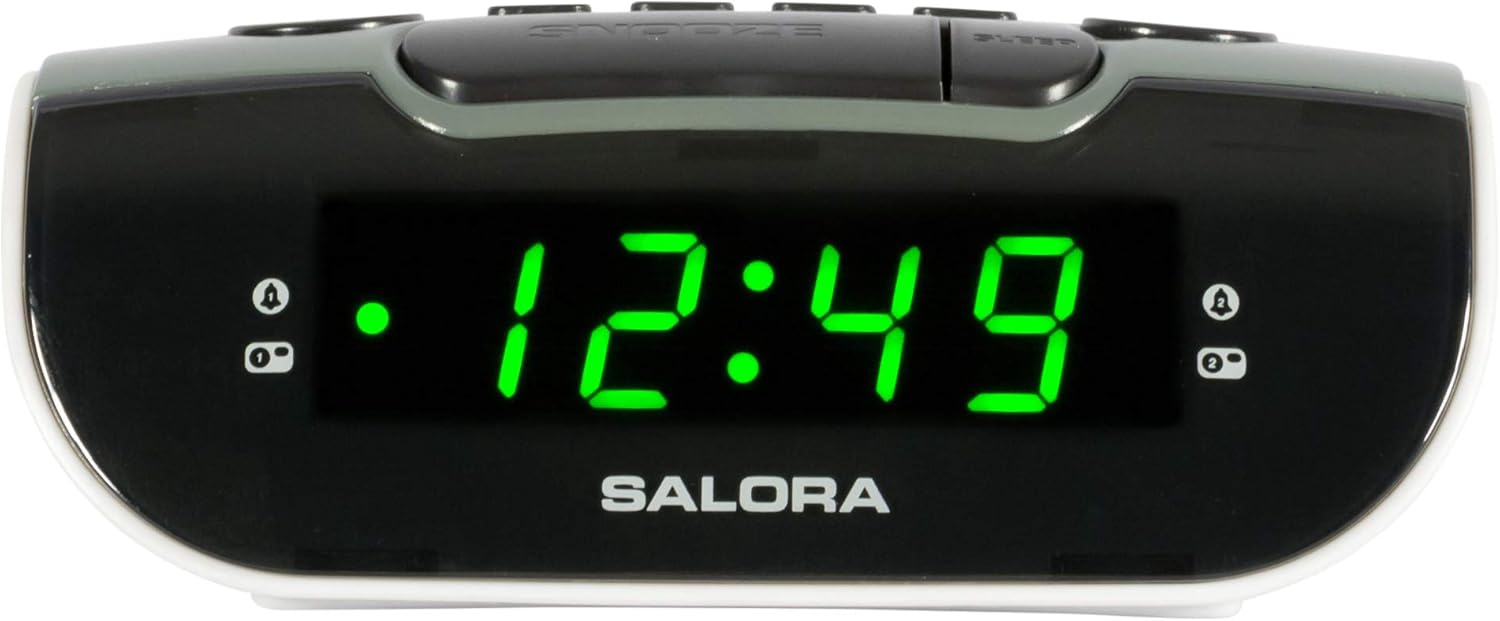
Image: Close-up of the SALORA CR612 display, showing the time '12:49' and active alarm indicators.
3.3 Функција за одложување
Кога ќе се огласи аларм, притиснете го копчето СНОЗА button to temporarily silence it. The alarm will sound again after approximately 9 minutes. To cancel the snooze and turn off the alarm completely, press the МОЌ копче.
3.4 Работа со радио
- Вклучи радио: Притиснете го МОЌ копче за вклучување на единицата.
- Изберете опсег: Притиснете го БЕНД button to switch between AM and FM frequencies.
- Намести ја станицата: Користете го ТУНИНГ knob to manually tune to your desired radio station.
- Прилагодете ја јачината на звукот: Користете го ВОЛУМЕН копче за прилагодување на нивото на звук.
- Зачувај ги претходно поставените поставки: За да зачувате станица, наместете ја, потоа притиснете и држете го МЕМОРИЈА button until the display flashes. Use the ПОСТАВЕНИ buttons (or tuning knob) to select a preset number, then press МЕМОРИЈА повторно да се потврди.
- Потсетете ги претходно поставените поставки: Накратко притиснете го ПОСТАВЕНИ копчиња за да се движите низ зачуваните станици.
3.5 Тајмер за спиење
Тајмерот за заспивање му овозможува на радиото да репродуцира одредено време пред автоматски да се исклучи.
- Додека радиото е пуштено, притиснете го копчето СПИЈ копчето постојано за да се менуваат достапните времиња за спиење (на пр., 10, 30, 60, 90 минути или ИСКЛУЧЕНО).
- Радиото автоматски ќе се исклучи по избраното време.
4. Одржување
4.1 Чистење
To clean the unit, wipe it with a soft, dry cloth. Do not use abrasive cleaners, waxes, or solvents as these can damage the finish. Ensure the unit is unplugged before cleaning.
4.2 Замена на батеријата
Replace the backup batteries (2 x AAA) annually or if the time and alarm settings are lost after a power interruption. Ensure correct polarity when inserting new batteries.
5 Смена на проблеми
- Нема напојување/исклучено екран:
- Проверете дали кабелот за напојување со наизменична струја е безбедно приклучен во работен штекер.
- Проверете дали е притиснато копчето за вклучување.
- Алармот не се огласува:
- Verify that the alarm is set and activated (check for the alarm indicator on the display).
- Ensure the alarm volume is not set to minimum if using radio alarm.
- Confirm the alarm time is correctly set (AM/PM).
- Слаб радио прием:
- Целосно издолжете ја FM жичената антена.
- For AM, rotate the unit to find the best signal.
- Поместете го уредот подалеку од други електронски уреди што можат да предизвикаат пречки.
- Time/Settings Lost After Power Outage:
- Check and replace the backup batteries if necessary.
- Осигурајте се дека батериите се вметнати со точен поларитет.
6. Спецификации
| Карактеристика | Детал |
|---|---|
| Бренд | САЛОРА |
| Број на модел | CR612 |
| Димензии на производот | 11.5 x 13 x 4.8 cm |
| Тежина | 320 грама |
| Извор на енергија | AC Power (with 2x AAA battery backup) |
| Тип на дисплеј | Дигитална LED диода |
| Радио бендови | AM/FM PLL Tuner |
| Посебни карактеристики | Двоен аларм, одложување, тајмер за заспивање |
| Тип на соба | Спална соба |
| Боја | Grey (with black and white accents) |
7. Гаранција и поддршка
7.1 Информации за гаранцијата
This product is covered by a standard manufacturer's warranty. For specific details regarding warranty duration and terms, please refer to the warranty card included with your purchase or contact your retailer. If you wish to return a product within 30 days of receipt because you have changed your mind, please consult the retailer's return policy. If you have received a defective or damaged product, please consult the retailer's help page on returns and refunds.
7.2 Поддршка за корисници
For further assistance, technical support, or inquiries not covered in this manual, please contact SALORA customer service through their official website or the retailer where the product was purchased. Please have your model number (CR612) and purchase information ready when contacting support.


