1. Производот завршиview
The D-Link AC1200 Wi-Fi Router (DIR-850L) delivers next-generation wireless speed and coverage to all your Wi-Fi devices. With wireless dual-band speeds of 300 Mbps (2.4 GHz) and 867 Mbps (5 GHz), the DIR-850L avoids interference to deliver fast wireless speeds, improved coverage, and reliable connections. This router is ideal for streaming HD video, gaming, connecting multiple devices, and watching shows on your TV simultaneously. The DIR-850L is also backward compatible with existing wireless 802.11a/g/n devices for seamless connectivity. D-Link’s free mobile apps provide easy setup, remote monitoring, and access to content from anywhere on your smartphone or tablet.
Клучни карактеристики:
- Next Generation Wireless Technology: Wireless AC1200 for optimized performance and reliable coverage, delivering high-quality HD video streaming, gaming, and file трансфери.
- Назад компатибилност: Compatible with wireless 802.11a/g/n devices.
- Поврзување со повеќе уреди: Connect more devices with four Gigabit Ethernet ports.
- Споделување медиуми: Stream and share files using the USB Share Port and free mobile app.
- Лесно поставување: Intelligent browser wizard and Quick Router Setup Mobile app for simplified installation.
- Напредна безбедност: Preset security with advanced WPA2 encryption.
2. Содржина на пакетот
Ensure all items are present in your D-Link DIR-850L package:
- D-Link Wireless AC 1200 Dual-Band Gigabit Router (DIR-850L)
- Адаптер за напојување
- Етернет кабел
- Водич за брза инсталација
Доколку недостасуваат или се оштетени некои делови, ве молиме контактирајте го вашиот продавач или службата за поддршка на D-Link.
3. Хардверот завршиview
Familiarize yourself with the physical components and indicators of your DIR-850L router.

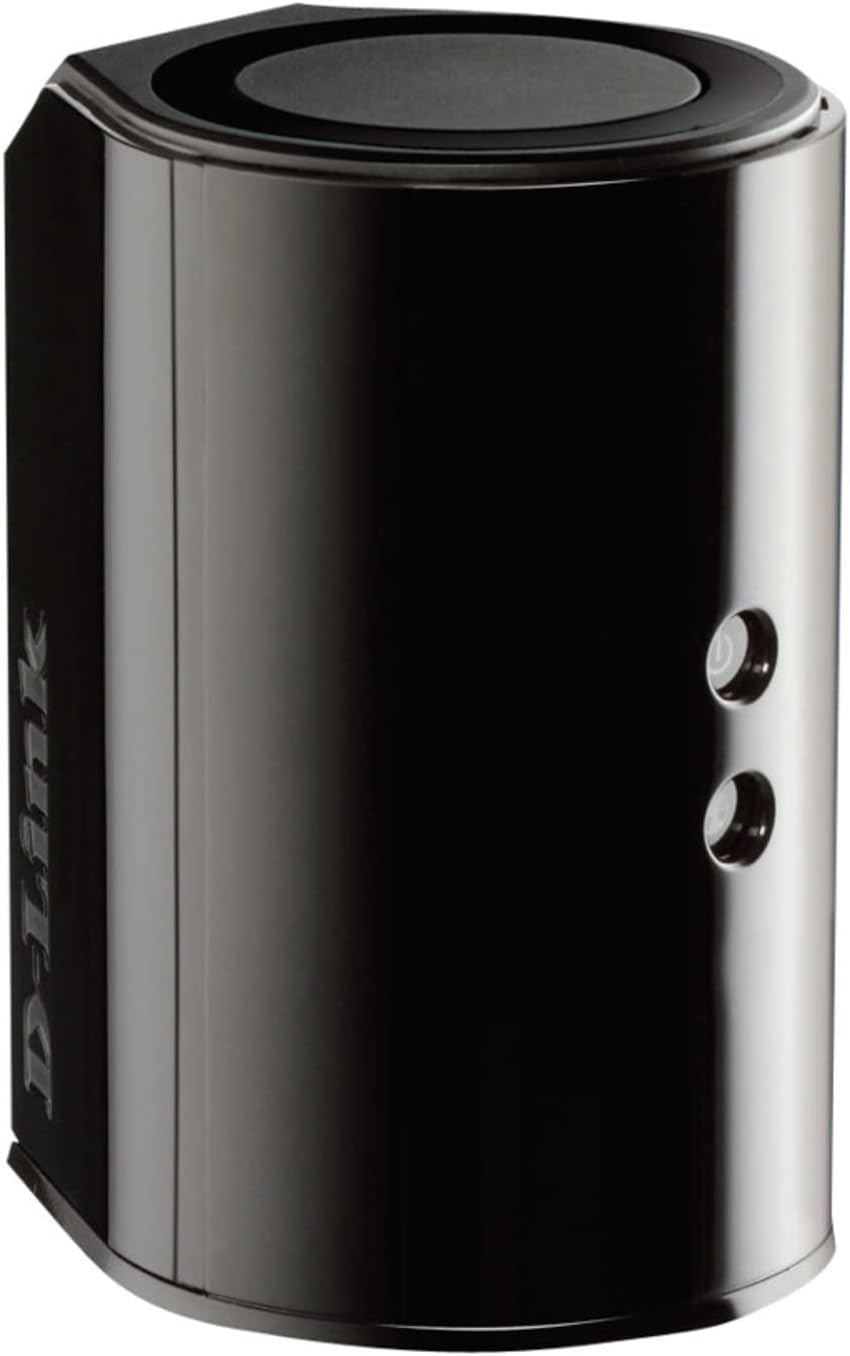
Слика 3.1: Предна страна View. Shows the cylindrical design of the router with the D-Link logo and LED indicators for Power and Internet status.

Слика 3.2: Страна View. Illustrates the side of the router, highlighting the USB port for storage sharing and the Wi-Fi Protected Setup (WPS) button.
Слика 3.3: Заден дел View. Displays the back panel of the router, featuring the WAN (Internet) port, four LAN (Ethernet) ports, and the power input connector.
LED индикатори:
- Напојување LED: Solid green indicates the router is powered on. Blinking green indicates a firmware upgrade or reset.
- Интернет LED: Solid green indicates a successful connection to the internet. Blinking green indicates data activity. Amber indicates no internet connection.
Порти и копчиња:
- WAN (Интернет) порт: Се поврзува со вашиот модем за пристап до интернет.
- LAN порти (1-4): Connect wired devices such as computers, gaming consoles, or network storage.
- USB порта: Connect a USB storage device for network sharing.
- Конектор за напојување: Се поврзува со вклучениот адаптер за напојување.
- Копче за ресетирање: Притиснете и задржете 10 секунди за да ги вратите фабричките стандардни поставки.
- Копче WPS: Initiates Wi-Fi Protected Setup for easy wireless connection of compatible devices.
4. Поставување
Follow these steps to set up your D-Link DIR-850L router:
- Позиционирајте го рутерот: Поставете го вашиот рутер на централна локација во вашиот дом, подалеку од пречки и уреди што можат да предизвикаат пречки (на пр., безжични телефони, микробранови печки).
- Поврзете се со модем:
- Исклучете го модемот.
- Connect one end of the provided Ethernet cable to the WAN (Internet) port on your DIR-850L router.
- Поврзете го другиот крај од Ethernet кабелот со Ethernet портата на вашиот модем.
- Вклучување:
- Power on your modem and wait for its indicator lights to stabilize (usually indicating an active internet connection).
- Connect the power adapter to the power connector on your DIR-850L router and plug it into a power outlet.
- Wait for the Power LED on the router to turn solid green. The Internet LED should also turn green, indicating a successful connection.
- Поврзете уред:
- Жична врска: Connect an Ethernet cable from one of the LAN ports (1-4) on the router to your computer's Ethernet port.
- Безжична врска: On your Wi-Fi enabled device (laptop, smartphone, tablet), search for available Wi-Fi networks. Select the network name (SSID) found on the Wi-Fi Configuration Card (usually a sticker on the bottom of the router) and enter the Wi-Fi password.
- Стартувај го волшебникот за поставување:
- Отвори a web browser (e.g., Chrome, Firefox) on the connected device.
- Тип
http://dlinkrouter.localor192.168.0.1во лентата со адреси и притиснете Enter. - Follow the on-screen instructions of the D-Link Setup Wizard to configure your internet connection and personalize your Wi-Fi network name (SSID) and password.
Setup Video (General D-Link Router Overview):
Video 4.1: D-Link Wireless AC 1200 Mbps Home Cloud App-Enabled Dual-Band Gigabit Router Overview. Ова видео дава општ прегледview of D-Link routers, including the DIR-850L, and highlights their features and target users. While not a step-by-step setup guide, it offers insights into the router's capabilities.
5. Упатства за работа
Once your D-Link DIR-850L router is set up, you can manage and optimize your network.
Уреди за поврзување:
- Безжичен: Use the Wi-Fi network name (SSID) and password you configured during setup to connect your wireless devices. The router supports both 2.4 GHz and 5 GHz bands.
- Wичен: Connect devices directly to the LAN ports using Ethernet cables for a stable, high-speed connection.
Пристап до поставките на рутерот:
За пристап до напредните поставки, отворете web прелистувач и одете до http://dlinkrouter.local or 192.168.0.1. Log in with the administrator password you set during the initial setup. From here, you can:
- Променете ги поставките за Wi-Fi (SSID, лозинка, тип на безбедност).
- Configure guest Wi-Fi networks.
- Поставете родителски контроли.
- Управувајте со поврзаните уреди.
- Ажурирајте го фирмверот.
Using the USB Share Port:
Plug a USB storage device (e.g., flash drive, external hard drive) into the USB port on the router. You can then access and share files on this storage device across your network using the D-Link SharePort Mobile app or through network shares on your computer.
6. Одржување
Редовното одржување помага да се обезбедат оптимални перформанси и долготрајност на вашиот рутер.
- Рестартирање: Периодично рестартирајте го рутерот (исклучете го од струја 10 секунди, а потоа повторно вклучете го) за да ја исчистите неговата меморија и да ги освежите мрежните врски. Ова може да реши помали проблеми со перформансите.
- Ажурирања на фирмверот: Проверете ја поддршката на D-Link website for firmware updates. Firmware updates can improve performance, add new features, and fix security vulnerabilities. Follow the instructions provided by D-Link carefully when performing updates.
- Чистење: Keep the router clean and free from dust. Use a soft, dry cloth to wipe the exterior. Do not use liquid cleaners or aerosols. Ensure ventilation openings are not blocked.
- Безбедност: Regularly change your Wi-Fi password and router administrator password to enhance network security.
7 Смена на проблеми
If you encounter issues with your D-Link DIR-850L router, refer to the following common problems and solutions:
Нема интернет конекција:
- Проверете ги каблите: Осигурајте се дека сите Ethernet кабли се безбедно поврзани со рутерот и модемот.
- Статус на модемот: Проверете дали вашиот модем работи правилно и дали има активна интернет конекција.
- Редослед на рестартирање: Power off your modem, then your router. Wait 30 seconds, then power on the modem first. Once the modem is fully online, power on the router.
- Контакт на интернет-провајдерот: If the issue persists, contact your Internet Service Provider (ISP) to confirm service status.
Бавна брзина на Wi-Fi:
- Поставување на рутерот: Move the router to a more central location, away from obstacles and interference sources.
- Пречки на каналот: Пријавете се во рутерот web interface and try changing the Wi-Fi channel for both 2.4 GHz and 5 GHz bands to a less congested one.
- Поврзани уреди: Disconnect unused devices from your network.
- Фирмвер: Осигурајте се дека фирмверот на вашиот рутер е ажуриран.
Не може да се поврзе на Wi-Fi:
- Точна лозинка: Double-check that you are entering the correct Wi-Fi password (case-sensitive).
- Емитување на SSID: Ensure the router is broadcasting its Wi-Fi network name (SSID).
- WPS: If your device supports WPS, try using the WPS button on the router to connect.
- Ресетирај го рутерот: As a last resort, perform a factory reset (see Hardware Overview) and reconfigure the router.
8. Спецификации
| Карактеристика | Опис |
|---|---|
| Име на моделот | DIR-850L |
| Безжичен тип | 802.11ac (backward compatible with 802.11a/b/g/n) |
| Класа на фреквентен опсег | Двоен опсег (2.4 GHz и 5 GHz) |
| Безжична брзина | До 300 Mbps (2.4 GHz), до 867 Mbps (5 GHz) |
| Етернет порти | 4 x гигабитна LAN, 1 x гигабитна WAN |
| USB порта | 1 x USB 2.0 (for SharePort) |
| Тип на антена | Внатрешна |
| Компатибилност на оперативниот систем | Windows® 8, 7, Vista®, XP SP2, or Mac OS® X (v10.4 or higher) |
| Димензии (ДxШxВ) | 4.45 x 3.43 x 5.72 инчи |
| Тежина на ставката | 9.9 унци (0.62 фунти) |
| Боја | Црното |
9. Гаранција и поддршка
D-Link products are backed by a limited warranty. For specific warranty terms and conditions, please refer to the warranty information included with your product or visit the official D-Link webсајт.
For technical support, product registration, and access to the latest drivers, firmware, and user manuals, please visit the D-Link support portal:
Поддршка за D-Link Webсајт: www.dlink.com/support
You may also find helpful resources and community forums on the D-Link webсајт.


