Вовед
The ORICO 4-Port USB 3.0 Hub is designed to expand the connectivity of your computer or laptop by adding four additional USB 3.0 ports. This allows for the simultaneous connection of various USB devices such as external hard drives, USB flash drives, mice, keyboards, USB headphones, speakers, and memory card readers, eliminating the need for repeated plugging and unplugging.
Карактеристики на производот
- Пренос на податоци со голема брзина: Supports data transfer speeds up to 5Gbps, which is 10 times faster than USB 2.0 (480 Mbps). This enables quick transfer of large files and HD movies. It is backward compatible with USB 2.0, 1.1, and 1.0 devices.
- Stable and Secure Operation: Compatible with Windows 10/8/8.1/7/Vista/XP, Mac OS X, Linux, and Chrome OS. Features built-in protection against over-voltage, over-current, short-circuit, and leakage to safeguard your connected devices and data.
- Plug and Play: No driver installation is required for operation. Simply connect the hub to your computer and it's ready to use.
- Компактен и пренослив дизајн: The ultra-slim design and integrated 11.81-inch (30cm) extension cable make it convenient for use with laptops and easy to carry.
- LED индикатор за моќност: A blue LED light indicates the hub's operational status.

Image: The ORICO 4-Port USB 3.0 Hub highlighting its four USB 3.0 ports and illustrating the 5Gbps SuperSpeed data transfer capability compared to USB 2.0.
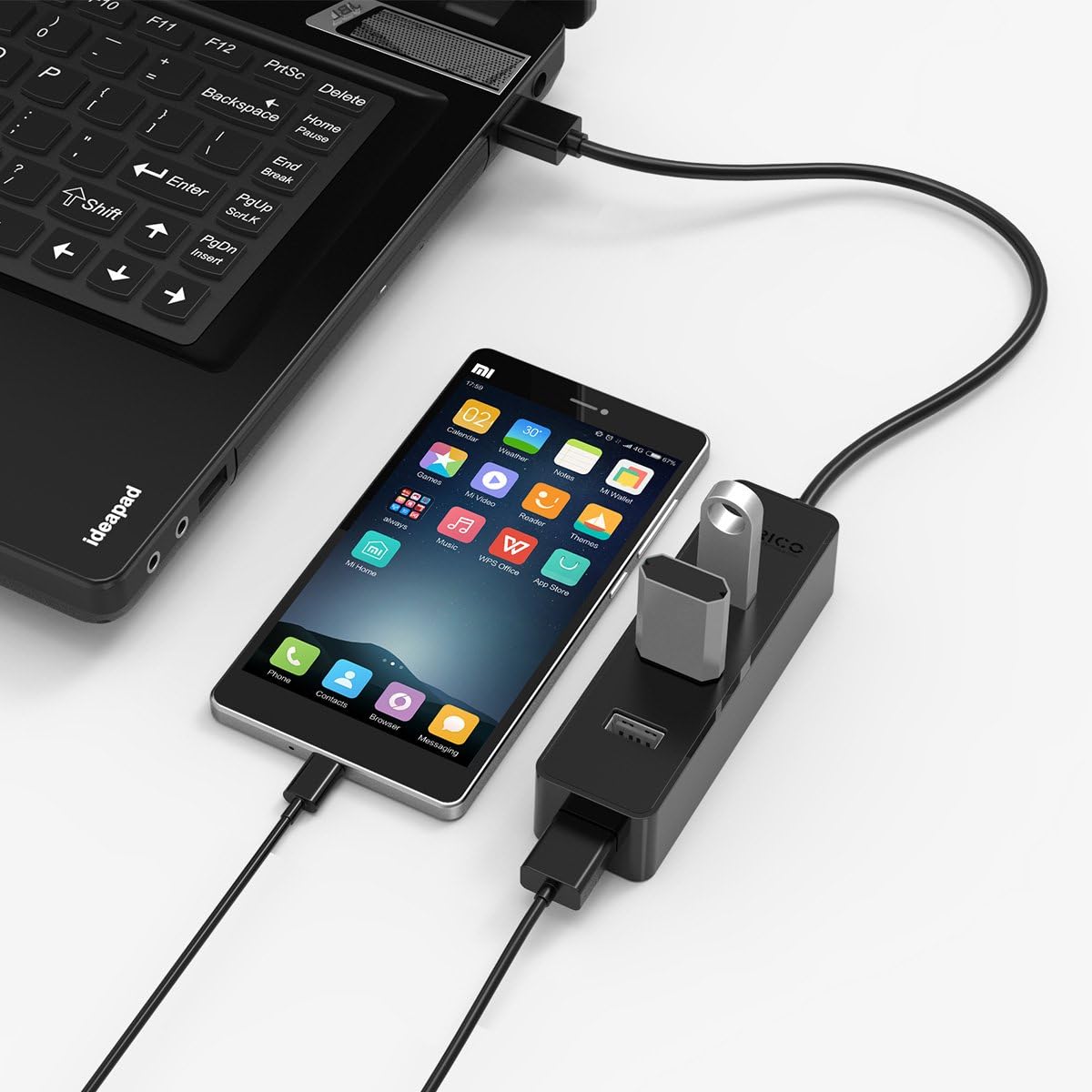
Image: The ORICO USB 3.0 Hub demonstrating its intelligent multi-protection features, including short-circuit, overcurrent, overvoltage, и заштита од протекување.
Содржина на пакетот
Ве молиме проверете ја содржината на пакувањето по отварањето за да се осигурате дека сите предмети се присутни:
- ORICO 4-Port USB 3.0 Hub x 1
- Упатство за употреба x 1
Поставување
Follow these steps to set up your ORICO USB 3.0 Hub:
- Поврзете се со компјутер: Plug the integrated USB 3.0 cable of the ORICO hub into an available USB 3.0 port on your computer or laptop.
- Индикатор за моќност: The blue LED indicator on the hub will illuminate, signifying that the hub is powered and ready for use.
- Поврзете ги уредите: Insert your USB devices (e.g., flash drives, external hard drives, mouse, keyboard) into the available USB 3.0 ports on the hub.
- Работа без возач: The hub is plug-and-play, meaning no additional drivers are required for most operating systems. Your computer should automatically recognize the hub and connected devices.

Слика: Детална view of the ORICO USB 3.0 Hub, illustrating the LED power indicator and the 30cm integrated USB 3.0 data cable for convenient desktop placement.

Image: The ORICO USB 3.0 Hub connected to a laptop, demonstrating its wide compatibility with devices like laptops, tablets, cellphones, keyboards, printers, hard drives, webcams, cameras, and USB disks, emphasizing its plug-and-play functionality.
Упатства за работа
Once connected, the ORICO USB 3.0 Hub operates seamlessly:
- Пренос на податоци: Utilize the USB 3.0 ports for high-speed data transfer with compatible devices. The hub supports simultaneous data transfer across multiple ports.
- Поврзување на уредот: Connect up to four USB devices at once. The hub is designed to handle various peripherals, including power-intensive devices like external hard drives, though for optimal performance with multiple high-power devices, a powered hub (not this model) might be considered.
- Назад компатибилност: The hub is fully backward compatible with USB 2.0 and USB 1.1 devices, allowing you to connect older peripherals, though they will operate at their respective maximum speeds (USB 2.0 or USB 1.1).
- Топла замена: Devices can be connected or disconnected from the hub while your computer is running without needing to restart.
Одржување
За да обезбедите долготрајност и оптимални перформанси на вашиот ORICO USB 3.0 хаб, следете ги овие едноставни упатства за одржување:
- Чистење: Use a soft, dry cloth to gently wipe the surface of the hub. Avoid using liquid cleaners, solvents, or abrasive materials, as these can damage the device.
- Складирање: Кога не е во употреба, чувајте го главчината на ладно и суво место, подалеку од директна сончева светлина и екстремни температури.
- Ракување: Avoid dropping the hub or subjecting it to strong impacts. Do not bend or pull the integrated cable excessively.
- Животна средина: Keep the hub away from water, moisture, and high humidity to prevent internal damage.
Решавање проблеми
If you encounter issues with your ORICO USB 3.0 Hub, please refer to the following common solutions:
- Уредот не е препознаен:
- Ensure the hub is securely plugged into a functioning USB port on your computer.
- Try connecting the device directly to your computer's USB port to verify if the device itself is working correctly.
- Disconnect and reconnect the hub and the problematic device.
- Рестартирајте го компјутерот.
- Бавни брзини на пренос на податоци:
- Ensure both the hub and the connected device are USB 3.0 compatible for optimal speeds. If a USB 2.0 device is connected, it will operate at USB 2.0 speeds.
- Connect the hub to a USB 3.0 port on your computer (usually identified by a blue port or SS symbol).
- Avoid connecting multiple high-bandwidth devices simultaneously if you experience significant slowdowns.
- Interference with Wireless Devices (e.g., Wireless Mouse):
- USB 3.0 can sometimes cause interference with 2.4GHz wireless devices. If your wireless mouse or keyboard receiver is connected to the hub and experiences erratic behavior, try moving the receiver further away from the hub using a short USB extension cable, or connect it to a different USB port directly on your computer.
- Devices Not Detected After Sleep/Hibernation (Windows):
- After your computer wakes from sleep or hibernation, some USB devices connected via the hub might not be immediately detected. Open Device Manager, right-click on your computer name, and select "Scan for hardware changes" to refresh the device list.
- Hub Not Functioning:
- Обидете се да го поврзете центарот со друга USB порта на вашиот компјутер.
- Test the hub on another computer if possible to rule out computer-specific issues.
Спецификации
| Карактеристика | Детал |
|---|---|
| Бренд | ОРИКО |
| Број на модел | W5PH4-U3-V1-BK-PRO |
| Пристаништа | 4 x USB 3.0 порти |
| Стапка на пренос на податоци | До 5Gbps (USB 3.0 SuperSpeed) |
| Назад компатибилност | USB 2.0, USB 1.1 |
| Должина на кабелот | 11.81 инчи (30 см) |
| Димензии (ДxШxВ) | 4.13 x 1.3 x 0.94 инчи (10.5 x 3.3 x 2.4 см) |
| Тежина | 2.24 унци (63.5 грама) |
| Поддршка за оперативен систем | Windows 10/8/8.1/7/Vista/XP, Mac OS X, Linux, Chrome OS |
| Материјал | ABS Engineering Material |
| Боја | Црното |
Гаранција и поддршка
ORICO provides customer support for its products. If you encounter any issues, receive a damaged product, or are not completely satisfied with your purchase, please contact ORICO customer service. They aim to provide a resolution within 24 hours.
For further assistance, please visit the official ORICO webстраницата или директно контактирајте ги нивните канали за поддршка.
Note: Specific warranty terms and conditions may vary by region and retailer. Please refer to your purchase documentation for detailed warranty information.


