1. Вовед
The Comfast CF-WU720N is a compact 150Mbps Wireless USB Adapter designed to provide high-speed wireless connectivity for your desktop or notebook computer. It allows you to connect to a wireless network and access the internet, share files, and enjoy online gaming at speeds up to 150Mbps. This adapter is compliant with IEEE 802.11b/g/n standards and supports USB 2.0 for efficient data transfer.
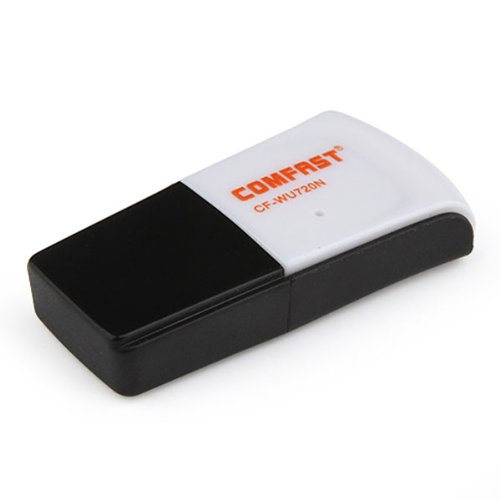
Image 1.1: The Comfast CF-WU720N Wireless USB Adapter, a compact device for wireless connectivity.
2. Карактеристики на производот
- Meets IEEE 802.11b/g/n wireless standards.
- Supports USB 2.0 interface for broad compatibility.
- Utilizes Realtek 8191 SU chipset for reliable performance.
- Achieves wireless connection rates up to 150Mbps.
- Supports wireless roaming technology for seamless connectivity.
- Strong compatibility with various popular operating systems.
- Compact size: approximately 39 x 12 x 7mm (1.5 x 0.7 x 0.3 inches).
- Lightweight design: approximately 5g.
3. Содржина на пакетот
Ве молиме проверете дали сите артикли се присутни во пакетот:
- 1 x Comfast CF-WU720N Wireless USB Adapter
- 1 x Водич за брза инсталација
- 1 x CD-ROM Driver
- 1 x Гарантна картичка

Image 3.1: The retail packaging for the Comfast CF-WU720N, showing the adapter inside.
4. Поставување и инсталација
4.1. Инсталација на драјвери
Before connecting the USB adapter, it is recommended to install the necessary drivers from the provided CD-ROM. This ensures proper functionality and compatibility with your operating system.
- Insert the driver CD-ROM into your computer's optical drive.
- If the installer does not launch automatically, navigate to "My Computer" or "This PC," open the CD-ROM drive, and run the setup executable (e.g., "setup.exe" or "autorun.exe").
- Follow the on-screen instructions to complete the driver installation. You may be prompted to restart your computer after installation.
- Забелешка: If your computer does not have an optical drive, you may need to download the latest drivers from the manufacturer's official webсајт.
4.2. Connecting the USB Adapter
Once the drivers are installed, you can connect the Comfast CF-WU720N Wireless USB Adapter to your computer.
- Locate an available USB 2.0 or 3.0 port on your desktop or laptop computer.
- Carefully insert the Comfast CF-WU720N adapter into the USB port. Ensure it is fully seated.
- The operating system should automatically detect the adapter and configure it using the installed drivers. A small LED indicator on the adapter may light up or blink, indicating activity.
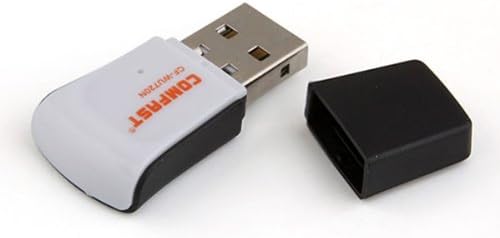
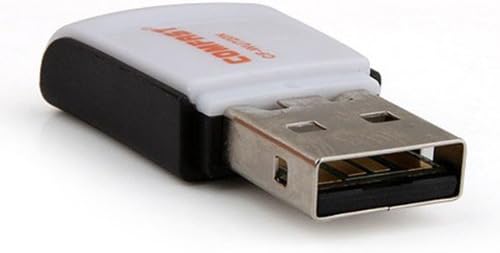
Image 4.1: The Comfast CF-WU720N adapter with its protective cap removed, revealing the USB connector. Image 4.2: A side view of the adapter, highlighting its compact design and USB interface.
5. Упатства за работа
After successful driver installation and adapter connection, you can now connect to a wireless network.
- Пристап до поставките на мрежата:
- Windows: Click the wireless network icon in the system tray (usually bottom-right corner).
- MacOS: Click the Wi-Fi icon in the menu bar (usually top-right corner).
- Linux: Access network settings through your desktop environment's network manager.
- Изберете ја вашата мрежа: A list of available wireless networks (SSIDs) will appear. Select the name of your desired network.
- Поврзете се: Click "Connect" or "Join." If the network is secured, you will be prompted to enter the network security key (password).
- Потврдете ја врската: Once connected, the network icon will typically change to indicate a successful connection, and you should be able to access the internet.
6. Одржување
To ensure optimal performance and longevity of your Comfast CF-WU720N Wireless USB Adapter, follow these simple maintenance guidelines:
- Одржувајте чисто: Нежно избришете го адаптерот со мека, сува крпа за да ја отстраните прашината. Избегнувајте употреба на течни средства за чистење или растворувачи.
- Заштитете го USB конекторот: Кога не е во употреба, држете го заштитното капаче на USB конекторот за да спречите прашина и оштетување.
- Избегнувајте екстремни услови: Не го изложувајте адаптерот на екстремни температури, влажност или директна сончева светлина.
- Ракувајте внимателно: Избегнувајте испуштање или изложување на адаптерот на силни удари.
- Ажурирања на возачот: Периодично проверувајте ги упатствата на производителот website for updated drivers to ensure the best performance and compatibility.
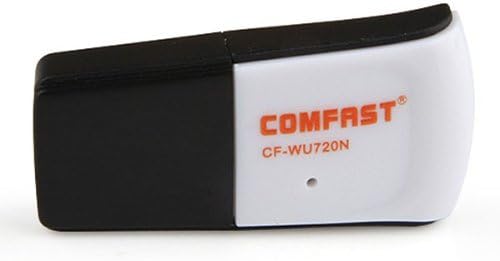
Image 6.1: The Comfast CF-WU720N adapter with its protective cap in place, ready for storage or transport.
7 Смена на проблеми
If you encounter issues with your Comfast CF-WU720N Wireless USB Adapter, refer to the following common solutions:
| Проблем | Можно решение |
|---|---|
| Adapter not detected / No Wi-Fi networks visible. |
|
| Cannot connect to a specific Wi-Fi network. |
|
| Slow connection speed or frequent disconnections. |
|
8. Спецификации
| Карактеристика | Детал |
|---|---|
| Модел | CF-WU720N |
| Безжични стандарди | IEEE 802.11b/g/n |
| Интерфејс | USB 2.0 |
| Чипсет | Realtek 8191 SU |
| Безжична брзина | До 150 Mbps |
| Опсег на фреквенција | 2.4 GHz |
| Безбедносни карактеристики | WPA/WPA2, WPA-PSK/WPA2-PSK, 64/128-bit WEP |
| Оперативни системи | Windows XP/Vista/7/8/10, macOS, Linux (driver dependent) |
| Димензии (Д x Ш x В) | Приближно 39 x 12 x 7 mm (1.5 x 0.7 x 0.3 инчи) |
| Тежина | Прибл. 5 гр |
9. Гаранција и поддршка
This product comes with a warranty as specified on the included Warranty Card. Please refer to the card for details regarding warranty period, terms, and conditions.
For technical support, driver updates, or further assistance, please visit the official Comfast webвеб-страница или контактирајте го нивниот оддел за услуги на клиентите. Контакт информациите обично може да се најдат на пакувањето на производот или на упатството на производителот. webсајт.
Ве молиме зачувајте ја вашата сметка за купување за цели на гаранцијата.


