1. Вовед
This manual provides essential instructions for the installation, operation, maintenance, and troubleshooting of your Antec TruePower Classic TP-750C 750W 80 PLUS GOLD Certified Power Supply. Please read this manual thoroughly before installation and retain it for future reference. This power supply is designed to provide stable and efficient power to your personal computer system.
2. Информации за безбедност
- Пред инсталација или ракување, проверете дали напојувањето е исклучено од штекерот за наизменична струја.
- Не го отворајте напојувањето casing. Висок волуменtagКомпонентите внатре претставуваат ризик од електричен удар.
- Инсталирајте го напојувањето во добро проветрено место за да спречите прегревање.
- Користете само каблите што се испорачуваат со напојувањето.
- Избегнувајте изложување на напојувањето на влага или екстремни температури.
- This product is intended for use in personal computer systems only.
3. Содржина на пакетот
Проверете дали сите елементи се присутни во пакувањето пред да продолжите со инсталацијата.
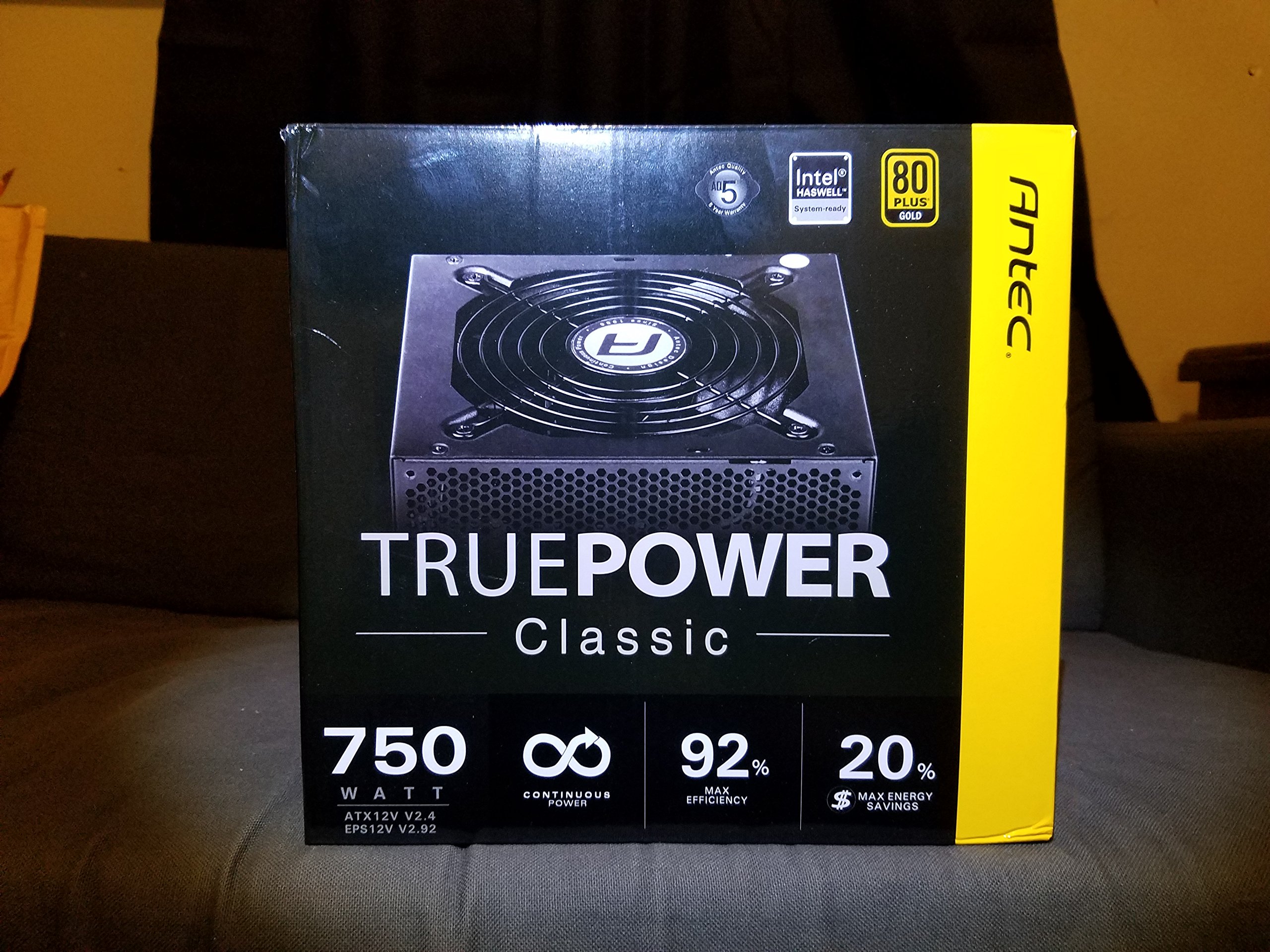
Image 1: Contents of the Antec TruePower Classic TP-750C package. The image displays the power supply unit, various power cables (including a main AC power cable), and user documentation neatly packed within a cardboard box.
- Antec TruePower Classic TP-750C Power Supply Unit
- Modular Cable Set (PCI-E, SATA, Molex, etc.)
- Кабел за напојување со наизменична струја
- Завртки за монтирање
- Упатство за користење / Документација
4. Поставување и инсталација
Follow these steps to properly install your power supply into your computer chassis.
- Подгответе ја шасијата: Ensure your computer chassis is powered off and disconnected from all power sources. Open the side panel of your computer case.
- Монтирајте го напојувањето: Carefully slide the Antec TP-750C power supply into the designated power supply bay in your chassis. Align the screw holes on the power supply with those on the chassis. Secure the power supply using the provided mounting screws.
- Поврзување на напојувањето на матичната плоча: Connect the 24-pin ATX main power connector from the power supply to the corresponding port on your motherboard. Ensure it clicks into place.
- Поврзување на напојувањето на процесорот: Connect the 4+4-pin (or 8-pin) EPS12V CPU power connector to the CPU power socket on your motherboard.
- Connect Graphics Card Power (PCI-E): If your graphics card requires external power, connect the appropriate 6+2-pin PCI-E power cables from the power supply to your graphics card.
- Connect Peripheral Power (SATA/Molex): Connect SATA power cables to your storage drives (SSDs, HDDs) and optical drives. Use Molex connectors for other peripherals as needed.
- Управување со кабли: Route cables neatly to improve airflow and aesthetics within your chassis.
- Конечни проверки: Double-check all connections to ensure they are secure. Close the chassis side panel.
- Поврзете AC напојување: Поврзете го кабелот за наизменична струја со напојувањето, а потоа со ѕидниот штекер или со заштита од пренапон.
5. Упатства за работа
The Antec TP-750C power supply operates automatically once correctly installed and connected to an AC power source. It provides stable DC power to all connected components.
- Вклучување: After connecting the AC power cord, flip the power switch on the back of the power supply to the "ON" (I) position.
- Системско подигање: Press the power button on your computer chassis to start your system.
- Исклучено: Shut down your computer through the operating system. For complete power disconnection, flip the power switch on the power supply to the "OFF" (O) position and unplug the AC power cord.
6. Одржување
Правилното одржување обезбедува долготрајност и оптимални перформанси на вашето напојување.
- Чистење прашина: Periodically clean dust from the power supply's fan and ventilation grilles using compressed air. Ensure the power supply is disconnected from AC power before cleaning.
- Вентилација: Ensure adequate airflow around the power supply. Do not block the intake or exhaust vents.
- Интегритет на кабелот: Regularly check power cables for any signs of damage or fraying. Replace damaged cables immediately.
- Опкружување за работа: Operate the power supply within recommended temperature and humidity ranges.
7 Смена на проблеми
If you encounter issues with your power supply, refer to the following common problems and solutions.
| Проблем | Можна причина | Решение |
|---|---|---|
| Системот не се вклучува. | AC power cord not connected, power switch off, loose internal connections, faulty components. |
|
| Системот се вклучува, но веднаш се исклучува. | Overload, overheating, short circuit, faulty component. |
|
| Unusual noise from the power supply. | Fan obstruction, faulty fan bearing, coil whine. |
|
If troubleshooting steps do not resolve the issue, contact Antec customer support for further assistance.
8. Спецификации
| Име на моделот | TruePower Classic TP-750C |
| Бренд | Антек |
| Ватtage | 750 вати |
| 80 ПЛУС Сертификација | Злато |
| Форма фактор | ATX |
| Тип на конектор | ATX |
| Минимален влезен волуменtage | 100 волти |
| Компатибилни уреди | Личен компјутер |
| Тежина на ставката | 6.24 фунти (2.83 кг) |
| Димензии на пакетот | 9.7 x 9 x 5.5 инчи (24.6 x 22.9 x 14 см) |
| ASIN | B00JOFALL0 |
| UPC | 132018316306 |
9. Гаранција и поддршка
The Antec TruePower Classic TP-750C Power Supply comes with a 3-годишна гаранција на производителот. Оваа гаранција ги покрива дефектите на материјалите и изработката при нормална употреба.
For technical support, warranty claims, or further inquiries, please visit the official Antec webлокација или контактирајте го нивниот оддел за корисничка поддршка. Зачувајте го доказот за купување за потврда на гаранцијата.
Please note: Opening the power supply casing ќе ја поништи гаранцијата.


