Вовед
Thank you for choosing the Baseus H08 3D Surround Sound Gaming Earphones. This manual provides essential information for the safe and efficient use of your new earphones. Please read it thoroughly before use and retain it for future reference.
Производот завршиview
The Baseus H08 earphones are designed to deliver an immersive 3D surround sound experience for gaming. They feature a wired connection, in-ear design, and an integrated microphone for clear communication.
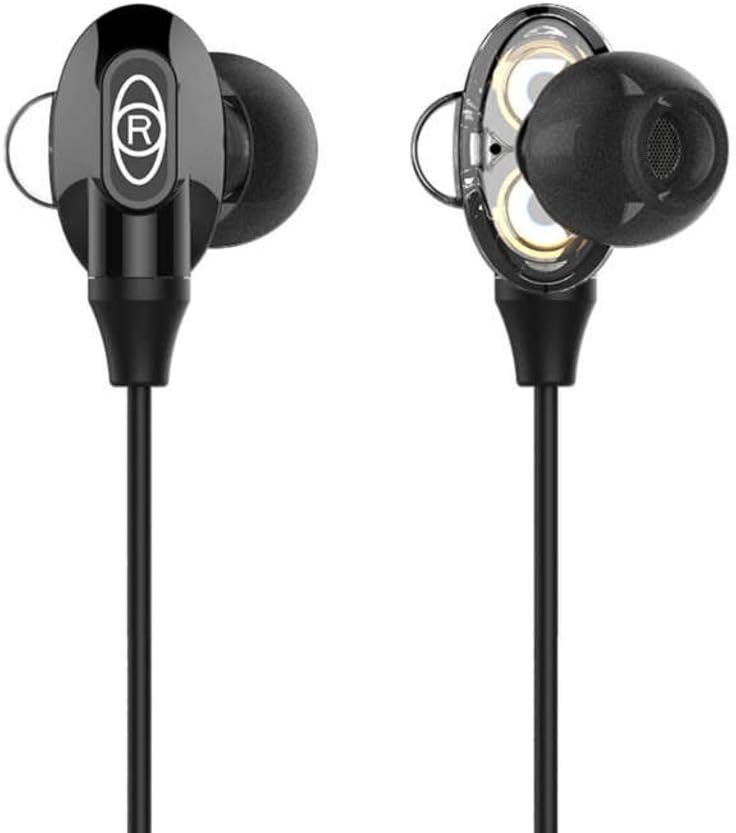
Figure 1: Baseus H08 In-Ear Gaming Earphones
This image displays the two in-ear earpieces of the Baseus H08 earphones, highlighting their sleek black design and the 'R' (right) indicator on one of the earpieces.
Клучни карактеристики:
- 3D опкружувачки звук: Engineered for an immersive audio experience, enhancing spatial awareness in games.
- Жична врска: Ensures stable audio transmission with a 3.5mm jack.
- Дизајн за во уво: Provides a secure and comfortable fit, along with passive noise isolation.
- Интегриран микрофон: For clear voice communication during gameplay.
- Inline Control: Easy access to volume adjustments and microphone functions.
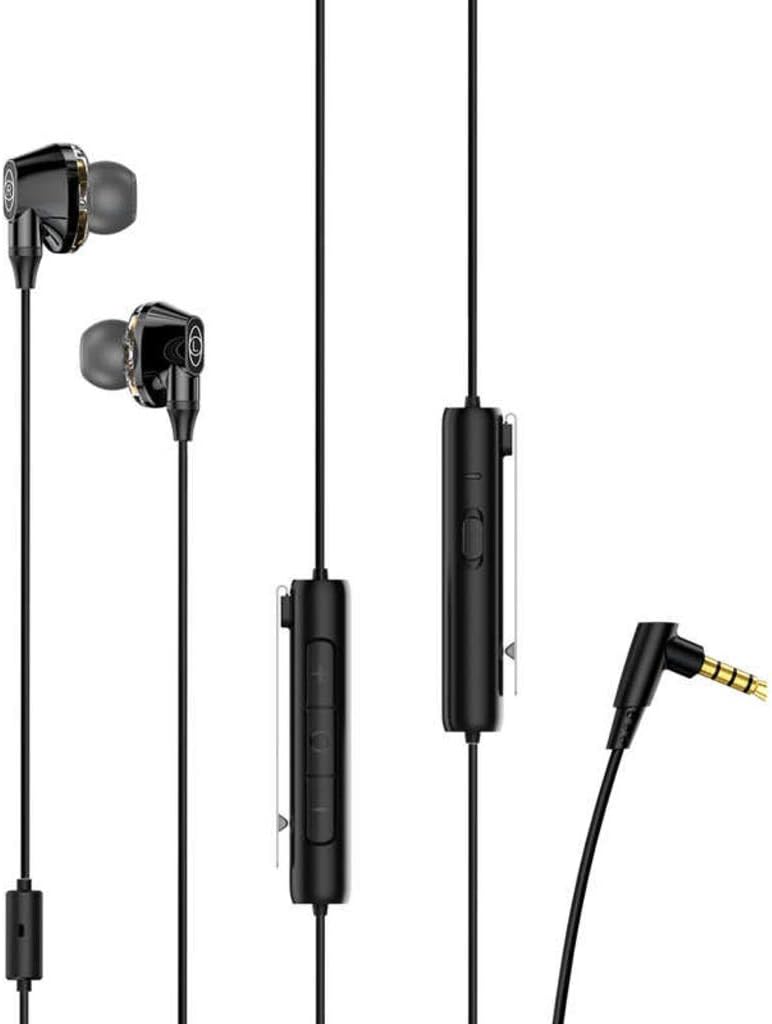
Figure 2: Earphones with Inline Control and 3.5mm Jack
This image shows the full length of the Baseus H08 earphones, including the in-ear buds, the inline control unit with buttons, and the L-shaped 3.5mm audio jack.
Поставување
- Поврзете се со уред: Insert the 3.5mm audio jack into the corresponding port on your gaming console, PC, or mobile device. Ensure the connection is secure.
- Носење слушалки: Gently insert the left (L) and right (R) earpieces into your ears. Adjust them for a comfortable and snug fit. The correct fit is crucial for optimal sound quality and noise isolation.
- Позиционирање на микрофонот: Position the inline microphone close to your mouth for clear voice pickup.
Упатства за работа
Inline Control Functions:
- Контрола на јачината на звукот: Use the volume up (+) and volume down (-) buttons on the inline control unit to adjust the audio level.
- Исклучување/вклучи звук на микрофонот: The inline control may include a switch or button to mute or unmute the microphone. Refer to the specific markings on your control unit.
- Управување со повици: For mobile devices, the central button on the inline control typically allows you to answer/end calls or play/pause music.
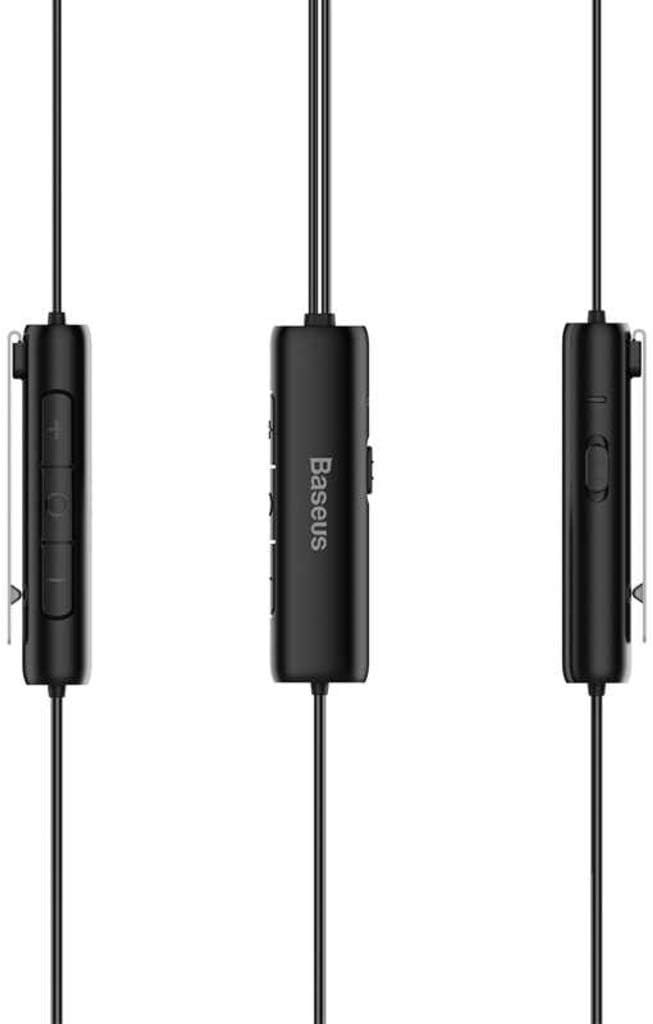
Figure 3: Inline Control Unit
Оваа слика дава детален view of the inline control unit, showing the volume buttons and the Baseus branding.
3D опкружувачки звук:
The Baseus H08 earphones are designed to deliver a 3D surround sound effect, enhancing directional audio cues in compatible games. This feature is automatically active when connected to a device that supports stereo audio output. No additional setup is required for the 3D sound functionality.

Figure 4: Immersive 3D Sound Experience
This image shows a person wearing the Baseus H08 earphones, with visual effects suggesting an immersive 3D sound experience, highlighting the earphones' capability to deliver rich audio details.
Одржување
- Чистење: Regularly clean the earpieces and ear tips with a soft, dry cloth. For stubborn dirt, a slightly damp Може да се користи крпа, но осигурајте се дека нема да навлезе влага во решетките на звучникот.
- Складирање: Кога не ги користите, чувајте ги слушалките на чисто и суво место, по можност во заштитна торбичка, за да спречите заплеткување и оштетување.
- Избегнувајте екстремни услови: Не ги изложувајте слушалките на екстремни температури, влажност или директна сончева светлина.
- Грижа за кабел: Avoid sharply bending or pulling the cable, as this can damage internal wiring.
Решавање проблеми
| Проблем | Можна причина | Решение |
|---|---|---|
| Нема звук или низок волумен |
|
|
| Микрофонот не работи |
|
|
| Лош квалитет на звукот |
|
|
Спецификации
| Бренд | Басеус |
| Број на модел | NGH08-01 |
| Технологија за поврзување | Жичен |
| Џек за слушалки | 3.5 мм Jackек |
| Форма фактор за слушалки | Во уво |
| Вклучен микрофон | Да |
| Контрола на бучава | Активно поништување на шум |
| Тип на контрола | Контрола на јачината на звукот |
| Боја | Црното |
| Димензии на производот | 5 x 3 x 10 cm |
| Тежина на ставката | 200 грама |
| Компатибилни уреди | PC, Mac |
Гаранција и поддршка
For warranty information or technical support, please refer to the documentation included with your purchase or visit the official Baseus webстраница. Можете исто така директно да контактирате со службата за корисници на Baseus за помош.
Официјален претставник на Baseus Webсајт: www.baseus.com