Вовед
This manual provides essential information for setting up, operating, maintaining, and troubleshooting your Samsung Galaxy S6 Edge+ smartphone. Please read these instructions carefully to ensure optimal performance and longevity of your device.
The Samsung Galaxy S6 Edge+ features a 5.7-inch Quad HD Super AMOLED display with a resolution of 2560x1440 pixels, offering a vibrant visual experience. It operates on the Android operating system and is powered by a 2.1 GHz processor.
1. Поставување
1.1 Што има во кутијата
Проверете дали сите артикли се присутни во пакувањето на вашиот производ:
- Samsung S6 Edge+ device
- Pre-Installed SIM Card
- Wallиден полнач
- USB кабел
1.2 Распоред на уреди
Familiarize yourself with the physical components of your Galaxy S6 Edge+.
Слика 1.1: напред view of the Samsung Galaxy S6 Edge+ smartphone. This image displays the device's 5.7-inch curved Super AMOLED screen, the home button with integrated fingerprint sensor, and the front-facing camera.

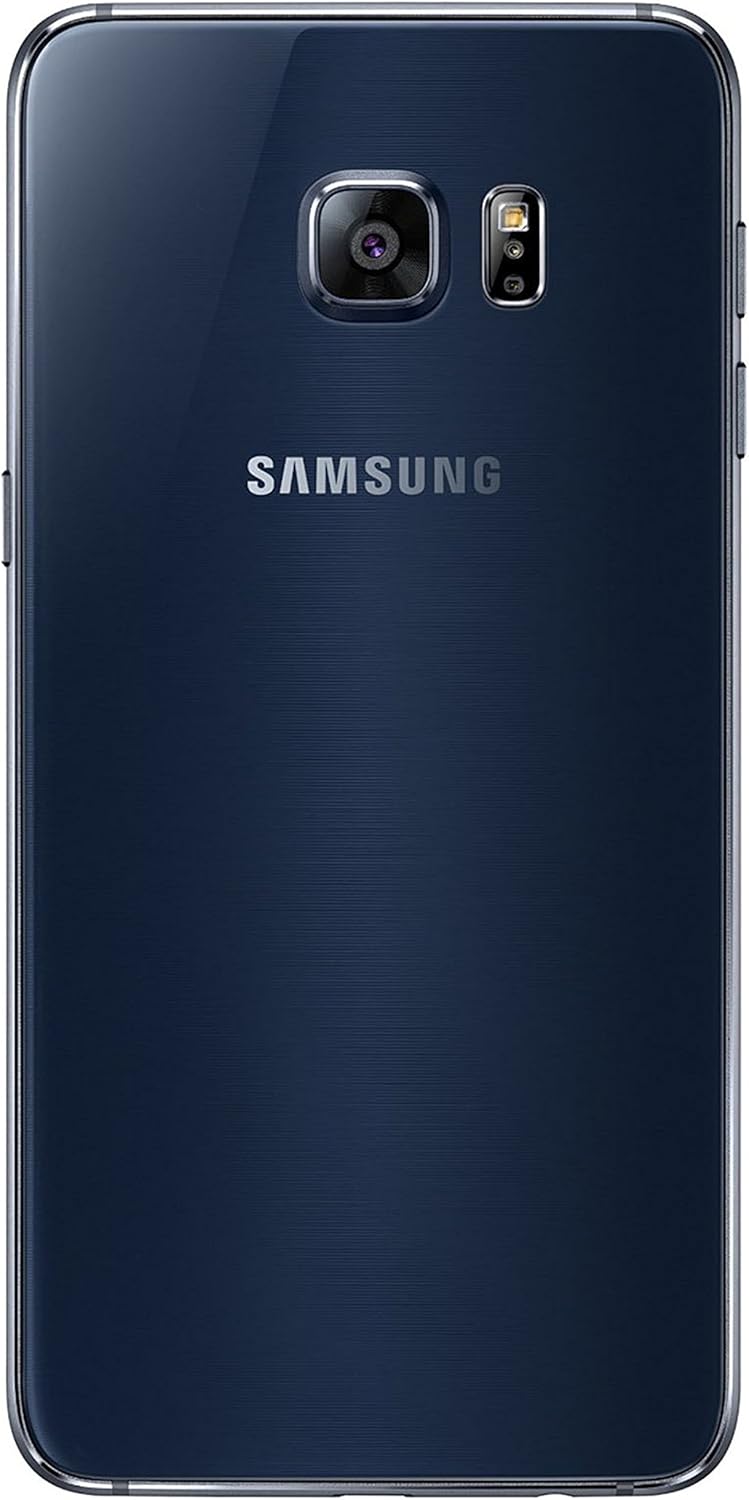
Слика 1.2: Назад view of the Samsung Galaxy S6 Edge+ smartphone. This image highlights the rear 16-megapixel camera module, LED flash, and the Samsung branding.

Слика 1.3: Страна view of the Samsung Galaxy S6 Edge+ smartphone. This image illustrates the placement of the power button on one side and the volume rocker on the opposite side, along with the device's slim profile.
1.3 Вклучување и почетно поставување
- Наполнете го уредот: Connect the USB cable to the phone's USB-C port and the wall charger. Plug the charger into a power outlet. Allow the device to charge for at least 30 minutes before first use.
- Вклучување: Притиснете и задржете го копчето за вклучување (се наоѓа на десната страна од уредот) додека не се појави логото на Samsung.
- Следете ги упатствата на екранот: The device will guide you through the initial setup process, including language selection, Wi-Fi connection, Google account setup, and security settings (e.g., fingerprint sensor setup).
2. Ракување со вашиот уред
2.1 Основна навигација
- Екран на допир: Навигирајте со допирање, лизгање по прстот, штипнување и ширење на екранот.
- Копче за почеток: Press to return to the home screen. Double-press to quickly launch the camera.
- Копче за неодамнешни апликации: Допрете за да view неодамна користени апликации.
- Копче за назад: Допрете за да се вратите на претходниот екран.
2.2 Edge Screen Features
The curved edge display offers additional functionalities:
- Рабни панели: Swipe from the edge of the screen to access customizable panels for favorite apps, contacts, news feeds, and more.
- Night Clock: Set the edge screen to display the time during specific hours when the main screen is off.
- Edge Lighting: The edge screen can light up when you receive calls or notifications while the device is face down.
2.3 Употреба на камерата
The Galaxy S6 Edge+ is equipped with a 16-megapixel rear camera and a front camera for photos and videos.
- Стартување на камерата: Tap the Camera icon on the home screen or double-press the Home button.
- Фотографирај: Допрете го копчето за бленда на екранот.
- Снимајте видео: Switch to video mode and tap the Record button.
- Поставки: Access camera settings to adjust resolution, modes, and other options.
2.4 Поврзување
- Wi-Fi: Поврзете се со безжични мрежи за пристап до интернет. Одете на Поставки > Врски > Wi-Fi.
- Cellular Data (4G): Access mobile internet through your service provider. Ensure your SIM card is active. Go to Поставки > Врски > Користење податоци.
- Bluetooth: Спарете со други Bluetooth уреди како слушалки или звучници. Одете на Поставки > Конекции > Bluetooth.
- GPS: Користете услуги за локација за навигација и апликации базирани на локација.
3. Одржување
3.1 Чистење на вашиот уред
За да го одржите изгледот и функционалноста на уредот:
- Користете мека крпа што не остава влакненца за да го избришете екранот и куќиштето.
- Избегнувајте употреба на груби хемикалии, абразивни средства за чистење или аеросолни спрејови.
- Не го изложувајте уредот на прекумерна влага.
3.2 Ажурирања на софтверот
Редовно проверувајте и инсталирајте ажурирања на софтверот за да се осигурате дека вашиот уред ги има најновите функции, безбедносни закрпи и подобрувања на перформансите.
- Одете на Поставки > Ажурирање на софтвер > Преземи и инсталирај.
- Ensure your device is connected to Wi-Fi and has sufficient battery charge before starting an update.
3.3 Грижа за батерии
За да го максимизирате траењето на батеријата и перформансите:
- Избегнувајте екстремни температури.
- Use the provided Samsung charger and USB cable.
- Utilize power-saving modes (Поставки > Грижа за уредот > Батерија) to extend usage time when needed.
- The device supports quick charging, allowing for rapid replenishment of battery power.
4 Смена на проблеми
4.1 Заеднички прашања и решенија
| Прашање | Решение |
|---|---|
| Уредот не се вклучува | Проверете дали батеријата е наполнета. Поврзете ја со полначот и почекајте неколку минути пред повторно да се обидете да ја вклучите. |
| Батеријата брзо се троши | Close unused apps, reduce screen brightness, disable unnecessary features (Bluetooth, GPS, Wi-Fi when not in use), and enable power-saving modes. Check for background app activity. |
| Апликациите се замрзнуваат или паѓаат | Restart the app. If the issue persists, clear the app's cache (Поставки > Апликации > [Име на апликација] > Складирање > Избриши кеш) or reinstall the app. Ensure the device software is up to date. |
| Нема мрежна врска | Check if Airplane mode is off. Verify SIM card is properly inserted. Restart the device. Contact your service provider if the issue continues. |
4.2 Фабричко ресетирање
If your device experiences persistent issues that cannot be resolved through other troubleshooting steps, a factory reset may be necessary. This will erase all data on your device, so ensure you back up important information first.
- Одете на Поставки > Општо управување > Ресетирај > Ресетирање на фабрички податоци.
- Следете ги упатствата на екранот за да го потврдите ресетирањето.
5. Спецификации
| Карактеристика | Детал |
|---|---|
| Име на моделот | Galaxy S6 Edge+ |
| Оперативен систем | Android (initially 5.1.1 Lollipop) |
| Големина на приказ | 5.7 инчи |
| Технологија на прикажување | AMOLED |
| Резолуција на екранот | 2560 x 1440 pixels (Quad HD) |
| Брзина на процесорот | 2.1 GHz |
| RAM меморија | 32 GB |
| Капацитет за складирање на меморија | 32 GB |
| Задна камера | 16 MP |
| Поврзување | Wi-Fi, мобилен (4G), Bluetooth, GPS |
| Аудио Џек | USB-C |
| Батерии | 1 литиум-јонска батерија (вклучена) |
| Димензии на производот | 2.98 x 0.27 x 6.06 инчи |
| Тежина на ставката | 5.4 унци |
| Време за разговор на телефон | 10 часа |
| Време на подготвеност на телефонот (со податоци) | 336 часа |
| Безжичен носач | Спринт |
Note: "RAM" listed as 32 GB in some specifications refers to internal storage capacity, not volatile memory. The Samsung Galaxy S6 Edge+ typically features 4GB of RAM. The audio jack type is listed as USB-C in the provided data, however, the S6 Edge+ typically uses a Micro-USB port for charging and data transfer, and a 3.5mm headphone jack. Please refer to your device for exact port types.
6. Гаранција и поддршка
6.1 Гаранција за производот
Your Samsung Galaxy S6 Edge+ is covered by a limited manufacturer's warranty. For detailed information regarding warranty terms, conditions, and duration, please refer to the warranty card included with your product or visit the official Samsung webсајт.
6.2 Поддршка за корисници
For technical assistance, service, or further inquiries, please contact Samsung customer support. You can find contact information and support resources on the official Samsung webсајт:


