1. Вовед
This manual provides detailed instructions for the installation, operation, and maintenance of the GeoVision GV-MFD2501-6F 2MP Mini Fixed Dome IP Security Camera. Please read this manual thoroughly before using the product to ensure proper setup and functionality. Keep this manual for future reference.
1.1 Производ надview
The GV-MFD2501-6F is a compact 2-megapixel mini fixed dome IP camera designed for various surveillance applications. It features a 2.3mm lens, super low lux capabilities, and supports network connectivity for remote monitoring.
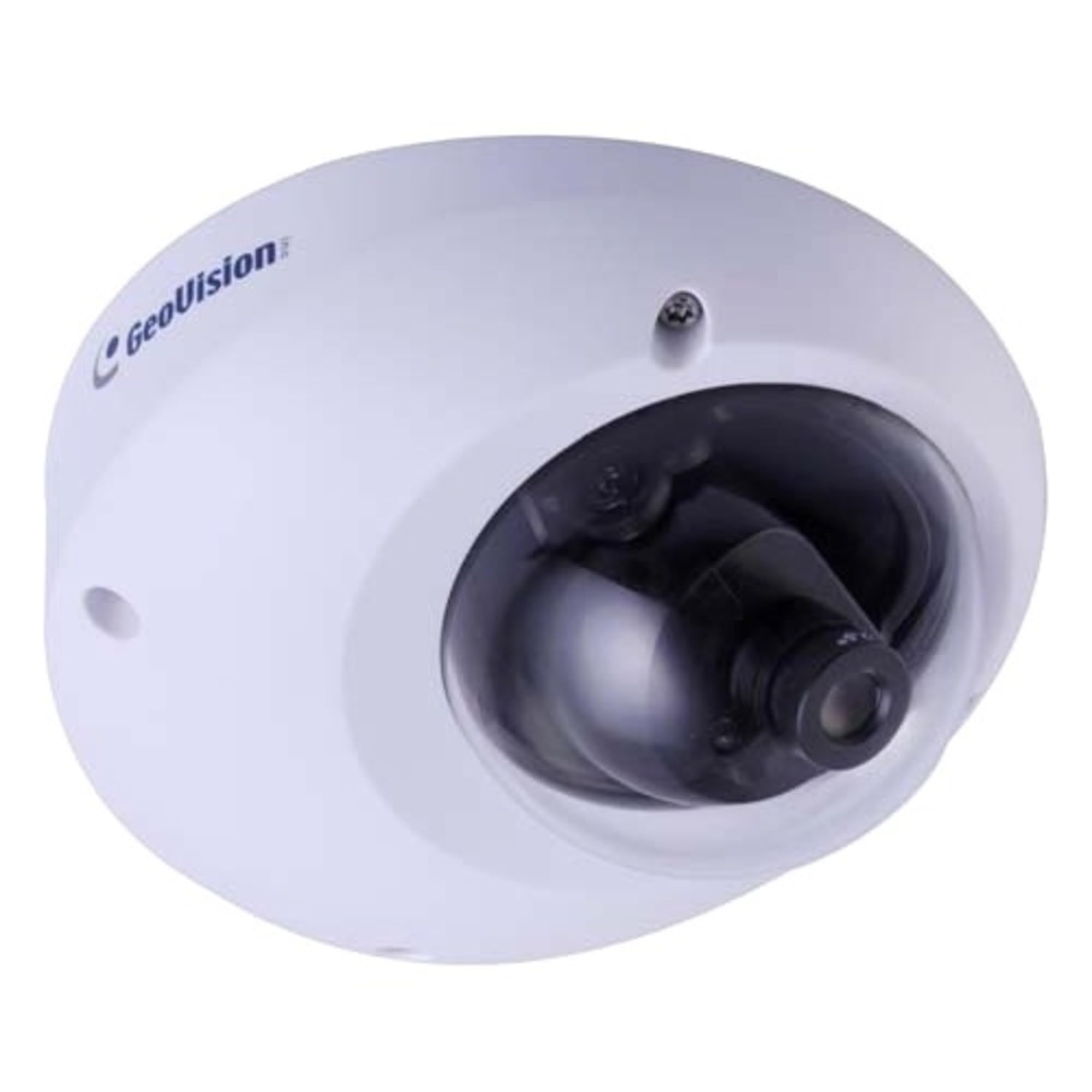
Figure 1.1: GeoVision GV-MFD2501-6F Mini Fixed Dome IP Security Camera. This image shows the compact design of the camera, highlighting its dome shape and lens.
1.2 Содржина на пакетот
Проверете дали сите предмети се присутни во пакувањето. Доколку некои предмети недостасуваат или се оштетени, веднаш контактирајте го вашиот продавач.
- GV-MFD2501-6F IP Camera
- Комплет за завртки за монтирање
- Водич за инсталација
- Software CD (or download link)
- Водоотпорен конектор (доколку е применливо)
2. Информации за безбедност
WARNING: To prevent fire or shock hazard, do not expose this unit to rain or moisture.
- Користете само адаптерот за напојување наведен за овој уред.
- Do not open the camera housing. Refer all servicing to qualified personnel.
- Avoid placing the camera in direct sunlight, near heat sources, or in areas with high humidity or dust.
- Обезбедете соодветна вентилација околу камерата.
- Исклучете го напојувањето пред чистење или вршење на одржување.
3. Поставување
3.1 Физичка инсталација
The GV-MFD2501-6F is designed for indoor use. Choose a suitable mounting location that provides the desired field of view and is within reach of network and power cables.
- Подгответе ја површината за монтирање: Користете го дадениот шаблон за монтирање (доколку е вклучен) за да ги означите дупките за дупчење.
- Дупчете дупки: Дупчете пилот-дупки за завртките за монтирање.
- Обезбедете ја камерата: Attach the camera base to the mounting surface using the provided screws.
- Прилагодете го аголот: Loosen the adjustment screws to position the camera lens for the desired viewing angle, then tighten the screws to secure it.
Figure 3.1: Illustrative diagram of camera mounting. This image would typically show the steps for securing the camera to a ceiling or wall, including screw placement and cable routing.
3.2 Жици и врски
Connect the camera to your network and power source.
- Етернет кабел: Connect an Ethernet cable from your network switch or router to the camera's RJ-45 port. If using Power over Ethernet (PoE), this single cable provides both power and data.
- Адаптер за напојување (ако не користите PoE): If PoE is not available, connect a compatible 12V DC power adapter (not included) to the camera's power input port.
Figure 3.2: Diagram showing camera wiring connections. This image would illustrate how to connect the Ethernet cable and, if necessary, the power adapter to the camera's ports.
3.3 Почетна конфигурација на мрежата
After physical installation and connection, configure the camera for network access.
- Вклучување: Connect the camera to power. The camera will perform a self-test.
- Откријте ја камерата: Use the GeoVision GV-IP Device Utility (available on the GeoVision website) to discover the camera on your local network. The utility will display the camera's IP address.
- Пристап Web Интерфејс: Отвори a web прелистувач (на пр., Chrome, Firefox) и внесете ја IP адресата на камерата во полето за адреса.
- Најавете се: Enter the default username (e.g., "admin") and password (e.g., "admin" or "1234"). You will be prompted to change the password upon first login for security.
- Мрежни поставки: Navigate to the network settings to configure IP address (DHCP or Static), subnet mask, gateway, and DNS settings as required by your network environment.
4. Упатства за работа
Once configured, the camera can be accessed and managed through its web interface or compatible GeoVision VMS software.
4.1 Во живо View
Од web интерфејс, одете до „Во живо“ View" section to see the real-time video feed from the camera. You can adjust video stream settings such as resolution, frame rate, and quality here.
4.2 Поставки за снимање
Configure recording schedules, motion detection recording, and continuous recording options. Recordings can be stored on a network-attached storage (NAS), local storage (if supported), or a GeoVision NVR/VMS.
4.3 Детекција на движење
Set up motion detection zones and sensitivity levels. When motion is detected, the camera can trigger recording, send email alerts, or activate other alarm outputs.
4.4 Далечински пристап
To access the camera remotely, ensure your network router is configured for port forwarding (if not using a VPN or cloud service). Refer to your router's manual for port forwarding instructions. GeoVision also offers mobile applications for remote viewинг.
5. Одржување
5.1 Чистење на камерата
Редовно чистете го објективот и куќиштето на камерата за да обезбедите оптимален квалитет на сликата. Користете мека, сува крпа. За тврдокорна нечистотија, малкуamp Може да се користи крпа со благ детергент, а потоа сува крпа. Не користете абразивни средства за чистење или растворувачи.
5.2 Ажурирања на фирмверот
Периодично проверувајте го GeoVision webстраница за ажурирања на фирмверот. Ажурирањата на фирмверот можат да обезбедат нови функции, подобрувања на перформансите и безбедносни подобрувања. Внимателно следете ги упатствата што се дадени со пакетот за ажурирање на фирмверот.
5.3 Управување со лозинки
Regularly change your camera's password to a strong, unique password to prevent unauthorized access.
6 Смена на проблеми
| Проблем | Можна причина | Решение |
|---|---|---|
| Нема струја до камерата | Power adapter unplugged or faulty; PoE not active. | Check power connections. Ensure PoE switch/injector is active. Test with a known good power source. |
| Нема видео довод | Network cable disconnected; incorrect IP address; firewall blocking access. | Verify Ethernet cable connection. Use GV-IP Device Utility to find camera. Check network settings and firewall rules. |
| Не можам да се најавам | Incorrect username/password. | Ensure correct credentials. If forgotten, refer to the GeoVision website for password reset procedures (may require physical access). |
| Лош квалитет на сликата | Dirty lens; improper focus; low light conditions; incorrect video settings. | Clean the lens. Adjust focus if applicable. Ensure adequate lighting. Check resolution, frame rate, and compression settings. |
7. Спецификации
The following are key specifications for the GeoVision GV-MFD2501-6F camera:
- Модел: 84-MFD2501-6F1U
- Резолуција: 2 мегапиксели
- Објектив: Фиксни леќи од 2.3 мм
- Поврзување: Безжичен Note: While "Wireless" is listed in specifications, this IP camera primarily uses wired Ethernet for reliable data transmission and PoE. Wireless functionality may refer to specific optional modules or control methods.
- Моќност: PoE (Напојување преку Ethernet) или 12V DC (адаптерот не е вклучен)
- Димензии: Приближно 21 x 18.6 x 9.3 см (Димензии на пакетот)
- Тежина: Приближно 487 g (тежина на пакетот)
- Работна температура: (Information not provided, typical range is -10°C to 50°C)
- Производител: GeoVision
8. Гаранција и поддршка
8.1 Информации за гаранцијата
GeoVision products typically come with a limited warranty. For specific warranty terms and conditions, please refer to the warranty card included with your product or visit the official GeoVision webстраница. Зачувајте го доказот за купување за гаранциски побарувања.
8.2 Техничка поддршка
For technical assistance, product inquiries, or troubleshooting beyond this manual, please contact GeoVision customer support or your authorized GeoVision dealer. Visit the official GeoVision webсајт (www.geovision.com.tw) for support resources, FAQs, and contact information.


