Вовед
The Intermec PB51 is a rugged, 4-inch direct thermal mobile receipt printer designed for demanding field service, route accounting, and point-of-service applications. It offers fast, reliable printing performance to enhance productivity for mobile workers.
This manual provides essential information for the proper setup, operation, maintenance, and troubleshooting of your PB51 printer.
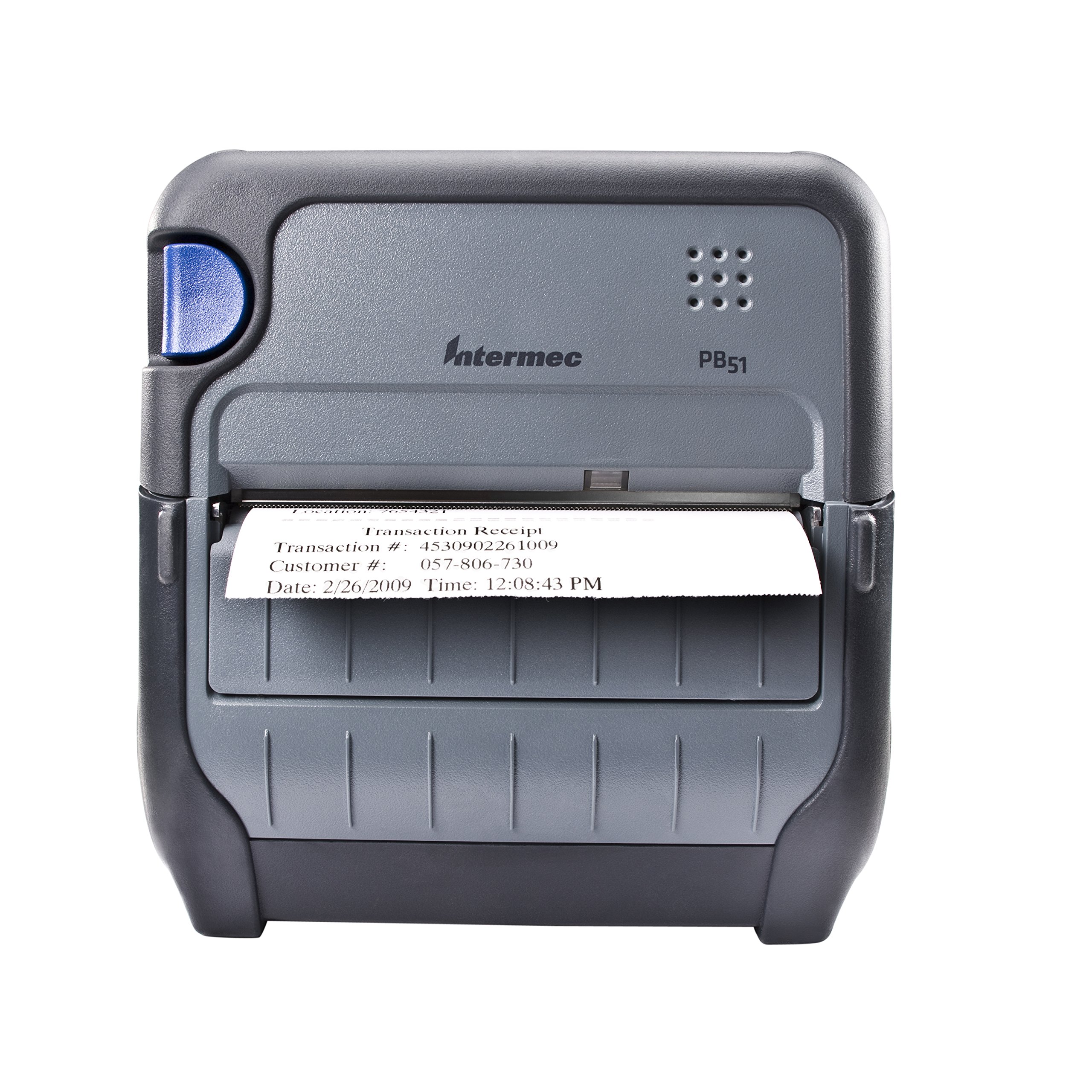
Слика 1: Предна страна view of the Intermec PB51 mobile receipt printer. A receipt is partially ejected from the front slot, displaying "Transaction Receipt", "Transaction #: 4530902261009", "Customer #: 057-806-730", and "Date: 2/26/2009 Time: 12:08:43 PM". The printer features a dark gray casing with a blue button on the left side and the "Intermec PB51" logo on the top panel.
Поставување
1. Отпакување и проверка
- Внимателно извадете го печатачот и сите додатоци од пакувањето.
- Проверете дали се присутни сите компоненти наведени во испратницата.
- Inspect the printer for any visible damage. If damage is found, contact your supplier immediately.
2. Инсталација и полнење на батеријата
- Проверете дали печатачот е исклучен.
- Locate the battery compartment on the printer.
- Вметнете ја батеријата, осигурувајќи се дека контактите се правилно порамнети.
- Добро затворете ја преградата за батерии.
- Connect the AC adapter to the printer and a power outlet. The battery indicator light will show charging status. Allow the battery to fully charge before first use.
3. Вчитување на термичка хартија
- Отворете го капакот на преградата за хартија.
- Insert the thermal paper roll with the print-side facing the print head.
- Pull a small amount of paper out past the print mechanism.
- Close the paper compartment cover firmly until it latches.
- The printer's paper sensors will detect the paper, minimizing lost transactions.
4. Connectivity Setup (Bluetooth / USB / Serial)
- Bluetooth: Turn on the printer and enable Bluetooth on your host device (e.g., smartphone, tablet, or computer). Пребарај за available devices and select the PB51. Pair using the default PIN (refer to the printer's display or documentation for the specific PIN).
- USB: Connect the printer to your host device using a standard USB cable. Install the necessary printer drivers on your host device if prompted.
- Сериски: Connect the printer to your host device using a serial cable. Configure the serial port settings (baud rate, data bits, parity, stop bits) on both the printer and the host device to match.
Упатства за работа
1. Вклучување/исклучување
- За да го вклучите, притиснете и задржете го копчето за вклучување додека не свети екранот.
- To power off, press and hold the power button until the display indicates shutdown, then release.
2. Printing a Receipt
- Ensure the printer is powered on and connected to your host device.
- Open the application on your host device that generates receipts or invoices.
- Initiate the print command from your application. The PB51 is designed for 20-30% faster time-to-receipt printing.
- The printer will automatically feed and print the receipt.
- Tear off the receipt along the serrated edge.
3. Користење на LCD екранот
The standard LCD display provides important information about the printer's status, battery level, connectivity, and error messages. Use the navigation buttons (if present) to scroll through menu options and settings.
Одржување
1. Чистење на главата за печатење
- Исклучете го печатачот и исклучете го од кој било извор на енергија.
- Отворете ја преградата за хартија.
- Gently wipe the print head surface with a lint-free cloth dampобложена со изопропил алкохол.
- Оставете главата за печатење целосно да се исуши пред да го затворите капакот и да го вклучите печатачот.
- Perform this cleaning regularly, especially if print quality degrades.
2. Нега на батерии
- За да го максимизирате животниот век на батеријата, избегнувајте често целосно празнење на батеријата.
- Чувајте го печатачот и батеријата на ладно и суво место кога не ги користите подолг период.
- Use only genuine Intermec replacement batteries.
3. Општо чистење
Избришете ја надворешноста на печатачот со мека, дamp cloth. Do not use harsh chemicals or abrasive cleaners. Ensure no liquid enters the printer's openings.
Решавање проблеми
| Проблем | Можна причина | Решение |
|---|---|---|
| Печатачот не се вклучува | Low or dead battery; faulty power adapter; loose battery connection. | Charge the battery; check power adapter connection; re-seat the battery. |
| Нема излез за печатење | No paper; paper loaded incorrectly; connectivity issue; print head dirty. | Load paper correctly; check Bluetooth/USB/Serial connection; clean print head. |
| Лош квалитет на печатење | Dirty print head; incorrect paper type; low battery. | Clean print head; ensure thermal paper is used; charge battery. |
| Проблеми со поврзувањето | Incorrect pairing; driver issues; out of range. | Re-pair Bluetooth; reinstall drivers; move closer to host device. |
If the problem persists after attempting these solutions, please contact Intermec customer support.
Спецификации
| Карактеристика | Детал |
|---|---|
| Име на моделот | PB51B33004100 |
| Технологија на печатење | Директно термичко |
| Излез на печатач | Монохроматски |
| Максимална големина на медиум | 4 инчи |
| Технологија за поврзување | USB, Serial, Bluetooth |
| Тежина на ставката | 42 унци (приближно 2.63 фунти) |
| Димензии на пакетот | 10.2 x 10 x 5 инчи |
| Тип на контролер | Андроид (компатибилен) |
| Производител | Интермек |
Гаранција и поддршка
Specific warranty information for the Intermec PB51 printer is not available in this document. Please refer to the warranty card included with your product or visit the official Intermec (now Honeywell) webстраница за детални услови за гаранција.
For technical support, service, or to purchase accessories, please contact your authorized Intermec/Honeywell dealer or visit their official support portal.


