Вовед
This manual provides instructions for the setup, operation, and maintenance of your iHome iH402B Dual Charging Alarm Clock. This device features dual alarms, a USB charging port, and a removable USB battery pack for portable power. Please read these instructions carefully before using your device.
Производот завршиview
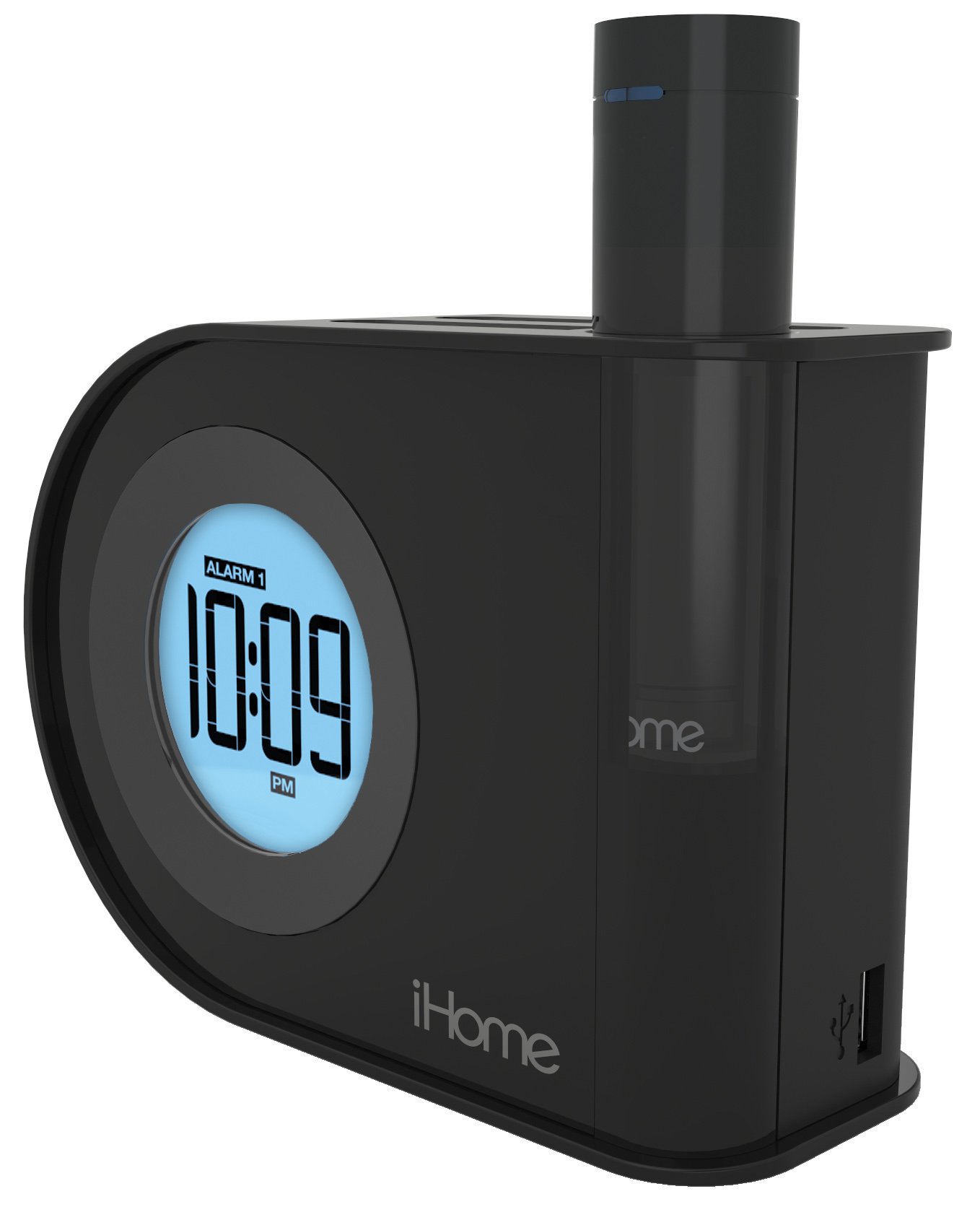
Слика: The iHome iH402B alarm clock displaying 10:09 PM, with a smartphone and a tablet connected via USB cables for charging. The removable power pack is visible on the right side of the clock.
The iH402B is designed to provide reliable timekeeping and alarm functions, along with convenient charging capabilities for your mobile devices. It includes a main unit with a digital display, a built-in USB charging port, and a unique pop-out removable lithium-ion battery pack with its own USB port.
Поставување
1. Поврзување за напојување
Connect the power adapter (not included, but required for primary power) to the DC jack on the back of the iH402B unit and then plug the adapter into a standard wall outlet. The unit will power on and the display will illuminate.
2. Резервна копија на батеријата
The iH402B requires 2 AA batteries (included) for battery backup. Install these batteries into the compartment located on the bottom of the unit. This backup ensures that time and alarm settings are maintained during a power outage.
3. Поставување на времето
- Притиснете и задржете го Поставено време button (refer to unit for exact location).
- Користете го + or - buttons to adjust the hour. Observe the PM indicator for correct AM/PM setting.
- Притиснете го Поставено време button again to confirm the hour and proceed to minute adjustment.
- Користете го + or - копчиња за прилагодување на минутите.
- Притиснете го Поставено време Притиснете го копчето уште еднаш последен пат за да заштедите време и да излезете од режимот за поставување време.
4. Daylight Saving Time (DST) Switch
Лоцирајте го ДСТ switch on the back of the unit. Slide the switch to the appropriate position (DST or Standard Time) to instantly adjust the clock for seasonal time changes.
Упатства за работа
1. Поставување аларми (Аларм 1 и Аларм 2)
The iH402B features two independent alarms. Follow these steps for each alarm:
- Притиснете и задржете го Аларм 1 or Аларм 2 button until the alarm time flashes on the display.
- Користете го + or - buttons to adjust the desired alarm hour. Ensure the AM/PM indicator is correct.
- Притиснете го соодветното Аларм button again to confirm the hour and proceed to minute adjustment.
- Користете го + or - копчиња за да ги прилагодите посакуваните минути за алармот.
- Притиснете го Аларм button one last time to save the alarm time. The alarm indicator will light up, confirming the alarm is active.
- To turn off an active alarm, press the corresponding Аларм button once. The alarm indicator will turn off.
An alarm volume switch (High/Low) is located on the back of the unit to adjust the buzzer volume.
2. Функција за одложување
Кога ќе се огласи аларм, притиснете го копчето Одложи button (typically a large button on top of the unit) to temporarily silence the alarm. The alarm will sound again after a preset interval (usually 9 minutes).
3. Осветленост на екранот
Осветленоста на екранот може да се прилагоди. Лоцирајте го Затемнувач or Осветленост button (refer to unit for exact location). Press it repeatedly to cycle through various brightness levels, including an option to turn the display off entirely.
4. USB полнење
The iH402B offers two ways to charge your mobile devices:
- Вграден USB приклучок: Connect your device's USB charging cable to the USB port located on the side or back of the main unit.
- Removable USB Battery Pack: The unit includes a pop-out lithium-ion battery pack with its own USB port. To use it, press the release button (typically on the back) to eject the pack. Connect your device's USB charging cable to the port on the battery pack. To recharge the battery pack, reinsert it into the main unit.

Слика: А поблиску view of the iHome iH402B, highlighting the USB charging capabilities. A smartphone is connected to the built-in USB port, and a tablet is connected to the removable power pack, which is inserted into the alarm clock.
Одржување
1. Чистење
Wipe the unit with a soft, dry cloth. Do not use liquid cleaners or abrasive materials, as they may damage the finish.
2. Battery Replacement (Backup)
If the display flickers or settings are lost during a power interruption, the AA backup batteries may need replacement. Open the battery compartment on the bottom of the unit, remove the old batteries, and insert two new AA batteries, observing correct polarity.
Решавање проблеми
- Уредот не се вклучува: Ensure the power adapter is securely plugged into both the unit and a working wall outlet. Check the power source.
- Алармот не се огласува: Verify that the alarm is set and activated (alarm indicator lit). Check the alarm volume switch on the back of the unit.
- USB полнењето не работи: Ensure the unit is powered on. Check the USB cable connection to both the alarm clock/battery pack and your device. Some devices may require more power than the removable pack can provide for a full charge.
- Time/settings lost during power outage: Replace the AA backup batteries.
- Display is too dim or off: Прилагодете ја осветленоста на екранот со помош на наменското копче.
Спецификации
| Бренд | iHome |
| Број на модел | iH402B |
| Тип на дисплеј | Дигитален |
| Извор на енергија | Battery Powered (for backup), Electrical (main) |
| Резервни батерии | 2 AA батерии (вклучени) |
| Поврзување | USB |
| Димензии на производот | 2.36 x 5.71 x 4.06 инчи |
| Тежина на ставката | 1.5 фунти |
| Производител | SDI Technologies, Inc. |
Гаранција и поддршка
За информации за гаранцијата и техничка поддршка, ве молиме погледнете ја документацијата вклучена во вашата нарачка или посетете ја официјалната страница на iHome. webстраница. Зачувајте го доказот за купување за гаранциски побарувања.