1. Вовед
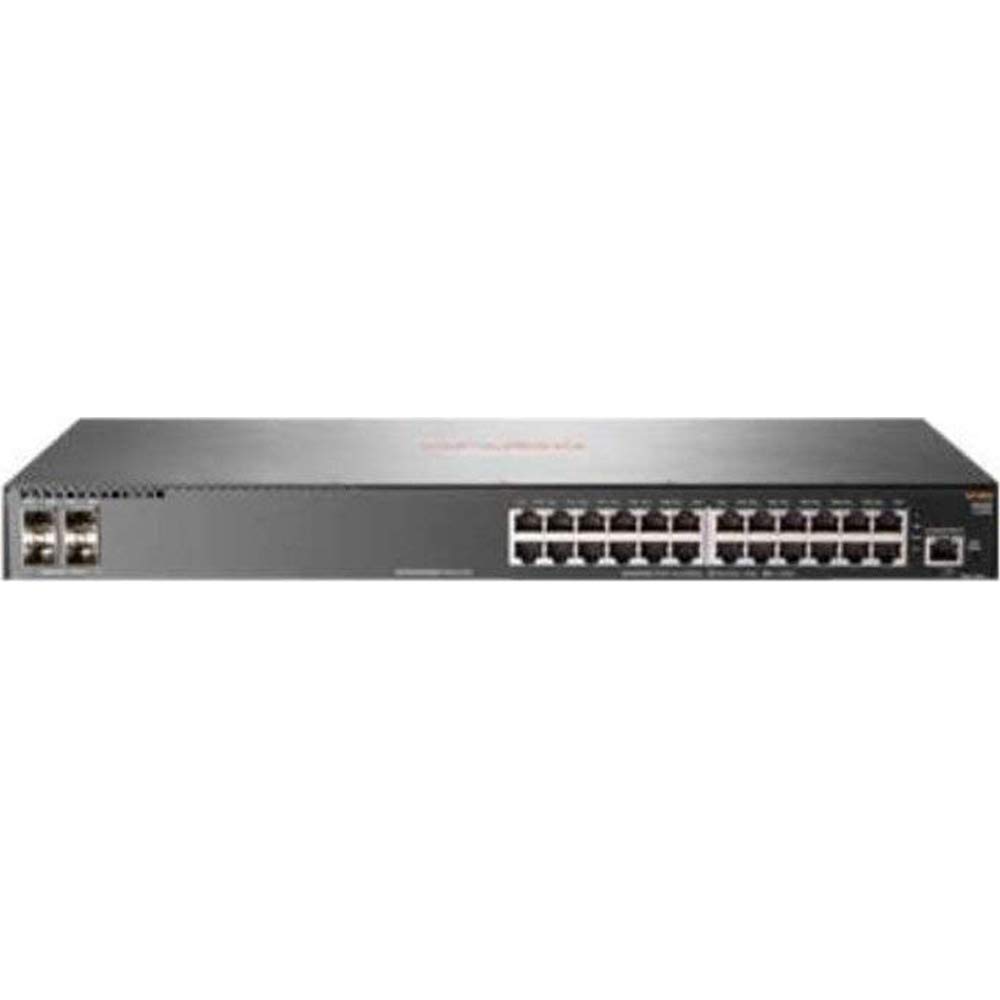
This manual provides comprehensive instructions for the installation, configuration, and operation of the HP 2930F-24G 4SFP Switch. This device is a high-performance network switch designed for reliable and secure network connectivity. It features 24 Gigabit Ethernet ports and 4 SFP uplink ports, supporting Layer 3 functionality for advanced network management.
2. Содржина на пакетот
Carefully unpack the box and verify that all items are present and undamaged. If any items are missing or damaged, contact your vendor immediately.
- 1 x HP 2930F-24G 4SFP Switch
- 1 x кабел за напојување
- 1 x комплет за завртки
- 4 x уши за монтирање
- 4 x Bumper Feet
- 1 x Врзи за кабли
3. Поставување
3.1. Подготовка на локацијата
Ensure the installation site is clean, dry, and has adequate ventilation. Maintain proper temperature and humidity levels as specified in the environmental requirements. Ensure a stable power source is available.
3.2. Монтирање на прекинувачот
The HP 2930F-24G 4SFP Switch supports both rack-mountable and desktop installations.
- Инсталација на работна површина: Attach the four bumper feet to the bottom of the switch. Place the switch on a flat, stable surface.
- Инсталација на решетка: Attach the mounting ears to the sides of the switch using the provided screws. Secure the switch into a standard 1U rack using appropriate rack screws (not included).
3.3. Поврзување на енергија
- Поврзете го испорачаниот кабел за напојување со приклучокот за напојување на задниот панел од прекинувачот.
- Приклучете го другиот крај на кабелот за напојување во заземјен електричен штекер.
- Проверете дали LED-светилката за напојување на предната плоча свети, што укажува дека прекинувачот прима напојување.
3.4. Connecting Network Cables
- Етернет порти: Connect standard RJ-45 Ethernet cables from your network devices (computers, servers, other switches) to the 24 Gigabit Ethernet ports on the front panel.
- SFP Uplink Ports: Insert compatible SFP transceivers (not included) into the 4 SFP slots. Connect fiber optic or copper SFP cables to these transceivers for uplink connections to other network devices or the core network.
4. Упатства за работа
4.1. Првично вклучување
Once power is connected, the switch will automatically begin its boot sequence. This process may take a few minutes. Observe the system status LEDs for indications of successful startup.
4.2. LED индикатори
The front panel LEDs provide status information for the switch and its ports:
- Напојување LED: Indicates power status (On: Power OK, Off: No power).
- Системски LED: Indicates overall system health (Green: Normal, Amber: Warning, Red: Error).
- LED диоди за поврзување/активност на порти: Located next to each Ethernet and SFP port. (Green: Link established, Blinking Green: Activity, Off: No link).
4.3. Управување со мрежата
The HP 2930F-24G 4SFP Switch can be managed via a Command Line Interface (CLI) through a console port (if available) or Telnet/SSH, and typically through a web-based graphical user interface (GUI). Refer to the comprehensive HP ArubaOS-Switch Management and Configuration Guide for detailed instructions on initial configuration, VLAN setup, Layer 3 routing, and other advanced features.
5. Одржување
5.1. Чистење
Regularly clean the exterior of the switch with a soft, dry cloth. Do not use liquid or aerosol cleaners. Ensure ventilation openings are free from dust and obstructions to prevent overheating.
5.2. Ажурирања на фирмверот
Периодично проверувајте ја официјалната поддршка на HP website for firmware updates. Keeping the switch firmware up-to-date ensures optimal performance, security, and access to new features. Follow the instructions provided with the firmware update package carefully.
5.3. Разгледувања за животната средина
Ensure the switch operates within its specified temperature and humidity ranges. Avoid exposing the device to direct sunlight, excessive heat, or moisture.
6 Смена на проблеми
Овој дел нуди решенија за вообичаени проблеми со кои може да се соочите.
- Без моќност:
- Проверете дали кабелот за напојување е безбедно поврзан и со прекинувачот и со штекерот.
- Проверете дали штекерот е функционален.
- Ensure the power supply unit (internal) is not faulty.
- Нема врска на портата:
- Ensure the Ethernet or SFP cable is properly connected at both ends.
- Проверете дали поврзаниот уред е вклучен и работи правилно.
- Check the cable for damage. Try a different cable.
- Confirm that the SFP transceiver is compatible and correctly seated (for SFP ports).
- Проблеми со мрежната поврзаност:
- Verify IP address configuration on connected devices and the switch.
- Check VLAN configurations if applicable.
- Ensure no IP address conflicts exist on the network.
- Рестартирајте го прекинувачот и поврзаните уреди.
If problems persist, consult the detailed troubleshooting guides available on the official HP support webстраница или контактирајте ја техничката поддршка на HP.
7. Спецификации
| Карактеристика | Спецификација |
|---|---|
| Број на модел | JL259A#ABA |
| Total Network Ports | 24 x гигабитен етернет |
| Врски пристаништа | 4 x SFP |
| Етернет технологија | Gigabit Ethernet (10/100/1000Base-TX) |
| Мрежна технологија | 1000 База-Х |
| Поддршка за слоеви | Слој 3 |
| Извор на енергија | Напојување |
| Форма фактор | Rack-mountable, Desktop (1U) |
| Димензии (В x Д) | 1.7 инчи x 7.9 инчи |
| Тежина | 5.31 lb (Approximate) |
| RAM меморија | 1024 MB |
| Материјал на случајот | Метал |
| UPC | 190017006000 |
8. Гаранција и поддршка
За детални информации за гаранцијата, регистрација на производот и техничка поддршка, посетете ја официјалната страница за поддршка на HP. website. You can find resources such as knowledge bases, FAQs, driver downloads, and contact information for customer service.
Поддршка на HP Webсајт: www.hp.com/support