Biconic Bluetooth Tough Weatherproof Portable Wireless Speaker User Manual
Model: ABC-AU-BS-103-BK
Бренд: Бајтех
1. Производот завршиview
The Biconic Bluetooth Tough Weatherproof Portable Wireless Speaker is designed for robust outdoor and indoor use, providing enhanced bass and clear audio. Its wireless capabilities allow for easy connection to various devices, and its durable, weatherproof construction ensures reliable performance in diverse environments.

Слика 1.1: Предна страна view of the Biconic Bluetooth Speaker, showcasinнеговиот робустен дизајн и решетка за звучници.
Клучни карактеристики:
- Безжична поврзаност: Seamless Bluetooth pairing with smartphones, tablets, and other compatible devices.
- Водоотпорен дизајн: IPX6 water resistance protects against strong jets of water, making it suitable for outdoor use.
- Подобрен бас: Delivers rich, deep bass for a superior audio experience.
- Пренослив: Compact design with a durable strap for easy transport.
- Долго време за играње: Up to 4 hours of continuous audio playback on a single charge.
2. Информации за безбедност
Please read all safety warnings and instructions carefully before using this product to ensure safe operation and prevent damage.
- Не го изложувајте звучникот на екстремни температури (топли или ладни).
- Do not immerse the speaker in water. While it is IPX6 water resistant, it is not designed for submersion.
- Keep the speaker away from direct heat sources, open flames, and flammable liquids.
- Use only the provided charging cable and a compatible power adapter (5V/1A recommended) to charge the device.
- Do not attempt to disassemble, repair, or modify the speaker. This will void the warranty and may cause harm.
- Да се чува подалеку од дофат на деца.
- Чистете го звучникот со мека, сува крпа. Не користете абразивни средства за чистење или растворувачи.
3. Содржина на пакетот
По отпакувањето, проверете дали сите артикли се присутни во пакувањето:
- Biconic Bluetooth Tough Weatherproof Portable Wireless Speaker
- USB кабел за полнење
- Упатство за употреба (овој документ)
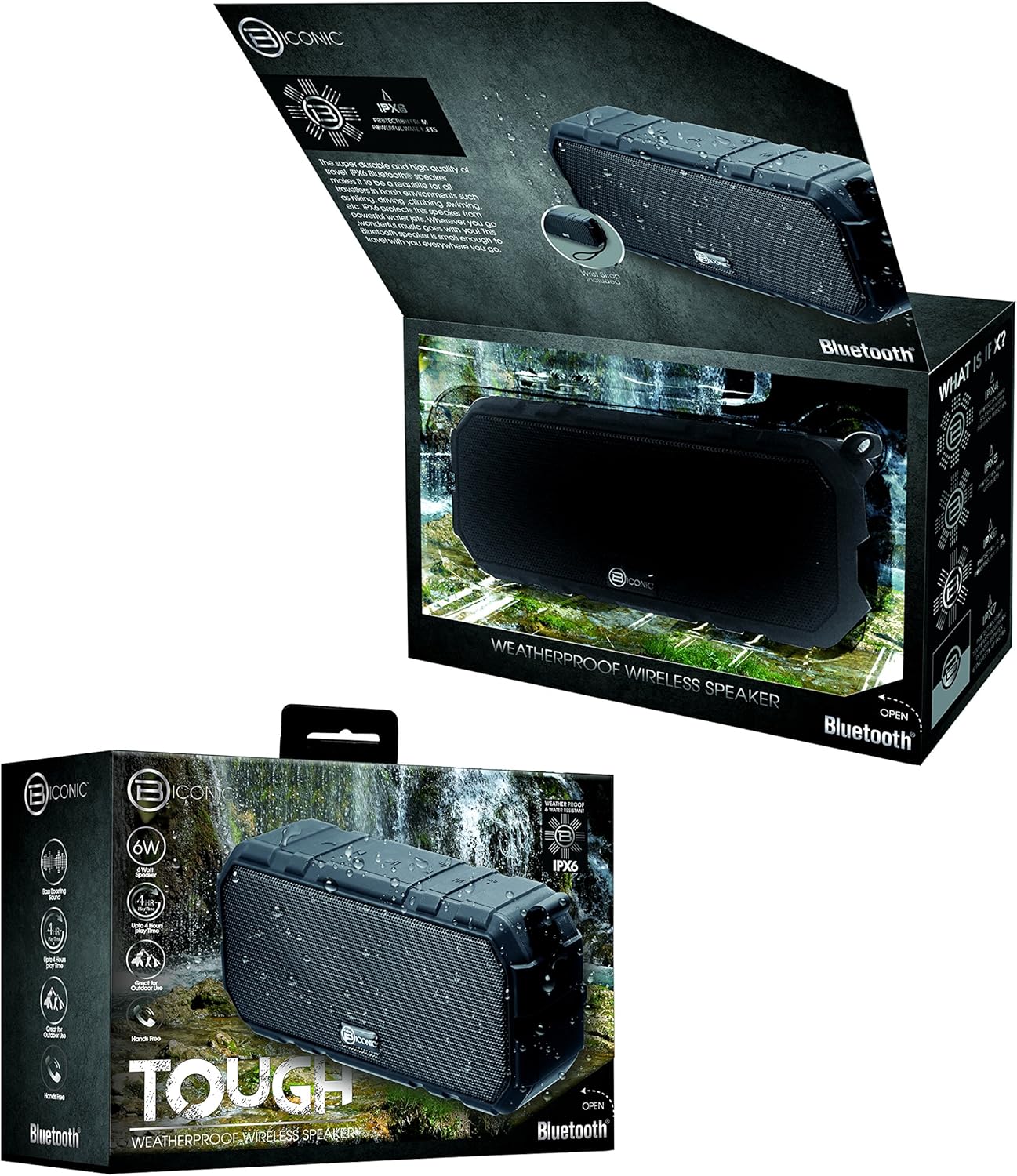
Figure 3.1: The Biconic Bluetooth Speaker shown with its retail packaging, indicating typical package contents.
4. Поставување
4.1 Полнење на звучникот
- Locate the charging port on the side of the speaker. This port is typically protected by a rubber flap to maintain water resistance.
- Отворете ја гумената врата.
- Поврзете го малиот крај од испорачаниот USB кабел за полнење со приклучокот за полнење на звучникот.
- Поврзете го поголемиот крај од USB кабелот со USB извор на напојување (на пр., USB порт на компјутер, USB адаптер за ѕид).
- Индикаторското светло за полнење ќе светне, обично црвено, за да покаже дека звучникот се полни.
- Once fully charged (approximately 2-3 hours), the indicator light will change color (e.g., turn off or turn blue/green). Disconnect the charging cable and close the rubber flap securely to maintain water resistance.
4.2 Вклучување/исклучување
- За вклучување: Press and hold the Power button (usually marked with a power symbol) for a few seconds until you hear an audible tone or see an indicator light illuminate.
- За исклучување: Press and hold the Power button again for a few seconds until you hear an audible tone or the indicator light turns off.
5. Упатства за работа
5.1 Спарување преку Bluetooth
Before first use, you need to pair the speaker with your Bluetooth-enabled device.
- Ensure the speaker is fully charged and powered on. It will automatically enter pairing mode, indicated by a flashing blue LED light.
- On your smartphone, tablet, or other Bluetooth device, go to the Bluetooth settings menu.
- Овозможете Bluetooth ако веќе не е овозможен.
- Scan for available devices. You should see "Biconic Speaker" or a similar name appear in the list.
- Select "Biconic Speaker" to connect. Once successfully paired, you will hear a confirmation tone, and the blue LED light on the speaker will stop flashing and remain solid.
- Ако се побара лозинка, внесете „0000“.
- Звучникот автоматски ќе се поврзе повторно со последниот поврзан уред кога ќе се вклучи, ако уредот е во опсег и Bluetooth е овозможен.
5.2 Репродукција на музика
Once paired, you can control music playback directly from your connected device or using the speaker's controls.
- Пушти/Пауза: Press the Play/Pause button (often marked with a triangle or || symbol) once to play or pause music.
- Јачина на звук нагоре: Press the Volume Up button (+) to increase the volume.
- Намалување на јачината на звукот: Press the Volume Down button (-) to decrease the volume.
- Следна песна: Press and hold the Volume Up button (+) for a few seconds to skip to the next track.
- Претходна песна: Press and hold the Volume Down button (-) for a few seconds to go to the previous track.

Слика 5.1: Врв view of the Biconic Bluetooth Speaker, highlighting the control buttons for power, volume, and playback.
5.3 Одговарање на повици (функција без раце)
The speaker supports hands-free calling when connected to a smartphone.
- Одговори на повикот: Кога ќе добиете повик, притиснете го копчето Пушти/Пауза еднаш за да одговорите.
- Крај на повикот: За време на повик, притиснете го копчето Пушти/Пауза еднаш за да го завршите повикот.
- Одбијте го повикот: Притиснете го и задржете го копчето Пушти/Пауза неколку секунди за да одбиете дојдовен повик.
6. Одржување
Правилното одржување обезбедува долготрајност и оптимални перформанси на вашиот звучник.
- Чистење: Избришете го звучникот со мека, гamp cloth. Do not use harsh chemicals, solvents, or abrasive cleaners. Ensure the charging port flap is closed before cleaning with a damp крпа.
- Складирање: Чувајте го звучникот на ладно и суво место, подалеку од директна сончева светлина и екстремни температури кога не го користите подолг период.
- Нега на батеријата: To preserve battery life, fully charge the speaker before storing it for long periods. Recharge every 3-6 months if not used regularly.
- Отпорност на вода: Always ensure the rubber flap covering the charging port is securely closed to maintain the IPX6 water resistance rating.

Figure 6.1: The Biconic Bluetooth Speaker demonstrating its water-resistant capabilities, highlighting the importance of proper sealing for maintenance.
7 Смена на проблеми
| Проблем | Можна причина | Решение |
|---|---|---|
| Звучникот не се вклучува. | Батеријата е испразнета. | Наполнете го звучникот целосно. |
| Не може да се спари со уред со Bluetooth. | Bluetooth is off on your device; speaker is not in pairing mode; device is too far. | Ensure Bluetooth is enabled on your device. Power off and on the speaker to re-enter pairing mode. Move device closer to the speaker (within 10 meters). Forget the device on your phone and try pairing again. |
| Нема звук или има ниска јачина на звук. | Јачината на звукот е прениска на звучникот или уредот; звучникот не е поврзан. | Increase volume on both the speaker and your connected device. Ensure the speaker is properly paired and connected. |
| Искривување на звукот. | Јачината на звукот е превисока; пречки; слаба батерија. | Reduce volume. Move speaker away from other electronic devices. Charge the speaker. |
8. Спецификации
| Карактеристика | Детал |
|---|---|
| Број на модел | ABC-AU-BS-103-BK |
| Бренд | Bytech |
| Технологија за поврзување | Bluetooth |
| Максимална излезна моќност на звучникот | 3 вати |
| Режим за излез на звук | Стерео |
| Оценка за отпорност на вода | IPX6 (Water resistant, not submersible) |
| Тип на батерија | 1 литиум-јонска батерија (потребна) |
| Време на играње | До 4 часа |
| Димензии на производот | 2.54 x 2.54 x 2.54 cm |
| Тежина на ставката | 522 гр |
| Тип на монтирање | На маса |
9. Гаранција и поддршка
For warranty information and technical support, please contact Bytech customer service. Details are typically provided on the product packaging or the official Bytech webсајт.
Ве молиме задржете го доказот за купување за какви било гаранциски побарувања.
Забелешка: Гарантните услови може да се разликуваат во зависност од регионот.


