1. Вовед
This manual provides instructions for the proper setup, operation, maintenance, and troubleshooting of your Onn ONA11HO089 Soft-Touch USB Keyboard. Please read this manual thoroughly before using the product to ensure optimal performance and longevity.
The Onn ONA11HO089 is a full-sized, black USB keyboard designed for comfortable and efficient typing across various compatible devices.
2. Поставување
Setting up your Onn ONA11HO089 keyboard is a simple plug-and-play process. No additional drivers are typically required for most operating systems.
- Отпакувајте ја тастатурата: Внимателно извадете ја тастатурата од пакувањето.
- Пронајдете USB порт: Identify an available USB-A port on your computer, laptop, gaming console, or tablet.
- Поврзете го USB-кабелот: Insert the USB connector of the keyboard cable into the chosen USB port.
- Системско препознавање: Your operating system should automatically detect and install the necessary drivers for the keyboard. This process may take a few moments.
- Test the Keyboard: Open a text editor or any application that accepts text input and type to confirm the keyboard is functioning correctly.
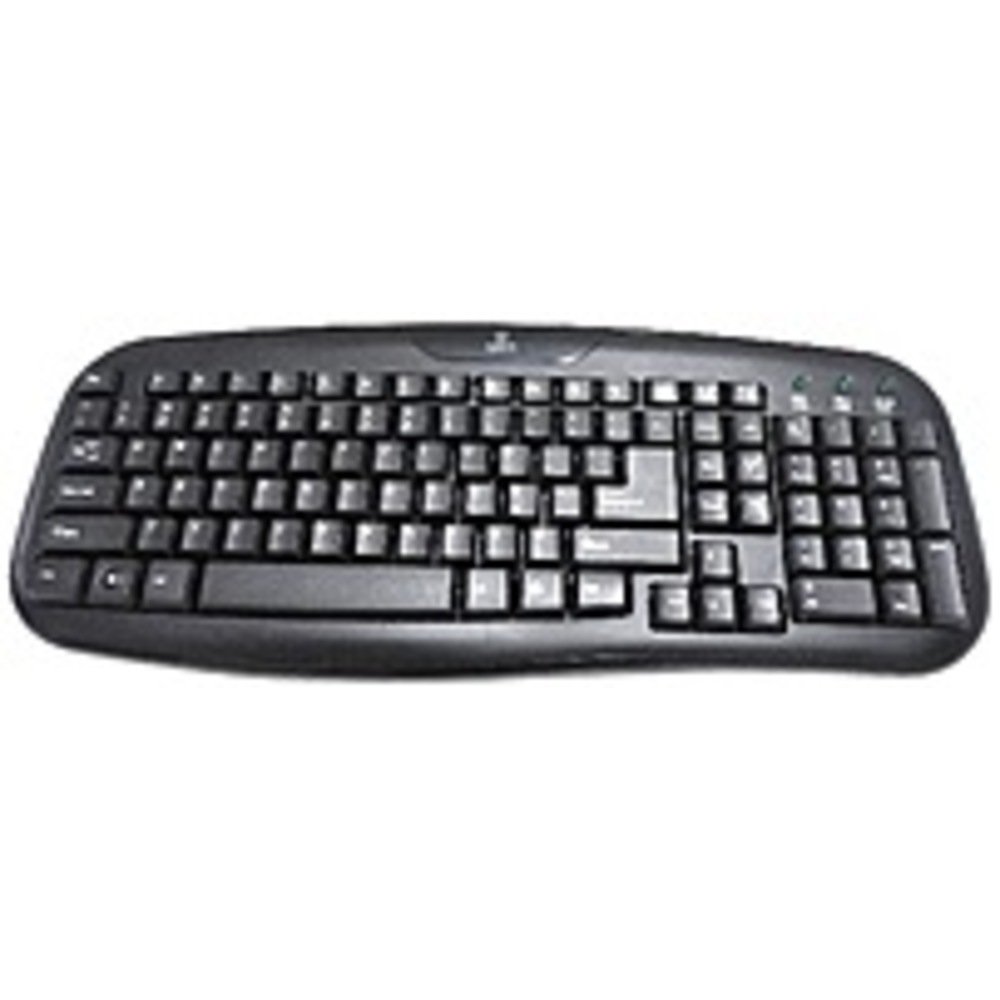
Figure 2.1: The Onn ONA11HO089 USB Keyboard. Connect the USB cable to an available port on your device.
3. Ракување со тастатурата
The Onn ONA11HO089 keyboard offers a standard layout for intuitive typing. Its soft-touch keys are designed for comfortable and responsive input.
- Basic Typing: Use the alphanumeric keys for standard text input. The keyboard features a full QWERTY layout, including a numeric keypad for data entry.
- Функциски копчиња: The F1-F12 keys provide various functions, often used in combination with the Fn key on laptops, though this keyboard is a standalone unit and these keys typically perform their standard functions directly.
- Специјални клучеви: Utilize keys like Ctrl, Алт, Смена, и Windows/Command key for shortcuts and system commands.
- Soft-Touch Experience: The tactile switches provide a comfortable typing experience, reducing fatigue during extended use.
- Компатибилност: This keyboard is compatible with various devices including PCs, laptops, gaming consoles, and tablets that support USB keyboard input.
Figure 3.1: The key layout of the Onn ONA11HO089 keyboard, showing the standard QWERTY arrangement and numeric keypad.
4. Одржување
Proper maintenance can extend the life of your keyboard and ensure consistent performance.
- Чистење:
- Исклучете ја тастатурата од уредот пред чистење.
- Користете мека крпа без влакненца малку гampened with water or a mild cleaning solution to wipe the surface of the keys and casing.
- За прашина и остатоци помеѓу копчињата, користете компримиран воздух.
- Избегнувајте употреба на груби хемикалии, абразивни средства за чистење или прекумерна влага, бидејќи тие можат да ја оштетат тастатурата.
- Keycap Wear: Over time and with heavy use, the lettering on the keycaps may show signs of wear. This is a common characteristic of printed keycaps. Gentle use and regular cleaning can help minimize this, but it is not indicative of a functional defect.
- Складирање: Кога не ја користите, чувајте ја тастатурата во чиста, сува средина, подалеку од екстремни температури и директна сончева светлина.
5 Смена на проблеми
If you encounter issues with your Onn ONA11HO089 keyboard, refer to the following common troubleshooting steps:
| Проблем | Можна причина | Решение |
|---|---|---|
| Тастатурата не реагира. |
|
|
| Одредени клучеви не работат. |
|
|
| Keyboard input is delayed or erratic. |
|
|
6. Спецификации
Below are the technical specifications for the Onn ONA11HO089 Soft-Touch USB Keyboard:
- Модел: ONA11HO089
- Бренд: Он
- Технологија за поврзување: USB
- Опис на тастатура: Ергономски
- Тип на прекинувач: Тактилни
- Боја: Црното
- Извор на енергија: Напојување со USB
- Компатибилни уреди: Играчка конзола, лаптоп, компјутер, таблет
- Димензии на производот: 18 x 1.25 x 7 инчи (приближно 45.7 x 3.2 x 17.8 cm)
- Тежина на ставката: 1.38 фунти (приближно 0.63 кг)
- Прво достапен датум: 5 јануари 2017 година
7. Гаранција и поддршка
For warranty information regarding your Onn ONA11HO089 Soft-Touch USB Keyboard, please refer to the documentation included with your purchase or visit the official Onn webлокација. Условите за гаранција може да се разликуваат во зависност од регионот и продавачот.
If you require technical support or have questions not covered in this manual, please contact Onn customer service through their official webстраницата или информациите за контакт дадени со вашиот производ.