Вовед
This manual provides detailed instructions for the operation and maintenance of the LAUNCH Creader 8021 ABS SRS Scan Tool. Please read this manual thoroughly before operating the device to ensure proper use and to prevent damage.
Производот завршиview
The LAUNCH Creader 8021 is a professional diagnostic tool designed for automotive technicians and enthusiasts. It offers comprehensive OBD2 functions, along with advanced diagnostic capabilities for ABS (Anti-lock Braking System) and SRS (Supplemental Restraint System). Additionally, it supports various reset functions including Oil Service Light, Electronic Parking Brake (EPB), Steering Angle Sensor (SAS), and Battery Management System (BMS).
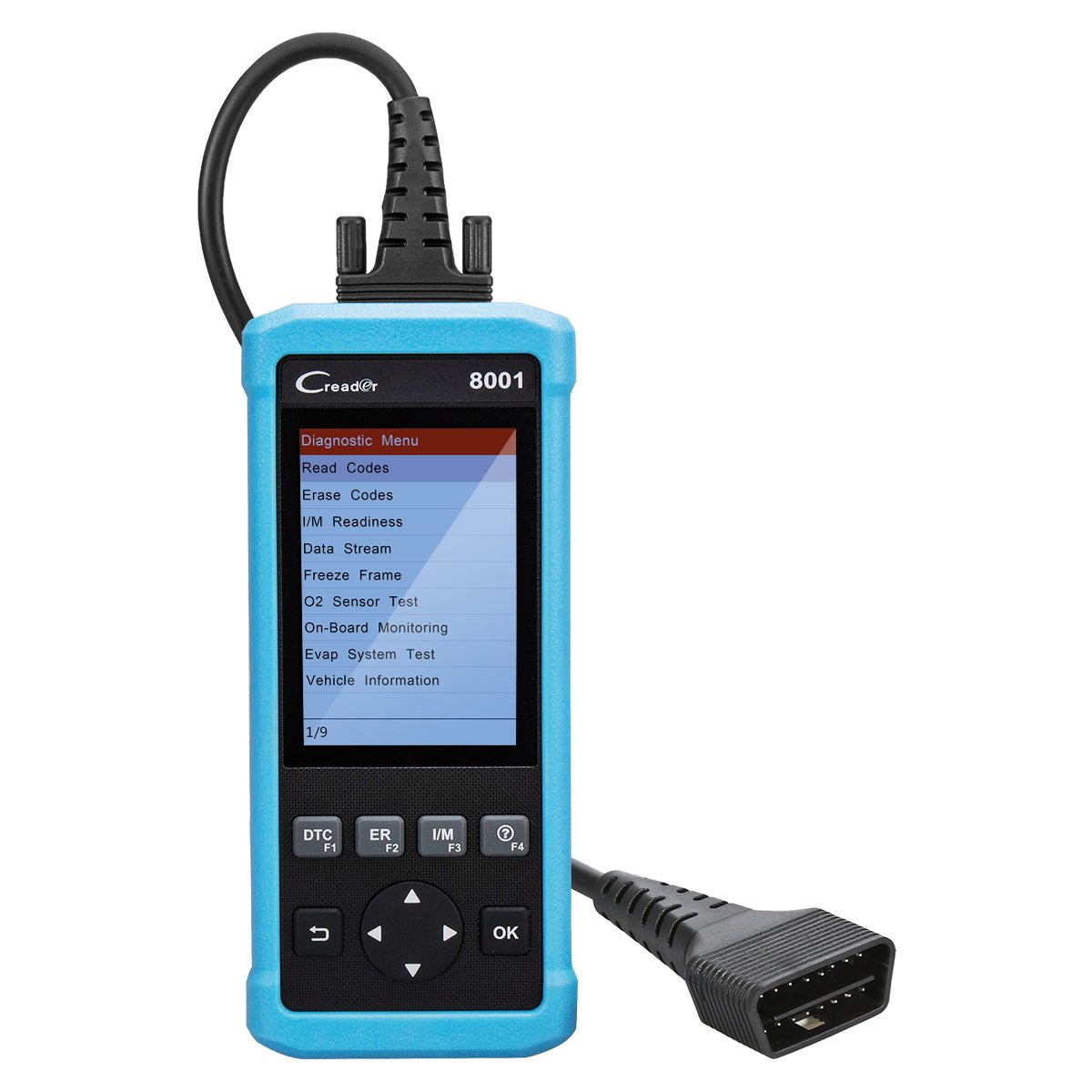
Слика 1: LAUNCH Creader 8021 Device Diagram. This image illustrates the main components of the Creader 8021, including the LCD screen, diagnostic cable, DB15 connector, and various control buttons such as I/M, Erase, DTC, ESC, Help, OK, and Selection buttons.
Клучни карактеристики:
- Дијагностика на ABS и SRS: Reads and clears DTCs, and reads data streams for Anti-lock Braking System and Supplemental Restraint System.
- Ресетирање на маслото: Го ресетира светлото за сервисирање на маслото по промената на маслото.
- Ресетирање на EPB: Го ресетира системот на електронска паркирна сопирачка по замена на плочките на сопирачките.
- SAS Ресетирање: Clears faulty steering angle sensor memories and calibrates the steering angle sensor.
- Ресетирање на BMS: Performs a reset on the vehicle battery to clear fault information and re-match the battery.
- Целосни OBD2 функции: Supports all 10 OBD2 test modes for comprehensive vehicle diagnostics.
- Data Recording & Review: Allows recording of real-time DTCs and data streams for later review.
- Широка покриеност на возила: Compatible with 46 vehicle brands for ABS/SRS diagnostics (2006-2016 models) and 40 car brands for Oil/EPB resets. Full OBD2 functions cover most 1996 US-Based, 2001 EU-Based, and newer vehicles.
- Повеќејазична поддршка: English, Spanish, French, Russian, German, Portuguese, Japanese.
Содржина на пакетот
Upon opening the package, verify that all items are present and in good condition. If any items are missing or damaged, contact your vendor immediately.

Слика 2: Package Contents. The image displays the LAUNCH Creader 8021 diagnostic tool, a diagnostic cable, a USB cable for updates, a quick start guide, and a protective carrying case.
- ЛАУНЧИРАЈТЕ ја главната единица Creader 8021
- Diagnostic Cable (DB15 to OBD2)
- USB кабел (за ажурирања)
- Водич за брз почеток
- Заштитна торбичка за носење
Поставување и почетна употреба
- Вклучување: The Creader 8021 is powered directly from the vehicle's OBD2 port. No external power source is typically required during operation.
- Лоцирајте го OBD2 портот: Identify the 16-pin Data Link Connector (DLC) in your vehicle. This port is usually located under the dashboard on the driver's side.
- Поврзете се со возилото: Plug the diagnostic cable's DB15 connector into the Creader 8021 and the OBD2 connector into the vehicle's DLC. Ensure a secure connection.
- Device Initialization: Once connected, the Creader 8021 will automatically power on and initiate communication with the vehicle. The main menu will appear on the LCD screen.
- Избор на јазик: If prompted, select your preferred language from the available options (English, Spanish, French, Russian, German, Portuguese, Japanese).

Слика 3: Преден и Заден Views of the Device. This image shows the front display and control buttons, along with the rear label containing serial number and input specifications.
Упатства за работа
Navigate through the menus using the directional buttons and confirm selections with the "OK" button. Use the "ESC" button to return to the previous screen.
1. OBD2 Diagnostics:
This function allows access to all 10 modes of OBD2 diagnostics for engine-related issues.
- Прочитајте ги кодовите: Ги прикажува дијагностичките кодови за проблеми (DTC) зачувани во ECU-то на возилото.
- Избришете ги кодовите: Clears DTCs from the vehicle's ECU and turns off the Malfunction Indicator Lamp (MIL).
- Подготвеност за I/M: Ја проверува подготвеноста на системите за следење на емисиите.
- Тек на податоци: Displays real-time data from the vehicle's sensors in text or graph format.
- Замрзната рамка: Shows a snapshot of vehicle operating conditions at the time an emission-related fault occurred.
- Тест на сензор за О2: Ги презема резултатите од тестот на мониторот на O2 сензорот.
- Мониторинг на возилото: Ги презема резултатите од вградените дијагностички тестови за следење на специфични компоненти/системи.
- Evap System Test: Започнува тест на системот за испарување.
- Информации за возилото: Ги презема идентификациски број на возилото (VIN), идентификациски број на калибрација (CALID) и број за верификација на калибрација (CVN).
2. ABS & SRS System Diagnostics:
Access specific diagnostic functions for the Anti-lock Braking System and Supplemental Restraint System.
- Select "ABS System" or "SRS System" from the main menu.
- Изберете „Прочитај кодови“ за да view system-specific DTCs.
- Choose "Erase Codes" to clear system-specific DTCs.
- Изберете „Податочен тек“ за да view real-time data from ABS/SRS sensors.
3. Reset Functions:
The Creader 8021 supports several maintenance reset functions.
- Ресетирање на маслото: Follow on-screen prompts to reset the oil service light after an oil change.
- Ресетирање на EPB: Follow on-screen prompts to reset the Electronic Parking Brake system. This is crucial after replacing brake pads or performing maintenance on the EPB system.
- SAS Ресетирање: Follow on-screen prompts to calibrate the Steering Angle Sensor. This is often required after steering system repairs or alignment.
- Ресетирање на BMS: Follow on-screen prompts to reset the Battery Management System. This is necessary when replacing the vehicle battery to ensure proper charging and monitoring.
Одржување и ажурирања
Нега на уредот:
- Чувајте го уредот чист и сув. Избегнувајте изложување на екстремни температури, влага или директна сончева светлина.
- Do not use abrasive cleaners or solvents. Wipe with a soft, damp крпа.
- Store the device in its protective carrying case when not in use.
Ажурирања на софтверот:
The LAUNCH Creader 8021 offers free lifetime software updates via the internet. Regular updates ensure compatibility with newer vehicle models and provide enhanced features.
- Преземете ја алатката за ажурирање: Посетете го официјалното ПОЧЕТОК website and download the update tool software to your computer.
- Инсталирајте софтвер: Install the update tool on a computer running Windows 7, 8, 10, or XP.
- Поврзете го уредот: Connect the Creader 8021 to your computer using the provided USB cable.
- Стартувај ја алатката за ажурирање: Launch the update tool and follow the on-screen instructions to register your device and download the latest software.
- Transfer Updates: The update tool will guide you through transferring the updates to the device's TF card.
Забелешка: You may also remove the TF card from the device and use a card reader to update it directly on your computer, then reinsert the card into the device.
Решавање проблеми
| Проблем | Можна причина | Решение |
|---|---|---|
| Уредот не се вклучува. |
|
|
| Грешка во комуникацијата со возилото. |
|
|
| Копчињата не реагираат. |
|
|
| Update process fails. |
|
|
Спецификации
| Карактеристика | Детал |
|---|---|
| Модел | Кредер 8021 |
| Приказ | 4-инчен LCD екран во боја |
| Влез волуменtage | 9-18V DC (via OBD2) |
| Работна температура | 0°C до 50°C (32°F до 122°F) |
| Температура на складирање | -20°C до 70°C (-4°F до 158°F) |
| Димензии (Д x Ш x В) | 26.16 x 19.3 x 8.38 cm (10.3 x 7.6 x 3.3 инчи) |
| Тежина | 458 g (1.01 lbs) |
| Поврзување | OBD2, Mini USB |
| Поддржани протоколи | ISO9141-2, ISO14230-4, SAEJ1850, ISO15765-4 |
| Начин на ажурирање | Free internet update via USB |
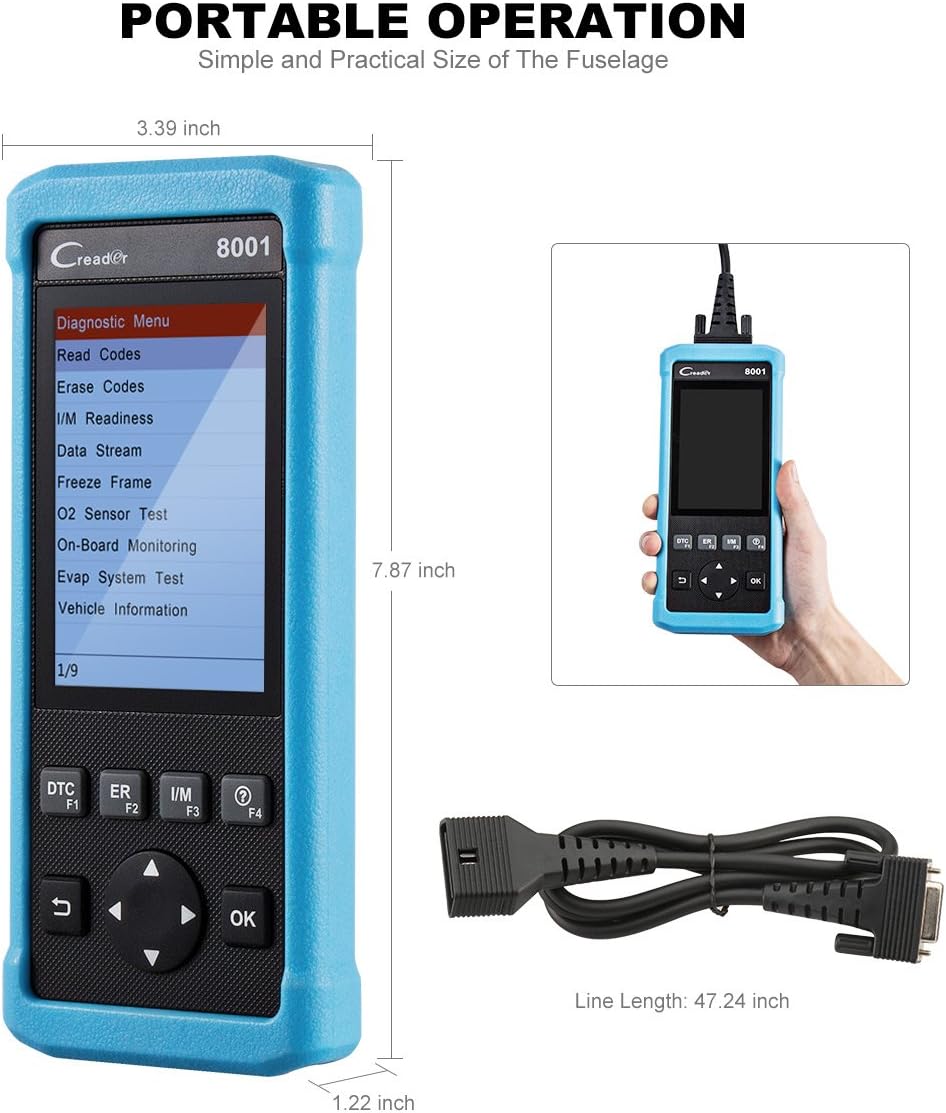
Слика 4: Product Dimensions. This image provides a visual representation of the Creader 8021's physical dimensions, including its length, width, and thickness, along with the length of the diagnostic cable.
Гаранција и поддршка
Информации за гаранцијата:
The LAUNCH Creader 8021 comes with a 12-месечна гаранција од датумот на купување. Оваа гаранција ги покрива производствените дефекти и неисправностите при нормална употреба. Ве молиме задржете го доказот за купување за гаранциски барања.
The warranty does not cover damage caused by misuse, accidents, unauthorized modifications, or improper maintenance.
Техничка поддршка:
For technical assistance, troubleshooting, or warranty inquiries, please contact LAUNCH customer support. Refer to the official LAUNCH webстраница за најактуелните информации за контакт.
Кога контактирате со поддршката, ве молиме имајте ги серискиот број на вашиот уред и доказот за купување при рака.


