1. Вовед
1.1 Производ надview
The Panasonic SA-PM700MD-K is a versatile MD Stereo System designed for high-quality audio playback and recording. It features a 5-disc CD changer, MD player/recorder, auto-reverse cassette deck, and an FM/AM tuner. This system is equipped with a hybrid bi-amp for clear and powerful sound.
1.2 Безбедносни мерки на претпазливост
- Напојување: Use only the specified AC 100V (50Hz/60Hz) power supply.
- Вентилација: Обезбедете соодветна вентилација околу уредот. Не ги блокирајте отворите за вентилација.
- Влага: Keep the unit away from water or excessive moisture. Do not expose it to rain or splashes.
- Топлина: Избегнувајте поставување на уредот во близина на извори на топлина или на директна сончева светлина.
- Сервисирање: Не обидувајте се сами да го сервисирате уредот. За сите сервисирања обратете се на квалификуван персонал.
2. Водич за поставување
2.1 Отпакување
Carefully remove all components from the packaging. Verify that all accessories, including the remote control and necessary cables, are present.
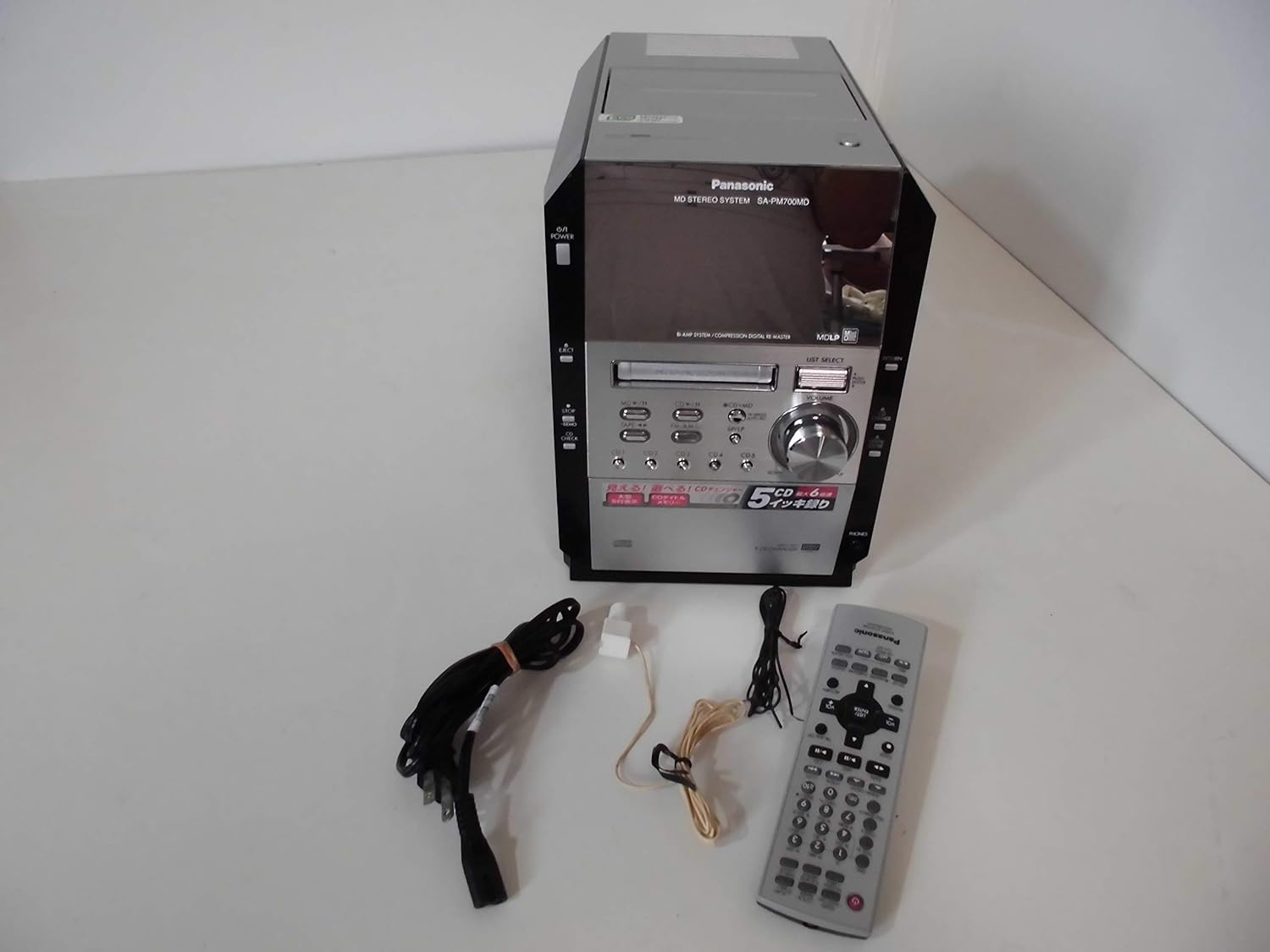
Image: The Panasonic SA-PM700MD-K MD Stereo System shown with its remote control and connecting cables.
2.2 Поврзување звучници
Connect your speakers to the speaker terminals on the rear of the main unit. Ensure correct polarity (positive to positive, negative to negative) for optimal sound quality. This model does not include speakers (SB-PM910).
2.3 Антенско поврзување
Connect the supplied FM and AM antennas to their respective jacks on the rear panel for radio reception. Position the antennas for best reception.
2.4 Поврзување за напојување
Plug the power cord into the AC inlet on the rear of the unit, then into a standard AC 100V wall outlet.

Image: Rear panel of the stereo system, illustrating speaker terminals, antenna inputs, and power inlet.
3. Операција
3.1 Основни контроли
The front panel and remote control provide access to all functions. The main unit features a power button, eject button, volume knob, and source selection buttons for MD, CD, Tape, and Tuner.

Слика: напред view of the stereo system, highlighting the display and primary control buttons.
3.2 Репродукција на ЦД
- Притиснете го CD копче за да го изберете изворот на CD.
- Притиснете го ИСФРТУВАЊЕ копче за отворање на фиоката за ЦД.
- Place up to five CDs into the changer trays. The system supports CD-DA, WMA, and MP3 formats on CD-R/RW discs.
- Притиснете ИСФРТУВАЊЕ повторно да се затвори фиоката.
- Користете го CD1-CD5 buttons to select a disc, then press ИГРАЈ.

Image: The 5-CD changer mechanism extended, ready for disc loading.

Image: The system's display during CD playback, showing disc and track information.
3.3 MD репродукција и снимање
- Притиснете го MD копче за да го изберете MD изворот.
- Вметнете MD во отворот.
- Притиснете ИГРАЈ to begin playback. The system supports MDLP (MiniDisc Long Play).
- To record from CD to MD, select the CD source, then press the CD→MD button. High-speed recording up to 6x is available.

Image: The system's display during MD playback, showing track details.
3.4 Cassette Operation
- Притиснете го ЛЕНТА button to select the cassette source.
- Insert a normal type cassette tape into the deck.
- Притиснете ИГРАЈ for playback or REC for recording. The deck features auto-reverse functionality.
3.5 Работа со тјунерот
- Притиснете го FM/AM копче за да го изберете изворот на радиото.
- Користете ги копчињата за бирање за да ја пронајдете саканата станица.
- The FM reception band is 76.0-90.0MHz, and the AM reception band is 522-1629kHz.
3.6 Sound Adjustment (Equalizer)
The system includes a 2-way equalizer for sound customization:
- Претходно поставен еквилајзер: Choose from predefined settings like Heavy, Clear, Soft, or Vocal.
- Manual Equalizer: Adjust bass and treble levels manually to suit your preference.
4. Одржување
4.1 Чистење на единицата
Избришете ја надворешноста на уредот со мека, сува крпа. За тврдокорна нечистотија, користете крпа што нежно се брише.ampened with water, then wipe dry. Avoid using abrasive cleaners or solvents.
4.2 Cleaning Disc and Tape Heads
Regularly clean the CD lens with a commercially available CD lens cleaner. For the cassette deck, use a head cleaning cassette to maintain optimal sound quality and prevent tape damage.
5 Смена на проблеми
Доколку наидете на проблеми со вашиот систем, погледнете ги следните вообичаени проблеми и решенија:
| Проблем | Можна причина / решение |
|---|---|
| Нема моќ | Осигурајте се дека кабелот за напојување е безбедно вклучен во уредот и во ѕидниот штекер. |
| Нема звук | Check speaker connections. Verify volume level is not at minimum or muted. Ensure correct source is selected. |
| CD/MD disc not playing | Disc may be dirty or scratched. Clean the disc. Ensure disc is inserted correctly. For MD, check if it's a blank or unfinalized disc. |
| Приемот на радио е слаб | Adjust the position of the FM/AM antennas. Check for local interference. Note that FM/AM frequencies may vary by region. |
| Касетата не се репродуцира/снима | Ensure the tape is inserted correctly. Only normal type tapes are supported. Clean the tape heads. |
| Далечинскиот управувач не работи | Check the batteries in the remote control. Ensure there are no obstructions between the remote and the unit. |
6. Спецификации
| Карактеристика | Детал |
|---|---|
| Број на модел на производ | SA-PM700MD-K |
| ЦД менувач | 5 дискови |
| Репродукција на ЦД | CD-DA, WMA, MP3 (from CD-R/RW) |
| CD to MD Recording | Max 6x speed |
| MDLP Support | Да |
| Касета | Auto-reverse, Record/Playback (Normal tape only) |
| FM Reception Band | 76.0 – 90.0 MHz |
| AM Reception Band | 522 – 1629 kHz |
| Practical Max Output (JEITA) | 25W + 25W (Low: 13W+13W, High: 12W+12W) Hybrid Bi-amp |
| Напојување | AC 100V (50Hz/60Hz) |
| Потрошувачка на енергија | 54W (Standby: approx. 0.2W) |
| Надворешни димензии (Ш×В×Д) | 179 × 250 × 348 мм |
| Тежина | Прибл. 5.6 кг |
| Боја | Црното |
| Тип на звучник | Stereo (Speakers not included) |
7. Гаранција и поддршка
For warranty information and customer support, please refer to the documentation provided at the time of purchase or visit the official Panasonic webстраница за вашиот регион. Зачувајте го доказот за купување за какви било гаранциски побарувања.
If you require technical assistance or have questions not covered in this manual, please contact Panasonic customer service.


