1. Вовед
This manual provides comprehensive instructions for the setup, operation, and maintenance of your Anderic RR7096T Thermostatic Remote Control. This remote is designed as a direct replacement for original Hampton Bay and Harbor Breeze ceiling fan remotes, specifically those with FCC IDs such as CHQ7096T, UC7096T, CHQ8BF7096T, and CHQ8BT7096T.
The RR7096T offers control over fan speeds, light functions (including dimming), and thermostatic settings. It is important to note that this remote operates only the down-lights of a ceiling fan and does not include a 'Reverse' key for fan direction. For proper light dimming functionality, incandescent bulbs are required.
2. Информации за безбедност
- Чувајте ги батериите подалеку од дофат на деца.
- Не мешајте стари и нови батерии или различни типови на батерии.
- Фрлете ги искористените батерии според локалните прописи.
- Avoid exposing the remote control to extreme temperatures, moisture, or direct sunlight.
3. Содржина на пакетот
Потврдете дека вашиот пакет ги содржи следниве ставки:
- Anderic RR7096T Thermostatic Remote Control
- Држач за монтирање на ѕид
- Two screws for wall mount installation
4. Поставување
4.1. Инсталација на батерија
- Отстранете го капакот на преградата за батерии на задниот дел од далечинскиот управувач.
- Insert four (4) AAA batteries, ensuring correct polarity (+/-).
- Заменете го капакот на преградата за батерии.
4.2. Dip-Switch Matching
The RR7096T remote control operates by matching its dip-switch settings to those of your ceiling fan's receiver. This is the primary method of pairing the remote with your fan.
- Locate the dip-switches inside the battery compartment of your new RR7096T remote.
- Identify the dip-switches on your existing ceiling fan receiver or original remote control. The receiver is typically located in the ceiling fan's canopy.
- Carefully match the position of the dip-switches (ON/OFF or UP/DOWN) on the new RR7096T remote to the exact pattern of your fan's receiver or original remote.
- Once the dip-switches are matched, the remote should operate your ceiling fan without further programming.

Слика 1: Back of the Anderic RR7096T remote control, illustrating the battery compartment and the internal dip-switches that must be matched to your ceiling fan receiver for proper operation.
4.3. Монтирање на ѕиден носач
Вклучениот држач за монтирање на ѕид овозможува практично складирање на вашиот далечински управувач.
- Choose a suitable location on a wall, away from direct heat or moisture.
- Use the two provided screws to securely attach the wall mount bracket to the wall.
- Slide the remote control into the bracket for storage.
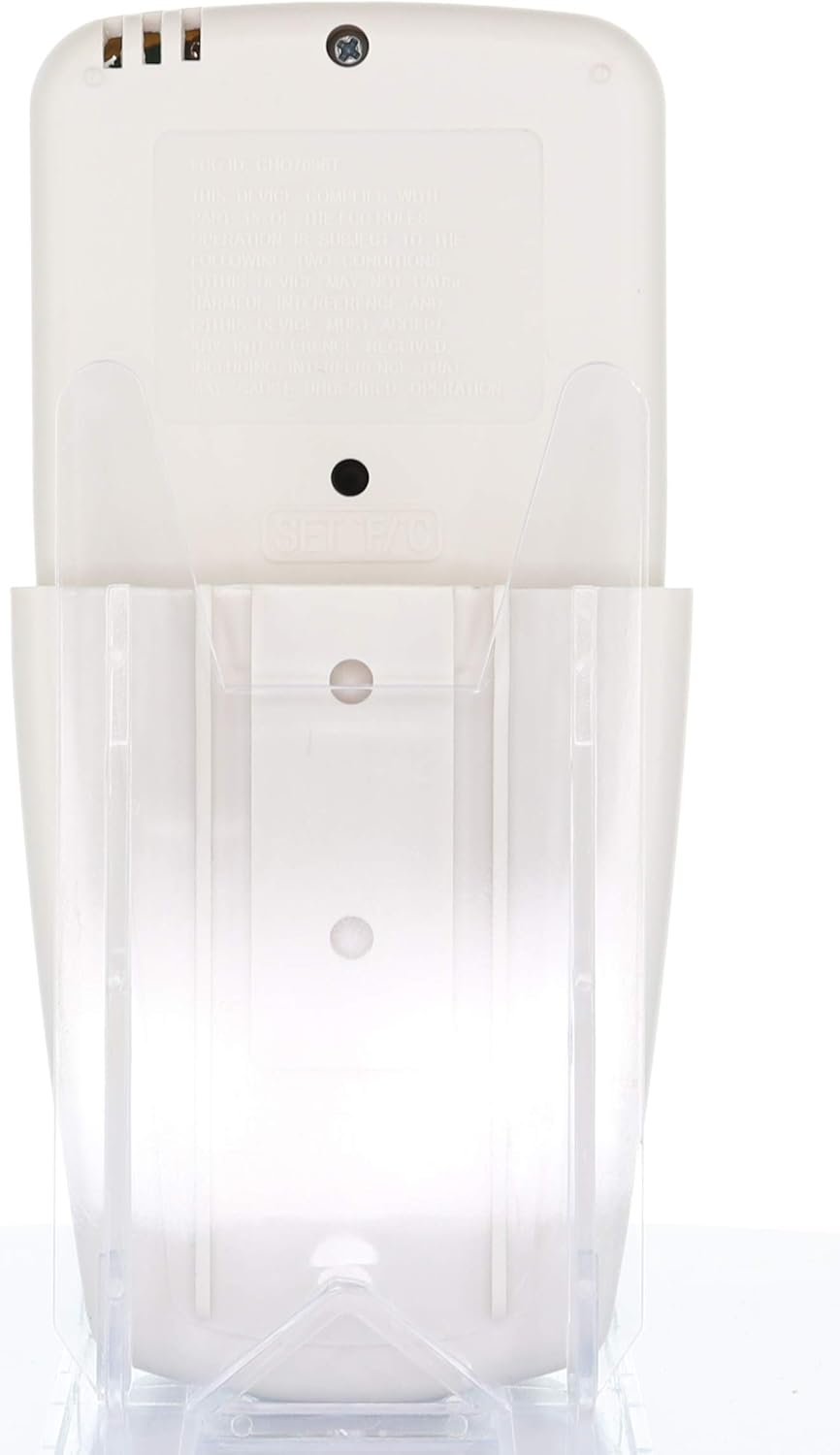
Слика 2: The Anderic RR7096T remote control securely placed in its transparent wall mount bracket, demonstrating how it can be stored when not in use.
5. Упатства за работа
The Anderic RR7096T remote control features a clear LCD display and dedicated buttons for various functions. Refer to the image below for button identification.

Слика 3: Предна страна view of the Anderic RR7096T remote control, displaying its LCD screen and various control buttons for fan and light functions.
5.1. Контрола на вентилаторот
- Вклучен/исклучен вентилатор: Press the blue fan button to cycle through fan speeds (Low, Medium, High) and turn the fan off.
- АВТОМАТСКИ ВЕНТИЛАТОР: Activates the thermostatic fan control. The fan will automatically adjust its speed based on the room temperature and your set temperature.
- ТАЈМЕР за вентилатор: Sets a timer for the fan to operate for a specified duration.
- TEMP./SET HOUR (Up/Down Arrows): Adjusts the desired temperature for FAN AUTO mode or sets the hour for timer functions.
5.2. Контрола на светлина
- Светло вклучено/исклучено/затемнување: Press the yellow light button to turn the down-lights on or off. Hold the button to dim or brighten the lights.
- ТАЈМЕР ЗА СВЕТЛО: Sets a timer for the light to turn off after a specified duration.
- ДОЦНЕЊЕ НА СВЕТЛИНАТА: Activates a delay for the light to turn off, allowing time to exit the room.
Важна забелешка: This remote control is designed to operate only the down-lights of your ceiling fan. It will not control separate up-lights if your fan is equipped with them. For proper dimming functionality, ensure your fan uses incandescent bulbs.
6. Одржување
6.1. Замена на батеријата
When the remote's display becomes dim or its response time slows, it is time to replace the batteries. Follow the battery installation steps in Section 4.1.
6.2. Чистење
Избришете го далечинскиот управувач со мека, сува крпа. Не користете абразивни средства за чистење и не го потопувајте далечинскиот управувач во вода.
7 Смена на проблеми
- Далечинското не реагира:
- Проверете ги нивоата на батеријата и заменете ја доколку е потребно.
- Verify that the dip-switches in the remote match the settings of your ceiling fan receiver (refer to Section 4.2).
- Уверете се дека нема пречки помеѓу далечинскиот управувач и приемникот на вентилаторот.
- Lights not dimming properly:
- Confirm that your ceiling fan uses incandescent bulbs. LED or CFL bulbs may not dim correctly with this remote.
- Fan not operating at desired speed in AUTO mode:
- Check the set temperature on the remote's display and adjust using the TEMP./SET HOUR buttons.
8. Спецификации
| Име на моделот | RR7096T |
| Бренд | Андерик |
| Боја | Слоновата Коска |
| Извор на енергија | Напојува со батерии (потребни се 4 AAA батерии) |
| Димензии на производот | 1" Д x 3" Ш x 6" В |
| Тежина на ставката | 4.8 унци |
| Контролен метод | Далечински |
| Компатибилни FCC ID-а | CHQ7096T, UC7096T, CHQ8BF7096T, CHQ8BT7096T |
| Вклучени компоненти | Remote control, Wall mount bracket (with two screws) |
9. Информации за гаранцијата
The Anderic RR7096T Thermostatic Remote Control comes with a 1-годишна гаранција за замена. Please retain your proof of purchase for warranty claims. For details on how to claim your warranty, refer to the manufacturer's official webсајт или контактирајте со нивната поддршка за корисници.
10. Поддршка
For further assistance, troubleshooting tips, or to inquire about compatible receivers (such as UC7067FCRX or UC70960TX if needed), please visit the official Anderic website or contact their customer support department. Contact information can typically be found on the product packaging or the manufacturer's webсајт.


