1. Вовед
Thank you for choosing the Cable Matters 6-Outlet Surge Protector Power Strip with USB Ports. This device is designed to provide reliable power distribution and surge protection for your electronic equipment. Featuring six AC outlets and two USB-A charging ports, it offers convenience and safety for your home or office setup. This manual provides important information regarding the proper installation, operation, and maintenance of your surge protector.

Слика 1.1: Готовоview of the Cable Matters 6-Outlet Surge Protector Power Strip.
2. Карактеристики на производот
- ETL Listed Safety: ETL certified with 490 Joules of surge suppression to protect electronics from power surges and spikes.
- Заштита од преоптоварување: Вграден 15 Amp circuit breaker safeguards against overloads.
- Повеќе места: Six standard AC outlets for various devices.
- USB полнење: Two USB-A ports (5V 2.1A total) for charging smartphones, tablets, and other USB-powered devices.
- Long Extension Cord: An 8-foot (2.4 meter) power cord provides flexibility in placement.
- Издржлива конструкција: Made with 14 AWG wire, reinforced molded strain relief, and flame-retardant ABS housing for long-lasting use.
- Power-Saving Switch: Reliable ON/OFF switch to control power to all connected devices.
- Дизајн за монтирање: Includes a mounting template for easy installation on walls or under desks.
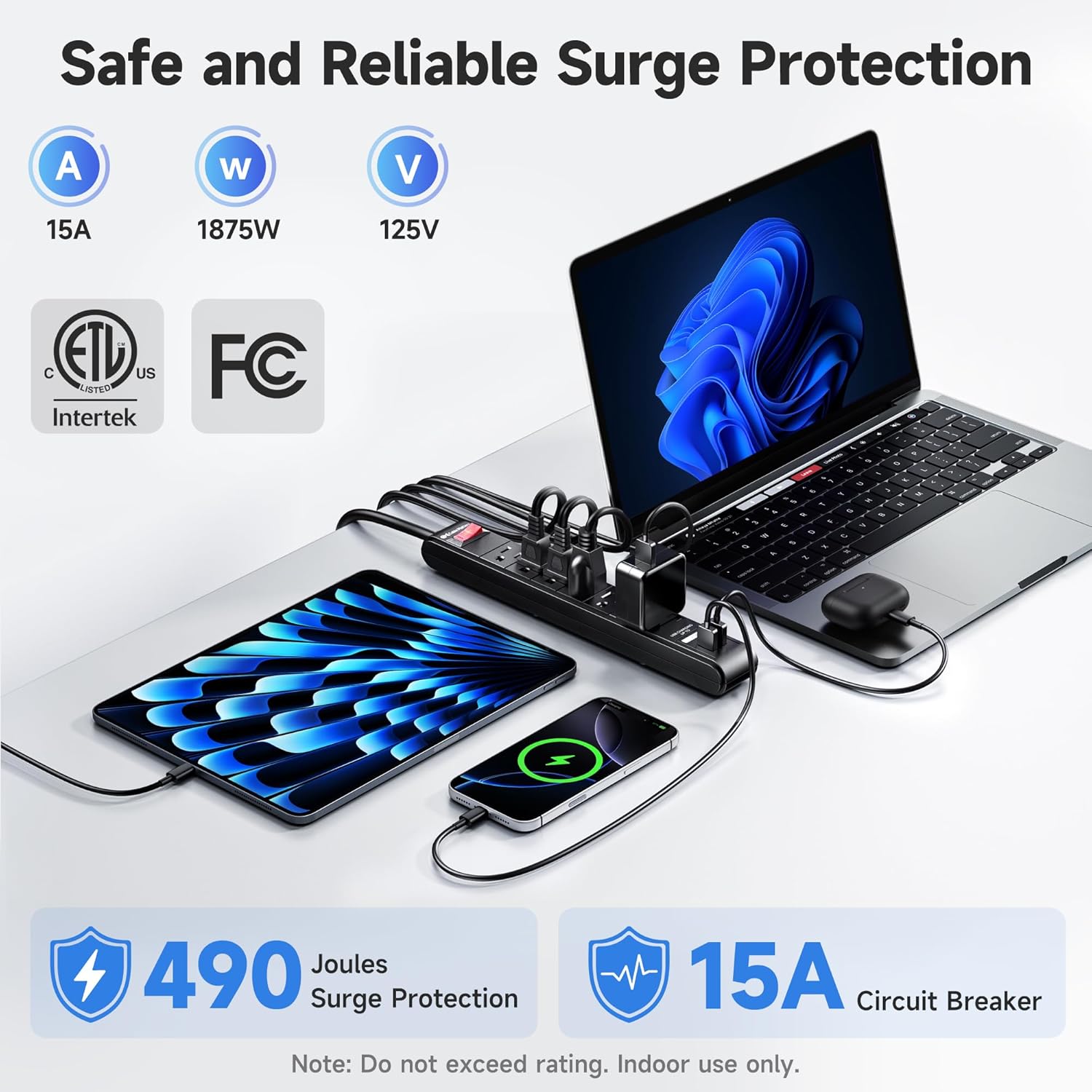
Image 2.1: Safety features including ETL certification, surge protection, and circuit breaker.

Image 2.2: Dual USB-A ports for convenient device charging.
3. Информации за безбедност
Please read and follow all safety instructions to prevent fire, electric shock, injury, or damage to the product or connected devices.
- Само за внатрешна употреба: This surge protector is designed for indoor use in dry locations. Do not use it outdoors or in wet environments.
- Електричен рејтинг: Do not exceed the electrical rating of 15 Amps, 125VAC, 1875 Watts. Overloading the surge protector can cause damage and fire hazards.
- Заземјување: Ensure the surge protector is plugged into a properly grounded 3-prong outlet.
- Вентилација: Do not cover the surge protector or block its ventilation openings.
- Деца и домашни миленици: Да се чува подалеку од дофат на деца и домашни миленици.
- Расклопување: Не обидувајте се да го расклопите или модифицирате уредот. Внатре нема делови што може да ги сервисира корисникот.
- Оштетена единица: Do not use if the power cord, plug, or housing is damaged. Contact customer support for assistance.
4. Поставување
- Отпакувај: Внимателно извадете ја заштитата од пренапон од пакувањето.
- Поставување: Place the surge protector on a flat, stable surface or mount it to a wall/desk using the integrated mounting holes.
- Монтирање (опционално):
- Locate the two keyhole mounting slots on the back of the surge protector.
- Measure the distance between the centers of these slots (approximately 5.3 inches).
- Mark two corresponding points on your desired mounting surface.
- Install two #6 screws (not included) into the marked points, leaving a small gap (approx. 0.4 inches) between the screw head and the surface.
- Align the keyhole slots with the screw heads and slide the surge protector down to secure it.
- Поврзете се на напојување: Plug the surge protector's power cord into a standard 3-prong grounded AC wall outlet.

Image 4.1: Mounting dimensions for flexible placement.
5. Упатства за работа
- Вклучување/исклучување: Press the red ON/OFF switch located on the surge protector to turn power on or off to all connected devices. The switch will illuminate when power is on.
- Поврзување на AC уреди: Plug your electronic devices into any of the six AC outlets. Ensure the total power consumption does not exceed 1875 Watts.
- Поврзување на USB-уреди: Plug your USB-powered devices into the two USB-A charging ports. These ports provide a total of 2.1 Amps for charging.

Image 5.1: Surge protector in a typical office environment.
Video 5.1: Official product video demonstrating the Cable Matters Power Strip features and usage.
6. Одржување
- Чистење: Исклучете го заштитникот за пренапон од ѕидниот штекер пред чистење. Користете мека, сува крпа за да ја избришете надворешноста. Не користете течни или аеросолни средства за чистење.
- Инспекција: Periodically inspect the power cord and outlets for any signs of damage or wear. If damage is found, discontinue use and contact customer support.
- Складирање: When not in use for extended periods, store the surge protector in a cool, dry place away from direct sunlight and moisture.
7 Смена на проблеми
| Проблем | Можна причина | Решение |
|---|---|---|
| Нема струја до поврзаните уреди. |
|
|
| USB портите не се полнат. |
|
|
| Индикаторското светло за заштита од пренапон е исклучено. | Заштитата од пренапон е компромитирана или истечена. | The surge protector may no longer be providing surge protection. Replace the unit to ensure continued protection for your devices. |
8. Спецификации
| Карактеристика | Детал |
|---|---|
| Број на модел | 402025-BLKx2 |
| Излезни места за наизменична струја | 6 |
| USB-A порти | 2 (5V 2.1A Total) |
| Заштита од пренапони | 490 џули |
| Прекинувач | 15 Amp |
| Електричен рејтинг | 15A, 125VAC, 1875W |
| Должина на кабелот | 8 стапки (2.4 метри) |
| Димензии (производ) | 7.48 x 3.15 x 0.59 инчи |
| Тежина на ставката | 2.71 фунти |
| Сертификати | Наведени ETL |
9. Гаранција и поддршка
Cable Matters products are designed for quality and reliability. While specific warranty details are not provided in this manual, please refer to the official Cable Matters website or your purchase documentation for warranty information and terms.
For technical support, product inquiries, or warranty claims, please visit the Cable Matters support page or contact their customer service directly. Contact information can typically be found on the manufacturer's webна локацијата или на пакувањето на производот.
Производител: Кабелот работи
Webсајт: www.cablematters.com


