1. Вовед
The Turtle Beach Stealth 700 is a premium wireless gaming headset designed for an immersive audio experience on PlayStation 5 and PlayStation 4 consoles. This manual provides essential information on setting up, operating, and maintaining your headset, ensuring optimal performance and longevity.

Figure 1: Turtle Beach Stealth 700 Wireless Gaming Headset
2. Што има во кутијата
Upon unboxing your Turtle Beach Stealth 700 headset, please ensure all the following components are present:
- Turtle Beach Stealth 700 Wireless Gaming Headset
- Безжичен USB предавател
- USB-C кабел за полнење
- Водич за брз почеток / Документација
Видео 1: Официјален производ завршенview and unboxing of the Turtle Beach Stealth 700 headset.
3. Производот завршиview
Familiarize yourself with the physical components and controls of your Stealth 700 headset.
3.1 Компоненти на слушалките

Figure 2: User wearing the Stealth 700 headset, demonstrating its over-ear design.
- Прилагодлив лента за глава: Features a synthetic leather-wrapped headband for comfort.
- Ушни перничиња: Premium synthetic leather-wrapped ear cushions with ProSpecs glasses-friendly design to relieve pressure.
- 50mm Over-Ear Speakers: Deliver immersive surround sound and chat audio.
- High-Sensitivity Flip-Up Mic: Integrated microphone that mutes when flipped up.
3.2 Контроли
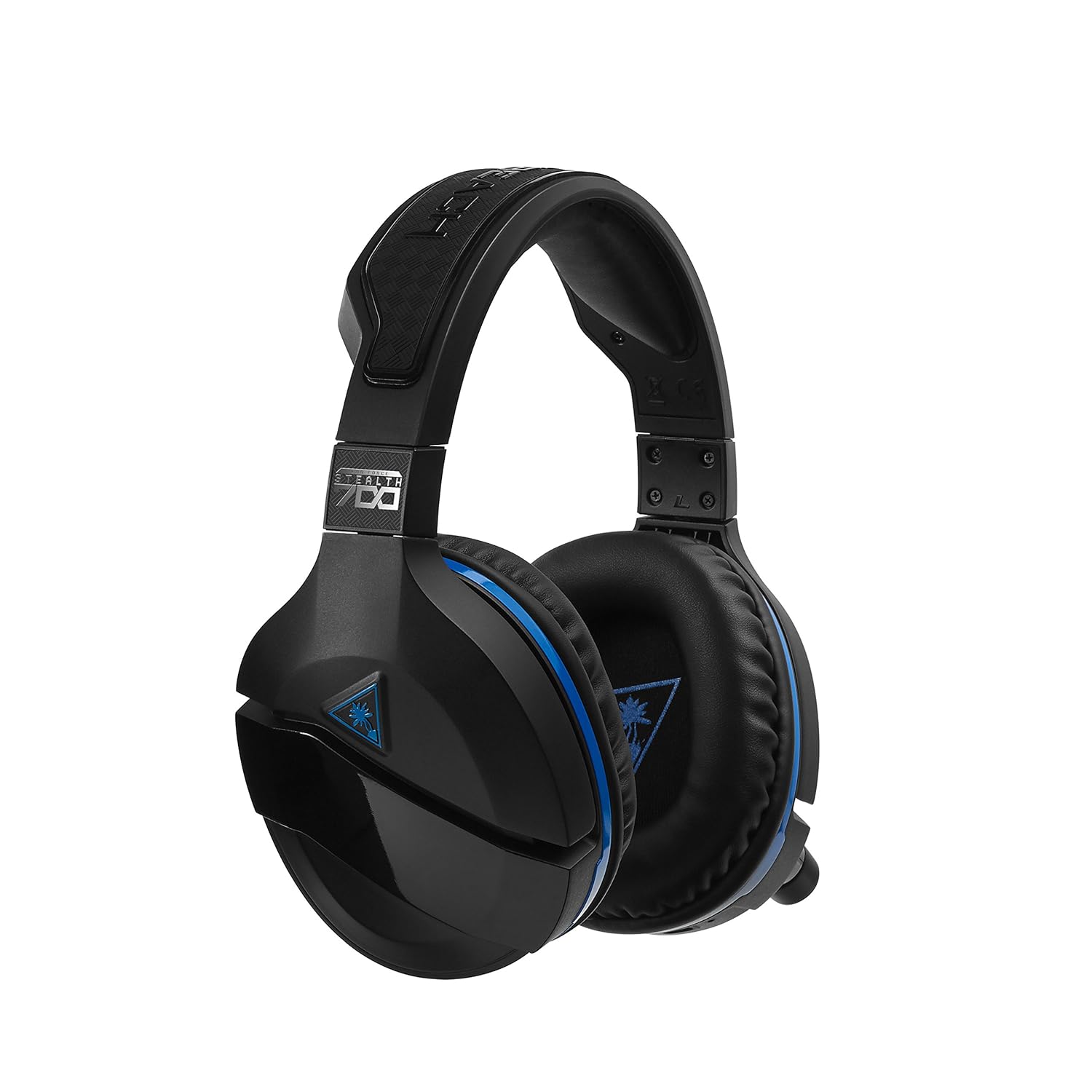
Figure 3: Right earcup controls and microphone in the down position.
- Копче за вклучување: Ги вклучува/исклучува слушалките.
- Копче Bluetooth: Иницира спарување преку Bluetooth.
- Game Volume Dial: Adjusts the overall game audio volume.
- Chat Volume Dial: Adjusts the chat audio volume independently.
- Mic Monitoring Dial: Adjusts the level of your own voice heard in the headset.
- Superhuman Hearing Button: Activates/deactivates the Superhuman Hearing sound setting.
- Копче за режим: Cycles through DTS surround sound modes and audio presets.

Figure 4: Microphone in the flipped-up (muted) position.
4. Упатства за поставување
Follow these steps to set up your Turtle Beach Stealth 700 headset with your PlayStation console.
4.1 Почетно полнење
- Connect the USB-C Charging Cable to the headset and a USB power source.
- Charge the headset fully before first use (approximately 5 hours). The LED indicator will change when fully charged.
4.2 Connecting to PlayStation (Wireless)
- Plug the Wireless USB Transmitter into an available USB port on your PlayStation console.
- Power on your Stealth 700 headset by pressing and holding the Power Button until the LED illuminates.
- The headset and transmitter should automatically pair. A solid LED on both indicates a successful connection.
- On your PlayStation, navigate to Поставки> Уреди> Аудио уреди.
- Поставете Влезен уред до USB слушалки (Turtle Beach Stealth 700).
- Поставете Излезен уред до USB слушалки (Turtle Beach Stealth 700).
- Поставете Излез во слушалки до Сите аудио.
- Adjust your volume levels as desired.
4.3 Bluetooth Pairing (for Mobile Devices)
The Stealth 700 supports Bluetooth connectivity for calls, music, and the Turtle Beach Audio Hub app while gaming.
- With the headset powered on, press and hold the Копче Bluetooth until the headset announces "Bluetooth Pairing" and the LED flashes blue.
- On your mobile device, go to Bluetooth settings and select "Stealth 700" from the list of available devices.
- The headset will announce "Bluetooth Paired" when the connection is successful.
5. Упатства за работа
5.1 Основна аудио контрола
- Волумен на играта: Use the upper dial on the left earcup to adjust game audio.
- Chat Volume: Use the lower dial on the left earcup to adjust chat audio.
5.2 Употреба на микрофон
- To Unmute: Flip the microphone down.
- За да го исклучите звукот: Flip the microphone up. The headset will provide an audible cue.
- Variable Mic Monitoring: Adjust the lower dial to control how much of your own voice you hear in the headset.
5.3 Активно поништување на шум (ANC)
The Stealth 700 features active noise-cancellation to minimize external distractions.
- За активирање/деактивирање: Press the Power Button briefly while the headset is on. The headset will announce the status.
5.4 Superhuman Hearing
This exclusive Turtle Beach sound setting enhances critical in-game sounds like footsteps and weapon reloads.
- За активирање/деактивирање: Press the dedicated Superhuman Hearing button on the left earcup.
5.5 Audio Presets and DTS Surround Sound
Cycle through different audio presets and DTS surround sound modes for an optimized listening experience.
- To Cycle: Притиснете го Копче за режим to switch between available presets (e.g., Bass Boost) and DTS Headphone:X 7.1 surround sound options.
6. Turtle Beach Audio Hub App
The Turtle Beach Audio Hub app (available for iOS and Android) allows you to customize various settings of your Stealth 700 headset via Bluetooth.
- Adjust mic monitoring levels.
- Select DTS surround sound modes.
- Choose from various audio presets, including Bass Boost.
- Enable/disable Dynamic Chat Boost.
- Управувајте со Bluetooth конекциите.
7. Одржување
Соодветната грижа гарантира долготрајност и перформанси на вашите слушалки.
- Чистење: Користете мека, гamp cloth to clean the headset. Avoid harsh chemicals.
- Складирање: Чувајте ги слушалките на ладно и суво место, подалеку од директна сончева светлина и екстремни температури.
- Нега на батеријата: За оптимален век на траење на батеријата, избегнувајте често целосно празнење на батеријата. Полнете ја редовно.
8 Смена на проблеми
If you encounter issues with your Stealth 700 headset, try the following solutions:
8.1 No Audio / Disconnection
- Ensure the headset is fully charged and powered on.
- Verify the Wireless USB Transmitter is securely plugged into the console.
- Check PlayStation audio settings (Settings > Devices > Audio Devices) to ensure the headset is selected as input/output.
- Try re-pairing the headset and transmitter by powering both off and on.
8.2 Микрофонот не работи
- Ensure the microphone is flipped down to unmute.
- Check PlayStation audio settings to confirm the headset is selected as the input device.
- Adjust the Mic Monitoring dial to ensure it's not set to zero.
- Доколку е можно, тестирајте го микрофонот со друга апликација или уред.
8.3 Проблеми со спарување со Bluetooth
- Ensure the headset is in Bluetooth pairing mode (LED flashing blue).
- Forget the "Stealth 700" device from your mobile device's Bluetooth settings and try pairing again.
- Осигурајте се дека ниедни други Bluetooth уреди не се мешаат во врската.
9. Спецификации
| Карактеристика | Детал |
|---|---|
| Број на модел | ТБС-3770-01 |
| Поврзување | Wireless (USB Transmitter), Bluetooth |
| Компатибилни уреди | PlayStation 5, PlayStation 4 |
| Тип на драјвер за аудио | Динамичен драјвер |
| Големина на звучникот | 50 мм |
| Траење на батеријата | До 10 часа |
| Време на полнење | Прибл. 5 часа |
| Bluetooth верзија | 5.0 |
| Опсег на Bluetooth | 10 метри |
| Посебни карактеристики | DTS Headphone:X 7.1 Surround Sound, Active Noise Cancellation, Superhuman Hearing, ProSpecs Glasses Friendly Design, Dynamic Chat Boost, Variable Mic Monitoring |
| Материјал | Faux Leather (ear cushions, headband) |
| Тежина на ставката | 1.6 фунти |
10. Гаранција и поддршка
For detailed warranty information, product registration, and further technical support, please visit the official Turtle Beach webсајт на www.turtlebeach.com. You can also find FAQs and additional resources there.


