1. Вовед
Welcome to the user manual for your Brother MFC-L8690CDW. This device is a high-performance color laser multifunction printer designed for efficient printing, scanning, and copying. It features an automatic document feeder, A4 paper compatibility, and duplex printing capabilities, making it suitable for various office and home office environments.
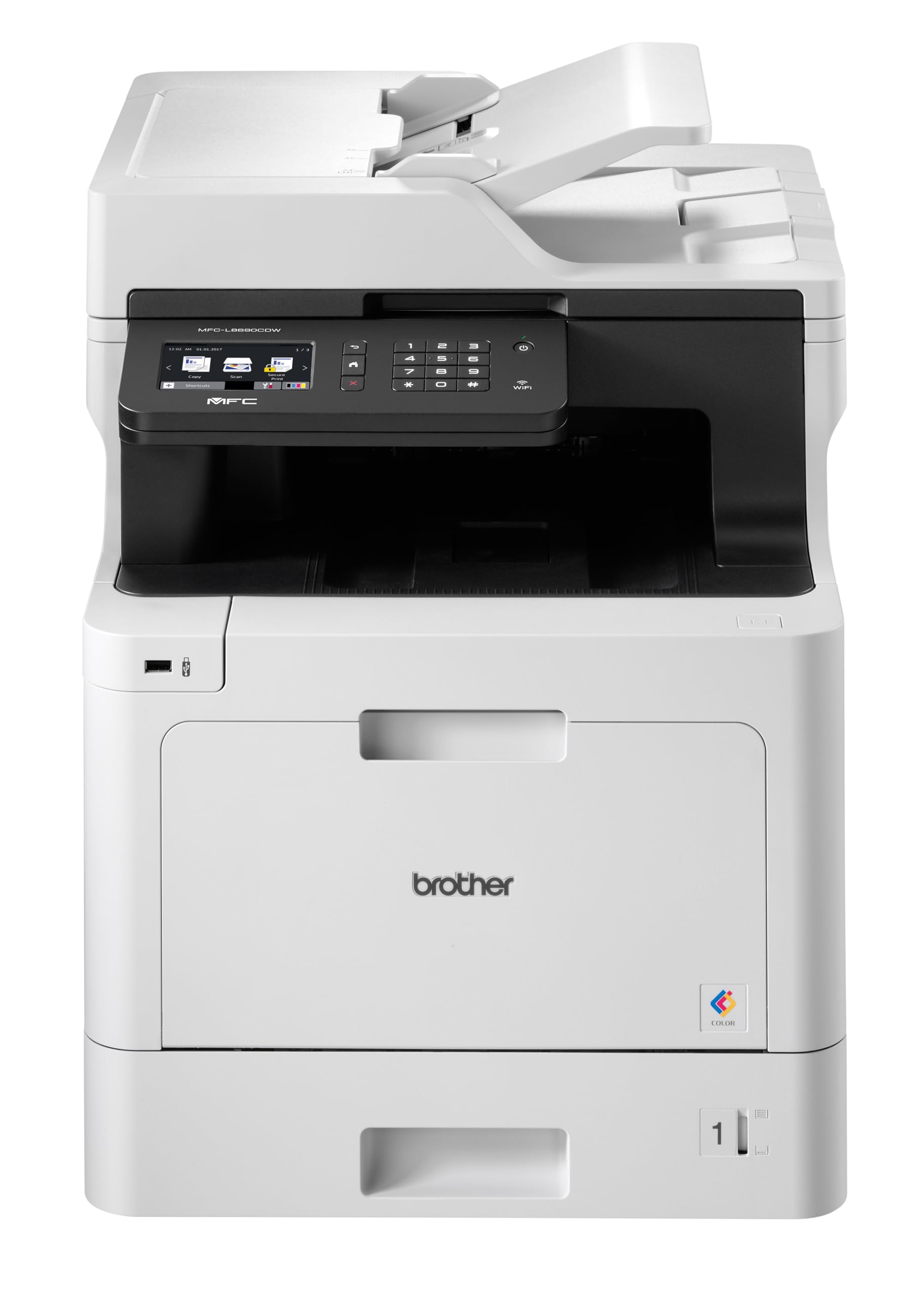
Предна страна view of the Brother MFC-L8690CDW color multifunction printer, showcasinнеговиот компактен дизајн и контролен панел.
2. Поставување
2.1 Распакување и почетно поставување
Carefully remove the printer from its packaging. Ensure all protective tapes and packing materials are removed from the exterior and interior of the device. Place the printer on a stable, level surface with adequate ventilation, away from direct sunlight or heat sources.
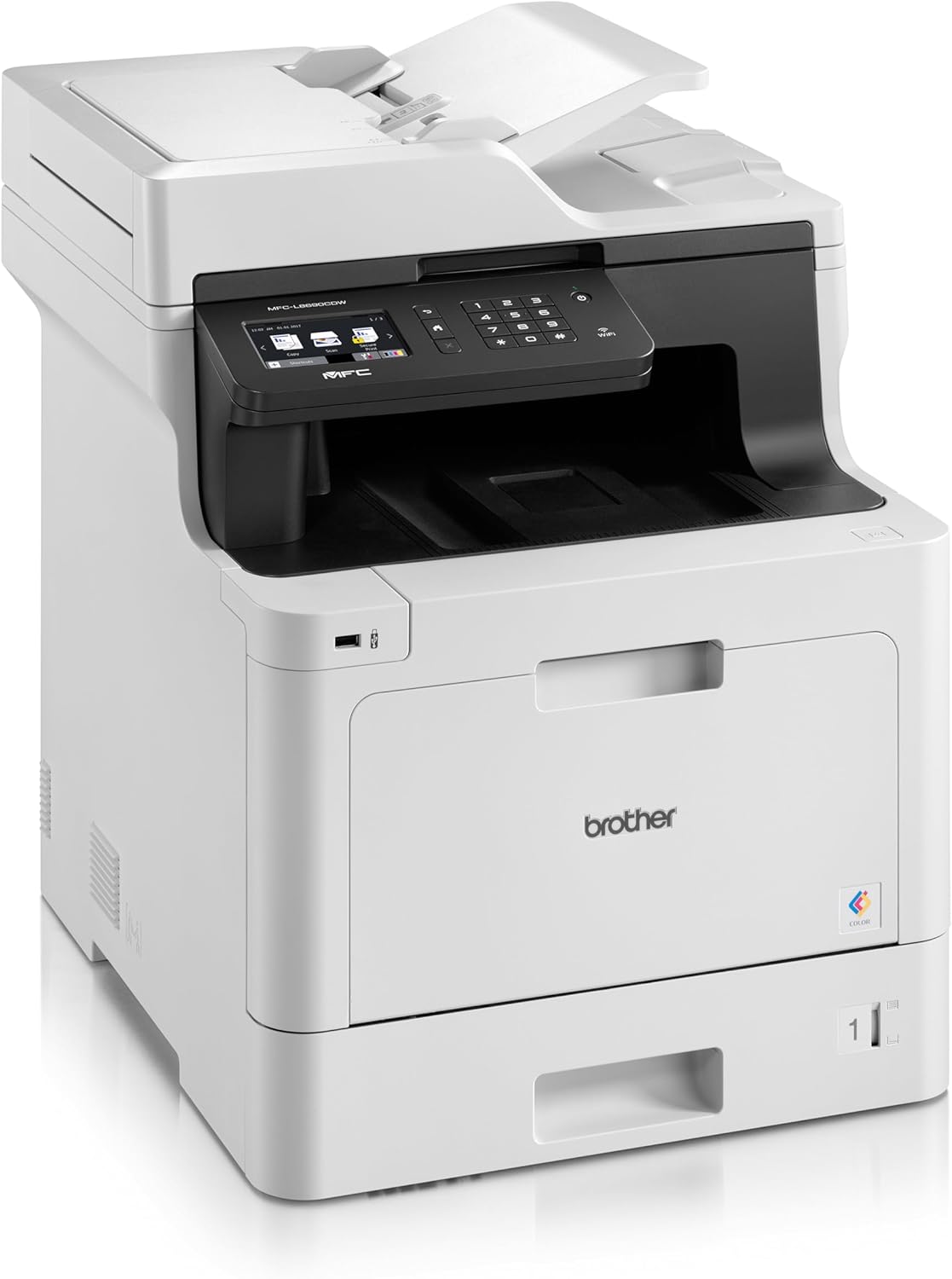
Предна страна view of the Brother MFC-L8690CDW, showing the control panel and paper output tray.
2.2 Поврзување за напојување
Connect the power cord to the printer's power input and then to a grounded electrical outlet. Do not connect the printer to a power strip or surge protector during initial setup to avoid potential power issues.
2.3 Инсталација на кертриџ за тонер
Open the front cover of the printer. Install the included toner cartridges into their respective color-coded slots. Ensure each cartridge clicks into place. Close the cover securely.
2.4 Ставање хартија
Open the main paper tray. Load standard A4 paper (or other supported sizes) into the tray, ensuring the print side is facing down. Adjust the paper guides to fit the paper size snugly without bending the paper.

Страна view of the Brother MFC-L8690CDW printer, illustrating the paper input tray.
2.5 Инсталација на софтвер и драјвери
Insert the installation CD into your computer's CD-ROM drive or download the latest drivers and software from the official Brother support website. Follow the on-screen instructions to complete the installation for your operating system.
2.6 мрежно поврзување
The MFC-L8690CDW supports both wired (Ethernet) and wireless (Wi-Fi IEEE 802.11b/g/n) connections.
2.6.1 iredична врска
Connect an Ethernet cable from your router or network hub to the Ethernet port on the back of the printer.
2.6.2 Безжична врска
On the printer's control panel, navigate to Мрежни поставки, тогаш WLAN. Select your Wi-Fi network from the list and enter the password when prompted.

Заден дел view of the Brother MFC-L8690CDW printer, highlighting the power input, Ethernet port, and USB port.
3. Упатства за работа
3.1 Основно печатење
From your computer, open the document you wish to print. Select Печати from the application's menu. Choose Брат MFC-L8690CDW as your printer. Adjust settings such as color/monochrome, duplex printing, and paper size as needed in the print dialog box. Click Печати to start the job.
3.2 Копирање документи
Place your document face down on the scanner glass or face up in the Automatic Document Feeder (ADF). On the printer's control panel, select Копирај. Adjust settings like number of copies, color/monochrome, and reduction/enlargement. Press Започнете за да започнете со копирање.
3.3 Скенирање документи
Place your document on the scanner glass or in the ADF. On the printer's control panel, select Скенирајте. Choose your desired scan destination (e.g., computer, email, network folder). Adjust scan settings like resolution and file format. Press Започнете to initiate the scan.
4. Одржување
4.1 Чистење на печатачот
Regularly clean the exterior of the printer with a soft, lint-free cloth. For the scanner glass, use a mild glass cleaner applied to a cloth, not directly to the glass, to avoid streaks or damage.
4.2 Замена на касети со тонер
When a toner cartridge is low or empty, the printer's display will indicate which cartridge needs replacement. Open the front cover, remove the old cartridge, and insert a new Brother genuine toner cartridge. Ensure it is securely seated before closing the cover.
4.3 Расчистување на заглавена хартија
If a paper jam occurs, the printer display will show specific instructions and locations. Carefully open the indicated covers and gently pull out any jammed paper in the direction of the paper path. Avoid tearing the paper to prevent small pieces from remaining inside.
5 Смена на проблеми
5.1 Заеднички прашања и решенија
Печатачот не реагира: Check the power connection, USB/network cable, and ensure the printer is online. Restart both the printer and your computer.
Лош квалитет на печатење: Check toner levels. Perform a print quality test from the printer's menu. Clean the drum unit if necessary, following the instructions in the maintenance section.
Заглавување на хартија: Follow the on-screen instructions to locate and remove jammed paper. Ensure paper is loaded correctly, not creased, and within the specified weight limits.
Проблеми со мрежната поврзаност: Verify your Wi-Fi password or Ethernet cable connection. Restart your router and printer. Ensure printer firmware is up to date by checking the Brother support webсајт.
6. Технички спецификации
| Карактеристика | Спецификација |
|---|---|
| Димензии на производот | 10D x 48W x 50H сантиметри |
| Тип на контролер | Автоматски |
| Максимална големина на медиум | A4 |
| Потрошувачка на енергија | 680 вати |
| Вклучени компоненти | Brother Multifunction Laser MFC-L8690CDW Wifi Network |
| Тип на медиум за печатење | Хартија (обична) |
| Тип на скенер | Автоматски внесувач на документи |
| Максимален капацитет на листови | 100 листови |
| Максимална брзина на копирање (црно-бело) | 32 страници во минута |
| Компатибилни уреди | Десктоп компјутери |
| Максимална резолуција за печатење во боја | 1200 x 1200 dpi |
| Големина на лист | 210 милиметри |
| Максимална резолуција за црно-бело печатење | 1200 x 1200 dpi |
| Вид на гаранција | Ограничена гаранција |
| Длабочина на боја | 24 bpp |
| Дуплекс печатење | Да |
| Достапност на резервни делови во ЕУ | 2 години |
| Максимален број копии по серија | 32 |
| Моќ | 3600 (Unit not specified) |
| Тип на производ | Сè-во-едно |
| Оперативен систем | Mac OS 10.15 Catalina (and compatible with other OS) |
| Врски | Bluetooth, Ethernet, Mini USB |
| Меморија | 4 (Unit not specified) |
| Вкупно USB порти | 1 |
| Батерија | Потребна е 1 литиум-јонска батерија |
| Гарантирани ажурирања на софтверот до | 13 април 2030 година |
| Бренд | Брат |
| Технологија за поврзување | Bluetooth |
| Технологија на печатење | Ласерски |
| Боја | Повеќебојна |
| Име на моделот | MFC L 8690 CDW |
| Излез на печатач | Боја |
| Максимална брзина на печатење (во боја) | 10 страници во минута |
| Максимална брзина на печатење (монохроматски) | 10 страници во минута |
| Тежина на ставката | 19 килограми |
| ASIN | B072C463YX |
| Датум прв на располагање | 8 април 2022 година |
| Производител | БРАТ |
7. Гаранција и поддршка
7.1 Гаранција за производот
This Brother MFC-L8690CDW printer comes with a limited warranty. Spare parts availability in the EU is guaranteed for 2 years from the date of purchase.
7.2 Ажурирања на софтверот
Software updates for this model are guaranteed until April 13, 2030, ensuring continued compatibility and security enhancements.
7.3 Поддршка за корисници
За техничка помош, преземање драјвери и дополнителна поддршка, посетете ја страницата официјална поддршка на Brother webсајт or contact your local Brother customer service center. Have your model number (MFCL8690CDW) and serial number ready when contacting support.


