1. Вовед
This manual provides instructions for the proper setup, operation, and maintenance of your ELECOM HUGE Wireless Trackball Mouse (Model: M-HT1DRBK). Please read this manual thoroughly before using the product to ensure optimal performance and longevity.
2. Што има во кутијата
- ELECOM HUGE Wireless Trackball Mouse
- USB ресивер
- АА батерија (x2)
- Упатство за употреба (овој документ)
3. Поставување
3.1. Инсталација на батерија
- Locate the battery compartment on the underside of the trackball mouse.
- Отворете го капакот на преградата за батерии.
- Вметнете ги двете AA батерии, внимавајќи на точниот поларитет (+/-).
- Добро затворете го капакот на преградата за батерии.
3.2. Поврзување со USB приемник
The USB receiver is stored within the trackball mouse for convenience during transport.
- Remove the USB receiver from its storage slot on the underside of the trackball mouse.
- Plug the USB receiver into an available USB port on your computer (PC or Mac).
- Turn on the trackball mouse using the power switch located on the underside. The mouse should be automatically recognized by your operating system.

Слика 1: Inserting the USB receiver into the storage slot on the underside of the trackball mouse.
3.3. Software Installation (Mouse Assistant)
For full customization of the 8 programmable buttons and advanced features, it is recommended to install the ELECOM Mouse Assistant software.
- Посетете ја официјалната страница на ELECOM webсајт.
- Navigate to the 'Support' or 'Downloads' section and locate 'Mouse Assistant'.
- Download the appropriate version for your operating system (Windows or macOS).
- Следете ги упатствата на екранот за да ја завршите инсталацијата.

Слика 2: Example of the ELECOM Mouse Assistant software interface for button customization.
4. Упатства за работа
4.1. Basic Cursor Control
The ELECOM HUGE trackball is designed for index finger control, providing precise cursor movement. Use your index finger to roll the 52mm trackball to move the cursor on the screen.
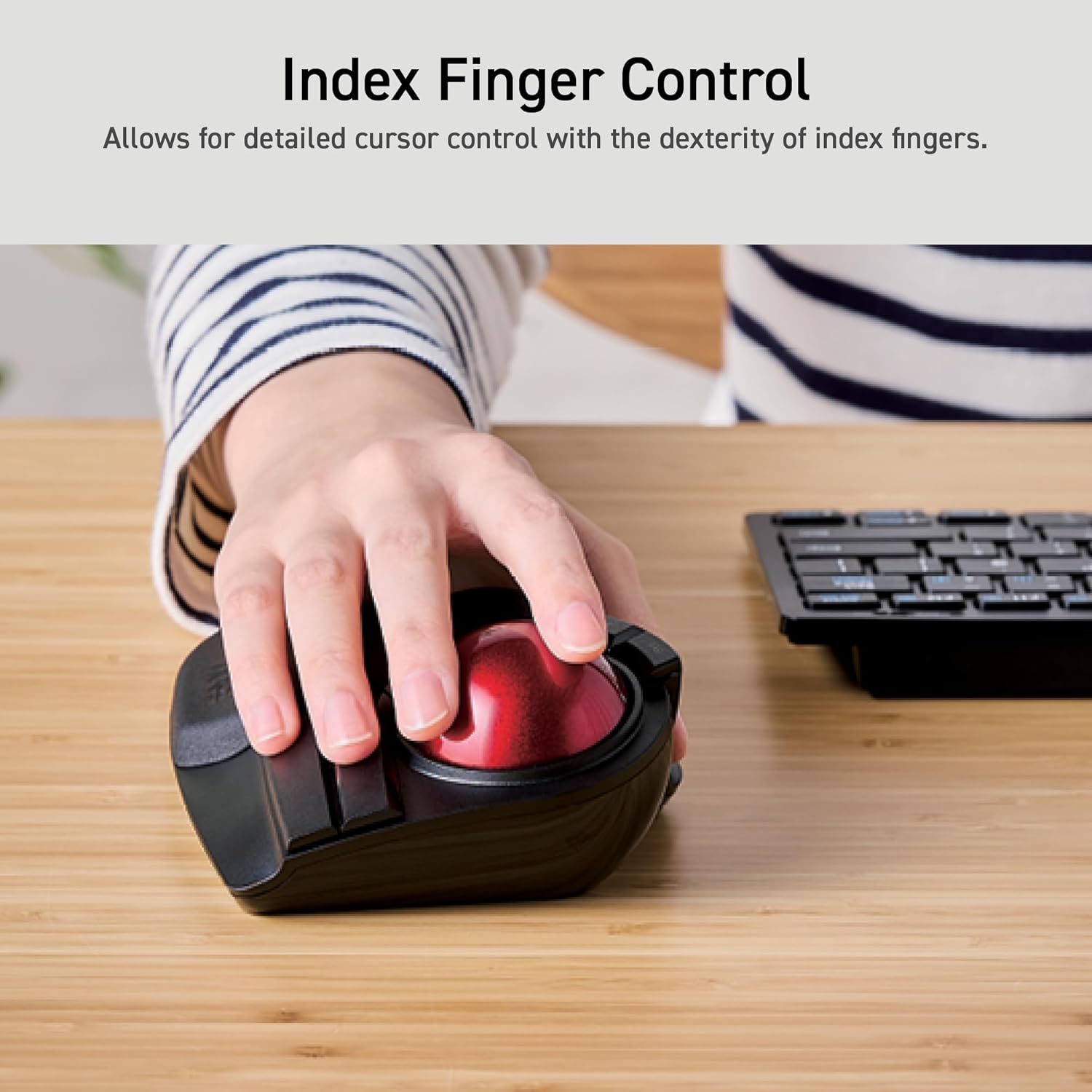
Слика 3: Demonstrating index finger control for precise cursor movement.
4.2. Прилагодување на DPI
The trackball features a DPI button to adjust cursor speed. You can switch between three DPI settings: 500 (LOW), 1000 (MID), and 1500 (HIGH) DPI. Press the DPI button to cycle through these settings and find your preferred cursor speed.
4.3. Програмабилни копчиња
The trackball is equipped with 8 physical buttons, including the scroll wheel with tilt functionality. These buttons can be customized using the ELECOM Mouse Assistant software to perform various functions, such as application shortcuts, media controls, or custom macros.

Слика 4: Во текот наview of the 8 programmable buttons and their locations.
4.4. Ergonomic Design and Palm Rest
The trackball features an ergonomic angled design and a large, soft palm rest to support your hand and wrist in a natural position, promoting comfort during extended use.
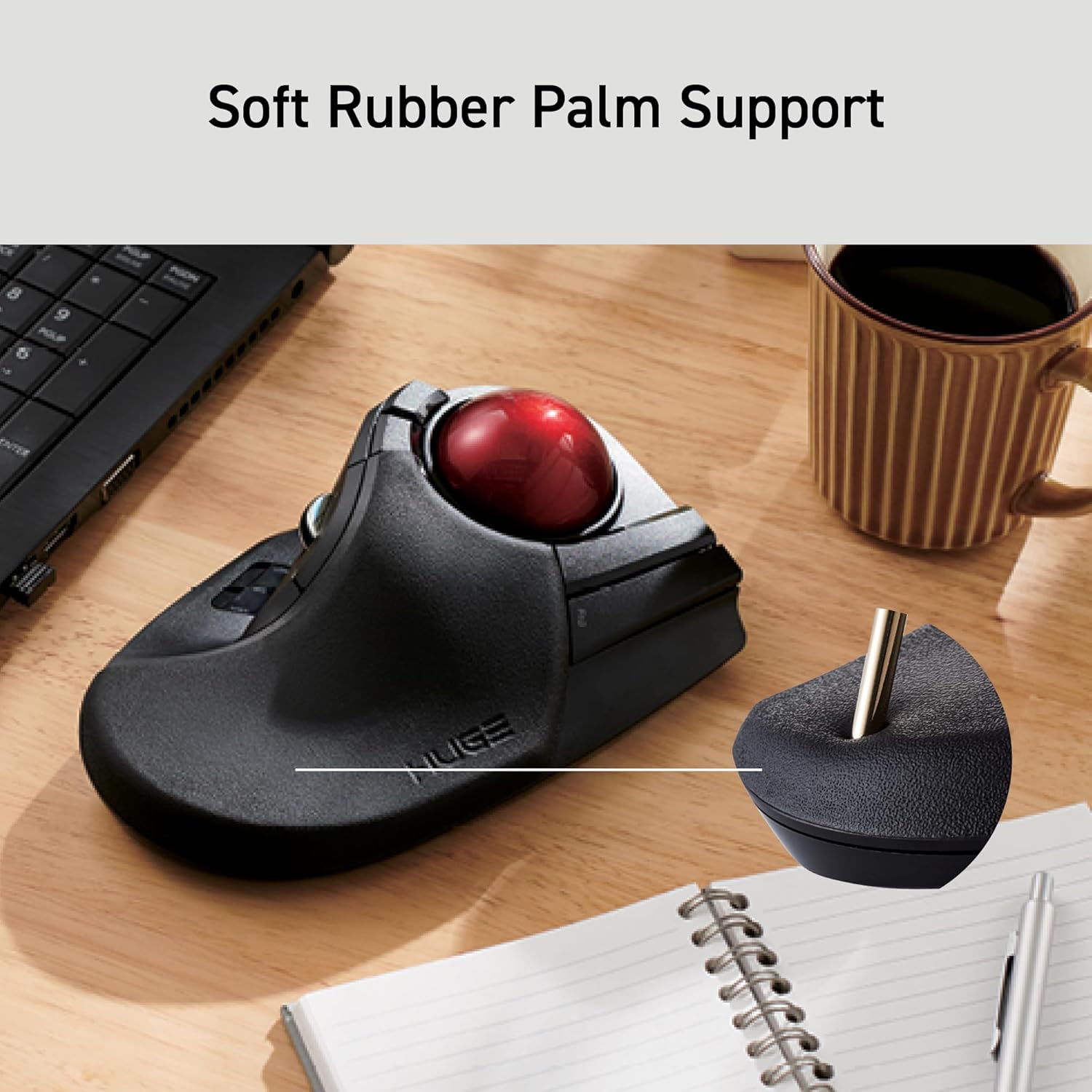
Слика 5: The soft rubber palm support integrated into the trackball design.
5. Одржување
5.1. Trackball Cleaning
To maintain smooth operation, periodically clean the 52mm trackball and its ruby bearings. Dust and debris can accumulate and affect performance.
- Исклучете го тракбол глувчето.
- Locate the ball removal hole on the underside of the device.
- Нежно турнете го тракболот низ оваа дупка.
- Избришете го тракболот со мека крпа што не остава влакненца.
- Clean the three ruby ball bearings and the inside of the trackball housing with a cotton swab or a soft brush to remove any dust or debris.
- Reinsert the trackball into the housing until it clicks into place.
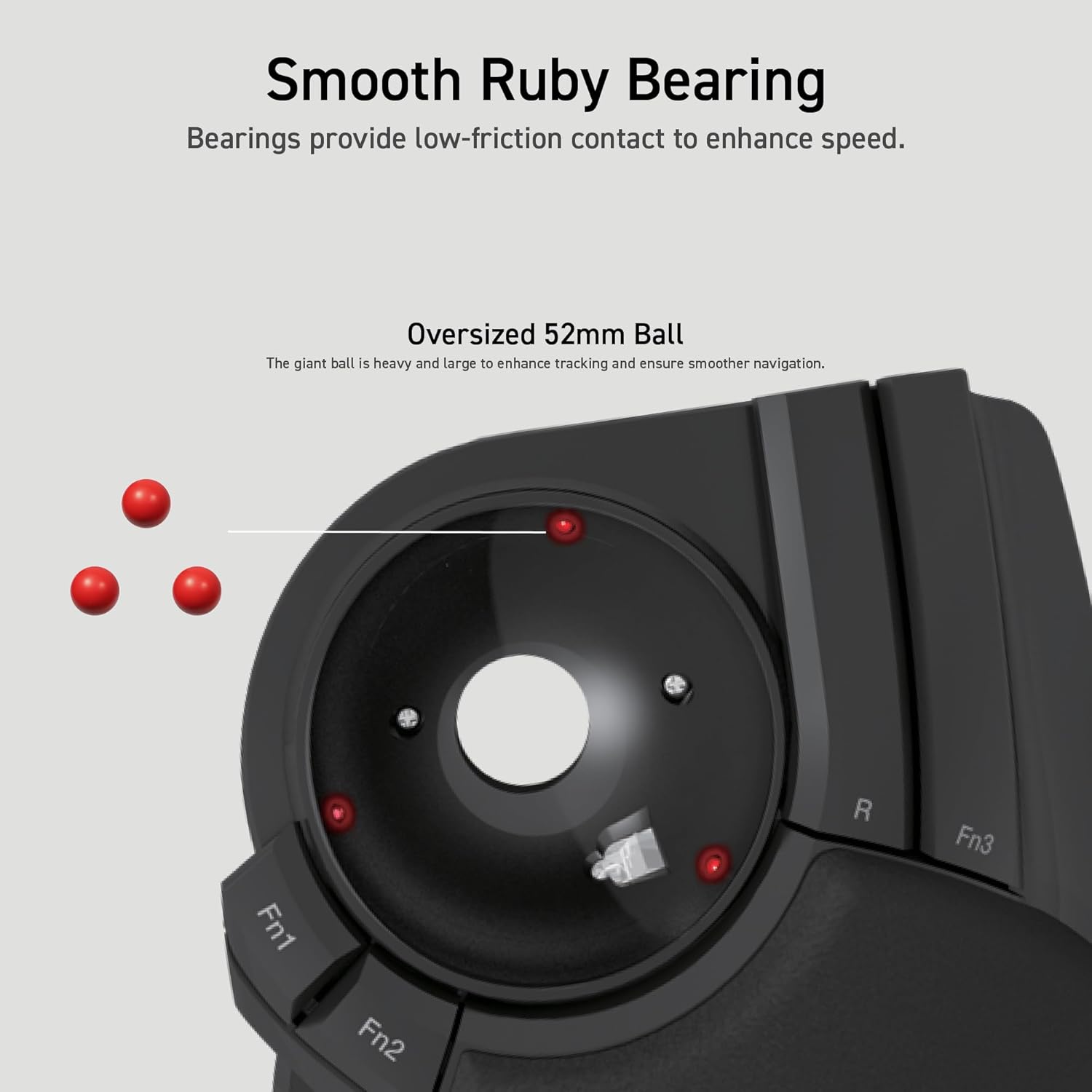
Слика 6: Illustration of the smooth ruby bearings and the trackball removal process.
6 Смена на проблеми
6.1. Cursor Not Moving or Erratic
- Проверете ги батериите: Ensure batteries are correctly installed and have sufficient charge. Replace if necessary. The trackball has a battery remaining light lamp.
- Проверете го USB приемникот: Проверете дали USB приемникот е безбедно приклучен во функционален USB порт. Обидете се со друг USB порт.
- Чист тракбол: Refer to Section 5.1 for instructions on cleaning the trackball and bearings.
- Пречки: Move the trackball closer to the USB receiver or away from other wireless devices that might cause interference.
6.2. Копчињата не реагираат
- Проверка на софтвер: If using custom button assignments, ensure the ELECOM Mouse Assistant software is running and configured correctly.
- Повторно спарување на уредот: In rare cases, re-pairing the device with the USB receiver might resolve the issue. Consult the ELECOM support webсајт за конкретни упатства.
7. Спецификации
| Број на модел | M-HT1DRBK |
| Поврзување | 2.4GHz Wireless USB |
| Поставки за ДПИ | 500 / 1000 / 1500 DPI (може да се префрли) |
| Копчиња | 8 (Programmable) + Scroll Wheel with Tilt |
| Големина на тракбол | 52 мм |
| Извор на енергија | 2 x AA батерии (вклучени) |
| Компатибилност на оперативниот систем | Windows 7, 8, 10 or later; macOS 10.13 or later |
| Димензии (ДxШxВ) | 7.16 x 4.52 x 2.25 инчи (181.9 x 114.7 x 57.2 мм) |
| Тежина (без батерија) | 9.2 oz (260 g) |
8. Гаранција и поддршка
ELECOM products are designed for reliability and performance. For warranty information, technical support, or to download the latest software and drivers, please visit the official ELECOM website or contact ELECOM customer service.
Официјален ЕЛЕКОМ Webсајт: https://www.elecom.co.jp/global/


