Вовед
Ова упатство дава детални упатства за поставување, ракување, одржување и решавање проблеми со вашиот ViewSonic VA2446MH-LED 24-inch Full HD 1080p LED monitor. Please read this manual thoroughly before using the product to ensure proper functionality and safety.
Што има во кутијата
- LCD монитор
- Кабел за напојување
- VGA кабел
- Аудио кабел
- Водич за брз почеток

Пакетот вклучува ViewSonic VA2446MH-LED monitor, a power cable, an HDMI cable, and a Quick Start Guide to assist with initial setup.
Поставување
Составување на штандот
Follow the instructions in the Quick Start Guide to attach the stand to the monitor. Ensure all connections are secure.
Поврзување на мониторот
The VA2446MH-LED monitor supports both HDMI and VGA inputs.
Поврзување за напојување
Connect the provided power cable to the monitor's power input and then to a power outlet.
Видео конекција
Choose either an HDMI or VGA cable to connect your computer to the monitor.
- For HDMI: Connect one end of the HDMI cable to the HDMI port on your computer and the other end to the HDMI input on the monitor.
- For VGA: Connect one end of the VGA cable to the VGA port on your computer and the other end to the VGA input on the monitor.
Audio Connection (Optional)
If using the monitor's built-in speakers or audio output, connect the audio cable from your computer's audio output to the monitor's audio input.

This image displays the rear of the monitor, highlighting the HDMI, VGA, and audio input/output ports for flexible connectivity, as well as the location of the integrated 2x 2.5-watt speakers.

Детален view of the monitor's back panel, illustrating the power input, HDMI port, VGA port, and audio ports for connecting external devices.
Работејќи го мониторот
Вклучување/исклучување
Притиснете го копчето за вклучување што се наоѓа на предната или долната рамка од мониторот за да го вклучите или исклучите. Индикаторското светло за напојување ќе светне кога мониторот е вклучен.
Избор на влез
Use the monitor's On-Screen Display (OSD) menu or dedicated input selection buttons to switch between HDMI and VGA inputs.
Мени за приказ на екран (OSD).
The OSD menu allows you to adjust various display settings such as brightness, contrast, color temperature, and aspect ratio.
- Press the Menu button to access the OSD.
- Use the navigation buttons (usually arrows) to browse through options.
- Press the Select or Enter button to confirm a selection.
- Press the Exit or Menu button again to close the OSD.
ViewSplit Software (Optional)
ViewЕксклузивец на Sonic ViewSplit software allows you to create customized screen layouts for enhanced productivity.
To install, download the software from the ViewСоник website's product support page.
After installation, double-click the ViewSplit icon on your desktop or click the notification tray icon to open the application.
Select a predefined template or create a customizable template by dragging and resizing the red borders. Save your customized templates for future use.
This official ViewSonic video illustrates how to use the ViewSplit software to divide your monitor screen into multiple viewing windows, enhancing multitasking and productivity. It shows how to select predefined templates and customize layouts by dragging application windows into desired zones.
Одржување
Чистење на екранот
Нежно избришете го екранот со мека крпа што не остава влакненца. За тврдокорни дамки, лесно избришете гоampИзмијте ја крпата со вода или неабразивен чистач за екран. Избегнувајте прскање течност директно врз екранот.
Чистење на Casing
Користете мека, сува крпа за чистење на мониторот casing. Не користете јаки детергенти или абразивни средства за чистење.
Складирање
When storing the monitor for an extended period, ensure it is powered off and disconnected from the power source. Store it in a cool, dry place, ideally in its original packaging.
Решавање проблеми
Нема моќ
- Проверете дали копчето за вклучување (или прекинувачот) е вклучено.
- Ensure the A/C power cord is securely connected to the display.
- Приклучете друг електричен уред (како радио) во штекерот за да потврдите дека штекерот дава соодветна јачинаtage.
Вклучувањето е вклучено, но нема слика на екранот
- Проверете дали видеокабелот испорачан со екранот е правилно прицврстен на излезната порта за видео на задната страна од компјутерот. Ако другиот крај на видео кабелот не е прикачен трајно на екранот, правилно прицврстете го на екранот.
- Прилагодете ги поставките за осветленост и контраст преку менито на OSD.
- If you are using an older Macintosh (older than G3), a Macintosh adapter may be required.
Погрешни или ненормални бои
- Ако недостасуваат какви било бои (црвена, зелена или сина), проверете го видео кабелот за да бидете сигурни дека е безбедно поврзан. Лабавите или скршени пинови во приклучокот за кабел може да предизвикаат неправилна врска.
- Connect the display to another computer to isolate the issue.
- Ако имате постара графичка картичка, контактирајте ViewSonic for a non-DDC adapter.
Контролните копчиња не работат
- Press only one button at a time. Ensure no objects are obstructing the buttons.
Спецификации
| Карактеристика | Спецификација |
|---|---|
| Големина на екранот на стоечкиот екран | 24 инчи |
| Резолуција на екранот | 1920x1080 |
| Максимална резолуција на екранот | 1920 x 1080 пиксели |
| Бренд | ViewСоник |
| Серии | VA |
| Број на модел на ставка | VA2446MH-LED |
| Тежина на ставката | 9.02 фунти |
| Димензии на производот | 8.32 x 22.49 x 15.78 инчи |
| Димензии на ставката LxWxH | 8.32 x 22.49 x 15.78 инчи |
| Боја | Црното |
| Извор на енергија | 10 |
| Voltage | 240 волти |
| Производител | ViewСоник |
| ASIN | B074F28QNS |
| Датум прв на располагање | 1 јули 2017 година |
| Големина на екранот | 24 инчи |
| Резолуција | FHD 1080p |
| Сооднос на аспект | 16:9 |
| Опис на површината на екранот | Анти-отсјај, тврд слој (3H) |
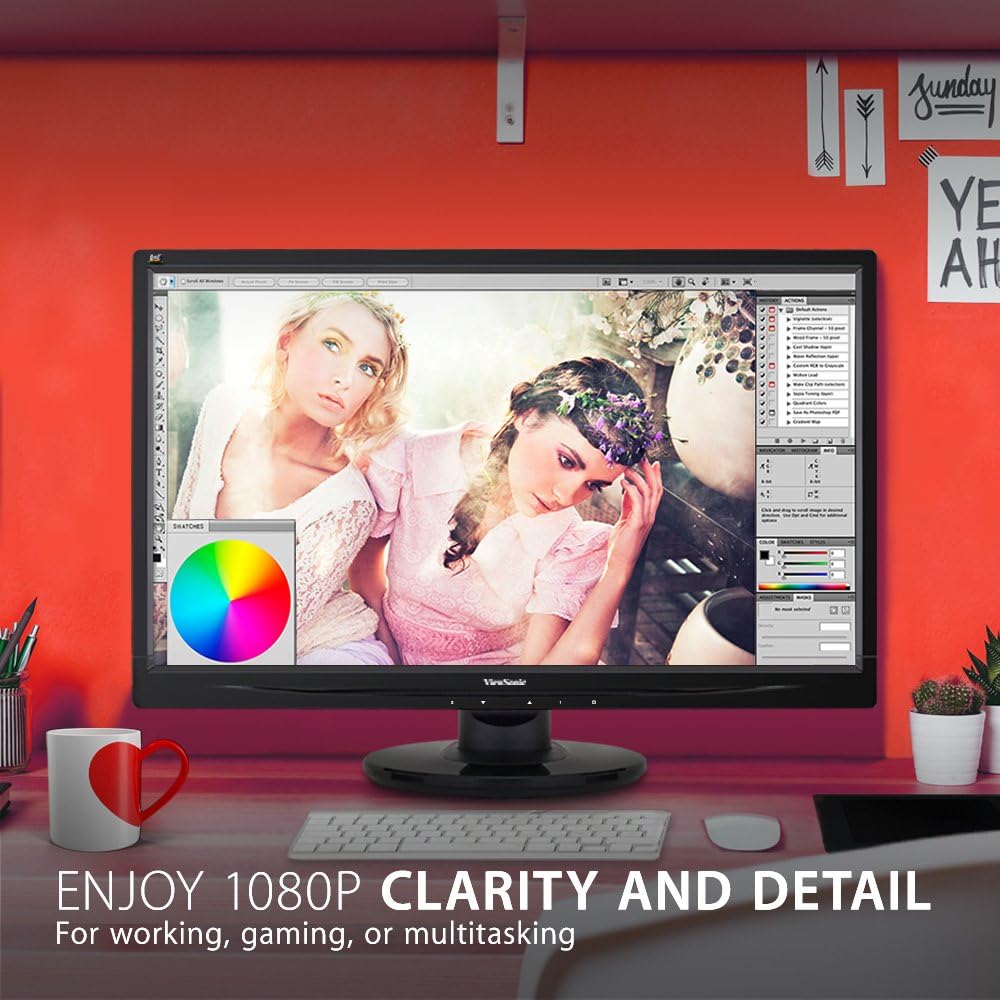
The monitor showcases its Full HD 1080p clarity and detail, ideal for tasks like graphic design, gaming, or general multitasking, with a color palette visible on screen.
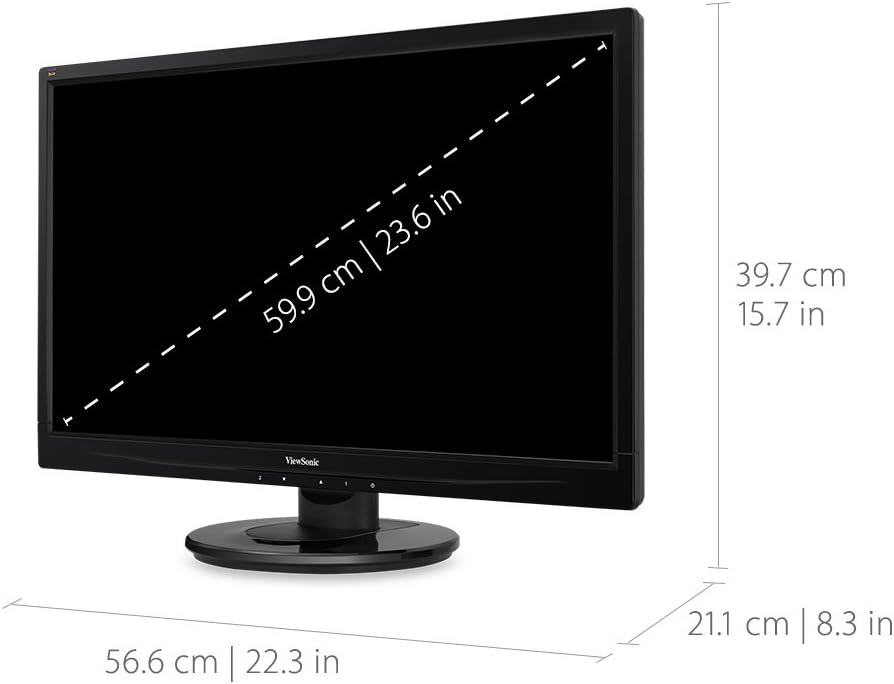
This diagram provides the physical dimensions of the monitor, indicating a 23.6-inch diagonal screen size (59.9 cm) and overall measurements of 22.3 inches (56.6 cm) width, 15.7 inches (39.7 cm) height, and 8.3 inches (21.1 cm) depth.
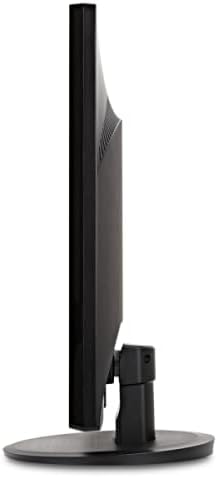
Страна view of the monitor, highlighting its slim profile и дизајнот на штандот.
Гаранција и поддршка
За информации за гаранцијата и техничка поддршка, ве молиме погледнете го официјалниот ViewСоник webстраницата или документацијата вклучена со вашиот производ.
Можете да ја посетите официјалната ViewSonic Store for more information: ViewСоник продавница