Вовед
Ви благодарам за купувањетоasing the Muse M-1520 SBT Soundbar. This device is designed to enhance your audio experience with 50W of power and versatile connectivity options including Bluetooth, AUX-IN, RCA, and Optical inputs. Please read this manual carefully before use to ensure proper setup and operation.

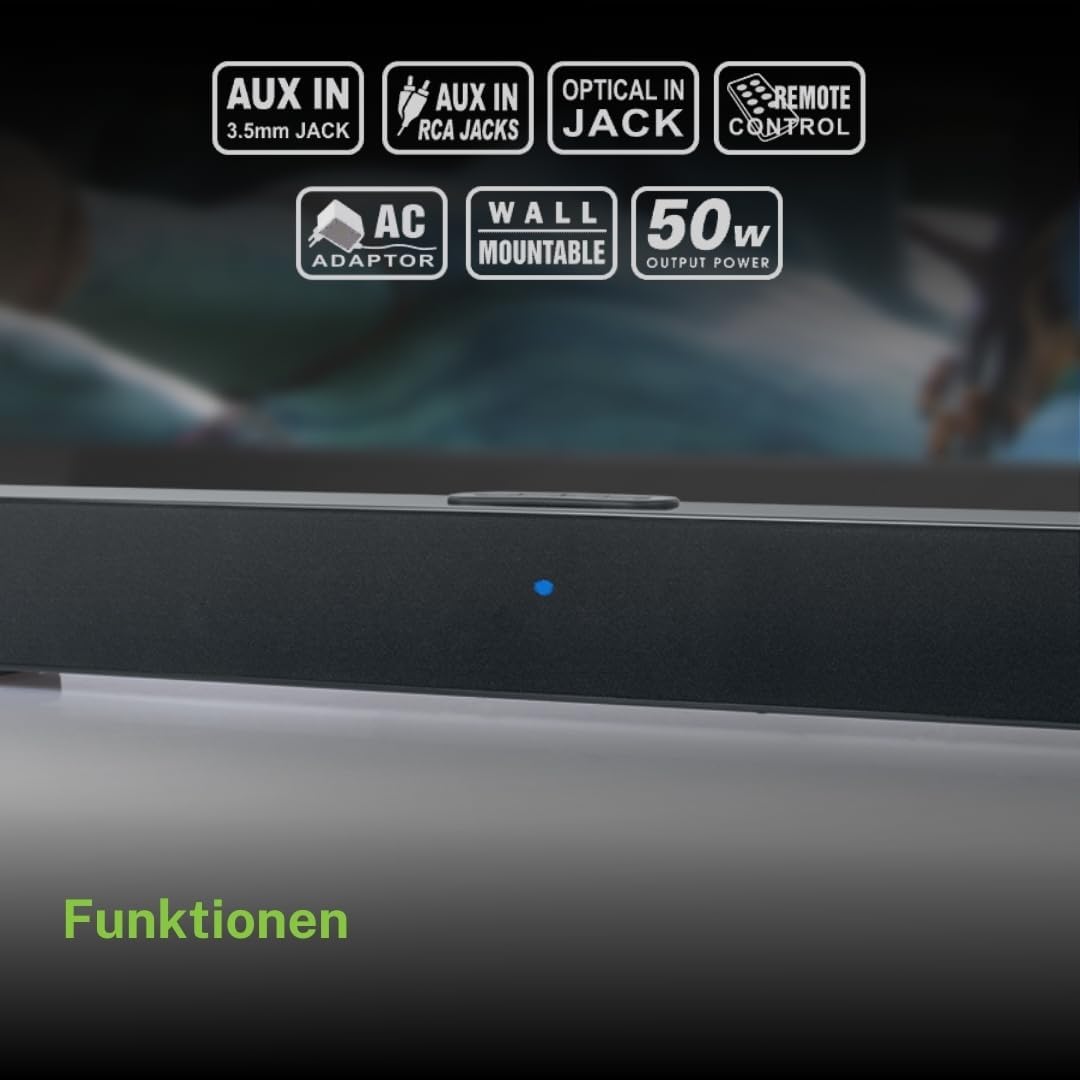
The Muse M-1520 SBT Soundbar integrated into a home entertainment setup.
Инструкции за безбедност
- Не го изложувајте уредот на дожд или влага.
- Не го отворајте casing; препуштете го целото сервисирање на квалификуван персонал.
- Обезбедете соодветна вентилација околу уредот.
- Држете го уредот подалеку од директна сончева светлина, извори на топлина и силни магнетни полиња.
- Користете го само дадениот адаптер за напојување.
- Не ставајте тешки предмети врз саундбарот.
- Фрлете ги батериите одговорно.
Содржина на пакетот
Ве молиме проверете дали сите артикли наведени подолу се вклучени во вашиот пакет:
- Muse M-1520 SBT Soundbar
- Адаптер за напојување со наизменична струја
- RCA кабел
- 3.5 mm Aux-In Cable
- Далечински управувач
- 2 x AA батерии (за далечинско управување)

All accessories included with the Muse M-1520 SBT Soundbar.
Контроли и врски
Врски на задниот панел

Детално view of the soundbar's rear input ports.
- AUX 1 (3.5mm): Поврзете надворешни аудио уреди со помош на 3.5 мм аудио кабел.
- AUX 2 (RCA L/R): Connect external audio devices using an RCA stereo cable.
- ОПТИЧКО: Connect to a TV or other device with an optical digital audio output.
- DC 12V: Connect the provided AC power adapter.
Top Panel Controls and Indicators
Top panel controls and LED indicator for the soundbar.
The top panel features buttons for power, volume control, and source selection. A blue LED indicator shows the current status or selected input.
Поставување
1 Поставување
Place the soundbar on a stable, flat surface in front of your television, or mount it on the wall below your TV. Ensure there are no obstructions blocking the sound.
2. Поврзување за напојување
- Connect the AC power adapter to the DC 12V input on the rear of the soundbar.
- Вклучете го адаптерот за наизменична струја во ѕиден штекер.
3. Аудио поврзување
Choose one of the following methods to connect the soundbar to your audio source (e.g., TV, DVD player):
- Оптичка врска: For best audio quality, connect an optical cable (not included) from your TV's optical output to the OPTICAL input on the soundbar.
- RCA конекција: Connect the supplied RCA cable from your audio source's RCA L/R output to the AUX 2 (RCA) input on the soundbar.
- 3.5mm AUX-IN Connection: Connect the supplied 3.5mm Aux-In cable from your audio source's headphone jack or AUX output to the AUX 1 (3.5mm) input on the soundbar.
Упатства за работа
Вклучување/исклучување
- Притиснете го МОЌ button on the remote control or the soundbar's top panel to turn the unit on or off.
Избор на извор
- Притиснете го ИЗВОР button on the remote control or the soundbar's top panel repeatedly to cycle through input sources: Bluetooth, AUX 1, AUX 2, Optical.
- The LED indicator will change color or pattern to indicate the selected source.
Контрола на јачината на звукот
- Притиснете го VOL+ or VOL- buttons on the remote control or the soundbar's top panel to adjust the volume.
Bluetooth спарување
- Turn on the soundbar and select the Bluetooth input source. The LED indicator will flash, indicating it is in pairing mode.
- Овозможете Bluetooth на вашиот мобилен уред (паметен телефон, таблет итн.).
- Пребарај за available Bluetooth devices. The soundbar will appear as "M-1520 SBT".
- Select "M-1520 SBT" to pair. Once connected, the LED indicator will stop flashing and remain solid.
- Сега можете да репродуцирате аудио од вашиот уред преку саундбарот.
Забелешка: Ако се побара лозинка, внесете „0000“.
Монтирање на ѕид
The Muse M-1520 SBT Soundbar is designed to be wall-mountable. Mounting hardware (screws, anchors) is not typically included and must be purchased separately based on your wall type.
Важно: Ensure the wall can support the weight of the soundbar (approximately 1.2 kg). Consult a professional if you are unsure about wall mounting.
Одржување
- Чистење: Користете мека, сува крпа за чистење на површината на саундбарот. Не користете течни средства за чистење или абразивни материјали.
- Складирање: Доколку го складирате уредот подолг временски период, исклучете го од штекерот и складирајте го на ладно и суво место.
Решавање проблеми
| Проблем | Можна причина | Решение |
|---|---|---|
| Нема моќ | Power adapter not connected or wall outlet not active. | Проверете дали адаптерот за напојување е безбедно поврзан со саундбарот и со функционален ѕиден штекер. |
| Нема звук | Incorrect input source selected, volume too low, or audio cable not connected properly. | Select the correct input source. Increase the volume. Check all audio cable connections. Ensure the TV/source audio output is enabled. |
| Спарувањето со Bluetooth не успеа | Саундбарот не е во режим на спарување, уредот е предалеку или има пречки. | Ensure the soundbar is in Bluetooth pairing mode (flashing LED). Move your device closer to the soundbar. Turn off other Bluetooth devices to reduce interference. |
| Далечинскиот управувач не работи | Batteries are dead or inserted incorrectly, or line of sight is blocked. | Replace the batteries (2 x AA). Ensure batteries are inserted with correct polarity. Remove any obstructions between the remote and the soundbar. |
Спецификации
| Име на моделот | М-1520 СБТ |
| Излезна моќност | 50 вати |
| Поврзување | Bluetooth, AUX-IN (3.5mm), RCA, Optical |
| Безжична технологија | Bluetooth |
| Компатибилни уреди | TV, smartphone, PC, tablet |
| Димензии (Д x Ш x В) | 66 x 6 x 5.9 cm (25.98 x 2.36 x 2.32 инчи) |
| Тежина | 1.2 кг (2.65 фунти) |
| Контролен метод | Далечински управувач |
| Извор на енергија | AC Adapter (12V DC) |
| Боја | Црното |

Dimensional diagram of the Muse M-1520 SBT Soundbar.
Гаранција и поддршка
Specific warranty information for the Muse M-1520 SBT Soundbar is not available in the provided product details. Please refer to the warranty card included in your product packaging or contact your retailer for details regarding warranty coverage and customer support.


