1. Вовед
This manual provides essential information for the safe and efficient operation of your InFocus IN112XV Presentation Projector. The IN112XV is designed for business presentations and educational use, offering a long lamp life, high brightness, and clear image quality.
- Проширена Лamp Животот: Enjoy over 15,000 hours of viewинг.
- Висока осветленост: 3800 lumens for clear images in various lighting conditions.
- Сооднос на контраст: 26000:1 for distinct whites and blacks.
- Флексибилен ViewИНГ: Projects images from 28 inches to 300 inches diagonally.
- Поврзување: Features HDMI input and SVGA (800 x 600) resolution.
2. Содржина на пакетот
Проверете дали сите артикли наведени подолу се вклучени во вашиот пакет:
- InFocus IN112XV Projector
- Кабел за напојување
- Далечински управувач
- VGA кабел
- Документација (овој прирачник и други водичи)
3. Производот завршиview
Familiarize yourself with the components and controls of your InFocus IN112XV projector.
3.1 фронт View
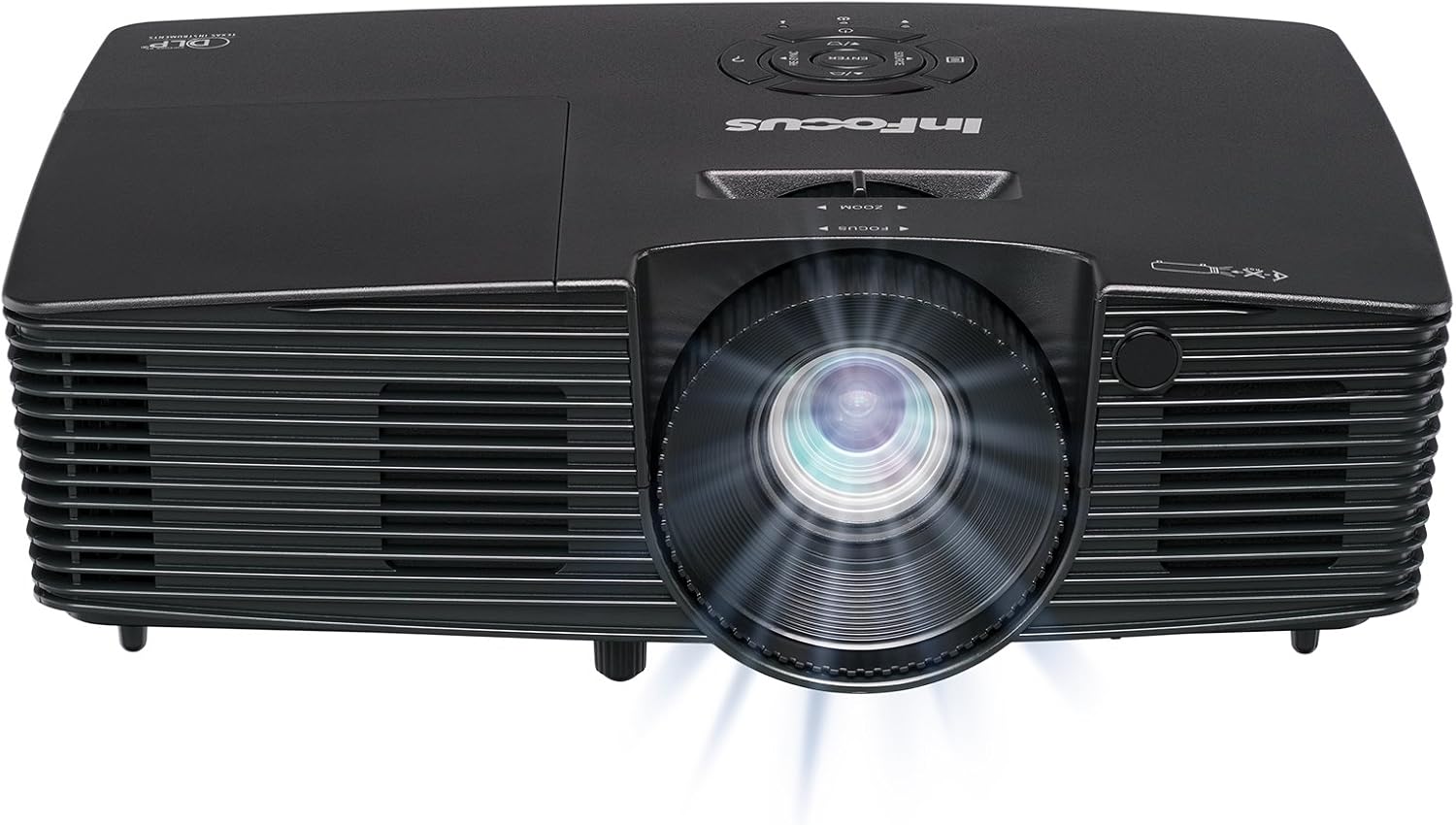
Слика 3.1: Предна страна view of the InFocus IN112XV projector. This image highlights the main projection lens and the front ventilation grilles.
3.2 Врвот View и Контролен панел

Слика 3.2: Врвот view of the InFocus IN112XV projector. The control panel is visible on the right, featuring buttons for power, source selection, menu navigation, keystone adjustment, and volume. The focus and zoom adjustment rings are located around the lens.
The control panel on the top of the projector allows for basic operation without the remote. Key buttons include:
- Моќност: Го вклучува или исклучува проекторот.
- Извор: Циклично ги прелистува достапните влезни извори.
- Мени: Accesses the on-screen display (OSD) menu.
- Внесете: Ги потврдува изборите во менито на OSD.
- Стрелките на тастатурата: Navigate menu options and adjust settings.
- Re-Sync: Synchronizes the image.
3.3 Заден дел View and Connection Ports

Слика 3.3: Заден дел view of the InFocus IN112XV projector. This image displays the available connection ports, including Video In, S-Video In, Computer In (VGA), HDMI, and the power input.
Задниот панел обезбедува различни порти за поврзување на надворешни уреди:
- Видео во: For composite video sources.
- S-Video In: For S-Video sources.
- Computer In (VGA): For connecting to computers via VGA cable.
- HDMI: За дигитални видео и аудио извори.
- Услуга: За цели на сервисирање и одржување.
- Влез на енергија: Connects the power cord to an electrical outlet.
Далечински управувач 3.4

Слика 3.4: Remote control for the InFocus IN112XV projector. The remote provides full control over the projector's functions, including power, source selection, menu navigation, keystone correction, and volume.
The remote control offers convenient access to all projector functions. Ensure batteries are correctly installed.
4. Поставување
4.1 Поставување
Position the projector on a stable, flat surface or mount it securely. Ensure there is adequate space around the projector for ventilation.
4.2 Поврзување за напојување
- Поврзете го кабелот за напојување со влезот за напојување на проекторот.
- Приклучете го другиот крај на кабелот за напојување во заземјен електричен штекер.
4.3 Поврзување на влезни извори
The projector supports various input sources. Choose the appropriate cable for your device:
- HDMI: Connect an HDMI cable from your source device (e.g., laptop, media player) to the projector's HDMI port.
- VGA (Влез за компјутер): Connect a VGA cable from your computer to the projector's Computer In port. This is a plug-and-play connection.
- Video In / S-Video In: Use composite video or S-Video cables for older video sources.
- Мобилни уреди: To connect an iPad or smartphone, a LightCast Key (sold separately) is required.
5. Упатства за работа
5.1 Вклучување/исклучување
- За вклучување: Притиснете го Моќ button on the projector's control panel or the remote control. The power indicator light will change.
- За исклучување: Притиснете го Моќ button again. A confirmation message may appear. Press again to confirm shutdown. Allow the projector to cool down before unplugging.
5.2 Избор на влезен извор
After connecting your source device, select the correct input:
- Притиснете го Извор button on the projector's control panel or the remote control to cycle through available inputs (HDMI, VGA, Video, S-Video).
- Alternatively, use the dedicated input buttons (HDMI, VGA, Video) on the remote control.
5.3 Прилагодување на фокусот и зумот
For a clear and appropriately sized image, adjust the lens rings:

Слика 5.1: Manual Focus Adjustment. This image illustrates the effect of adjusting the focus ring, transforming a blurry projection into a clear and sharp image.
- Фокус: Завртете го Фокусирајте се ring on the projector lens until the image appears sharp and clear.
- Зумирајте: Завртете го Зумирајте ring on the projector lens to adjust the size of the projected image.
5.4 Корекција на клучот
If the projected image appears trapezoidal (wider at the top or bottom), use keystone correction to square it:
- Притиснете го Keystone+ or Keystone- buttons on the remote control to adjust the image geometry.
5.5 Навигација на мени
Access the On-Screen Display (OSD) menu for advanced settings:
- Притиснете го Мени button on the remote or control panel.
- Користете ги копчињата со стрелки за да се движите низ опциите на менито.
- Притиснете Внесете за да изберете опција или да потврдите поставка.
- Притиснете Мени again to exit the OSD.
6. Одржување
6.1 лamp Животот
Проекторот лamp has an estimated life of over 15,000 hours. When the lamp reaches the end of its life, the projector may display a warning message or the image brightness may significantly decrease. Refer to the full service manual for lamp replacement procedures if necessary.
6.2 Чистење
- Проектор Цasing: Use a soft, dry cloth to wipe the exterior of the projector. Do not use abrasive cleaners or solvents.
- Објектив: Gently clean the lens with a lens cleaning cloth and specialized lens cleaning solution. Avoid touching the lens surface with your fingers.
- Отвори за вентилација: Periodically check and clean the ventilation openings to ensure proper airflow and prevent overheating. Use a soft brush or compressed air to remove dust.
7 Смена на проблеми
Овој дел се однесува на вообичаени проблеми со кои може да се соочите со вашиот проектор.
| Проблем | Можна причина | Решение |
|---|---|---|
| Нема прикажана слика |
|
|
| Сликата е матна |
|
|
| Сликата е трапезоидна |
|
|
| Projector runs hot or smells of burning plastic |
|
|
| Нема аудио |
|
|
Важна забелешка: This projector is not recommended for high-definition movie viewing. While it can accept a 1080p input signal, it projects at its native SVGA (800 x 600) resolution.
8. Спецификации
| Карактеристика | Детал |
|---|---|
| Број на модел | IN112XV |
| Технологија на прикажување | DLP |
| Мајчин резолуција | SVGA (800 x 600) |
| Осветленост | 3800 лумени |
| Сооднос на контраст | 26000:1 |
| Lamp Животот | До 15,000 часа |
| Поврзување | HDMI, VGA (Computer In), Video In, S-Video In |
| Специјална карактеристика | 3D подготвен |
| Препорачана употреба | Бизнис, Образование |
| Димензии на производот | 8.8 x 12.4 x 4 инчи |
| Тежина на ставката | 5.5 фунти |
9. Гаранција и поддршка
9.1 Информации за гаранцијата
The InFocus IN112XV projector is backed by a 2 година гаранцијаОваа гаранција ги покрива дефектите во материјалите и изработката при нормална употреба. Ве молиме задржете го доказот за купување за гаранциски барања.
9.2 Поддршка за корисници
For technical assistance, troubleshooting beyond this manual, or warranty service, please contact InFocus customer support. Contact information can typically be found on the official InFocus webстраницата или во документацијата вклучена со вашиот производ.


