1. Вовед
This manual provides essential instructions for the setup, operation, and maintenance of your Korg PA700 61-Key Arranger Keyboard bundle. This bundle includes the Korg PA700 keyboard, an adjustable X-style keyboard bench, and an adjustable double X keyboard stand. Please read this manual thoroughly before using the product to ensure proper and safe operation.
The Korg PA700 features KORG’s advanced EDS-X (Enhanced Definition Synthesis-eXpanded) sound engine, offering over 1,700 ready-to-play sounds. It includes a capacitive TouchView display for intuitive control and 2x25 Watt amplifiers driving two loudspeakers in a bass-reflex enclosure for a rich sound experience. The instrument also provides 148 studio-quality effect types for sound customization.
2. Содржина на пакетот
Проверете дали сите артикли наведени подолу се присутни во вашиот пакет:
- Korg PA700 61-Key Arranger Keyboard
- Прилагодлива клупа за тастатура во стилот X
- Прилагодлив држач за тастатура Double X
- Кабел за напојување
- Музички одмор
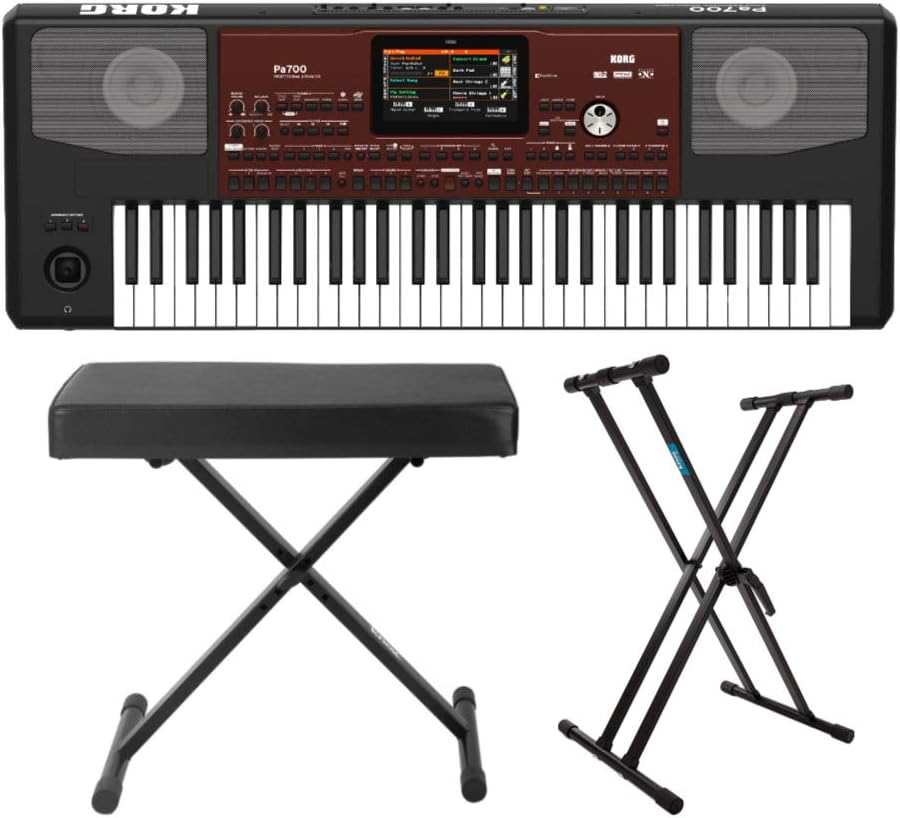
Слика 2.1: Готовоview of the Korg PA700 Arranger Keyboard, adjustable bench, and double X stand included in the bundle.
3. Упатства за поставување
3.1 Склопување на држачот за тастатура
- Unfold the adjustable double X keyboard stand.
- Adjust the height to your preferred playing position using the locking mechanism. Ensure the stand is stable before placing the keyboard.

Figure 3.1: The adjustable double X keyboard stand, ready for assembly and height adjustment.
3.2 Assembling the Keyboard Bench
- Unfold the adjustable X-style keyboard bench.
- Ensure all legs are securely locked into place for stability.

Figure 3.2: The adjustable X-style keyboard bench in its unfolded, ready-to-use state.
3.3 Connecting the Korg PA700 Keyboard
- Place the Korg PA700 keyboard securely on the assembled stand.
- Insert the power cable into the AC IN port on the rear panel of the keyboard.
- Поврзете го другиот крај од кабелот за напојување со соодветен штекер.
- If using external audio equipment, connect audio cables to the appropriate output jacks (e.g., L/MONO, R) on the rear panel.
- For headphones, connect to the headphone jack on the front left side of the keyboard.

Figure 3.3: The rear panel of the Korg PA700, showing various input and output ports including AC IN, audio outputs, and USB connections.
4. Упатства за работа
4.1 Вклучување/исклучување
- To power on, press the POWER button located on the left side of the keyboard.
- За да го исклучите уредот, притиснете и држете го копчето POWER додека не се исклучи.
4.2 Навигација преку допирView Приказ
The Korg PA700 features a capacitive TouchView display. Interact with the display by touching icons and menus directly with your finger. The redesigned graphical interface is designed for ease of use and readability.

Слика 4.1: Врв view of the Korg PA700, highlighting the central TouchView display and surrounding control panel.
4.3 Sound Selection and Customization
The PA700 includes over 1,700 ready-to-play sounds, powered by the EDS-X sound engine. These include a wide range of instruments from classic keyboards to orchestral sounds. Use the TouchView display to browse and select sounds.
4.4 Using Studio-Quality Effects
The keyboard offers 148 effect types. For accompaniment tracks, two insert effects and two master effects can be applied. For real-time keyboard tracks, one insert effect and two master effects are available. Access and adjust these effects through the TouchView display's effect section.
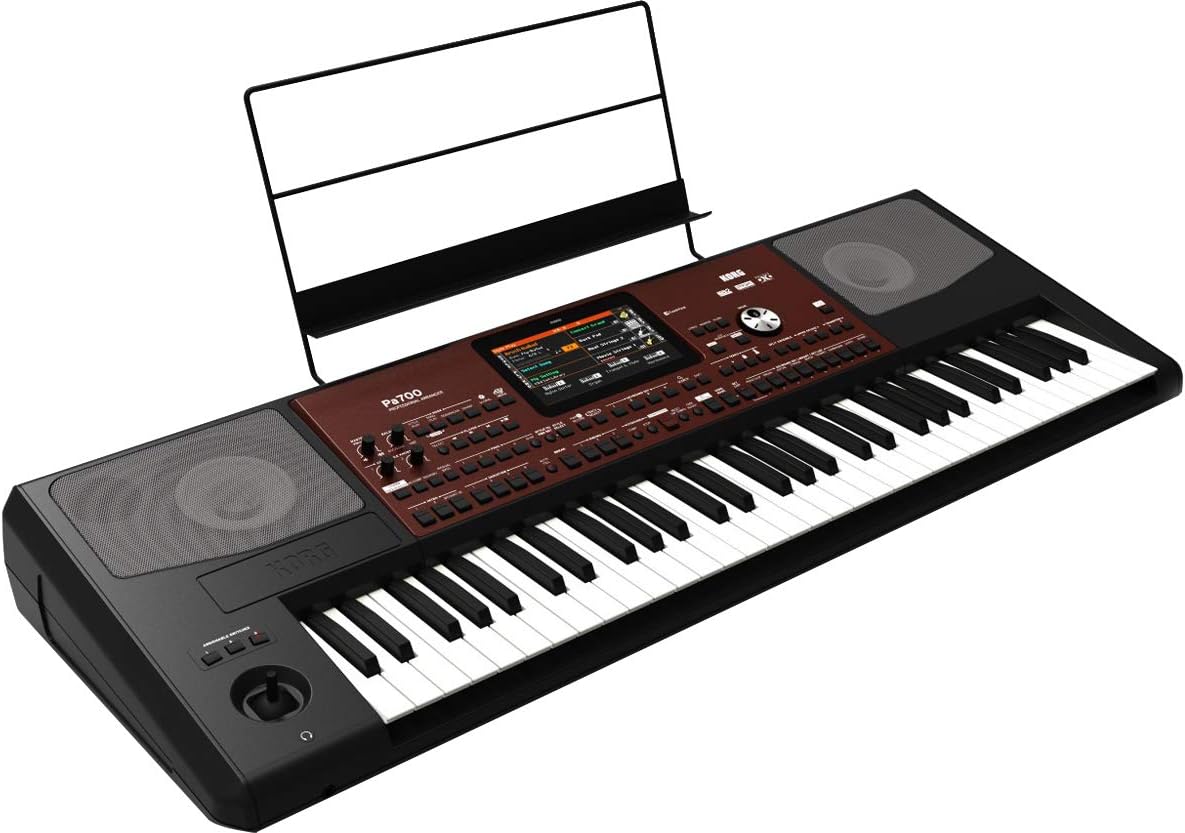
Слика 4.2: Аголна view of the Korg PA700, showing the keyboard, control panel, and an installed music rest.
5. Одржување
5.1 Чистење
- Use a soft, dry cloth to clean the surface of the keyboard, stand, and bench.
- За тврдокорна нечистотија, малку дampИзмијте ја крпата со вода и благ, неабразивен чистач, а потоа веднаш избришете ја на суво.
- Избегнувајте употреба на абразивни средства за чистење, растворувачи или восоци, бидејќи тие можат да го оштетат финишот.
5.2 Складирање
- Чувајте ја тастатурата на ладно и суво место, подалеку од директна сончева светлина и екстремни температури.
- If storing for extended periods, cover the keyboard to protect it from dust.
6 Смена на проблеми
6.1 Нема струја
- Ensure the power cable is securely connected to both the keyboard and a working power outlet.
- Проверете дали штекерот е функционален со вклучување на друг уред.
6.2 Нема звук
- Verify that the master volume knob is turned up.
- If using headphones, ensure they are properly plugged in and test with another audio source.
- Ако користите надворешни звучници, проверете го нивното напојување и врски.
6.3 Екранот не реагира
- Try restarting the keyboard by powering it off and on again.
- Ensure your fingers are clean and dry when interacting with the TouchView приказ.
7. Спецификации
| Карактеристика | Спецификација |
|---|---|
| Име на моделот | PA700 |
| Бренд | KORG |
| Број на клучеви | 61 |
| Тип на инструмент | Electronic Keyboard (Arranger) |
| Звучен мотор | EDS-X (Подобрена синтеза на дефиниција - проширена) |
| Звуци | Over 1,700 ready-to-play sounds |
| Ефекти | 148 types (2 Insert/2 Master for accompaniment, 1 Insert/2 Master for real-time) |
| Ampказните за слободни животи | 2 x 25 вати |
| Звучници | 2 loudspeakers in bass-reflex enclosure |
| Приказ | Капацитивен допирView приказ |
| Технологија за поврзување | Auxiliary, 3.5mm Jack (Headphone) |
| Извор на енергија | Електричен со кабел |
| Тежина на ставката | 30.8 pounds (Keyboard only) |
| Димензии на производот | 9.1 x 9.1 x 9.1 inches (Packaging/Shipping dimensions, actual keyboard dimensions may vary) |
| Боја | Black, Wine Red |
| UPC | 657379010538 |
8. Гаранција и поддршка
За информации за гаранцијата и техничка поддршка, ве молиме погледнете го официјалниот Korg website or contact Korg customer service directly. Specific warranty terms may vary by region and retailer.
You can find more information and support resources by visiting the official KORG store online: KORG Official Store.


