1. Вовед
The Polar Handlebar Mount is designed to provide a secure and convenient way to attach your compatible Polar cycling computer or sports watch to your bicycle's handlebars. This allows for easy visibility of your training data, such as speed, distance, and heart rate, during your rides. This universal mount is compatible with various Polar wrist units, including the V650 and M450 models.
Please read these instructions carefully before installation and use to ensure proper setup and optimal performance.
2. Поставување и инсталација
2.1 Содржина на пакетот
- Polar Handlebar Mount
- Zip ties (typically two or more for secure fastening)
2.2 Чекори за инсталација
Follow these steps to securely attach the handlebar mount to your bicycle:
- Позиционирајте го држачот: Place the Polar Handlebar Mount on a suitable section of your bicycle's handlebars. Ensure it is positioned centrally and does not obstruct your view or access to other controls.
- Обезбедете со патент-врвки: Thread the provided zip ties through the designated slots on the mount and around the handlebar. Pull the zip ties tight to secure the mount firmly in place.
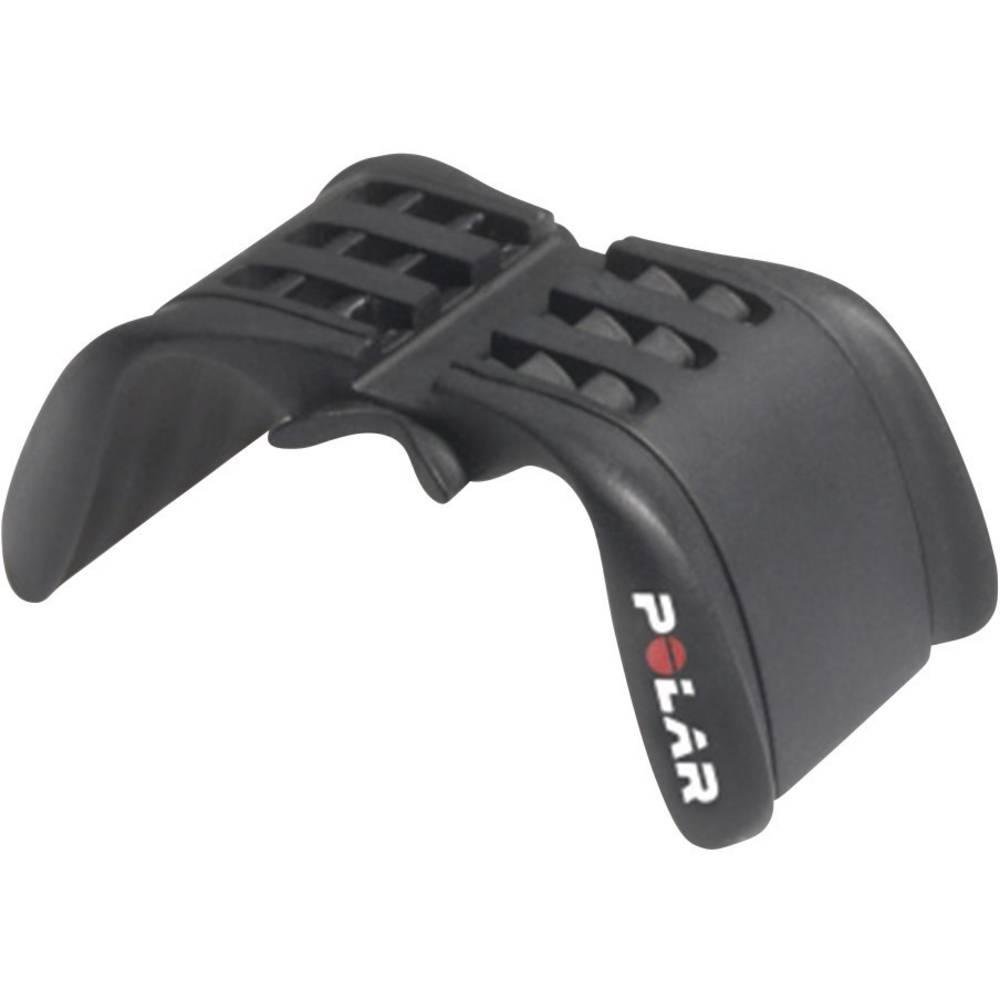
Image: The Polar Handlebar Mount shown attached to a bicycle handlebar using two black zip ties. The mount is positioned centrally on the bar, with the Polar logo visible on the side. This image illustrates the correct method for securing the mount.
- Исечете го вишокот: Once the mount is firmly secured and does not move, trim any excess length from the zip ties using scissors or a cutting tool. Ensure no sharp edges remain.
- Стабилност на тестот: Gently try to move the mount by hand to confirm it is stable and will not shift during your ride. Adjust the zip ties if necessary.
Важно: Ensure the mount is extremely stable. A loose mount could lead to your device falling off during a ride.
3. Упатства за работа
3.1 Attaching Your Polar Device
The Polar Handlebar Mount is designed to hold your Polar cycling computer or sports watch securely.
- Подгответе уред: Remove your Polar device from its wrist strap.
- Align Device: Align the back of your Polar device with the mounting grooves on the handlebar mount.
- Slide and Secure: Gently slide the device into the mount until it clicks into place. Ensure it is fully seated and does not wobble.
3.2 Detaching Your Polar Device
To remove your Polar device from the mount:
- Press Release Mechanism: Locate the release tab or button on the back or side of your Polar device (refer to your device's specific manual for exact location).
- Slide Out: While pressing the release, gently slide the device out of the handlebar mount.
Внимание: Do not force the device into or out of the mount. If it feels stuck, re-check alignment or the release mechanism.
4. Одржување
- Чистење: Clean the mount periodically with a damp крпа. Избегнувајте употреба на груби хемикалии или абразивни средства за чистење, бидејќи тие можат да ја оштетат пластиката.
- Инспекција: Regularly inspect the mount and zip ties for any signs of wear, cracks, or damage. Replace the mount or zip ties if any damage is observed to prevent your device from falling.
- Складирање: Кога не го користите подолг период, чувајте го држачот на ладно и суво место, подалеку од директна сончева светлина.
5 Смена на проблеми
| Проблем | Можна причина | Решение |
|---|---|---|
| Mount is loose on handlebar. | Zip ties are not tight enough or are damaged. | Tighten the existing zip ties or replace them with new ones. Ensure they are pulled very taut. |
| Device does not fit into the mount. | Incorrect device model or improper alignment. | Verify your Polar device is compatible with this mount (e.g., V650, M450). Ensure the device is aligned correctly with the mount's grooves before sliding. |
| Device falls out of the mount during use. | Device not fully secured or mount is damaged. | Ensure the device clicks firmly into place. Inspect the mount for any cracks or broken tabs that might prevent a secure fit. Replace if damaged. |
6. Спецификации
- Модел: 91053127
- Бренд: Поларна
- Материјал: Пластика
- Боја: Црното
- Тип на монтирање: Рачка
- Компатибилни уреди: Polar V650, Polar M450, and other compatible Polar sports watches/cycling computers.
- Димензии (Д x Ш x В): Приближно 30 x 10 x 5 cm (11.8 x 3.9 x 2.0 инчи)
- Тежина: Приближно 40.82 грама (1.44 унци)
- Карактеристики: Прилагодлив viewing angle (via device rotation), secure zip-tie fastening.
7. Поддршка и гаранција
For further assistance, product information, or warranty details, please visit the official Polar support webсајт или контактирајте со нивната служба за корисници.
Ве молиме задржете го доказот за купување за какви било гаранциски побарувања.