1. Вовед и повеќеview
The Roccat Horde AIMO RGB Gaming Keyboard is designed for optimal gaming performance and user customization. It features a precision key layout, quick-fire macro keys, a configurable tuning wheel, and advanced AIMO intelligent lighting. This manual provides essential information for setting up, operating, maintaining, and troubleshooting your keyboard.
Клучни карактеристики:
- Precision Key Layout: Finger-cap design for enhanced key distinction and dirt resistance.
- AIMO систем за осветлување: Intelligent lighting that synchronizes across multiple compatible devices.
- RGB осветлување: Configurable, multi-zone, multi-color illumination.
- Membrane Keys: Engineered for a precise actuation point.
- Configurable Tuning Wheel & Buttons: On-the-fly control for multimedia, lighting, and more.
- Quick-Fire Macros: Ниско-проfile macro keys designed to prevent accidental activation.
- Enhanced Anti-Ghosting: Ensures every key press is registered accurately.
- Отстранлив потпирач за дланки: Ergonomic design for increased comfort during extended gaming sessions.
- Roccat Swarm: Comprehensive driver and software system for customization.
2. Поставување
2.1 Поврзување на тастатурата
Connect the keyboard to your computer using the integrated USB 2.0 cable. Ensure the USB connector is fully inserted into an available USB port on your PC.
2.2 Software Installation (Roccat Swarm)
For full functionality and customization, install the Roccat Swarm software. An internet connection is required for driver installation and software updates.
- Visit the official Roccat website to download the latest version of the Roccat Swarm software.
- Стартувајте го инсталаторот и следете ги упатствата на екранот.
- Рестартирајте го компјутерот доколку се побара.
Системски барања: The keyboard is compatible with Windows 8 and Windows 10 operating systems.
2.3 Attaching the Palm Rest
The detachable palm rest provides ergonomic support. Align the palm rest with the bottom edge of the keyboard and gently push until it clicks into place. To remove, pull the palm rest away from the keyboard.
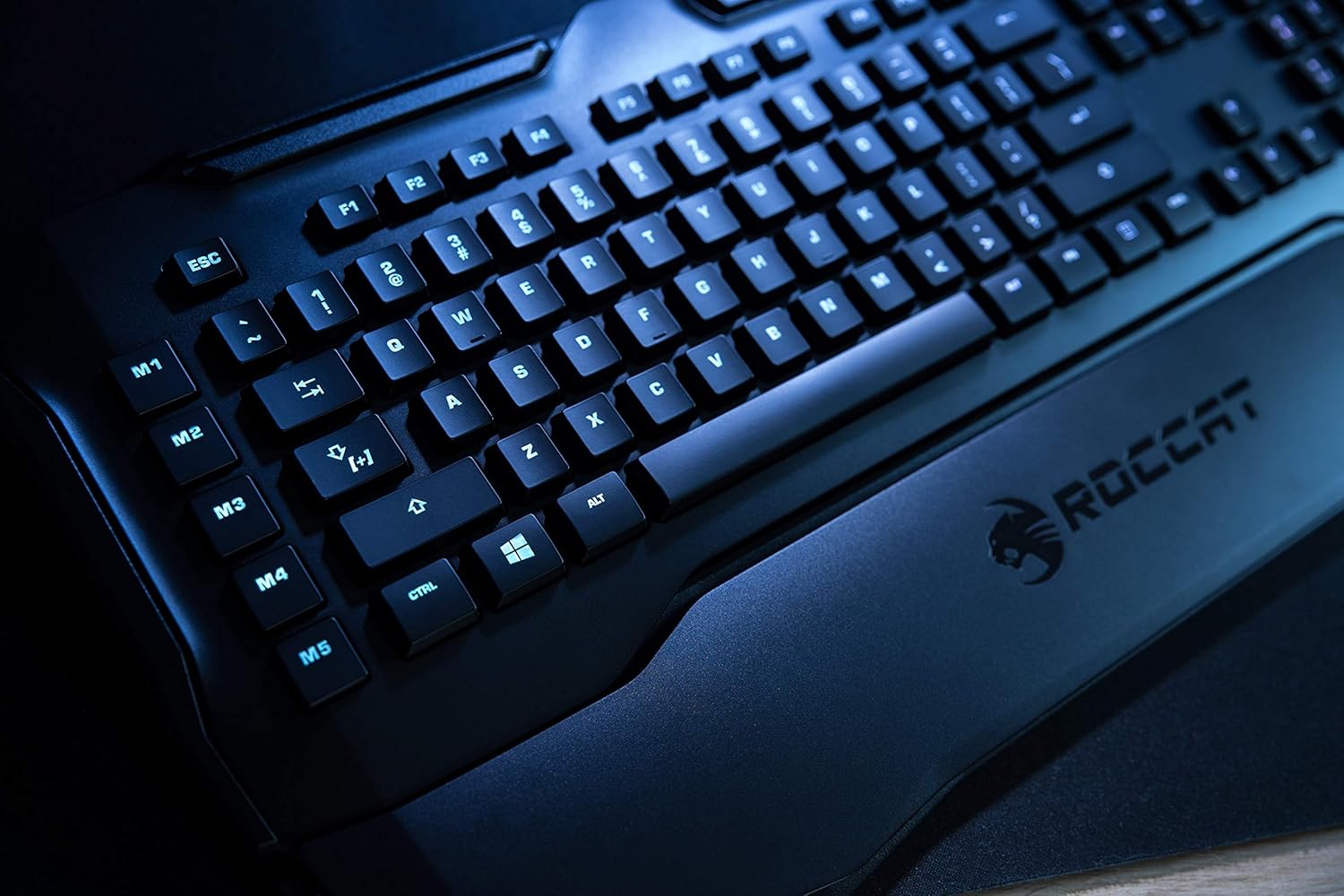
Figure 1: Roccat Horde AIMO keyboard with detachable palm rest.
3. Ракување со тастатурата
3.1 AIMO and RGB Lighting
The AIMO intelligent lighting system provides dynamic, multi-zone RGB illumination. You can customize lighting effects, colors, and synchronization with other AIMO-compatible devices through the Roccat Swarm software.

Figure 2: Roccat Horde AIMO keyboard showcasing RGB осветлување.
3.2 Configurable Tuning Wheel and Buttons
The tuning wheel and dedicated buttons located on the top right of the keyboard allow for quick adjustments without interrupting your workflow or game. These can be configured via Roccat Swarm to control multimedia playback, adjust lighting brightness, switch profiles, и повеќе.

Figure 3: Detail of the tuning wheel and numpad.
3.3 Quick-Fire Macro Keys (M1-M5)
The five dedicated macro keys (M1-M5) on the left side of the keyboard can be programmed for complex commands or frequently used actions. Their low-profile design helps prevent accidental presses during intense gaming. Use the Roccat Swarm software to assign macros.

Figure 4: Macro keys M1-M5 and WASD section.
3.4 Анти-духови
The enhanced anti-ghosting feature ensures that all simultaneous key presses are registered accurately, which is crucial for fast-paced gaming scenarios.
4. Одржување
4.1 Чистење на тастатурата
За да ги одржите перформансите и изгледот на вашата тастатура:
- Исклучете ја тастатурата од компјутерот пред чистење.
- Користете мека, малку гamp cloth to wipe down the surface of the keyboard and keys.
- Избегнувајте употреба на груби хемикалии, абразивни средства за чистење или прекумерна влага.
- За прашина и остатоци помеѓу копчињата, користете компримиран воздух.
4.2 Palm Rest Care
The detachable palm rest can be cleaned with a damp cloth. Ensure it is completely dry before reattaching it to the keyboard.
5 Смена на проблеми
If you encounter issues with your Roccat Horde AIMO keyboard, please refer to the following common solutions:
- Тастатурата не реагира:
- Осигурајте се дека USB кабелот е безбедно поврзан и со тастатурата и со компјутерот.
- Обидете се да ја поврзете тастатурата со друг USB порт.
- Рестартирајте го компјутерот.
- Проблеми со осветлувањето:
- Verify that the Roccat Swarm software is installed and up to date.
- Check lighting settings within the Roccat Swarm software.
- Ensure no conflicting software is running that might interfere with RGB control.
- Макроа не работат:
- Open Roccat Swarm and confirm that your macros are correctly assigned and saved to the active profile.
- Осигурајте се дека софтверот работи во позадина.
- Софтверот не ја детектира тастатурата:
- Reinstall the Roccat Swarm software.
- Ажурирајте го вашиот оперативен систем до најновата верзија.
For further assistance, please visit the official Roccat support webсајт.
6. Спецификации
| Бренд | ROCCAT |
| Име на моделот | Horde AIMO |
| Број на модел Ставка | ROC-12-350-BK |
| Димензии на производот | 5.5 x 47 x 20 cm; 1.1 кг |
| Боја | Црното |
| Технологија за поврзување | USB |
| Број на USB 2.0 порти | 1 |
| Voltage | 5 волти |
| Извор на енергија | USB |
| Оперативен систем | Windows 10 |
| Поддржан софтвер | Windows 8 |
| Опис на тастатурата | Ергономски |
| Препорачана употреба | Gaming, PC / Server |
| Посебни карактеристики | Потпирач за зглоб |
| Прво достапен датум | 15 јануари 2020 година |
7. Гаранција и поддршка
7.1 Гаранција за производот
Your Roccat Horde AIMO RGB Gaming Keyboard is covered by a manufacturer's warranty. Please refer to the warranty card included with your product or visit the official Roccat webстраница за детални услови за гаранција специфични за вашиот регион.
7.2 Техничка поддршка
For technical assistance, software updates, and frequently asked questions, please visit the Roccat support page on their official website. The Roccat Swarm software also provides access to support resources and ensures your device firmware is up to date.
Roccat Official Webсајт: www.roccat.com


