1. Вовед
This manual provides detailed instructions for the Joyroom JR-P1 Bluetooth Headset. Please read this manual carefully before using the product to ensure proper operation and to maximize your user experience. The JR-P1 is a wireless on-ear headset designed for mobile phone compatibility, featuring a built-in microphone for calls and touch controls.
2. Производот завршиview
The Joyroom JR-P1 features an ergonomic ear-hook design for comfortable and stable wear. It is lightweight and designed for various activities.
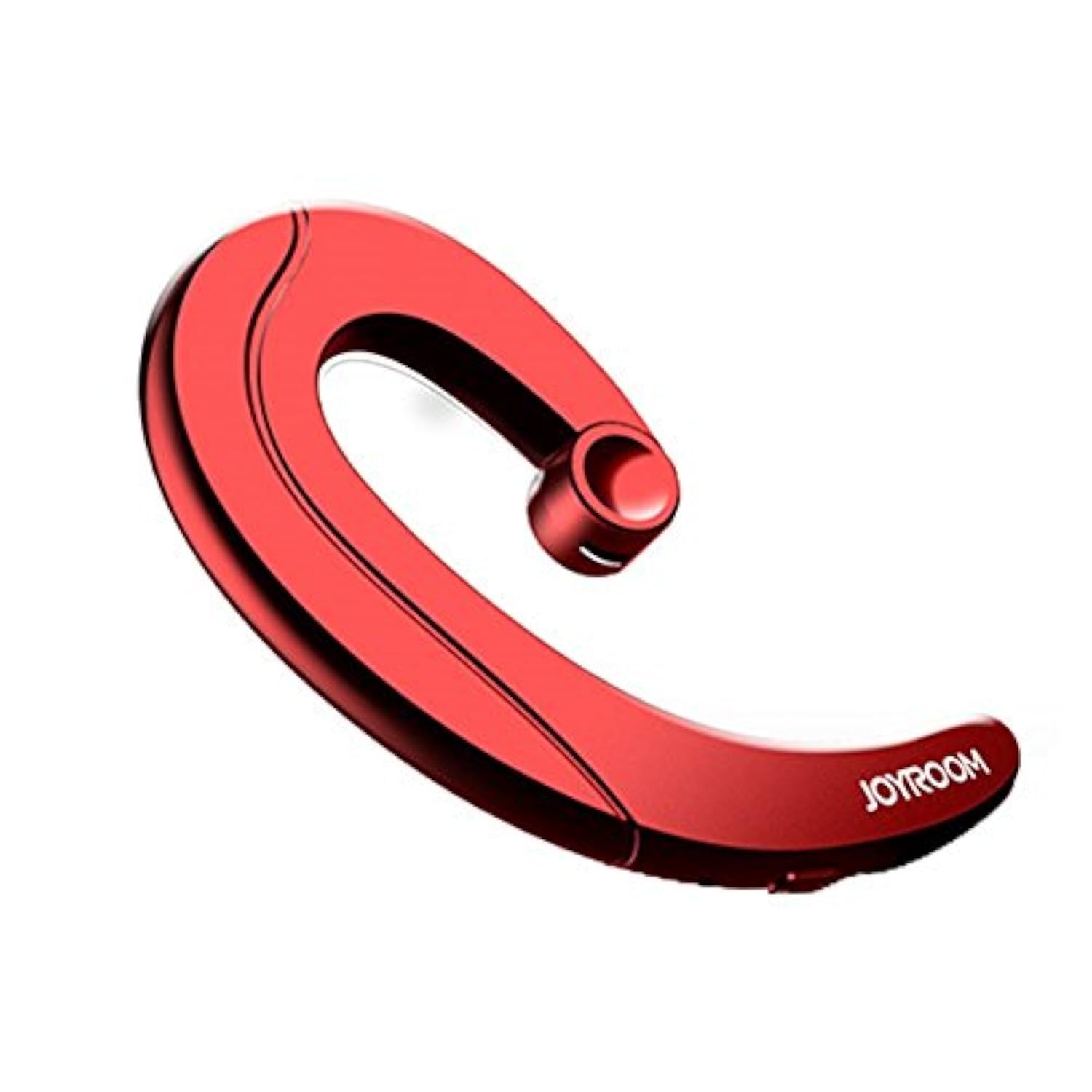
Figure 2.1: Joyroom JR-P1 Bluetooth Headset, showcasing its ear-hook design.
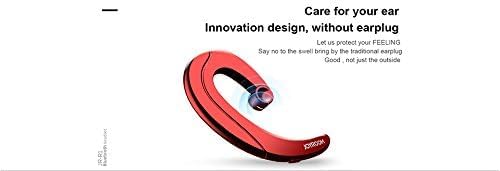
Figure 2.2: Illustration of the innovative design, providing comfort without an earplug.
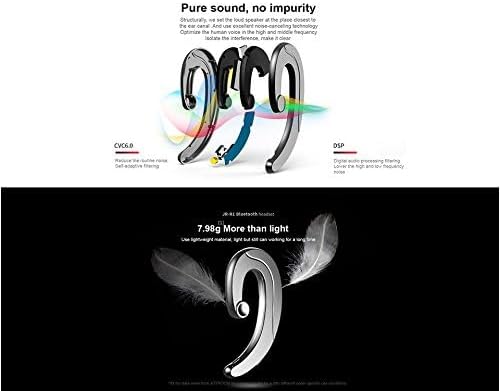
Figure 2.3: Internal technologies including CVC6.0 for noise reduction and DSP for digital audio processing.
3. Поставување
3.1 Полнење на слушалките
Before first use, fully charge the headset. Connect the charging cable (not specified, assume standard USB) to the charging port on the headset and to a compatible USB power source. The indicator light will show charging status and turn off or change color when fully charged.
3.2 Спарување преку Bluetooth
- Осигурајте се дека слушалките се наполнети и исклучени.
- Press and hold the power button (or multi-function button) on the headset until the indicator light flashes red and blue, indicating pairing mode.
- На вашиот мобилен телефон или уред, овозможете Bluetooth и пребарајте достапни уреди.
- Select "JR-P1" from the list of found devices.
- Once connected, the indicator light on the headset will typically flash blue slowly or turn off.
- Ако се побара лозинка, внесете „0000“.
4. Упатства за работа
The JR-P1 headset uses touch controls for various functions.
4.1 Вклучување/исклучување
- Вклучување: Press and hold the multi-function button for approximately 3 seconds until the indicator light flashes.
- Исклучено: Press and hold the multi-function button for approximately 5 seconds until the indicator light turns off.
4.2 Управување со повици
- Одговори/заврши повик: Tap the multi-function button once.
- Одбијте го повикот: Притиснете и држете го копчето за повеќе функции 2 секунди.
- Повторно бирајте последен број: Double-tap the multi-function button.
4.3 Репродукција на музика
- Пушти/Пауза: Tap the multi-function button once.
- Следна песна: Triple-tap the multi-function button.
- Претходна песна: Quadruple-tap the multi-function button.
4.4 Контрола на јачината на звукот
Volume is typically controlled via your connected mobile device. Some headsets may have dedicated volume buttons; refer to the physical design of your JR-P1 headset.

Figure 4.1: The JR-P1 headset is suitable for hands-free communication, such as during driving.
5. Одржување
Proper maintenance ensures the longevity and performance of your Joyroom JR-P1 headset.
- Чистење: Use a soft, dry, lint-free cloth to clean the headset. Do not use harsh chemicals or abrasive materials.
- Отпорност на вода: Оваа слушалка е не е отпорен на вода. Avoid exposure to water, moisture, rain, or sweat to prevent damage.
- Складирање: Чувајте ги слушалките на ладно и суво место, подалеку од директна сончева светлина и екстремни температури.
- Полнење: Не преполнувајте ја батеријата. Исклучете го полначот откако слушалките ќе се наполнат целосно.
6 Смена на проблеми
If you encounter issues with your JR-P1 headset, refer to the following common solutions:
| Проблем | Решение |
|---|---|
| Слушалките не се вклучуваат. | Ensure the headset is fully charged. Press and hold the power button for a longer duration. |
| Не може да се спари со уредот. | Ensure the headset is in pairing mode (flashing red/blue). Turn off and on Bluetooth on your device. Move the headset closer to your device. Clear previous Bluetooth connections on your device. |
| Нема звук или звукот е слаб. | Check the volume level on both the headset and your connected device. Ensure the headset is properly connected. Try re-pairing the headset. |
| Микрофонот не работи. | Ensure the headset is properly connected and selected as the audio input device on your phone. Check for any obstructions on the microphone. |
7. Спецификации
Key technical specifications for the Joyroom JR-P1 Bluetooth Headset:
- Бренд: Сала за радост
- Број на модел: JR-P1
- Технологија за поврзување: Безжичен
- Безжична технологија: Bluetooth
- Форма фактор на слушалки: On-ear (Ear-hook)
- Контролен метод: Допрете
- Вклучува микрофон: Да
- Изолација на бучава: бр
- Компатибилни уреди: Мобилни телефони
- Препорачана употреба: Упатување повици
- Тежина: 20 грама
- Димензии на производот: 7.36 x 3.89 x 0.65 cm
- Ниво на водоотпорност: Не е водоотпорен
- Карактеристика на кабел: Without cable
8. Информации за безбедност
Ве молиме почитувајте ги следниве безбедносни упатства:
- Do not disassemble or modify the headset. This may cause damage and void the warranty.
- Keep the headset away from extreme temperatures, humidity, and corrosive substances.
- Избегнувајте слушање на високи нивоа на јачина на звук подолг период за да спречите оштетување на слухот.
- Use caution when using the headset in situations requiring awareness of your surroundings, such as driving or walking in traffic.
- Отстранете го производот и неговата батерија одговорно во согласност со локалните прописи.
9. Гаранција и поддршка
For warranty information or technical support, please refer to the documentation included with your purchase or contact Joyroom customer service. Keep your proof of purchase for warranty claims.


