1. Вовед
The GameMax Expedition is a compact Micro ATX PC gaming case designed for efficient cooling and component compatibility. This manual provides instructions for the proper installation, operation, and maintenance of your PC case.

Figure 1.1: GameMax Expedition MATX PC Gaming Case, White.
2. Информации за безбедност
- Секогаш исклучувајте ги сите компоненти од струја пред инсталација или одржување.
- Носете антистатички ремен за зглоб за да спречите оштетување на компонентите од електростатско празнење (ESD).
- Be cautious of sharp edges inside the chassis.
- Држете ги малите делови и завртките подалеку од дофат на деца.
- Ensure proper ventilation around the case during operation.
3. Содржина на пакетот
Проверете дали сите артикли се присутни во пакувањето:
- GameMax Expedition MATX PC Gaming Case
- Кутија со додатоци (завртки, држачи, врвки за кабел)
- 1 x 120mm Blue LED Fan (pre-installed at rear)
- Упатство за употреба (овој документ)
4. Карактеристики на производот
- Micro Gaming Chassis: Compact design optimized for gaming components.
- В/И порти: 1 x USB 3.0, 2 x USB 2.0, and HD Audio ports located on the top panel.
- Ладење: Includes 1 x 120mm Blue LED fan. Supports additional fans for enhanced airflow.
- Страничен прозорец: Full side window panel allows visibility of internal components.
- Magnetic Dust Filter: Removable dust filter on the top panel for easy cleaning and improved system longevity.
- GPU Bracket: Integrated bracket provides support for graphics cards, preventing sag and accommodating larger cards.
5. Компонента надview
5.1 Надворешен Views

Figure 5.1: Front panel design with air intake and included 120mm fan illustration.

Figure 5.2: Top I/O panel featuring USB 3.0, USB 2.0, and audio ports.
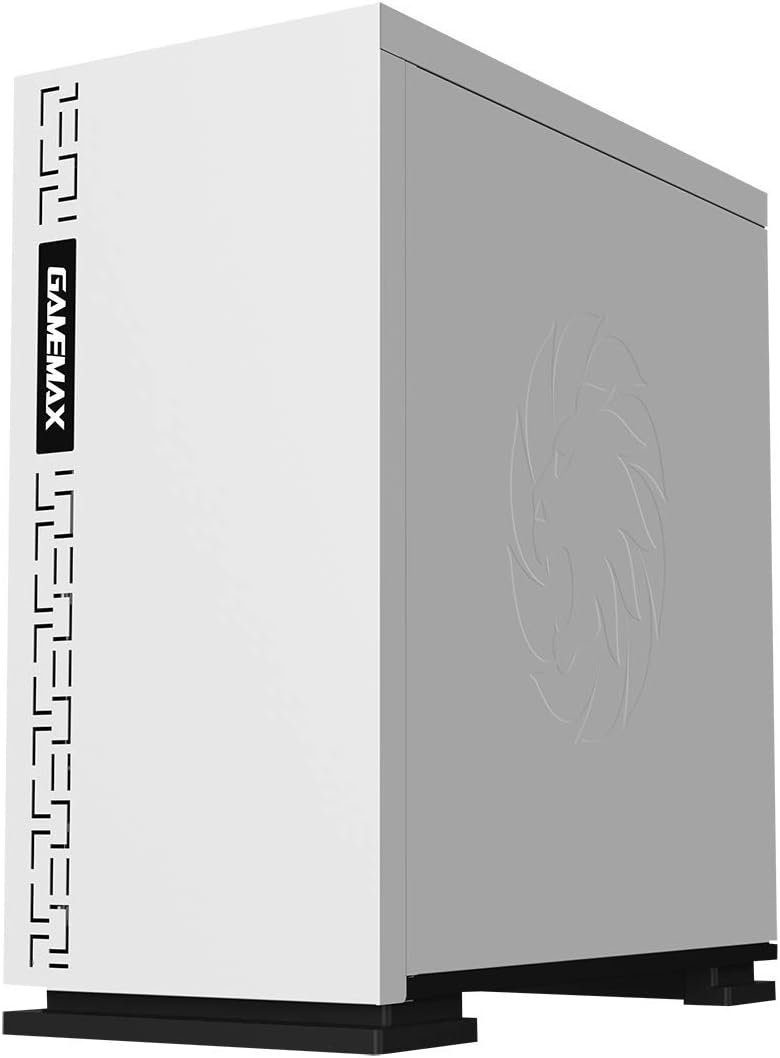
Слика 5.3: Врв view showing the magnetic dust filter for fan ventilation.
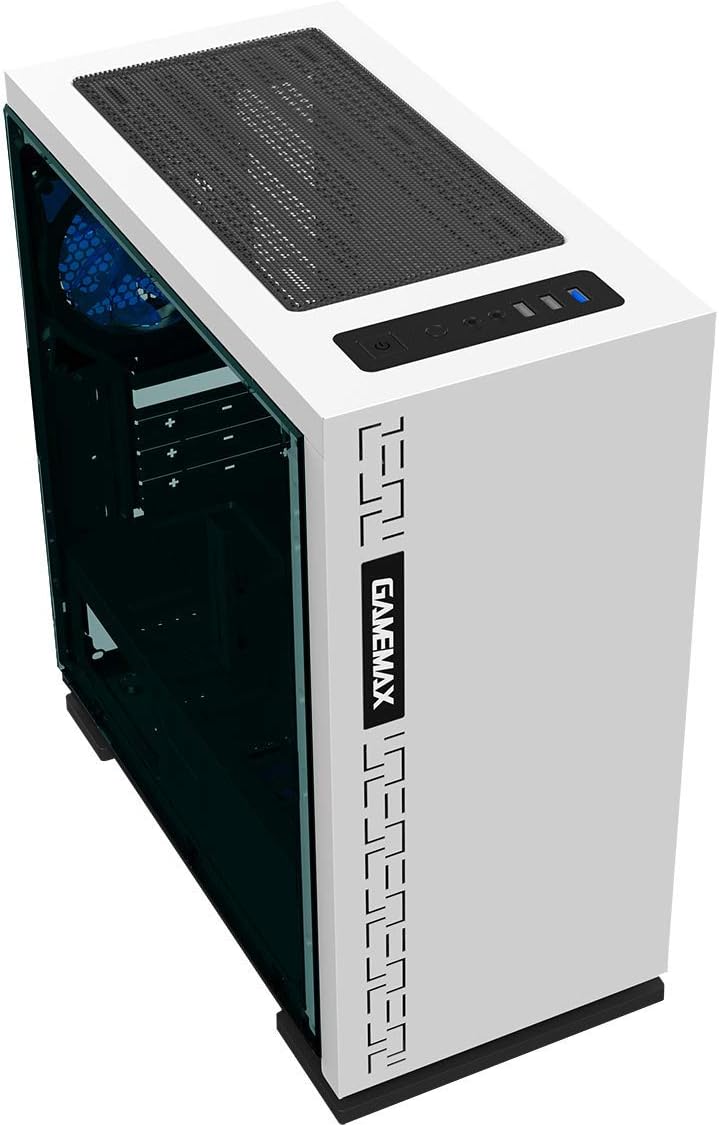
Слика 5.4: Заден дел view displaying expansion slots and the pre-installed 120mm fan.
5.2 Внатрешен распоред

Слика 5.5: Внатрешно view with the side panel removed, showing the motherboard tray and cable routing options.

Figure 5.6: Illustration of fan and radiator mounting points within the chassis.
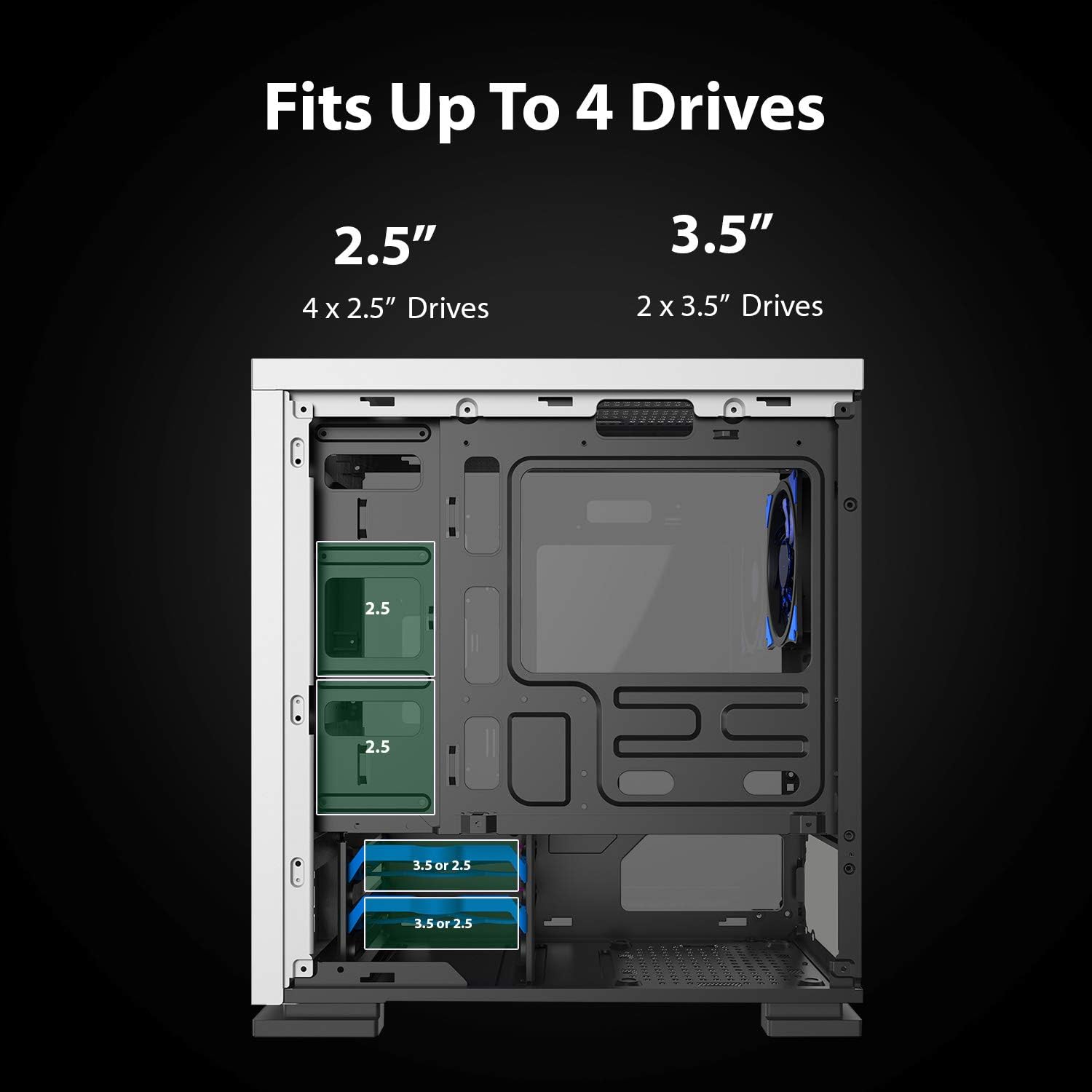
Figure 5.7: Drive bay locations supporting 2.5" and 3.5" storage devices.
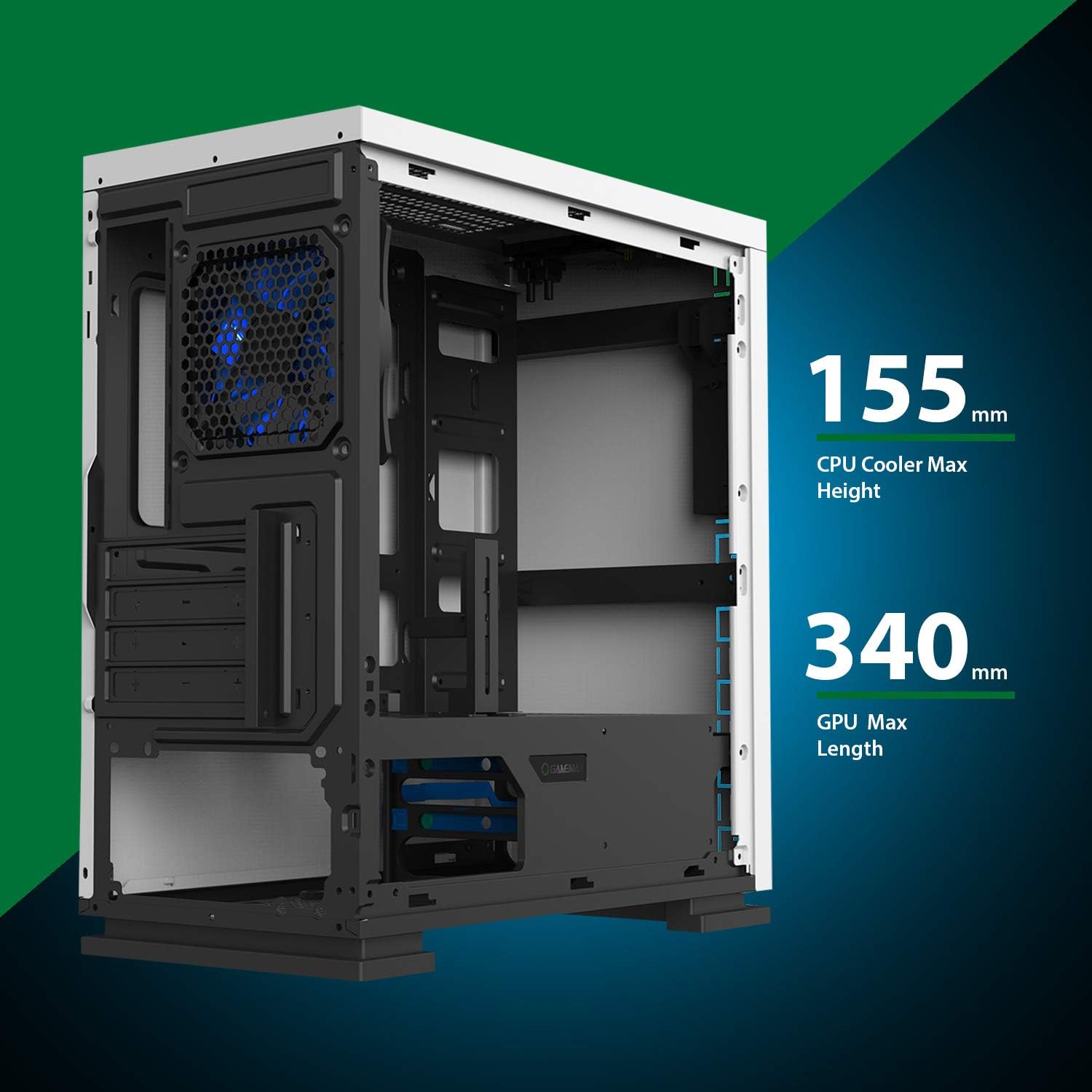
Figure 5.8: Maximum clearance for CPU coolers (155mm) and GPUs (340mm).
6. Поставување и инсталација
6.1 Подготовка
- Unpack the chassis and remove all packaging materials.
- Remove the side panels by unscrewing the thumbscrews at the rear.
- Gather necessary tools: Phillips head screwdriver, cable ties.
6.2 Инсталација на матична плоча
- Инсталирајте го I/O штитот во задниот отвор на шасијата.
- Align the motherboard with the pre-installed standoffs. Ensure the standoffs match your Micro ATX motherboard's mounting holes.
- Прицврстете ја матичната плоча со приложените завртки.
6.3 Инсталација на напојување
- Place the power supply unit (PSU) into the dedicated compartment at the bottom rear of the case.
- Align the PSU with the screw holes on the rear of the chassis.
- Secure the PSU with the provided screws.
6.4 Инсталација на диск за складирање
- 2.5" Drives: Mount 2.5" SSDs/HDDs to the dedicated mounting points on the motherboard tray or within the drive cage using the provided screws.
- 3.5" Drives: Инсталирајте 3.5-инчни хард дискови во кутијата за дискови што се наоѓа под обвивката на напојувањето. Лизнете го дискот во кутијата и прицврстете го.
6.5 Инсталација на картичка за проширување (GPU)
- Remove the necessary expansion slot covers from the rear of the chassis.
- Insert your graphics card or other expansion card into the appropriate PCIe slot on the motherboard.
- Прицврстете ја картичката со завртка.
- Utilize the adjustable GPU bracket to provide additional support for heavier graphics cards.
6.6 Fan and Cooling Installation
- The case comes with one 120mm Blue LED fan pre-installed at the rear.
- Additional 120mm fans can be installed at the top and front positions as needed.
- Ensure fans are oriented correctly for optimal airflow (intake or exhaust).
6.7 Front Panel Connector Installation
Connect the front panel cables (USB 3.0, USB 2.0, HD Audio, Power SW, Reset SW, Power LED, HDD LED) to their corresponding headers on your motherboard. Refer to your motherboard manual for exact pin layouts.
7. Работење
Once all components are installed and cables are connected, replace the side panels. Connect your monitor, keyboard, mouse, and power cable. Press the power button on the top panel to start your system. The pre-installed LED fan will illuminate upon power-on.
8. Одржување
- Чистење на филтерот за прашина: Regularly remove and clean the magnetic dust filter located on the top panel to maintain optimal airflow and prevent dust buildup inside the case.
- Општо чистење: Користете мека, гamp cloth to clean the exterior surfaces of the case. Avoid abrasive cleaners.
- Внатрешно отстранување на прашина: Periodically use compressed air to clear dust from internal components and fans. Ensure the system is powered off and unplugged before performing internal cleaning.
9 Смена на проблеми
- Системот не се вклучува: Check all power connections, including the PSU to the wall outlet, PSU to motherboard, and front panel power switch cable to the motherboard.
- Вентилаторите не се вртат: Verify fan cables are securely connected to the motherboard or fan controller.
- USB-портите не работат: Ensure the front panel USB cables are correctly connected to the motherboard's USB headers.
- Нема излез за прикажување: Confirm the graphics card is properly seated and connected to power, and the monitor cable is connected to the graphics card, not the motherboard's integrated graphics port (unless using integrated graphics).
10. Спецификации
| Карактеристика | Спецификација |
|---|---|
| Име на моделот | GMX EXPEDITION |
| Бренд | GAMEMAX |
| Тип на случај | Micro Tower (MATX) |
| Компатибилност со матична плоча | Микро ATX |
| Боја | Expedition White |
| Материјал | Поликарбонат (компјутер) |
| Димензии на производот (ДxШxВ) | 14.96 x 7.4 x 13.78 инчи (380 x 188 x 350 мм) |
| Тежина на ставката | 8.58 фунти (3.9 кг) |
| USB 3.0 порти | 1 |
| USB 2.0 порти | 2 |
| Метод на ладење | Воздух, Вода |
| Вклучен вентилатор | 1 x 120mm Blue LED (Rear) |
| Максимална висина на ладилникот на процесорот | 155 мм |
| Максимална должина на графичкиот процесор | 340 мм |
11. Гаранција и поддршка
For warranty information and technical support, please visit the official GameMax webлокација или контактирајте го вашиот локален продавач.
Службен Webсајт: gamemaxpc.com


