1. Вовед
The Aligator T100 is a GSM mobile phone designed in a classic desk phone style, offering convenient operation with large buttons and essential mobile phone functions. It serves as an excellent replacement for a fixed-line phone, providing the independence and flexibility of a mobile device. Its high-performance antenna ensures reliable reception even in areas with weak GSM signals.
2. Информации за безбедност
- Предупредување за батеријата: Use only the original battery provided with the device. Using non-original batteries may cause damage to the phone or lead to battery explosion.
- Чувајте го уредот подалеку од вода и влага.
- Do not attempt to disassemble or repair the phone yourself. Refer to qualified service personnel for any repairs.
- Избегнувајте изложување на телефонот на екстремни температури.
3. Содржина на пакетот
Проверете дали сите артикли се присутни во пакувањето:
- Aligator T100 GSM Mobile Phone unit
- Слушалка со намотан кабел
- High-performance external antenna
- Главен полнач
- Li-ion 800 mAh battery
- User manual (English, German, Czech, Slovak)

Figure 3.1: Contents of the Aligator T100 package.
4. Производот завршиview
The Aligator T100 features a robust design with a clear monochrome graphic display and a user-friendly keypad. Key components include the main unit, handset, and an external antenna for enhanced signal reception.

Слика 4.1: Предна страна view of the Aligator T100.
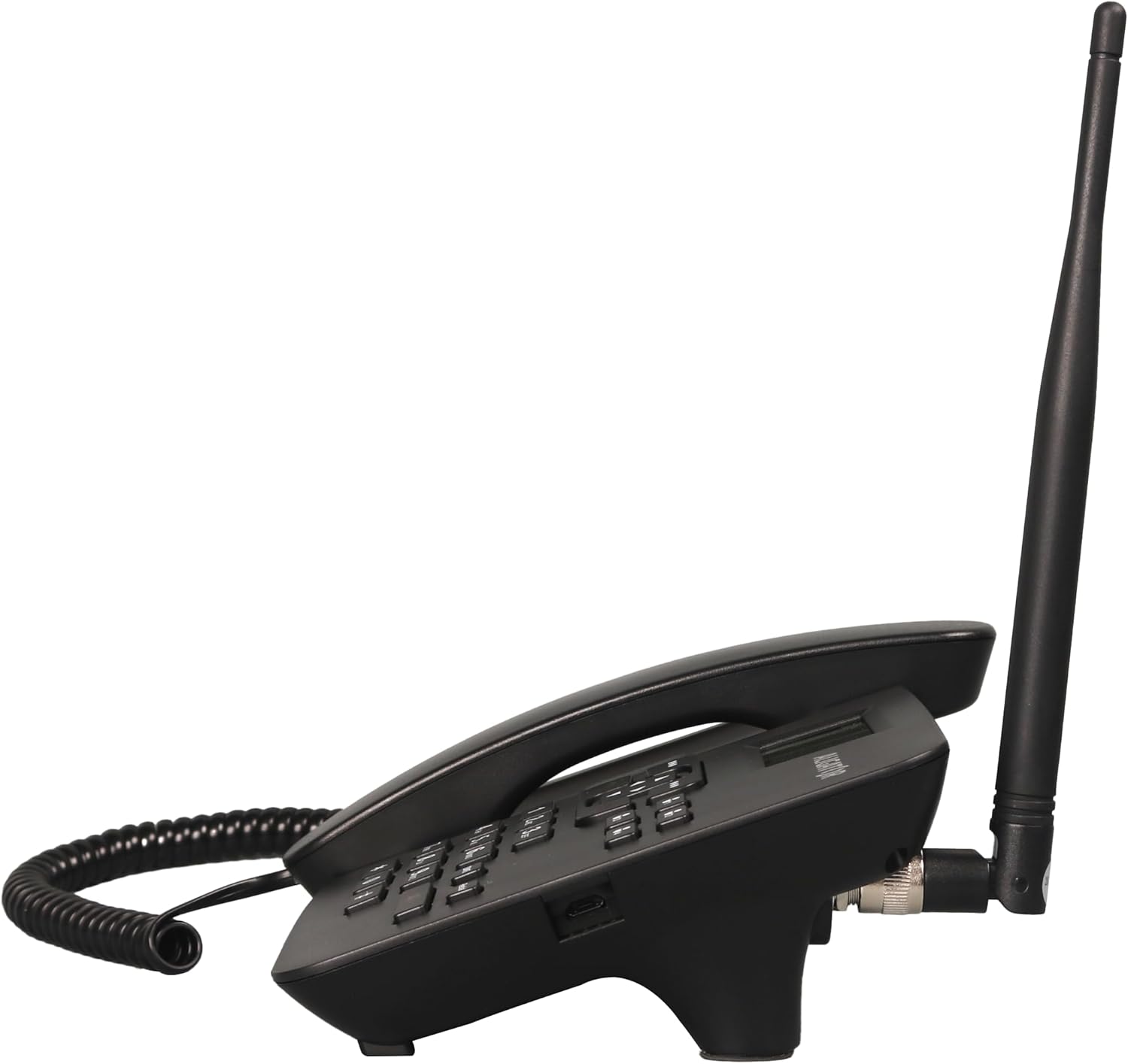
Слика 4.2: Страна view showing the antenna connection.

Слика 4.3: Назад view of the Aligator T100.
4.1 Тастатура и дисплеј
The keypad features large, easy-to-read buttons. The monochrome graphic display (128 x 64 points, 53 x 25 mm) has a green background illumination for clear visibility.

Figure 4.4: Close-up of the display and keypad.
5. Поставување
5.1 Инсталација на батерија
- Remove the battery compartment cover on the back of the phone.
- Insert the provided Li-ion 800 mAh battery, ensuring the contacts align correctly.
- Заменете го капакот на преградата за батерии.
5.2 Инсталација на SIM картичка
- With the battery removed, locate the SIM card slot.
- Insert your GSM SIM card into the designated slot, ensuring proper orientation as indicated by the diagram near the slot.
- Повторно поставете ја батеријата и капакот на батеријата.
5.3 Приклучок за антена
- Locate the TNC-Female connector on the side/back of the phone unit.
- Screw the high-performance external antenna onto this connector until it is securely fastened.
5.4 Почетно полнење и вклучување
- Connect the mains charger to the phone's charging port and plug it into a power outlet.
- Allow the phone to charge fully before first use. The display will indicate charging status.
- To power on, press and hold the power button (if available) or simply ensure the battery is inserted and the phone is connected to power.
6. Упатства за работа
6.1 Остварување и примање повици
- Упатување повик: Lift the handset. You will hear a classic dial tone. Dial the phone number using the keypad. The call will be initiated automatically after a short delay or upon pressing the call button.
- Примање повик: Кога телефонот ќе заѕвони, едноставно подигнете ја слушалката за да одговорите на повикот.
- Завршување на повик: Place the handset back onto the cradle to end the call.
6.2 Using the Keypad and Navigation
The keypad includes standard numeric keys (0-9, *, #) and dedicated function buttons. Use the navigation buttons (up, down, left, right) to navigate through menus on the display.

Figure 6.1: Display and navigation controls.
6.3 Speed Dial / Quick Dial
The Aligator T100 features four quick dial buttons (labeled 1-4) for frequently called numbers. You can program these buttons to dial a contact directly.
- Programming Quick Dial: Refer to the phone's menu for
Поврзани документи - Т100

Упатство за употреба на ALIGATOR S6700 за сениори
Упатство за корисникот за мобилниот телефон ALIGATOR S6700 Senior, кое опфаќа поставување, функции како DUAL SIM и SOS Locator, Android OS, поврзување, безбедност и еколошко отстранување.
Упатство и водич за користење на Aligator Watch Pro X
Сеопфатно упатство за корисникот за паметниот часовник Aligator Watch Pro X, кое опфаќа поставување, функции, поврзување, известувања, изгледи на часовникот, интеграција со телефон и решавање проблеми.
Návod k použití chytrých hodinek ALIGATOR Часовник Amoled Pro AW14
Комплетен начин да се поврзете со хидрогените ALIGATOR Часовник Amoled Pro AW14. Zjistěte, jak ovládat hodinky, připojit je k telefonu, využívat funkce a řešit problémy.
ALIGATOR A930 GPS Senior 4G: Návod k použití
Комплетни информации за мобилни телефони ALIGATOR A930 GPS Senior 4G, навигација за сениорски функции за GPS и SOS за снимателни овластувања и безбедност.
Упатство и водич за користење на паметен часовник Aligator Watch Lady
Сеопфатно упатство за корисникот за паметниот часовник Aligator Watch Lady, кое опфаќа информации за поставување, карактеристики, поврзување, решавање проблеми и безбедност.
Упатство и водич за користење на GPS часовникот Алигатор за употреба
Сеопфатно упатство за корисникот за GPS паметниот часовник Aligator Watch, кое опфаќа поставување, функции, спарување, следење на податоци, поставки, решавање проблеми и информации за безбедност.