Вовед
This manual provides comprehensive instructions for the Amazon Fire 7 Tablet (2019 Release). It covers device setup, operational procedures, maintenance guidelines, troubleshooting tips, and detailed product specifications. Please read this manual thoroughly to ensure proper use and care of your device.
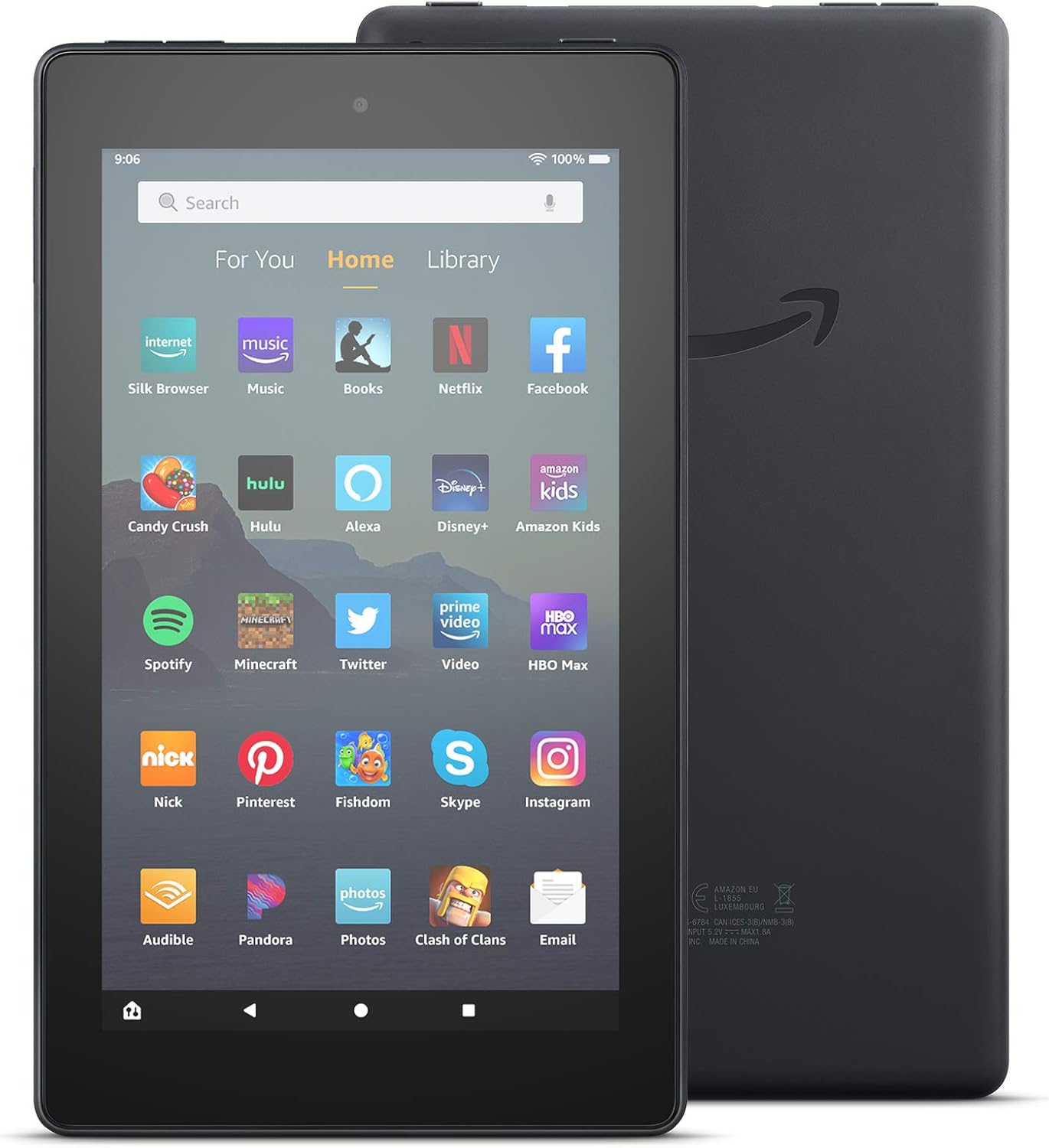
Слика: Напред и назад view of the Amazon Fire 7 Tablet (2019 Release), showcasing its design and the Amazon logo on the rear.
Што има во кутијата
Upon unboxing your Amazon Fire 7 Tablet, verify that the following items are included:
- Таблет Fire 7
- USB 2.0 cable (micro-B connector)
- Адаптер за напојување од 5 W
- Водич за брз почеток
Поставување
1. Полнење на вашиот таблет
Before initial use, fully charge your Fire 7 tablet. Connect the included USB 2.0 cable to the tablet's micro-B port and the 5W power adapter. Plug the adapter into a wall outlet. A full charge typically takes approximately 4 hours.
2. Вклучување/исклучување
- За вклучување: Притиснете и задржете го копчето за вклучување што се наоѓа на страната од таблетот додека не се појави логото на Amazon.
- За исклучување: Press and hold the power button, then select "Power Off" from the on-screen options.
3. Првично поставување и Wi-Fi поврзување
Follow the on-screen prompts to complete the initial setup. This includes selecting your language, connecting to a Wi-Fi network, and registering your device with an Amazon account. The tablet supports dual-band 802.11a/b/g/n Wi-Fi networks.
4. Вметнување на microSD картичка
To expand storage, insert a microSD card into the designated slot. The Fire 7 tablet supports up to 512 GB of additional storage. Some applications may require installation on internal storage.
Operating Your Fire 7 Tablet
Основна навигација
The Fire 7 tablet features a 7-inch IPS touchscreen display. Navigate by tapping, swiping, and pinching gestures. The home screen provides access to your apps, content, and settings.

Image: Several Amazon Fire 7 Tablets in different colors, showcasing their home screens filled with various application icons like Netflix, Spotify, and Zoom.
Користење на Alexa
Your Fire 7 tablet includes hands-free Alexa. To activate, simply say "Alexa" followed by your command. You can also toggle Alexa on or off in the device settings.

Image: An Amazon Fire 7 Tablet playing music, with a speech bubble at the bottom indicating an Alexa voice command: "Alexa, play Shawn Mendes."
Applications and Content
Access and download applications from the Amazon Appstore. The tablet supports popular apps for streaming, social media, and productivity. Note that Google Play is not supported.
- Email and Productivity: Check email, make video calls, update shopping lists, and set reminders. Use apps like Zoom, Outlook, and OneNote.
- Забава: Enjoy apps like Netflix, Facebook, Hulu, Instagram, TikTok, and more.
- Читање: Utilize the tablet for reading e-books.

Image: An Amazon Fire 7 Tablet displaying an email inbox, showing several unread messages.

Image: A person holding an Amazon Fire 7 Tablet, reading an e-book titled "Where the Crawdads Sing."
Функционалност на камерата
The Fire 7 tablet is equipped with 2 MP front and rear-facing cameras, capable of 720p HD video recording.
Аудио
The device includes an integrated speaker and a 3.5 mm stereo jack for headphones. Bluetooth is built-in, supporting A2DP compatible stereo headphones, speakers, microphones, and LE accessories.
Карактеристики за пристапност
The Fire 7 tablet offers various accessibility options:
- ГласView читач на екран: Provides text-to-speech or refreshable braille display access for visually impaired users.
- Screen magnifier: Allows zooming in and out, and panning around the screen.
- Поставки: Includes options for Closed Captioning, Font Size, High Contrast Text, Color Inversion, Color Correction, and Convert Stereo to Mono audio.
Одржување
Оптимизација на траење на батеријата
The tablet offers up to 7 hours of use for reading, web browsing, video watching, and music listening. Battery life varies based on device settings, usage patterns, and other factors. To optimize battery performance:
- Прилагодете ја осветленоста на екранот.
- Затворете ги неискористените апликации.
- Исклучете Wi-Fi или Bluetooth кога не се во употреба.
Управување со складирање
The tablet comes with 16 GB (9.4 GB available to user) or 32 GB (23.6 GB available to user) of internal storage. Utilize a microSD card for additional storage. Regularly review и избришете непотребно files or applications to free up space.
Софтверски ажурирања
Ensure your tablet's software is up to date to benefit from the latest features and security enhancements. Updates are typically downloaded automatically when connected to Wi-Fi. You can check for updates manually in the device settings.
Решавање проблеми
If you encounter issues with your Fire 7 tablet, consider the following common solutions:
- Уредот не реагира: Притиснете го и држете го копчето за вклучување 20-30 секунди за да го рестартирате.
- Проблеми со поврзувањето со Wi-Fi:
- Проверете дали Wi-Fi е овозможен во поставките.
- Рестартирајте го вашиот Wi-Fi рутер.
- Заборавете на мрежата и повторно поврзете се.
- Батеријата брзо се троши: Refer to the "Battery Life Optimization" section. Reduce screen brightness and close background apps.
- Бавни перформанси: Clear app caches, uninstall unused apps, or restart the device.
- Apps Not Downloading/Installing: Check available storage. Ensure a stable Wi-Fi connection.
За дополнителна помош, посетете ја официјалната поддршка на Amazon website or consult the Quick Start Guide included with your device.
Спецификации
| Приказ | 7” екран на допир, резолуција од 1024 x 600 при 171 ppi, репродукција на SD видео, со IPS (in-plane switching) технологија и напреден поларизирачки филтер |
| Големина | 7.6” x 4.5” x 0.4” (192 x 115 x 9.6 mm) |
| Тежина | 10.1 унци (286 грама) |
| Процесор и RAM меморија | Quad-core 1.3 GHz со 1 GB RAM |
| Складирање | 16 GB (9.4 GB available) or 32 GB (23.6 GB available) internal storage. Expandable up to 512 GB with microSD card. |
| Траење на батеријата | Up to 7 hours of reading, web browsing, video, and music playback. |
| Време на полнење | Approximately 4 hours with included 5W power adapter. |
| Процесор | MediaTek 8163 |
| Wi-Fi поврзување | Single-antenna dual-band Wi-Fi (802.11a/b/g/n). Supports WEP, WPA, WPA2. Does not support ad-hoc networks or Wi-Fi 6. |
| Пристаништа | USB 2.0 (micro-B connector), microSD slot. |
| Аудио | 3.5 mm stereo jack, integrated speaker. |
| Сензори | Accelerometer. |
| Спецификации на камерата | Предни и задни камери од 2 MP со можност за снимање на HD видео од 720p. |
| Услуги за локација | Location-based services via Wi-Fi. |
| Дополнителни карактеристики | External volume controls, built-in Bluetooth (A2DP, LE support). |
| Генерација | 9-та генерација - издание во 2019 година. |
Гаранција и поддршка
The Amazon Fire 7 Tablet (2019 Release) includes a 90-day Limited Warranty and service. Optional 1-Year, 2-Year, and 3-Year Extended Warranties are available for U.S. customers and are sold separately. Use of the Fire 7 tablet is subject to Amazon's Conditions of Use and associated terms.
For detailed warranty information and customer support, please refer to the official Amazon support resources.


