Вовед
This manual provides detailed instructions for the setup, operation, maintenance, and troubleshooting of your TOTU 9-in-1 USB C Hub. Please read this manual thoroughly before using the product to ensure optimal performance and longevity.
Карактеристики на производот
The TOTU 9-in-1 USB C Hub is designed to expand the connectivity of your USB-C enabled devices, offering a versatile solution for various peripherals.
- Повеќепортска поврзаност: Includes 1 Ethernet/RJ-45 Port, 1 USB Type-C Female PD charging port, 1 HDMI port, 1 Card Reader for SD, 1 Card Reader for TF, 1 USB 2.0 Type-A port, and 2 USB 3.0 Type-A ports.
- Лесен пренос на податоци: Connect smartphones, tablets, hard drives, or other USB peripherals via USB 3.0 Ports for high-speed data transfer (up to 5Gbps). The USB 2.0 port is ideal for low-rate devices like mice and keyboards.
- Читање на двојна картичка: Built-in SD/TF card reader allows simultaneous access to files from universal memory cards.
- Гигабитен етернет: 1000Mbps Ethernet port ensures a stable and faster-wired network connection.
- Испорака на енергија (PD): Поддржува PD полнење со максимум 87W, овозможувајќи ви безбедно да го полните вашиот поврзан MacBook или други лаптопи од типот C преку хабот.
- 4K HDMI излез: Provides high-definition video output up to 4K resolution, perfect for connecting to external monitors, projectors, or HDTVs.
- Компактен и пренослив: Lightweight and compact design makes it easy to carry for business travel and on-the-go use.

Слика 1: Готовоview of the TOTU 9-in-1 USB C Hub and its various connectivity options.

Слика 2: Детално view of the hub's ports, including USB-C charging, HDMI, TF/SD card readers, Ethernet, USB 2.0, and USB 3.0 ports.

Figure 3: Illustration of the hub providing fast charging and 5Gbps data transfer to connected devices.

Figure 4: The hub enabling 4K HD video output from a laptop to a larger display, such as a monitor, projector, or HDTV.

Figure 5: The hub's USB 3.0 and USB 2.0 ports supporting various high-speed and low-speed devices like thumb drives, keyboards, mice, and phones.

Figure 6: The hub providing instant and stable wired internet access up to 1 Gbps via its Ethernet port.

Figure 7: The non-slip, compact design of the hub, making it an ideal accessory for MacBook Pro and similar devices.
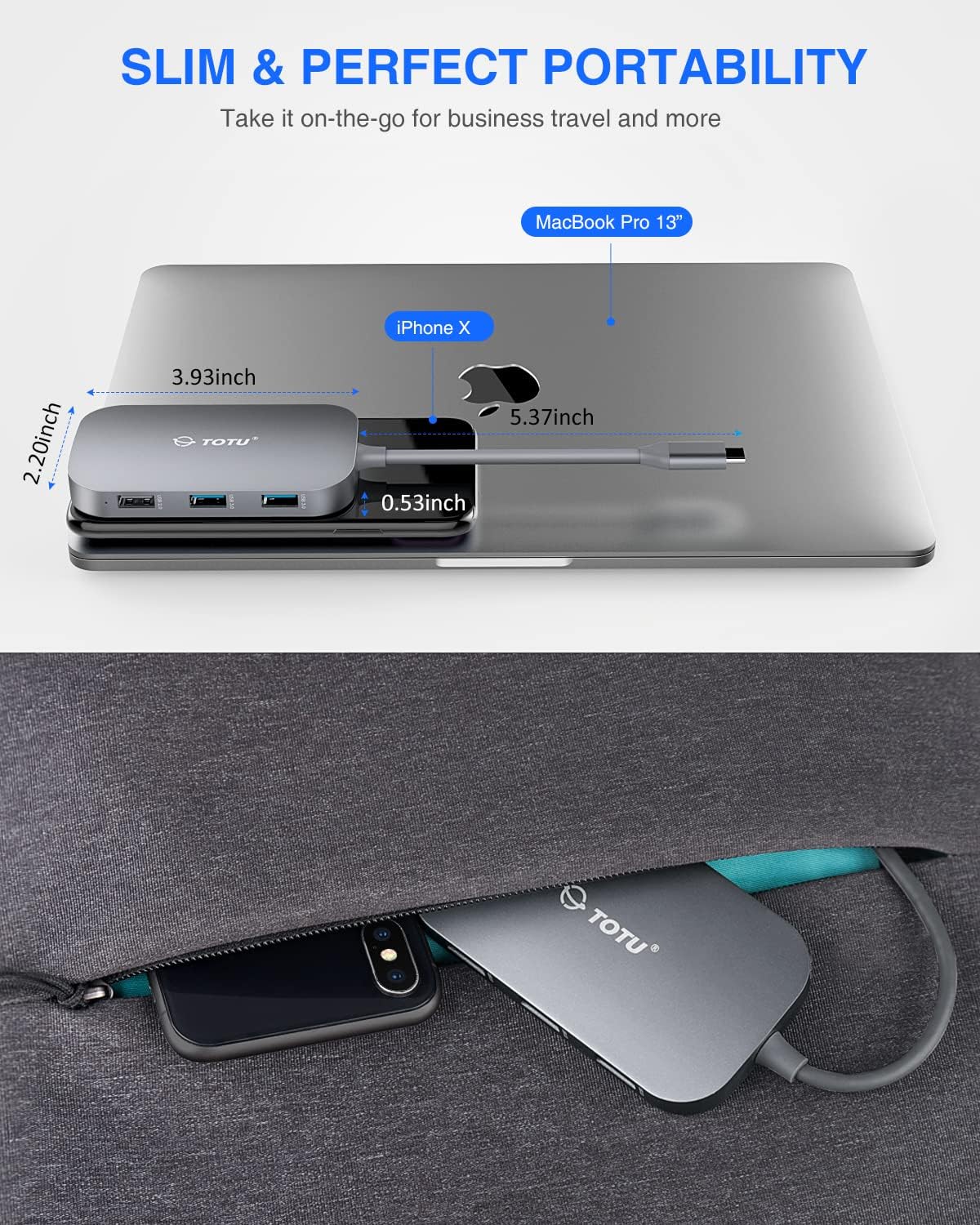
Figure 8: The slim and portable nature of the hub, demonstrating its ease of transport for business or travel.
Содржина на пакетот
Ве молиме проверете дали сите артикли се присутни во вашиот пакет:
- 1 x TOTU USB C Hub
- 1 x Упатство за употреба
Поставување
- Проверка на компатибилност: Ensure your device's USB-C port supports DisplayPort Alt Mode and Power Delivery. Refer to your device's specifications for compatibility.
- Поврзете го Hub: Plug the USB-C connector of the TOTU hub into the USB-C port on your laptop or compatible device.
- Приклучок за напојување (опционално): If your laptop requires charging or if you are connecting power-intensive peripherals, connect your laptop's original USB-C power adapter to the USB Type-C Female PD charging port on the hub.
- Поврзете периферни уреди: Connect your desired peripherals (e.g., HDMI monitor, Ethernet cable, USB drives, SD/TF cards, keyboard, mouse) to the corresponding ports on the hub.
- Инсталација на драјвери: The hub is generally plug-and-play. For certain operating systems (e.g., Windows) or specific functions (e.g., Ethernet, SD card reader), manual driver installation might be required if not automatically recognized. Refer to the troubleshooting section if issues arise.
Упатства за работа
Once the hub is connected, you can utilize its various ports:
- HDMI порта: Connect an HDMI cable from the hub to your external monitor, projector, or HDTV. Your device should automatically detect the external display. Adjust display settings (resolution, mirroring/extending) through your operating system's display preferences. Supports up to 4K resolution.
- Етернет порт (RJ-45): Connect an Ethernet cable from your router or modem to the RJ-45 port on the hub for a stable wired network connection. Ensure your device's network settings are configured for wired connection.
- USB 3.0 порти (2x): Use these ports for high-speed data transfer with USB 3.0 compatible devices such as external hard drives, SSDs, or high-speed flash drives. They are also backward compatible with USB 2.0/1.1 devices.
- USB 2.0 порт (1x): Ideal for connecting low-bandwidth devices like keyboards, mice, or printers to avoid interference with high-speed USB 3.0 devices.
- USB Type-C PD Charging Port: This port is for power input only. Connect your laptop's USB-C power adapter here to charge your laptop while using the hub. It supports up to 87W power delivery. This port does not support data transfer.
- Читачи на SD/TF картички: Insert your SD or TF (microSD) cards into the respective slots. Both card slots can be used simultaneously for data access. Your device will recognize them as removable storage.
Одржување
- Чистење: Користете мека, сува крпа за чистење на главчината. Избегнувајте употреба на течни средства за чистење или аеросоли.
- Складирање: Чувајте го главчината на ладно и суво место, подалеку од директна сончева светлина и екстремни температури.
- Ракување: Избегнувајте испуштање на главчината или нејзино изложување на силни удари. Не обидувајте се да го расклопите или модифицирате уредот.
- Грижа за пристаниште: Ensure connectors are inserted gently and correctly into the ports to prevent damage.
Решавање проблеми
- Нема излез за прикажување преку HDMI:
- Ensure your device's USB-C port supports DisplayPort Alt Mode.
- Check the HDMI cable connection between the hub and the display.
- Verify the input source on your monitor is set to the correct HDMI port.
- Пробајте друг HDMI кабел или монитор.
- Рестартирајте го компјутерот.
- Проблеми со етернет конекцијата:
- Ensure the Ethernet cable is securely connected to both the hub and your router/modem.
- Check your computer's network settings to ensure the wired connection is enabled and configured correctly.
- If using Windows, and the Ethernet port is not recognized, you may need to manually install a generic Broadcom NetXtreme driver.
- Пробајте друг Ethernet кабел.
- USB уредите не се препознаваат:
- Ensure the USB device is properly inserted into the hub's port.
- Try connecting the USB device to a different port on the hub or directly to your computer to rule out device issues.
- Some high-power USB devices may require external power if the hub's PD port is not connected to a power source.
- SD/TF Card Reader Not Working:
- Осигурајте се дека картичката е целосно вметната во соодветниот слот.
- Пробај со друга SD/TF картичка.
- On Windows, if the card reader is not recognized, try reinstalling the generic Microsoft driver and manually assigning a drive letter in Disk Management.
- Проблеми со полнење (PD порт):
- Ensure your laptop's original USB-C power adapter is connected to the hub's PD port.
- Verify that your laptop supports USB-C Power Delivery.
- Note that the HDMI output may briefly interrupt (2-3 seconds) if external USB-C power is removed from the hub. This is normal behavior.
Спецификации
| Димензии на производот | 3.93 x 2.2 x 0.53 инчи |
| Тежина на ставката | 2.4 унци |
| Број на модел | TT-HB001C |
| Бренд | ТОТУ |
| Боја | Греј |
| Хардверски интерфејс | Ethernet, HDMI, USB, USB 2.0, USB 3.0 |
| Специјална карактеристика | Пренослив |
| Испорака на енергија | До 87 W |
| Брзина на етернет | 10/100/1000 Mbps |
| HDMI резолуција | До 4K |
Гаранција и поддршка
For warranty information and technical support, please refer to the official TOTU webлокација или контактирајте ја нивната служба за корисници. Зачувајте ја сметката за гаранциски барања.
You can visit the TOTU Store for more information: TOTU Store on Amazon


