1. Вовед
This manual provides essential information for setting up, operating, and maintaining your Amazon Echo Dot (3rd Generation) smart speaker. The Echo Dot is a voice-controlled smart speaker with Alexa, designed to integrate seamlessly into your daily life, offering assistance with tasks, entertainment, and smart home control.
Please read this manual thoroughly to ensure proper use and to maximize your device's capabilities.
2. Производот завршиview
The Echo Dot (3rd Generation) is a compact smart speaker featuring a fabric design and improved sound quality. It connects to the Alexa voice service to play music, answer questions, make calls, send messages, provide information, news, sports scores, weather, and more.
2.1 Компоненти на уредот
- Копче за акција: Activates Alexa without using the wake word.
- Копче за исклучување на микрофонот: Disables the microphones for privacy. The light ring will turn red when microphones are off.
- Копчиња за зголемување / намалување на јачината на звукот: Ја прилагодува јачината на звукот на звучникот.
- Светлосен прстен: Provides visual feedback on device status (e.g., blue for listening, red for mic off, orange for setup).
- Приклучок за напојување: Connects the device to a power outlet using the included adapter.
- Аудио излез од 3.5 мм: Allows connection to external speakers.

Слика 1: Предна страна view of the Echo Dot (3rd Generation) showing its compact design and fabric finish.

Figure 2: The Echo Dot (3rd Generation) highlighting its various functionalities such as music playback, setting timers, smart home control, providing information, intercom features, and news updates.

Figure 3: The top view of the Echo Dot (3rd Generation) showing the microphone off button. Pressing this button disconnects the microphones, indicated by a red light ring, ensuring privacy.
3. Поставување
3.1 Што има во кутијата
- Amazon Echo Dot (трета генерација)
- Адаптер за напојување (15W)
- Водич за брз почеток
3.2 Почетно поставување
- Вклучете го вашиот Echo Dot: Connect the included power adapter to your Echo Dot and then to a power outlet. The light ring will turn blue, then orange, indicating it's ready for setup.
- Преземете ја апликацијата Alexa: On your smartphone or tablet, download the Amazon Alexa app from your device's app store (iOS App Store or Google Play Store).
- Set Up Your Echo Dot:
- Отворете ја апликацијата Alexa и најавете се со вашата сметка на Amazon.
- Tap the 'Devices' icon in the bottom right corner.
- Tap the '+' icon in the top right corner, then select 'Add Device'.
- Choose 'Amazon Echo', then 'Echo Dot', and select '3rd Generation'.
- Follow the on-screen instructions to connect your Echo Dot to your Wi-Fi network. The Echo Dot supports dual-band Wi-Fi (2.4 GHz and 5 GHz).
- Приспособете ги поставките: Once connected, you can customize settings such as device name, location, and preferred music services within the Alexa app.
4. Упатства за работа
The Echo Dot is primarily controlled by voice commands using the wake word "Alexa."
4.1 Основни гласовни команди
To activate Alexa, simply say "Alexa," followed by your command. The light ring will turn blue when Alexa is listening.
- „Алекса, какво е времето?“
- „Алекса, постави тајмер на 10 минути.“
- „Алекса, раскажи ми виц.“
- "Alexa, what's the news?"
4.2 Музика и аудио
You can stream music from various services or connect via Bluetooth.
- Услуги за стриминг: "Alexa, play music by [artist] on Amazon Music/Spotify/Apple Music."
- Bluetooth: "Alexa, pair Bluetooth." Then connect from your device's Bluetooth settings. "Alexa, connect to my phone."
- Надворешни звучници: Connect your Echo Dot to external speakers using a 3.5mm audio cable for enhanced sound.
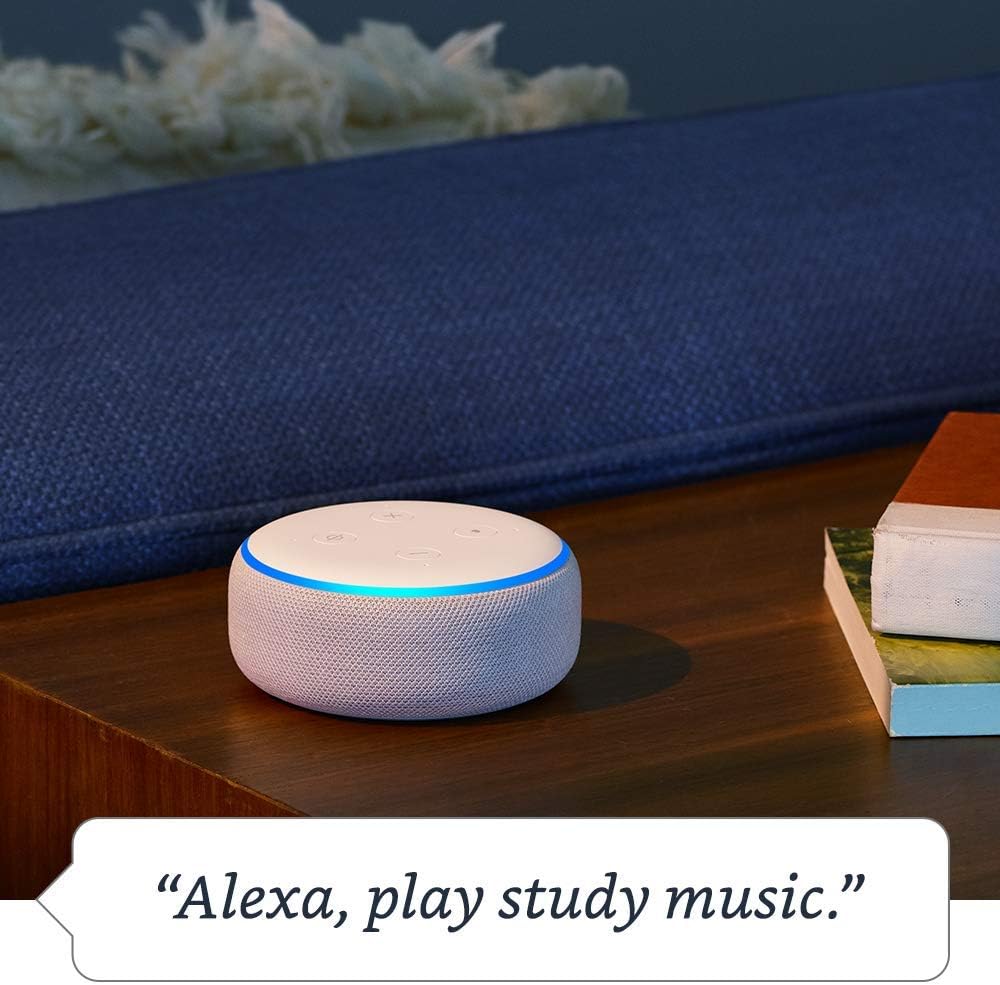
Figure 4: The Echo Dot (3rd Generation) responding to a voice command to play music, demonstrating its audio playback capabilities.
4.3 Контрола на паметен дом
Control compatible smart home devices with your voice.
- „Алекса, вклучи ги светлата во дневната соба.“
- „Алекса, подеси го термостатот на 72 степени.“
- "Alexa, show me the front door camera." (Requires compatible Echo device with screen)

Figure 5: The Echo Dot (3rd Generation) demonstrating smart home integration by controlling a lamp with a voice command.
4.4 Комуникација
Use your Echo Dot to connect with others.
- Повикувајќи се: "Alexa, call Mom." (Requires contacts synced in Alexa app)
- Drop In: "Alexa, drop in on the kitchen Echo." (Allows instant two-way communication with other Echo devices)
- Соопштенија: "Alexa, announce dinner's ready." (Broadcasts a message to all Echo devices in your home)

Figure 6: The Echo Dot (3rd Generation) being used for household announcements, simplifying communication within the home.
4.5 Контроли за приватност
Amazon Echo devices are designed with multiple layers of privacy protection.
- Копче за исклучување на микрофонот: Press the microphone off button on top of the device to electronically disconnect the microphones. The light ring will turn red.
- Гласовна историја: Можете повторноview and delete your voice recordings in the Alexa app or at amazon.com/alexaprivacy.
4.6 Карактеристики за пристапност
The Echo Dot includes various accessibility features configurable through the Alexa app (Settings → Accessibility).
- Адаптивно слушање: Provides more time to speak before Alexa responds.
- Преферирана стапка на говорење: Adjust Alexa's speaking speed (e.g., "Alexa, speak slower").
- Барање за звук: Plays an audible tone when Alexa starts listening.
- Читај на глас од Kindle: Алекса може да ги чита вашите книги од Kindle на глас.
4.7 Amazon Sidewalk
Amazon Sidewalk is a shared network that helps compatible devices work better at home and beyond. It uses a small portion of your internet bandwidth to provide benefits to you and your neighbors via Sidewalk Bridges (participating Echo and Ring devices). Sidewalk is turned on by default but can be turned off at any time in the Alexa app settings.
5. Одржување
5.1 Чистење
To clean your Echo Dot, unplug the device and wipe it with a soft, lint-free cloth. Do not use abrasive cleaners or sprays. Keep the device dry and away from liquids.
5.2 Ажурирања на софтверот
Your Echo Dot automatically receives software updates over Wi-Fi. Ensure your device is connected to the internet to receive the latest features and security enhancements.
6 Смена на проблеми
- Echo Dot is not responding:
- Ensure the microphone is not muted (red light ring).
- Check if the device is plugged in and has power.
- Verify Wi-Fi connectivity in the Alexa app.
- Обидете се да го рестартирате уредот така што ќе го исклучите од струја 30 секунди и повторно ќе го вклучите.
- Не може да се поврзе на Wi-Fi:
- Проверете дали вашата лозинка за Wi-Fi е точна.
- Move the Echo Dot closer to your Wi-Fi router.
- Рестартирајте го вашиот рутер и модем.
- Confirm your network is 802.11 a/b/g/n/ac (2.4 or 5 GHz) and not an ad-hoc network.
- Poor audio quality or no sound:
- Adjust the volume using the buttons on the device or via voice command.
- If connected to external speakers, ensure they are powered on and connected correctly.
- If using Bluetooth, ensure the Bluetooth device is connected and within range.
For more detailed troubleshooting, refer to the help section within the Amazon Alexa app or visit Amazon's support webсајт.
7. Спецификации
| Карактеристика | Опис |
|---|---|
| Големина | 3.9” x 3.9” x 1.7” (99 mm x 99 mm x 43 mm) |
| Тежина | 10.6 oz. (300 грама) |
| Wi-Fi поврзување | Dual-band Wi-Fi supports 802.11 a/b/g/n/ac (2.4 and 5 GHz) networks. Does not support ad-hoc (peer-to-peer) networks. |
| Bluetooth поврзување | Напредна аудио дистрибуција Проfile (A2DP) for audio streaming. Audio/Video Remote Control Profile (AVRCP) for voice control of connected mobile devices. Bluetooth speakers requiring PIN codes are not supported. |
| Smart Home Device Compatibility | WiFi, Bluetooth Low Energy Mesh, and Matter. |
| Ажурирања за безбедност на софтверот | Automatic updates provided. |
| Карактеристики за пристапност | Adaptive Listening, Preferred Speaking Rate, Request Sound, Kindle Read Aloud, Notify When Nearby, and other settings for vision, hearing, mobility, and speech. |
| Амазонски тротоар | Shared network for compatible devices, uses a small portion of internet bandwidth. User-configurable. |
8. Гаранција и поддршка
8.1 Гаранција за производот
Information regarding the limited warranty for your Amazon Echo Dot (3rd Generation) can be found in the original product packaging or on the Amazon webстраница. Ве молиме задржете го доказот за купување за гаранциски барања.
8.2 Поддршка за корисници
For further assistance, technical support, or warranty inquiries, please contact Amazon Customer Service through the Alexa app or by visiting the Amazon support webсајт (amazon.com/devicesupport).


