Вовед
This manual provides essential instructions for the Lexmark E460DN laser printer. Designed for small and midsize workgroups, the E460DN offers efficient, high-quality monochrome printing with advanced features. This document covers unpacking, setup, operation, maintenance, and troubleshooting to ensure optimal performance of your device.
The Lexmark E460DN is a Certified Refurbished product, meaning it has been tested and certified to function like new. It includes a toner drum and comes with a 90-day warranty.
Производот завршиview
The Lexmark E460DN is a compact laser printer featuring a light gray and dark gray exterior. It is equipped with a user-friendly control panel and supports various paper handling options.
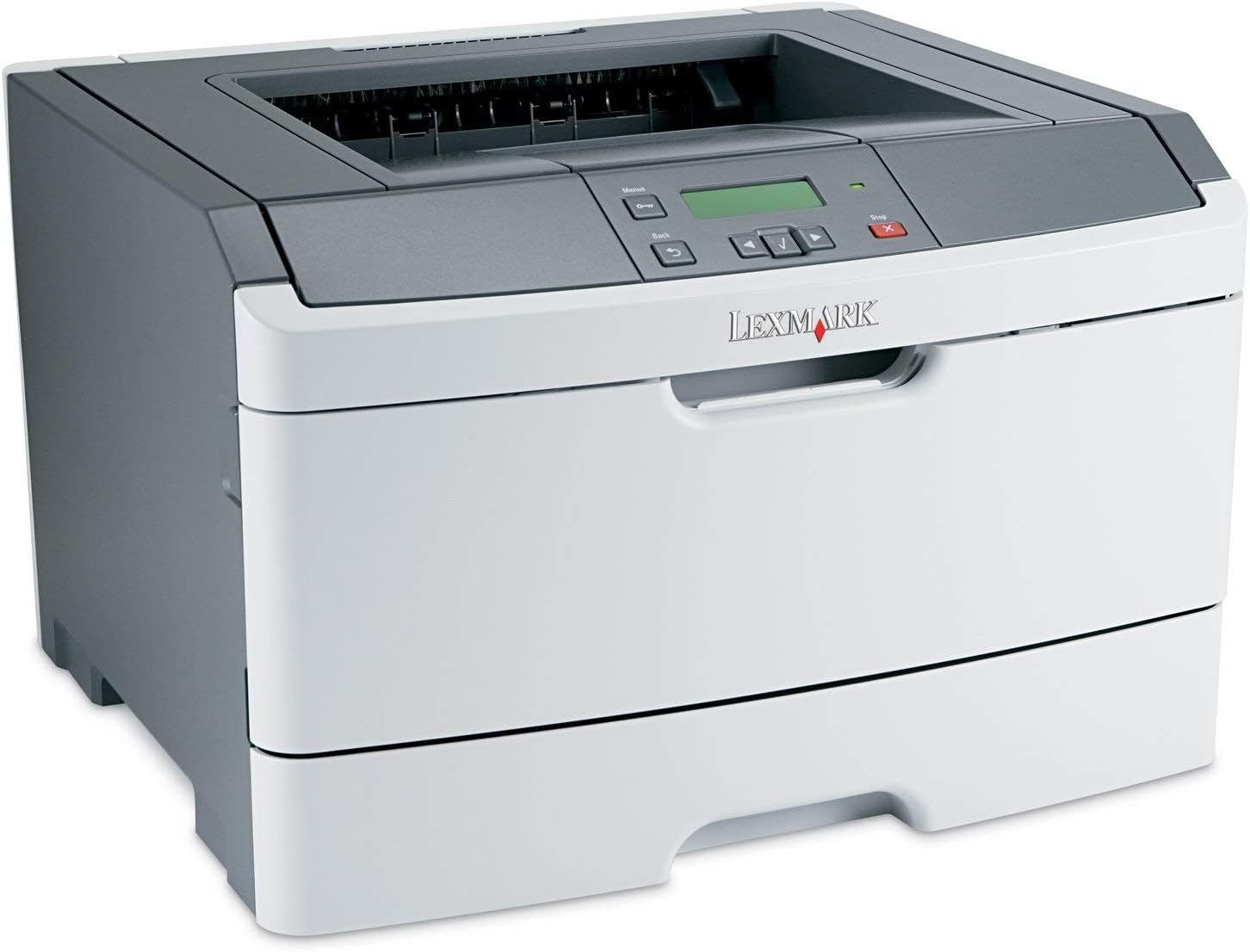
Слика 1: Предна страна view of the Lexmark E460DN Laser Printer. The image displays the printer's light gray body with a dark gray top section, including the output tray and control panel. The Lexmark logo is visible on the front panel.
Клучни карактеристики:
- Брзи брзини на печатење: Up to 40 pages per minute (ppm) for monochrome documents.
- Висок квалитет на печатење: True 1200 x 1200 dpi resolution for sharp text and graphics.
- Автоматско двострано печатење: Standard feature for two-sided printing, reducing paper consumption.
- Подготвено за мрежа: Ethernet connectivity for shared use in workgroup environments.
- Кориснички интерфејс: Four-line operator panel for easy navigation and control.
- Подобрена безбедност: Numeric pad for confidential printing.
- Ефикасно работење: Instant warm-up fuser for fast first-page-out times and reduced power consumption.
Инструкции за поставување
- Распакувајте го печатачот: Carefully remove the printer from its packaging. Remove all packing materials, tapes, and protective films.
- Place the Printer: Position the printer on a stable, level surface with adequate ventilation. Ensure sufficient space around the printer for paper loading and output.
- Поврзете напојување: Plug the power cord into the printer's power inlet, then into a grounded electrical outlet.
- Install Toner/Drum (if applicable): If the toner cartridge and imaging drum are not pre-installed, follow the instructions provided with the consumables to install them. For refurbished units, these components are typically pre-installed.
- Ставете хартија: Open the paper tray and adjust the paper guides to fit the paper size. Load the desired print media (e.g., plain paper, envelopes) into the tray.
- Поврзување со мрежа/компјутер:
- Етернет (жичен): Поврзете етернет кабел од етернет-портата на печатачот со вашиот мрежен рутер или прекинувач.
- USB (Optional, if available): Поврзете USB кабел од печатачот со вашиот компјутер.
- Инсталирајте драјвери: Turn on the printer. Install the appropriate printer drivers on your computer. Drivers can usually be found on the manufacturer's webсајт.
- Изврши тест печатење: After driver installation, print a test page to confirm proper setup and connectivity.
Упатства за работа
Control Panel Navigation:
The Lexmark E460DN features a four-line display and several buttons for navigating menus and controlling printer functions. Use the arrow buttons to scroll through options and the 'Menu' or 'Select' button to confirm selections. The 'Back' button allows you to return to previous menus, and the 'Stop' button can cancel print jobs.
Basic Printing:
- Проверете дали печатачот е вклучен и поврзан со вашиот компјутер или мрежа.
- Отворете го документот што сакате да го испечатите на вашиот компјутер.
- Изберете File > Печати (или еквивалентната команда во вашата апликација).
- Choose the Lexmark E460DN from the list of available printers.
- Adjust print settings as needed (e.g., number of copies, paper size, print quality).
- For two-sided printing, select the duplex option in your printer settings. The E460DN supports automatic duplexing.
- Кликнете Печати.
Доверливо печатење:
The printer supports confidential printing using a numeric pad. When sending a confidential print job from your computer, you will be prompted to enter a PIN. To release the job at the printer, enter the same PIN using the control panel's numeric pad.
Одржување
Toner Cartridge and Imaging Drum Replacement:
The Lexmark E460DN uses a combined toner cartridge and imaging drum unit. The printer's control panel will display early-warning alerts for low toner. When prompted:
- Отворете ја предната врата за пристап на печатачот.
- Carefully remove the old toner/drum unit by pulling it straight out.
- Unpack the new toner/drum unit and gently shake it to distribute the toner.
- Insert the new unit into the printer until it clicks into place.
- Затворете ја предната врата за пристап.
Dispose of used toner cartridges according to local regulations or return them to Lexmark for recycling.
Чистење на печатачот:
- Надворешност: Избришете ги надворешните површини со мека, гamp, крпа без влакненца. Не користете абразивни средства за чистење или растворувачи.
- Внатрешност: Periodically clean the paper path and other accessible interior areas to remove dust and paper debris. Refer to the printer's on-screen messages or full service manual for detailed internal cleaning procedures.
Решавање проблеми
This section provides solutions to common issues you may encounter with your Lexmark E460DN printer. For more complex problems, consult the full service manual or Lexmark support.
Заеднички прашања и решенија:
- Печатачот не реагира:
- Проверете ги приклучоците за напојување и осигурајте се дека печатачот е вклучен.
- Проверете ги мрежните или USB-кабелските врски.
- Рестартирајте го печатачот и вашиот компјутер.
- Проверете дали драјверите за печатачот се правилно инсталирани и ажурирани.
- Заглавување на хартија:
- Follow the instructions on the printer's display or in the full service manual to locate and clear jammed paper.
- Ensure paper is loaded correctly and not overfilled in the tray.
- Користете ги препорачаните типови хартија.
- Лош квалитет на печатење:
- Check toner levels. Replace the toner/drum unit if low or empty.
- Ensure the imaging drum is clean and free from damage.
- Perform a print quality test from the printer's menu to diagnose issues.
- Clean the printer's interior as described in the maintenance section.
- Пораки за грешка:
Refer to the customizable operator panel messaging for specific error codes or descriptions. Consult the full service manual for detailed explanations and solutions for each error message.
Спецификации
| Карактеристика | Спецификација |
|---|---|
| Број на модел | E460DN |
| Технологија на печатење | Ласерски |
| Излез на печатач | Монохроматски |
| Максимална брзина на печатење (монохроматски) | Up to 40 ppm (letter-size paper) |
| Резолуција за печатење | 1200 x 1200 dpi |
| Дуплекс печатење | Automatic (Dual-sided printing) |
| Технологија за поврзување | Wired; Ethernet |
| Хардверски интерфејс | Етернет |
| Капацитет за складирање на меморија | 64 MB |
| Максимален капацитет на влезен лист | 300 листови |
| Капацитет на излезен лист | 150 листови |
| Поддржани медиуми за печатење | Envelopes, Plain Paper |
| Димензии на производот | 14.55 x 15.98 x 10.2 инчи |
| Боја | Светло сива/темно сива |
| UPC | 748926547406 |
Гаранција и поддршка
This Lexmark E460DN printer is a Certified Refurbished product and comes with a 90-дневна ограничена гаранција. Оваа гаранција ги покрива дефектите на материјалите и изработката при нормална употреба.
For warranty claims, technical support, or further assistance, please refer to the documentation provided with your refurbished product or contact the seller directly. Additional support resources may be available on the official Lexmark webсајт.


