Вовед
Thank you for choosing the BOBLOV PD50 Body Camera. This manual provides detailed instructions for the setup, operation, and maintenance of your device. Please read this manual thoroughly before using the camera to ensure proper functionality and to maximize its performance.
The BOBLOV PD50 is a high-definition body-worn camera designed for various applications, featuring 1296P WDR recording, night vision capabilities, a wide-angle lens, and a durable design. It is equipped with a 2400mAh battery for extended recording times and supports a dashcam mode for vehicle use.
Содржина на пакетот
Ве молиме проверете ја содржината на пакувањето по отпакувањето за да се осигурате дека сите артикли се присутни:
- BOBLOV PD50 Body Camera (32GB internal memory)
- Клип за рамо
- Клип за појас
- Полнач (адаптер за напојување)
- USB податочен кабел
- Упатство за употреба

Image: BOBLOV PD50 Body Camera and its included accessories.
Производот завршиview
Familiarize yourself with the various components and controls of your BOBLOV PD50 Body Camera:

Image: Detailed diagram of the BOBLOV PD50 Body Camera's components and controls.
- Микрофон: Снима аудио за време на снимањето.
- LED светло: Обезбедува осветлување.
- Индикатор за полнење: Го прикажува статусот на полнење.
- Работен индикатор: Indicates device operation status.
- Location Pointing Light: Laser pointer for aiming.
- IR светлина: Инфрацрвени LED диоди за ноќно гледање.
- Говорник: За репродукција на аудио.
- Копче за ресетирање: За да го ресетирате уредот.
- LCD екран: Displays menu, live view, и репродукција.
- Копче за мени: Пристапува до поставките на уредот.
- Playback/Confirm Button: Initiates playback or confirms selections.
- Копче за враќање: Се враќа назад во менијата.
- Video Recording Button: Започнува/запира снимање видео.
- Audio Recording Button: Starts/stops audio recording.
- Копчиња горе/долу: Навигирајте ги опциите на менито.
- Photo Shooting Button: Снима неподвижни слики.
- HDMI порта: За поврзување со надворешни екрани.
- USB порта: За полнење и пренос на податоци.
- Прекинувач: Го вклучува/исклучува уредот.
Поставување
1. Полнење на батеријата
Before first use, fully charge the camera's battery. The 2400mAh battery supports approximately 6 hours of continuous 1080p recording. Using the original cable and 3.8V DC adapter, a full charge takes about 1 hour with Qualcomm Quick Charge 3.0 technology.
- Connect the USB data cable to the camera's USB port.
- Поврзете го другиот крај од USB кабелот со испорачаниот полнач.
- Приклучете го полначот во штекер.
- The charging indicator will illuminate. It will turn off or change color once charging is complete.

Image: Charging the BOBLOV PD50 Body Camera.
2. Вклучување/исклучување
To power on the camera, press and hold the Power Switch until the screen illuminates. To power off, press and hold the Power Switch again until the device shuts down.
3. Поврзување со компјутер
The camera supports plug-and-play functionality with Windows 7/8/10 and Mac operating systems for easy data transfer.
- Проверете дали камерата е вклучена.
- Поврзете ја камерата со вашиот компјутер користејќи го испорачаниот USB кабел за податоци.
- The camera will be recognized as a removable disk. You can then access and transfer recorded files.

Image: Connecting the BOBLOV PD50 Body Camera to a computer.
Упатства за работа
1. Снимање видео
The camera supports 1296P, 1080P, and 720P HD resolutions with a 150-degree wide-angle lens and WDR for clear video capture.
- To start video recording, press the dedicated Video Recording button.
- The working indicator will change to indicate recording is in progress.
- To stop recording, press the Video Recording button again.
- You can select video resolution (1296P, 1080P, 720P) through the camera's menu settings.
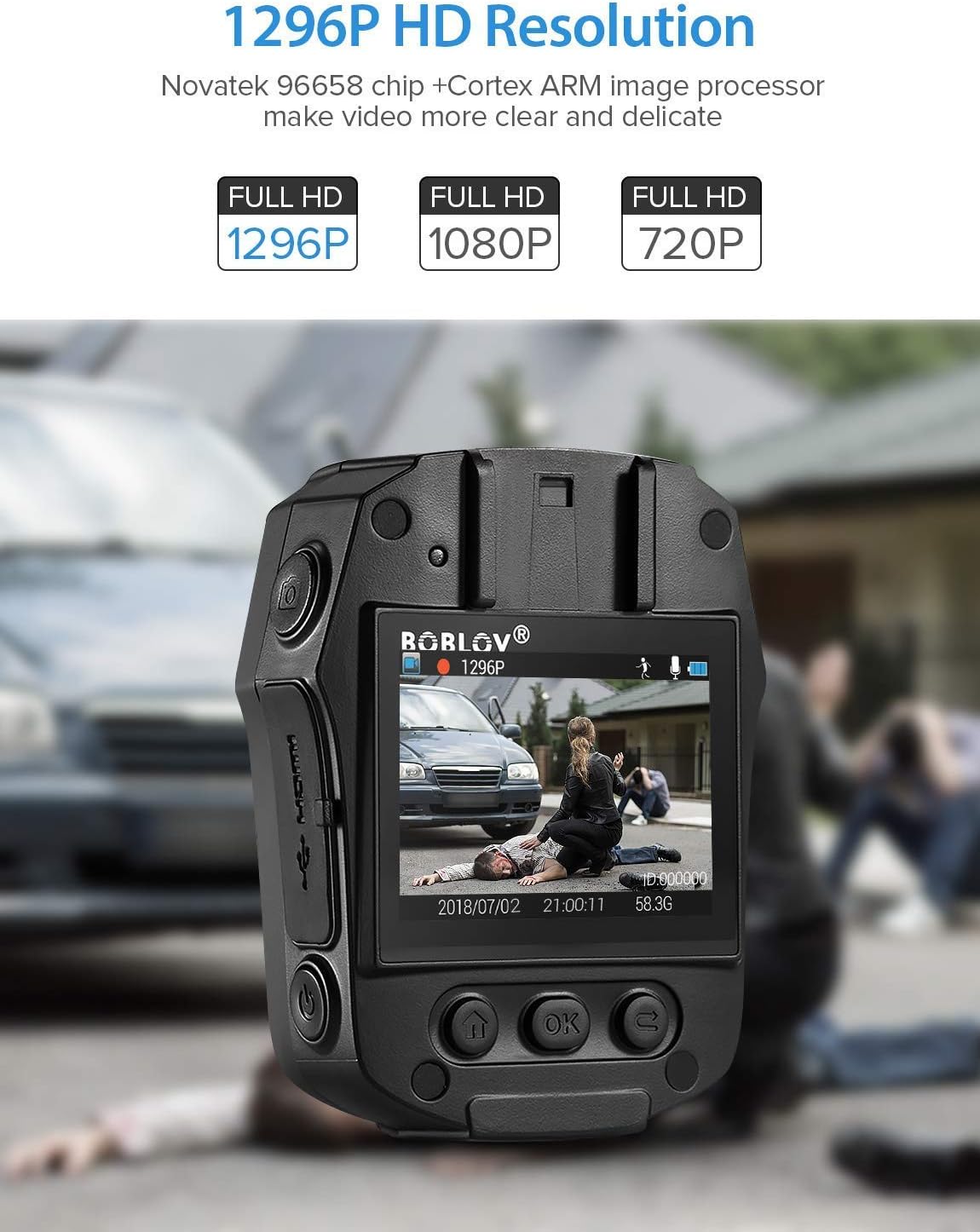
Image: High-definition video recording at 1296P resolution.

Image: The camera's 150-degree wide-angle lens capturing a broad field of view.
2. Аудио снимање
To record audio only:
- Press the dedicated Audio Recording button to start.
- Притиснете го повторно за да престанете.
3. Фото снимање
За да направите неподвижни слики:
- Press the dedicated Photo Shooting button.
- The camera will capture a still image.
4. Night Vision (IR LED)
The camera features 850nm high-intensity dual infrared LEDs for night vision, allowing recording up to 30-40 feet in total darkness.
- To activate or deactivate IR night vision, press the IR Light button.
- The IR LEDs will illuminate when active.
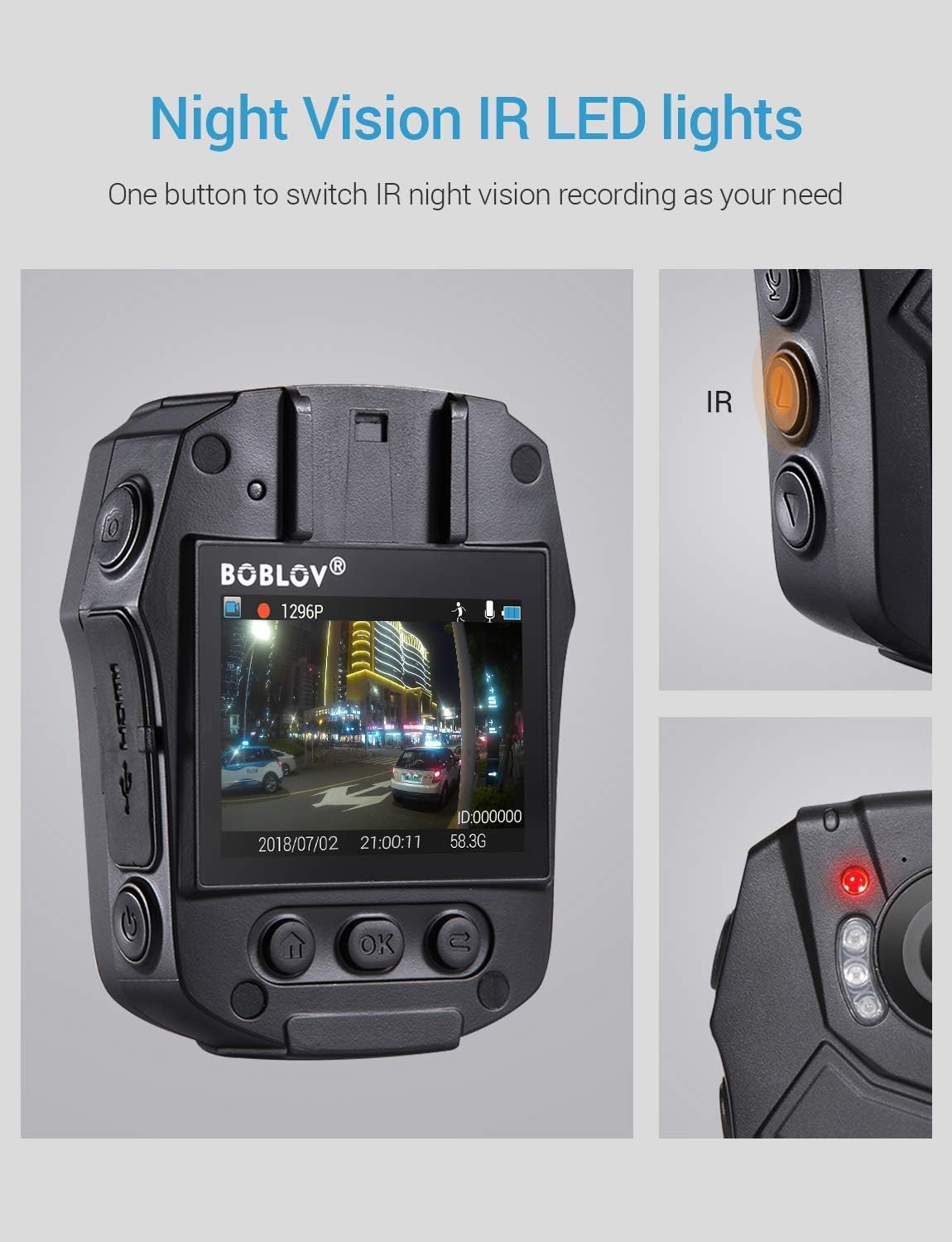
Image: Activating night vision with IR LED lights.
5. Dashcam Mode
In Dashcam mode, the camera automatically starts recording when powered on and saves videos when the engine is turned off (when connected to a vehicle's power supply).
- Enable Dashcam mode in the camera's menu settings.
- Mount the camera securely in your vehicle.
- Connect the camera to your vehicle's power supply.
6. Репродукција
За повторноview снимен footage and photos:
- Press the Playback/Confirm button to enter playback mode.
- Use the Up/Down buttons to navigate through files.
- Press Playback/Confirm again to view избран file.
- Press the Return button to exit playback mode.
7. Навигација во менито
To access and adjust camera settings:
- Притиснете го копчето Мени за да влезете во менито за поставки.
- Use the Up/Down buttons to scroll through options.
- Press the Playback/Confirm button to select an option or enter a sub-menu.
- Press the Return button to go back to the previous menu or exit the menu.
Одржување
1. Чистење
Regularly clean the camera lens and body to ensure optimal performance. Use a soft, dry cloth for the body and a lens cleaning cloth for the lens. Avoid abrasive materials or harsh chemicals.
2. Складирање
Store the camera in a cool, dry place away from direct sunlight and extreme temperatures. Ensure the battery is partially charged (around 50%) if storing for extended periods to prolong battery life.
3. Antivirus Protection
The camera features an antivirus design to detect and destroy viruses within the internal memory. Regularly check for firmware updates from the manufacturer to ensure the latest protection.
Решавање проблеми
| Проблем | Можна причина / решение |
|---|---|
| Камерата не се вклучува. |
|
| Снимањето запира неочекувано. |
|
| Лош квалитет на видеото. |
|
| Компјутерот не ја препознава камерата. |
|
| Ноќното гледање не работи. |
|
Спецификации
| Карактеристика | Детал |
|---|---|
| Контролен чип | Новатек 96658 |
| CMOS сензор | Sony IMX291 |
| Пиксел | 32 MP |
| Video Recording Frame Rate | 30 FPS / 60 FPS |
| Формат на снимање видео | MOV / H.264 |
| Поддржан аудио формат | AAC |
| Synchronous Sound Recording | Поддржано |
| Екран | 2.0-inch High Definition LCD |
| Јамка видео снимање | Поддржано |
| Капацитет на внатрешна меморија | 32 GB |
| Капацитет на батеријата | 2400 mAh |
| Време на полнење | Approx. 1 hour (Quick Charge 3.0) |
| Video Recording Duration | Approx. 6 hours (continuous 1080p) |
| Dashcam Mode | Поддржано |
| Посебни карактеристики | Infrared Night Vision, LED Light Compensation, Laser Positioning, Portable |
| Димензии на производот (Д x Ш x В) | 80 mm x 60 mm x 32 mm (Body only) |
| Главна телесна тежина | 112 гр |
| Технологија за поврзување | Iredичен (USB) |

Image: Compact size and lightweight design of the BOBLOV PD50 Body Camera.
Гаранција и поддршка
For warranty information and technical support, please refer to the official BOBLOV webстраницата или директно контактирајте ја нивната служба за корисници. Чувајте ја сметката за купување како доказ за купување за какви било рекламации за гаранција.
Забелешка: Информациите за достапноста на резервни делови моментално не се достапни.


