1. Вовед
Thank you for choosing the Macally USB Type C Wired Mouse. This manual provides detailed instructions for setting up, operating, and maintaining your new mouse. Designed for simplicity and reliability, this plug-and-play mouse offers comfortable use with adjustable DPI settings for various computing needs.
2. Содржина на пакетот
- Macally USB Type C Wired Mouse
- Упатство за употреба
3. Поставување
The Macally USB Type C Wired Mouse is designed for easy plug-and-play functionality, requiring no additional drivers for most operating systems.
- Поврзете го глувчето: Locate an available USB-C port on your computer (MacBook Pro, iMac, PC, Laptop, Tablet, etc.). Insert the USB-C connector of the mouse cable firmly into the USB-C port.
- Автоматско препознавање: Your operating system should automatically detect and configure the mouse. No software installation is typically required.
- Започнете со употреба: Откако ќе се препознае, глувчето е подготвено за непосредна употреба.

Image: The Macally USB-C mouse connected to a laptop via its USB-C cable, demonstrating the plug-and-play setup.
Video: A demonstration of connecting the wired USB-C mouse to a laptop, highlighting its plug-and-play functionality for Type-C computers.
4. Упатства за работа
4.1 Основна употреба
The mouse features a standard 3-button layout for intuitive control:
- Лево копче за кликнување: Се користи за избирање предмети, отворање files и извршување на команди.
- Десен клик на копче: Се користи за пристап до контекстуални менија и дополнителни опции.
- Тркало за лизгање: Се користи за прелистување низ документи и web pages. The scroll wheel can also be pressed as a middle click button for specific functions in some applications.

Слика: Од горе надолу view of the Macally USB-C mouse, clearly showing the left-click, right-click, and scroll wheel buttons.
4.2 Прилагодување на DPI
The mouse features a dedicated DPI (Dots Per Inch) switch to adjust cursor sensitivity. This allows you to change the speed and responsiveness of the cursor to suit your preference or task.
- Притиснете го Копче DPI (located below the scroll wheel) to cycle through the available sensitivity settings: 800, 1200, 1600, and 2400 DPI.
- Select the DPI setting that provides the most comfortable and efficient cursor movement for your current activity.
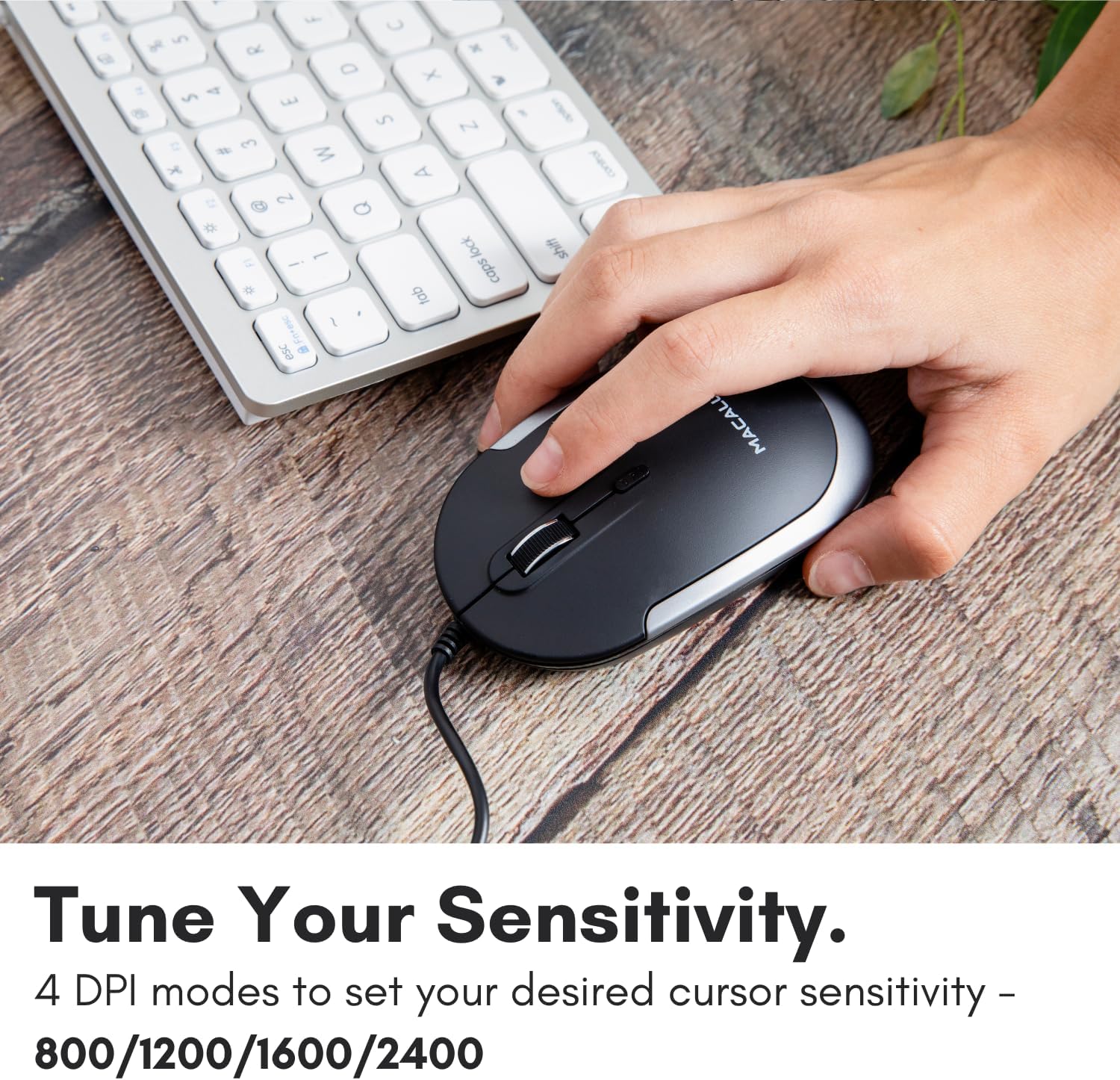
Image: A hand demonstrating how to press the DPI button on the Macally USB-C mouse to adjust sensitivity.
4.3 Компатибилност
The Macally USB Type C Wired Mouse is universally compatible with a wide range of devices and operating systems:
- Мек (macOS)
- Компјутер (Windows)
- iPadOS
- Android devices with USB-C ports

Image: The Macally USB-C mouse displayed with compatibility logos for Mac, PC, iPadOS, and Android operating systems.
5. Клучни карактеристики
- USB-C поврзување: Specifically designed for modern laptops and computers with USB-C ports, ensuring a reliable wired connection.
- Тенок и компактен дизајн: With a height of only 1 inch, the mouse is slim, comfortable, and portable, fitting snugly in your hand.
- Тивко кликнување на копчиња: Reduces clicking noise by 90% compared to traditional mice, providing a quieter work environment.
- Прилагодлив DPI: Easily switch between 800, 1200, 1600, and 2400 DPI settings for precise cursor control.
- 5-Foot Cable: Обезбедува ample length for flexible setup and comfortable use, even with desktop computers.
- Амбидекстрен дизајн: Погоден и за десничари и за левораки корисници.

Image: The Macally USB-C mouse highlighting its elegant and slim design with dimensions.
Video: A detailed look at the Macally USB-C Optical Mouse, emphasizing its quiet click buttons and compatibility with Mac and PC.
6. Одржување
To ensure the longevity and optimal performance of your Macally USB Type C Wired Mouse, follow these simple maintenance guidelines:
- Чистење: Користете мека, сува крпа без влакненца за да ја избришете површината на глувчето. За тврдокорна нечистотија, малку дampИзмијте ја крпата со вода или благ раствор за чистење. Избегнувајте употреба на груби хемикалии или абразивни материјали.
- Оптички сензор: Одржувајте го оптичкиот сензор на долната страна од глувчето чист и без прашина или остатоци. Користете памукче или компримиран воздух доколку е потребно.
- Грижа за кабел: Avoid sharp bends or excessive pulling on the USB-C cable to prevent damage. Store the cable neatly when not in use.
- Складирање: Кога не го користите, чувајте го глувчето во чиста, сува средина, подалеку од екстремни температури.
7 Смена на проблеми
If you encounter any issues with your Macally USB Type C Wired Mouse, please refer to the following common solutions:
| Проблем | Решение |
|---|---|
| Глувчето не реагира. |
|
| Движењето на курсорот е неправилно или скокотливо. |
|
| Buttons or scroll wheel are not working. |
|
8. Спецификации
| Бренд | Макално |
| Број на модел | UCDYNAMOUSESG |
| Технологија за поврзување | USB-C кабел |
| Технологија за откривање на движење | Оптички |
| Поставки за ДПИ | 800, 1200, 1600, 2400 |
| Должина на кабелот | 5 стапки (приближно 1.5 метри) |
| Копчиња | 3 (Left, Right, Scroll Wheel/Middle Click) + DPI Switch |
| Тежина на ставката | 2.56 унци (приближно 72.5 грама) |
| Димензии на производот (ДxШxВ) | 2.8 x 4.21 x 1 инчи (приближно 7.1 x 10.7 x 2.5 см) |
| Компатибилност | Mac (macOS), PC (Windows), iPadOS, Android (with USB-C) |
9. Гаранција и поддршка
Macally provides a 1 година гаранција for this product. For technical support, troubleshooting assistance, or warranty claims, please contact Macally customer service. You can find contact information and additional resources on the official Macally webсајт:
Webсајт: www.macally.com
Macally also offers easy returns and lifetime support with your purchase.


