1. Важни безбедносни информации
Please read all instructions and safety warnings carefully before using the DOMAS TENS EMS Unit. Failure to follow these instructions may result in injury or device malfunction.
- Keep the device dry and away from water. Do not use while bathing or near water sources.
- Consult a healthcare professional before use, especially if you have pre-existing medical conditions, are pregnant, have a pacemaker, or any other implanted electronic device.
- Do not apply electrode pads over open wounds, rashes, swollen, red, infected, or inflamed skin areas.
- Do not apply electrode pads over the carotid sinus nerves (front of the neck), on the head, or directly over the heart.
- Да се чува подалеку од дофат на деца.
- Discontinue use if you experience any adverse reactions such as skin irritation, discomfort, or dizziness.
- Изјавите во врска со овој уред не се оценети од страна на FDA и не се наменети за дијагностицирање, лекување, заздравување или спречување на која било болест или здравствена состојба.
2. Производот завршиview
The DOMAS Touch Screen TENS EMS Unit is a dual-channel muscle stimulator designed for temporary relief of pain associated with sore and aching muscles due to strain from exercise or normal household and work activities. It features a touch screen interface, 24 modes, and adjustable intensity levels.

Figure 2.1: The DOMAS Touch Screen TENS EMS Unit, showing the main device, electrode pads, and charging adapter.
2.1 Клучни карактеристики
- Екран на допир: Intuitive interface for easy navigation and selection.
- 24 режими на масажа: A variety of pre-programmed modes for different types of stimulation.
- 20 нивоа на интензитет: Customizable intensity to suit individual comfort and needs.
- Dual Channel Output: Allows for simultaneous treatment of two different body areas or two people.
- Прилагодлив тајмер: Sessions can be set from 10 to 60 minutes.
- USB се полни: Built-in lithium battery for convenient charging.
- Преносен дизајн: Компактен и лесен за употреба дома или на пат.
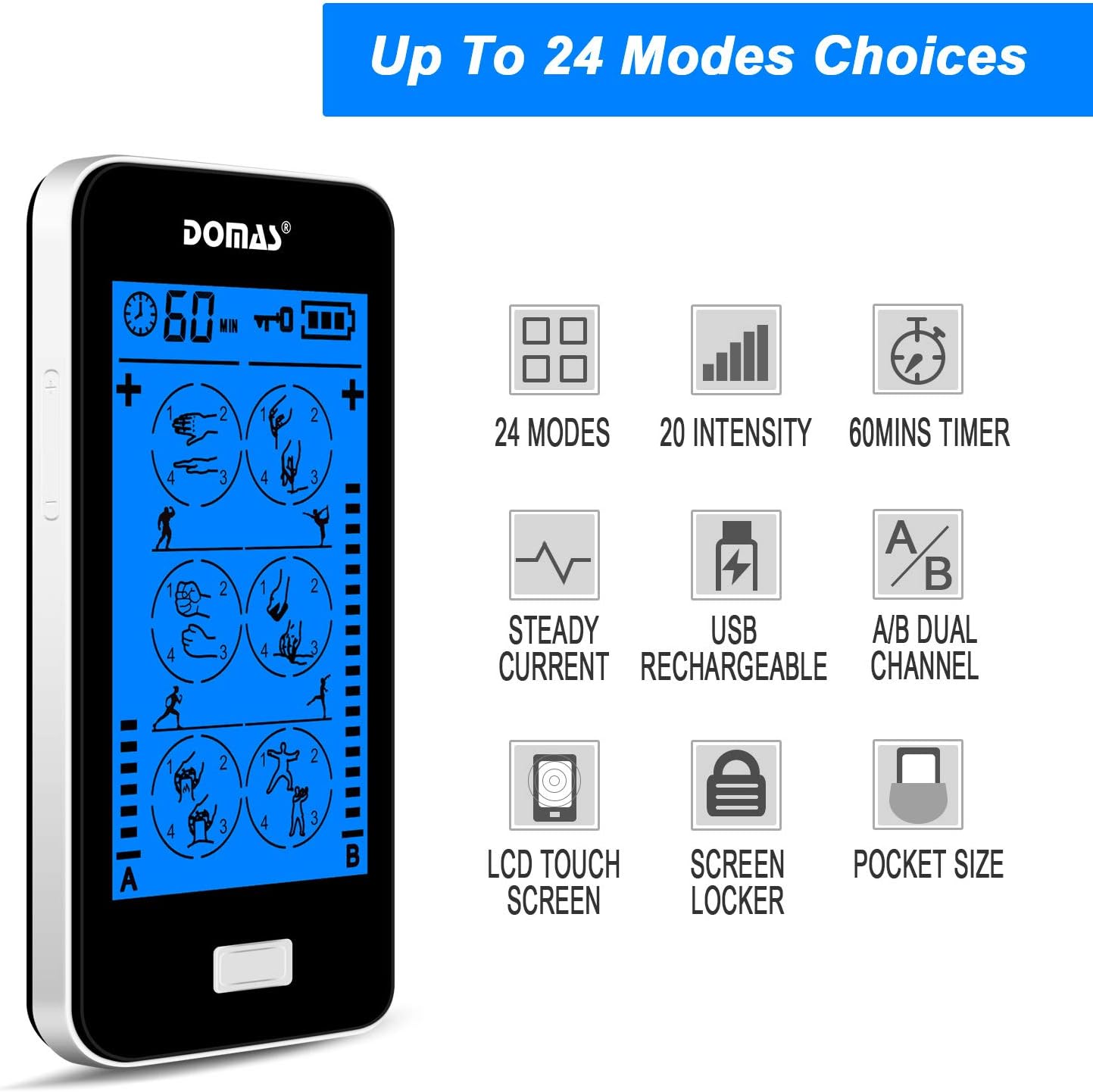
Figure 2.2: Visual representation of the unit's key features, including mode count, intensity levels, and portability.
2.2 Содржина на пакетот
Upon opening your DOMAS TENS EMS Unit package, please ensure all the following items are present:
- DOMAS Touch Screen TENS EMS Unit
- Електродни влошки (различни големини)
- Оловни жици
- USB кабел за полнење
- AC адаптер
- Pad Holder/Storage Pouch
- Упатство за употреба

Figure 2.3: All components included in the DOMAS TENS EMS Unit package.
2.3 Компоненти на уредот
Familiarize yourself with the different parts of your TENS EMS unit:

Figure 2.4: Labeled diagram of the DOMAS TENS EMS Unit's external features.
- A & B Dual-output Channel: Ports for connecting lead wires to electrode pads.
- Приказ на тајмер: Shows remaining treatment time.
- Копче за вклучување/исклучување: За да го вклучите или исклучите уредот.
- Intensity Adjustment Buttons (+/-): To increase or decrease stimulation intensity for each channel.
- Копче за заклучување: To prevent accidental changes during use.
- Rechargeable USB Port: За полнење на уредот.
- Екран на допир: Main interface for mode selection and settings.
3. Поставување
Follow these steps to prepare your DOMAS TENS EMS Unit for use:
3.1 Полнење на уредот
- Connect the USB charging cable to the device's USB port.
- Приклучете го другиот крај на USB-кабелот во адаптерот за наизменична струја.
- Insert the AC adapter into a standard wall outlet.
- The battery indicator on the screen will show charging status. Charge fully before first use.

Figure 3.1: Connecting the USB charging cable to the device.
3.2 Connecting Electrode Pads
- Проверете дали уредот е исклучен.
- Connect the lead wires to the electrode pads by snapping them onto the metal studs.
- Plug the lead wires into the A and/or B output ports on the top of the device.

Figure 3.2: Attaching the lead wire to an electrode pad.
3.3 Примена на електродни влошки
- Clean and dry the skin area where you intend to place the pads.
- Carefully peel the transparent protective film from the adhesive side of the electrode pads. Retain the film for storage.
- Place the pads firmly on the desired treatment area. Ensure good skin contact.

Figure 3.3: Visual guide for connecting pads and applying them to the skin.
4. Упатства за работа
Once the device is set up, follow these steps to begin your therapy session:
- Вклучи: Press and hold the Power ON/OFF button located on the top of the device until the screen illuminates.
- Изберете режим: The touch screen will display various massage modes. Tap on your desired mode icon to select it. The device offers 24 different modes, each providing a unique stimulation pattern.
- Прилагодете го интензитетот: Use the '+' and '-' buttons on the sides of the device to adjust the intensity level for Channel A and Channel B independently. Start with the lowest intensity and gradually increase until you feel a comfortable, yet effective, sensation. Avoid increasing интензитет до непријатно ниво.
- Поставете тајмер: The default session time is usually 20 minutes. You can adjust the timer by tapping the timer icon on the screen and selecting your preferred duration (e.g., 10, 20, 30, 40, 50, 60 minutes).
- Lock Screen (Optional): To prevent accidental changes during a session, press the Lock button. The screen will lock, and a lock icon will appear. Press it again to unlock.
- Крај на сесијата: The device will automatically turn off once the timer expires. To manually end a session, press and hold the Power ON/OFF button.

Figure 4.1: The touch screen interface showing available massage modes and settings.
4.1 Mode Selection Guide
The unit offers 24 distinct modes. Experiment with different modes to find what works best for your specific needs and comfort. Common mode categories include:
- Масажа: Gentle, rhythmic pulses for relaxation.
- Месење: Deeper, more intense pressure simulation.
- Acupuncture: Sharp, tapping sensations.
- Купување: Suction-like sensation.
- Стружење: Gliding, scraping sensation.
- Допирање: Quick, light pulses.

Слика 4.2: Прamples of body areas suitable for TENS EMS therapy and the variety of modes available.
5. Одржување
Proper care and maintenance will extend the life of your DOMAS TENS EMS Unit and its accessories.
5.1 Чистење на уредот
- Turn off the device and disconnect all wires before cleaning.
- Избришете го уредот со мека, гamp крпа. Не користете абразивни средства за чистење и не потопувајте го уредот во вода.
- Пред складирање или следната употреба, проверете дали уредот е целосно сув.
5.2 Electrode Pad Care
- По секоја употреба, нежно отстранете ги влошките од кожата.
- Place the adhesive side of the pads back onto the transparent protective film.
- Store the pads in the provided storage pouch to keep them clean and prevent drying out.
- If pads lose their stickiness, gently wipe the adhesive surface with a damp cloth and let air dry. Replace pads when they no longer adhere well to the skin.
5.3 Складирање
- Чувајте го уредот и додатоците на ладно и суво место, подалеку од директна сончева светлина и екстремни температури.
- Keep the device and pads in the provided storage pouch or a clean, dry container.
6 Смена на проблеми
If you encounter issues with your DOMAS TENS EMS Unit, refer to the following common troubleshooting tips:
| Проблем | Можна причина | Решение |
|---|---|---|
| Уредот не се вклучува. | Батеријата е слаба или уредот не е наполнет. | Charge the device fully using the provided USB cable and AC adapter. |
| Нема сензација или има слаба сензација. |
|
|
| Pads lose stickiness quickly. | Skin is oily or dirty; pads are drying out. | Clean skin thoroughly before application. After use, place pads back on the protective film and store in the pouch. Gently wipe adhesive with a damp cloth if needed. Replace pads when necessary. |
| Екранот не реагира или е замрзнат. | Привремен софтверски дефект. | Press and hold the Power ON/OFF button for 10-15 seconds to perform a hard reset. If the issue persists, contact customer support. |
| Непријатност или иритација на кожата. | Intensity too high; allergic reaction to pads; improper pad placement. | Decrease intensity immediately. Discontinue use if irritation persists. Ensure pads are not placed over sensitive or broken skin. Try different pad placement. |
7. Спецификации
Technical details for the DOMAS Touch Screen TENS EMS Unit:
- Број на модел: 898a53b9-6ac2-4d6b-9e0a-edbe601818f0
- Извор на енергија: Напојува со батерија (USB се полни)
- Материјал: Пластика
- Канали: Dual Output (A & B)
- Режими: 24
- Нивоа на интензитет: 20
- Тајмер: Adjustable (e.g., 10-60 minutes)
- Димензии: Приближно 6.06 x 3.54 x 3.07 инчи
- Тежина: Приближно 15.2 унци
- Производител: ДОМАС
8. Гаранција и поддршка
DOMAS is committed to providing high-quality products. For specific warranty information, please refer to the warranty card included in your product packaging or contact DOMAS customer support directly.
8.1 Поддршка за корисници
If you have any questions, require assistance, or experience issues not covered in this manual, please contact DOMAS customer support. Contact details can typically be found on the product packaging, the official DOMAS webстраницата или преку вашата платформа за купување.
