1. Вовед
The FORA IR42 Non-Contact Forehead Thermometer is a medical-grade device designed for quick, accurate, and hygienic temperature measurement. Utilizing infrared technology, it provides readings in just one second without physical contact, making it ideal for infants, children, and adults. This manual provides comprehensive instructions for safe and effective use of your thermometer.

Figure 1: The FORA IR42 Non-Contact Forehead Thermometer.
Клучни карактеристики:
- Мерење без контакт: Infrared sensor allows for hygienic temperature checks from a distance of 1 to 2.5 inches (3-7 cm).
- Брзи читања: Delivers accurate results in just one second.
- Работа во двоен режим: Includes specific modes for both adults and children.
- Fever Indication System: Backlight changes color (green for normal, red for elevated) to visually alert users of potential fever.
- Разновидна употреба: Capable of measuring body temperature as well as surface temperatures of objects or room environments.
- Меморија за складирање: Stores up to 30 previous measurements for easy tracking.
2. Поставување
2.1. Распакување и компоненти
По отварањето на пакувањето, проверете дали се присутни сите компоненти:
- FORA IR42 Forehead Thermometer
- 2 x AAA батерии (вклучени)
- Упатство за употреба

Figure 2: Product packaging showing the thermometer and its features.
2.2. Инсталација на батерија
- Пронајдете го капакот на преградата за батерии на задната страна од термометарот.
- Лизнете го капакот надолу за да го отворите преградата.
- Вметнете две AAA батерии, осигурувајќи се дека поларитетот е точен (+ и -) како што е наведено во преградата.
- Вратете го капакот на преградата за батерии на место додека не кликне безбедно.
Note: The thermometer requires 2 x 1.5V AAA alkaline batteries.
3. Упатства за работа
3.1. Мерење на температурата на челото
- Ensure the thermometer is in the correct mode (Adult or Child, see section 3.2).
- Hold the thermometer approximately 1 to 2.5 inches (3-7 cm) away from the center of the forehead.
- Притиснете го копчето за напојување (⑂) еднаш.
- The temperature reading will appear on the LCD display within one second.
- A green backlight indicates a normal temperature. A red backlight indicates an elevated temperature (fever).

Figure 3: Demonstrating hygienic non-contact temperature measurement.
3.2. Switching Between Adult and Child Modes
The FORA IR42 offers specific modes for adult and child temperature measurement, which may have different fever thresholds.
- With the thermometer powered on, locate the "MODE" button on the side of the device.
- Press the "MODE" button to toggle between Adult and Child modes. The display will show an icon indicating the selected mode (e.g., an adult figure or a child figure).

Figure 4: Visual representation of Adult and Child Temperature Modes.
3.3. Measuring Surface/Object Temperature
This thermometer can also measure the temperature of surfaces or objects, such as baby formula, bath water, or room temperature.
- Ensure the thermometer is in Surface mode (indicated by a thermometer icon). If not, press the "MODE" button until the surface icon appears.
- Point the thermometer at the desired surface or object from a distance of 1 to 2.5 inches (3-7 cm).
- Притиснете го копчето за напојување (⑂) еднаш.
- Ќе се прикаже температурата на површината.
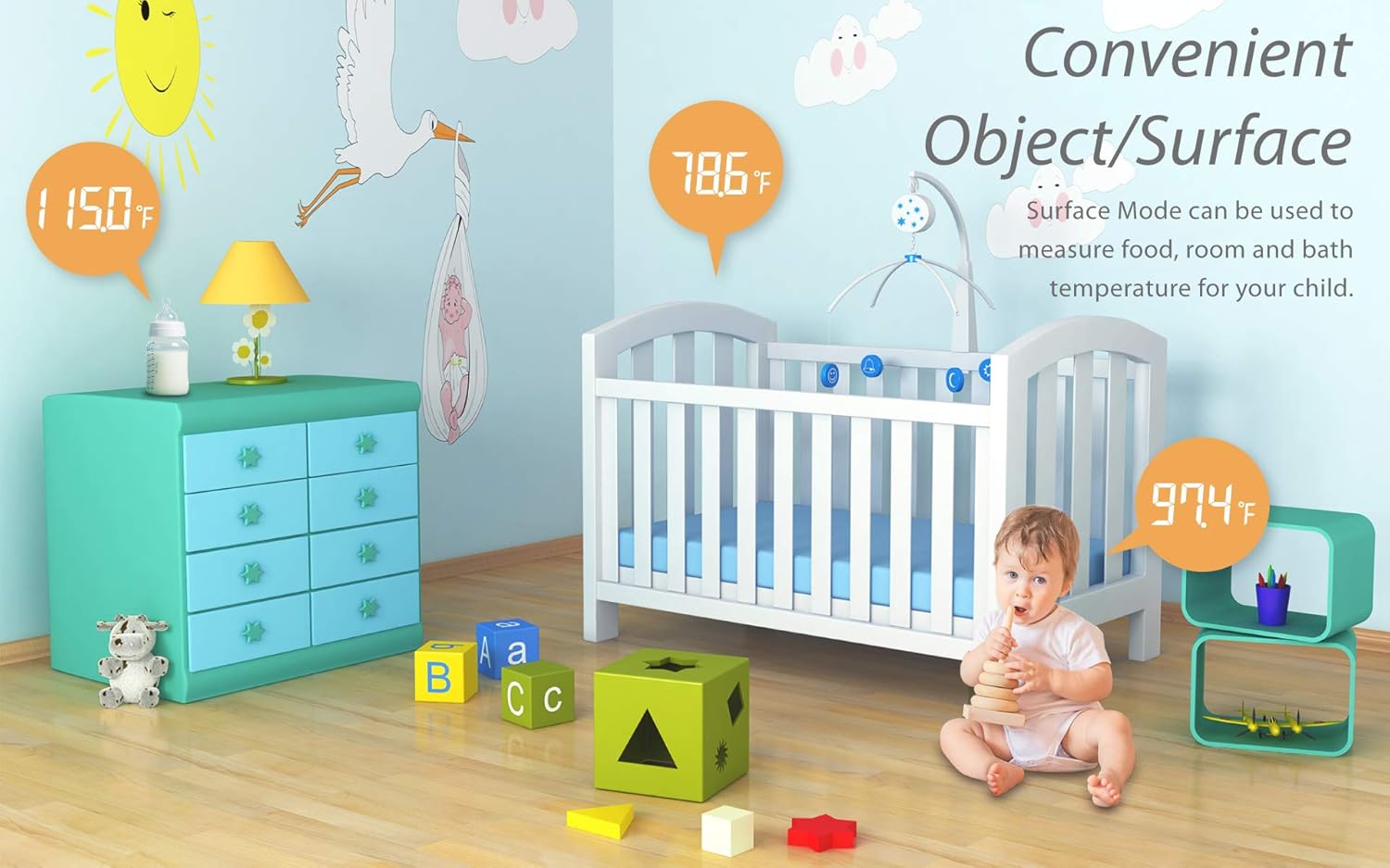
Слика 5: Прamples of convenient object/surface temperature measurement.
3.4. Префрлување помеѓу Целзиус и Фаренхајт
The thermometer allows you to switch between Celsius (℃) and Fahrenheit (℉) temperature units.
- With the thermometer powered off, press and hold the "MODE" button for 2 seconds to enter the selection mode.
- Press the "MODE" button again to toggle between ℃ and ℉.
- Притиснете го копчето за напојување (⑂) to confirm your selection and exit the setting mode.
Video 1: Demonstrates how to switch temperature readings between Celsius and Fahrenheit on the FORA IR42 thermometer.
3.5. Функција на меморијата
The thermometer automatically stores the last 30 temperature measurements. To view минати читања:
- With the thermometer powered on, press the "MEMORY" button (usually located on the side, near the MODE button).
- Each press of the "MEMORY" button will cycle through the stored readings, from most recent to oldest.

Figure 6: Display showing fever indication and memory storage capability.
4. Одржување
4.1. Чистење
За да обезбедите точни отчитувања и хигиена, редовно чистете го термометарот:
- Избришете го телото на термометарот со мека, сува крпа.
- For the sensor lens, gently wipe with an alcohol swab or a cotton swab moistened with alcohol. Do not use abrasive cleaners or immerse the device in water.
4.2. Складирање
Store the thermometer in a cool, dry place, away from direct sunlight, extreme temperatures, and humidity. Remove batteries if the device will not be used for an extended period to prevent leakage.
5 Смена на проблеми
| Проблем | Можна причина | Решение |
|---|---|---|
| Се прикажува „Lo“ или „Hi“ | Temperature is outside the measurable range (below 89.6℉ or above 109.4℉). | Ensure proper measurement technique and distance. If measuring body temperature, re-measure in a stable environment. |
| Неточни или недоследни мерења | Incorrect measurement distance, dirty sensor, or environmental factors. | Maintain correct distance (1-2.5 inches). Clean the sensor lens. Ensure stable room temperature. Avoid measuring immediately after physical activity or bathing. |
| Thermometer does not power on | Мртви или неправилно инсталирани батерии. | Проверете го поларитетот на батериите. Заменете ги со нови AAA батерии. |
| Red backlight always on | Indicates a temperature above the fever threshold. | This is a feature, not a malfunction. If concerned, consult a healthcare professional. |
6. Спецификации
| Карактеристика | Детал |
|---|---|
| Прикажан температурен опсег | 89.6℉ до 109.4℉ (32℃ до 43℃) |
| Резолуција на екранот | 0.1℉/0.1℃ |
| Температурна единица | ℉ (Default) or ℃ |
| Капацитет на меморија | 30 мерења |
| Димензии | 155.46 (Д) х 40.14 (Ш) х 39.45 (В) мм |
| Тежина | 61.8 g (без батерија) |
| Извор на енергија | 2 x 1.5V AAA алкални батерии |
| Специјална карактеристика | Large Display, Low Battery Indicator, Ultra Clear Screen, Fast Reading System, High Accuracy |
| Материјал | Пластика |
| Боја | Бело |
| Производител | Технолошка корпорација Taidoc |

Figure 7: Detailed specifications of the FORA IR42 thermometer.
7. Гаранција и поддршка
FORA products are manufactured to the highest quality standards. For warranty information, technical support, or any inquiries regarding your FORA IR42 thermometer, please refer to the warranty card included in your product packaging or visit the official FORA website. You may also contact customer support directly through the details provided on the packaging or webсајт.
Видео 2: Оверview of the FORA IR42 Non-Contact Forehead Thermometer.


