Вовед
The Xfinity HD 720p Wireless Indoor/Outdoor Home Security Camera allows you to monitor your home environment with live video accessible from anywhere. Designed for both indoor and outdoor use, this camera provides essential security features to keep you informed.
Што има во кутијата
- Xfinity HD 720p Wireless Security Camera (Model: SCHC2AEW)
- Адаптер за напојување
- USB кабел
- Монтажни хардвери (завртки и сидра)

Image: Xfinity Home Security Camera and accessories neatly packaged in its box.
Водич за поставување
- Поврзување за напојување: Connect the camera to the power adapter using the provided USB cable, then plug the adapter into a standard electrical outlet.
- Преземање на апликација: Download the official Xfinity Home app from your smartphone's app store (iOS App Store or Android Google Play).
- Спарување на уреди: Open the Xfinity Home app and follow the on-screen instructions to add a new device. You will typically need to scan a QR code on the camera or manually enter its details to pair it with your home Wi-Fi network. Ensure your Wi-Fi network is 2.4 GHz for compatibility.

Image: The Xfinity Home Security Camera placed on a surface, ready for setup.
Упатства за работа
Во живо View и основни контроли
Once paired, access the live video feed through the Xfinity Home app. The app provides controls for:
- Стриминг во живо: View храна во реално времеtage од вашиот фотоапарат.
- Снимање: Manually record video clips.
- Слика од екранот: Снимајте фотографии од доводот во живо.
- Двонасочно аудио: Speak through the camera's speaker and hear audio from its microphone.
Ноќна визија
The camera features night vision capabilities for clear monitoring in low-light conditions. This feature automatically activates when ambient light is insufficient, providing a black-and-white image. Some models may offer color night vision depending on ambient light and settings.
Откривање на движење и предупредувања
Configure motion detection settings within the Xfinity Home app to receive alerts on your smartphone when activity is detected. You can customize sensitivity levels and notification preferences.
Опции за складирање
The camera supports local storage via a MicroSD card (not included). Insert a compatible MicroSD card into the designated slot to store recorded video clips directly on the device. Cloud storage options may also be available through your Xfinity Home service subscription.
Инсталација и монтажа
The Xfinity Home Security Camera can be placed on a flat surface or mounted to a wall. Use the included mounting hardware for secure wall installation. Ensure the camera is positioned to cover the desired monitoring area.
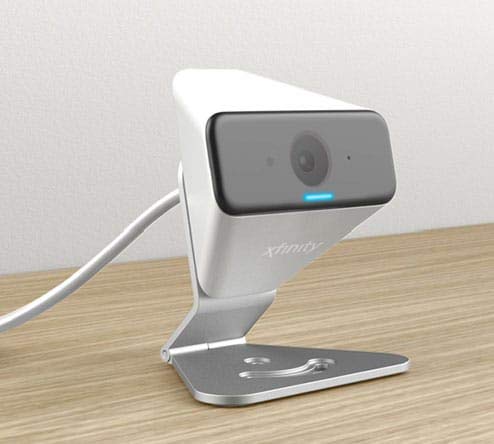
Image: The Xfinity Home Security Camera positioned on a desk, demonstrating its compact design.
Спецификации на производот
| Карактеристика | Детал |
|---|---|
| Број на модел | SCHC2AEW |
| Резолуција за снимање видео | 720 стр |
| Технологија за поврзување | Безжичен (Wi-Fi) |
| Протокол за поврзување | Wi-Fi (2.4 GHz compatible) |
| Внатрешна/надворешна употреба | Затворен, Надворешен |
| Посебни карактеристики | Motion Sensor, Night Vision |
| Извор на енергија | DC (12 Volts, 1 Watt) |
| Димензии (Д x Ш x В) | 3 x 3 x 2 инчи |
| Тежина на ставката | 1.57 фунти |
| Оценка за меѓународна заштита | IP65 |
Решавање проблеми
- Без моќност: Осигурајте се дека адаптерот за напојување е безбедно поврзан и со камерата и со функционален електричен штекер.
- Проблеми со поврзувањето: Verify your Wi-Fi network is 2.4 GHz. Restart your router and the camera. Ensure the camera is within range of your Wi-Fi signal.
- Апликацијата не реагира: Close and reopen the Xfinity Home app. If the issue persists, try reinstalling the app.
- Лош квалитет на видеото: Проверете ја јачината на сигналот на Wi-Fi. Осигурајте се дека леќата на камерата е чиста и без пречки.
Гаранција и поддршка за корисници
For warranty information, please refer to the documentation included with your purchase or visit the official Xfinity support website. For technical assistance or customer service, please contact Xfinity customer support directly.


